Описание
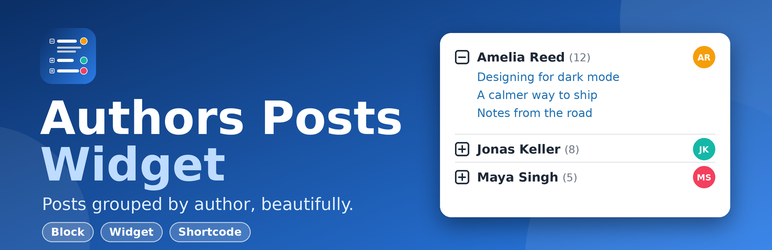
Authors Posts Widget lists your authors and their latest posts in a tidy, collapsible list that works in sidebars, footers, pages and posts. Visitors open an author to see what they have written, with no page reload.
Version 2 is a full rebuild for modern WordPress: a Gutenberg block, a shortcode, the classic widget, faster queries, caching, better accessibility and tighter security.
Features
- Three ways to use it: block, widget (classic and block widget areas) and the
[authors_posts]shortcode. - Collapsible authors built on native HTML
<details>: keyboard friendly, screen-reader friendly and works even when JavaScript is blocked. - Control what is shown: posts per author, excerpts (with length), avatars, post counts, post dates, «View all posts» archive link, expand the first author by default.
- Order and filter: order authors by name or by number of posts, exclude authors by ID.
- Fast: one small set of queries per list, cached automatically and refreshed when posts or users change. Styles load only on pages that show a list.
- Looks right in your theme: colors inherit from the theme (light, dark, block themes), RTL ready, optional link color.
- Secure by default: every input is validated, every output escaped, password-protected excerpts are never shown and only public display names are used.
- Translation ready.
Shortcode
[authors_posts number="3" display_excerpt="true" orderby="post_count" order="DESC"]
Attributes: number, orderby (name, post_count), order (ASC, DESC), exclude, max_authors, display_excerpt, excerpt_length, show_avatar, avatar_size, show_count, show_date, link_author, open_first.
Developers
The list is built from clean filters and actions (for example apw_default_args, apw_query_args, apw_users_args, apw_author_data, apw_post_data, apw_cache_ttl, apw_max_posts_per_author). Cached lists can be cleared from Settings > Authors Posts Widget.
Pro
A Pro add-on is available with accordion and card layouts, live author search, post thumbnails, author bios, post type and category filters, role filters and a «Load more» button. See Settings > Authors Posts Widget > Pro for details.
Скриншоты


Блоки
Этот плагин предоставляет 1 блок.
- Authors Posts Posts grouped by author in a collapsible, accessible list.
Установка
- In your admin go to Plugins > Add New, search for «Authors Posts Widget» and click Install Now, then Activate.
- Add it where you want it:
- Block editor: insert the Authors Posts block.
- Widgets: Appearance > Widgets, add Authors Posts to a sidebar.
- Anywhere: use the
[authors_posts]shortcode.
- Optional: Settings > Authors Posts Widget for the link color, stylesheet and cache options.
Часто задаваемые вопросы
-
Does it work with block themes and the block widget editor?
-
Yes. Use the Authors Posts block, or the legacy widget block, which keeps working with widgets you configured before.
-
I already use the old widget. Will it still work?
-
Yes. The widget ID and your saved settings are unchanged. New options simply use sensible defaults.
-
Only authors with at least one published post are listed. Check the «exclude» setting too.
-
The list looks different after updating.
-
Version 2 inherits your theme colors and uses a lighter layout. Custom CSS that targets
#apw-authors,.apw-parentor.apw-postsstill matches. If you want the old look back, add your own CSS or turn off the plugin stylesheet in the settings. -
Can I change how long lists are cached?
-
Yes:
add_filter( 'apw_cache_ttl', function () { return HOUR_IN_SECONDS; } );Return 0 to disable caching. -
To protect your database on very large sites. Developers can change it with the
apw_max_posts_per_authorfilter.
Отзывы

Участники и разработчики
«Authors Posts Widget» — проект с открытым исходным кодом. В развитие плагина внесли свой вклад следующие участники:
Участники

Перевести «Authors Posts Widget» на ваш язык.
Заинтересованы в разработке?
Посмотрите код, проверьте SVN репозиторий, или подпишитесь на журнал разработки по RSS.
Журнал изменений
2.0.0
- New: Authors Posts block (server rendered, no build step).
- New: [authors_posts] shortcode.
- New: options for post counts, avatars, dates, excerpt length, ordering, excluding authors, author archive link and expanding the first author.
- New: settings page with link color, stylesheet toggle and cache tools.
- New: caching with automatic refresh when posts or users change.
- New: optional Pro add-on support (plug-and-play «pro» folder).
- Improved: accessibility. Authors are now native collapsible sections (keyboard and screen-reader friendly, work without JavaScript).
- Improved: performance. Fewer queries, assets loaded only when needed, jQuery no longer required.
- Improved: the post count now shows the author’s real number of posts, not just the number displayed.
- Improved: excerpts fall back to the beginning of the post when no manual excerpt exists.
- Security: all inputs validated and outputs escaped, public display names used instead of first and last names, no excerpts for password-protected posts, hard limits on authors and posts per list, hardened uninstall routine, no raw SQL.
- Compatibility: tested with WordPress 7.1, requires WordPress 6.0 and PHP 7.4.
- Removed: legacy jQuery script and image icons (replaced by CSS).
1.4.2
- Reorganized and formatted CSS with clearer sectioning and consistent indentation. [25/10/2025]
1.4.0
- Version updated for WordPress. [05/06/2024]
1.3.9
- Version updated for WordPress. [02/05/2023]
1.3.8
- Assets updated.
1.3.7
- Tags updated. [Thanks to Abu Usman]
1.3.6
- UI updated.
1.3.5
- Banner, icon and screenshots updated. [Thanks to Abu Usman]
1.3.4
- Bullets updated and heading tag as well. [Thanks to seanbperiod]
1.3.2
- Three languages added, Spanish, French & German. [Thanks to Abu Usman]
1.3.1
- Sanitized input and fixed direct file access issues.
1.3.0
- Notices and warnings handled and excerpt display feature added.
1.2.0
- Refined file structure.
1.1
- Number of posts to show is provided.