
Описание
EU Cookies Bar is a WordPress plugin that helps website owners to meet the obligations and rights enacted under the GDPR. The plugin allows visitors to accept a website to use their cookies, and also allow visitors to configure their cookies settings. General Data Protection Regulation — (GDPR) is a European regulation to strengthen and unify the data protection of EU citizens.
FEATURES
► General:
-
Agreement duration: Set expiry date for an agreement after a user accepts
-
Block until accepting: An option to enable cookies only after visitor accepts to use, for those who want their website comply with the new EU Cookies Law-GDPR
-
Strictly necessary cookies: Specify very important cookies that can not be disabled by your visitors
-
Strictly necessary cookies prefix: Cookies whose names start with these prefixes can not be disable by your visitors too
-
Your privacy policy: This is to let your visitors know what your website uses cookies for beside a list of cookies that your website uses
► Cookies bar:
-
Message: Easy to change/edit front-end message with WordPress editor
-
Button decline: Let your visitors able to accept or decline your privacy policy, this is one of what GDPR requires
-
Button close: Just another option
-
Cookies bar position: Can be top, bottom, bottom left or bottom right, not many but enough
-
Implicit behaviors: Close cookies bar, accept or decline when your visitors hit close button, scroll their mouse wheel or refresh the browser. Depending on which cookies/privacy law you have to comply with, use this option flexibly to make the cookies bar less annoyed
-
Cookies bar design: You can change cookies bar font-size, text color, background color or opacity to make it in harmony with your theme, and a custom css field is available for your own customization
► Visitor cookies settings:
-
GDPR requires your website to have this
-
This is a small popup box that show your privacy and cookies policy and a list of available cookies that your website uses
-
Visitors can view and edit to accept which cookies on the list whenever they want, even before or after they accept to use cookies
-
A very small bar on the bottom which will show the visitors cookies settings when they click on it, and also a helpful shortcode [eucookiesbar_settings]»your text»[/eucookiesbar_settings] to call the cookies settings which you can place wherever you want in case you don’t want the small bar to be there
MAY BE YOU NEED
SUBRE – Product Subscription for WooCommerce: Convert WooCommerce simple products(physical or downloadable/virtual) to subscription products and allow recurring payments
Clear Autoptimize Cache Automatically: Clear Autoptimize cache automatically by cache amount or by time interval
FEWC – WooCommerce Extra Checkout Fields: Manage checkout fields using WordPress Customizer
EPOW – Custom Product Options for WooCommerce: Add extra options for products using frontend form builder
ChinaDS – Taobao Dropshipping for WooCommerce: Another Taobao dropshipping solution for WooCommerce stores
9MAIL – WordPress Email Templates Designer: Replace plaintext WordPress emails with more beautiful and professional templates
EPOI – WP Points and Rewards: Points and Rewards system for a WordPress website
WebPOS – Point of Sale for WooCommerce: Point of Sale solution for WooCommerce stores
Jagif – WooCommerce Free Gift: Giving gifts to your customers can never be more easier
COREEM – Coupon Reminder for WooCommerce: Send emails to customers to remind them of their coupons, especially ones which are about to expire
COMPE – WooCommerce Compare Products: Help your customers compare two or more products to find out the right one they need
W2S – Migrate WooCommerce to Shopify: Migrate WooCommerce products to Shopify easily via the official Shopify REST Admin API
EXMAGE — WordPress Image Links: Save storage by using external image URLs
Pofily – WooCommerce Product Filters: Advanced filters for WooCommerce
REDIS — WooCommerce Dynamic Pricing and Discounts: Create flexible pricing rules for products
Bopo – Woo Product Bundle Builder: Let the plugin provide your customers with a very flexible and convenient way to purchase bundles
Bulky — Bulk Edit Products for WooCommerce: Quickly and easily edit your products in bulk. This plugin will save you tons of time editing products.
Product Size Chart For WooCommerce: A simple but flexible solution to create size chart for your products
Checkout Upsell Funnel for WooCommerce: Offer product suggestions and smart order bumps on checkout page
Cart All In One For WooCommerce: All cart features you need in one simple plugin
Email Template Customizer for WooCommerce: Customize WooCommerce emails to make them more beautiful and professional after only several mouse clicks
Product Variations Swatches for WooCommerce: Professional and beautiful colors, buttons, images, variation images and radio variations swatches
Dropshipping and Fulfillment for AliExpress and WooCommerce: Free dropshipping solution — Transfer data from AliExpress products to WooCommerce effortlessly and fulfill AliExpress orders automatically
Orders Tracking for WooCommerce: Import orders tracking number and send tracking info to customers
Abandoned Cart Recovery For WooCommerce: Capture abandoned carts & send reminder emails to customers.
Import Shopify to WooCommerce: Import Shopify to WooCommerce plugin help you import all products from your Shopify store to WooCommerce
Customer Coupons for WooCommerce: Display coupons on your website
Virtual Reviews for WooCommerce: Virtual Reviews for WooCommerce helps generate virtual reviews, display canned reviews for newly created store
Thank You Page Customizer for WooCommerce: Customize your “Thank You” page and give coupons to customers after a successful order
Sales Countdown Timer: Create a sense of urgency with a countdown to the beginning or end of sales, store launch or other events
Lucky Wheel for WooCommerce: Offer customers to spin for coupons by entering their emails.
WordPress Lucky Wheel: WordPress Lucky Wheel gives you the best solution to get emails address from visitors of your WordPress website
Advanced Product Information for WooCommerce: Display more intuitive information of products such as sale countdown, sale badges, who recently bought products, rank of products in their categories, available payment methods…
LookBook for WooCommerce: Create beautiful Lookbooks, Shoppable with Product Tags
Photo Reviews for WooCommerce: Allow posting reviews include product pictures, review reminder, review for coupons.
Product Builder for WooCommerce: Allows your customers to build a full product set from small parts step by step. The plugin works base on WooCommerce with many useful features like compatible, email completed product, attributes filters.
Boost Sales for WooCommerce: Increase profit on every single order with Up-selling and Cross-selling
Free Shipping Bar for WooCommerce: Use free shipping as a marketing tool, encourage customers to pay more for free shipping.
Notification for WooCommerce: Social Proof Marketing plugin. Live recent order on the front-end of your site.
Multi Currency for WooCommerce: Switches to different currencies easily and accepts payment with only one currency or all currencies.
Coupon Box for WooCommerce: Subscribe emails for discount coupons
Documentation
Plugin Links
Скриншоты
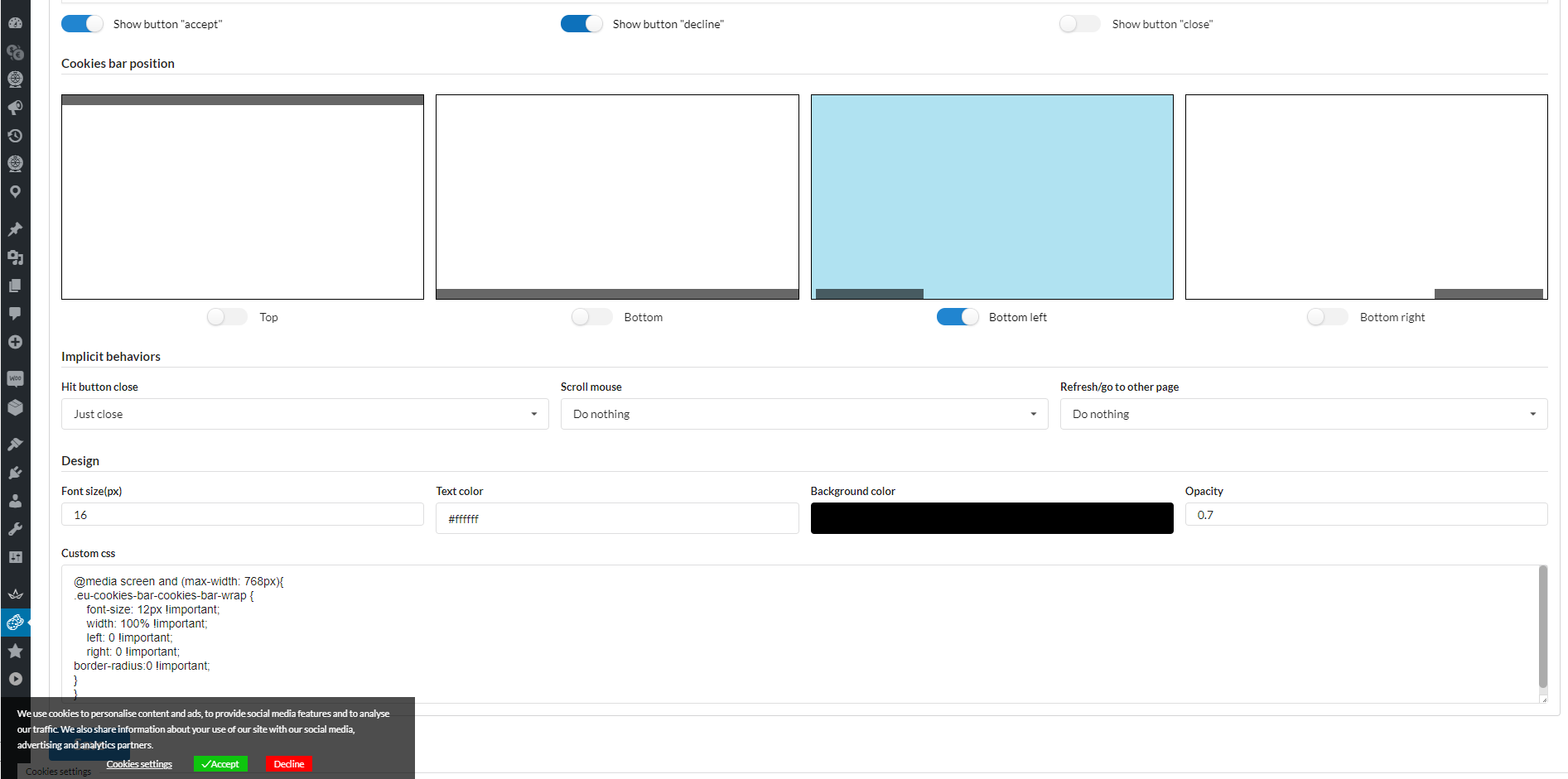
Backend with live preview 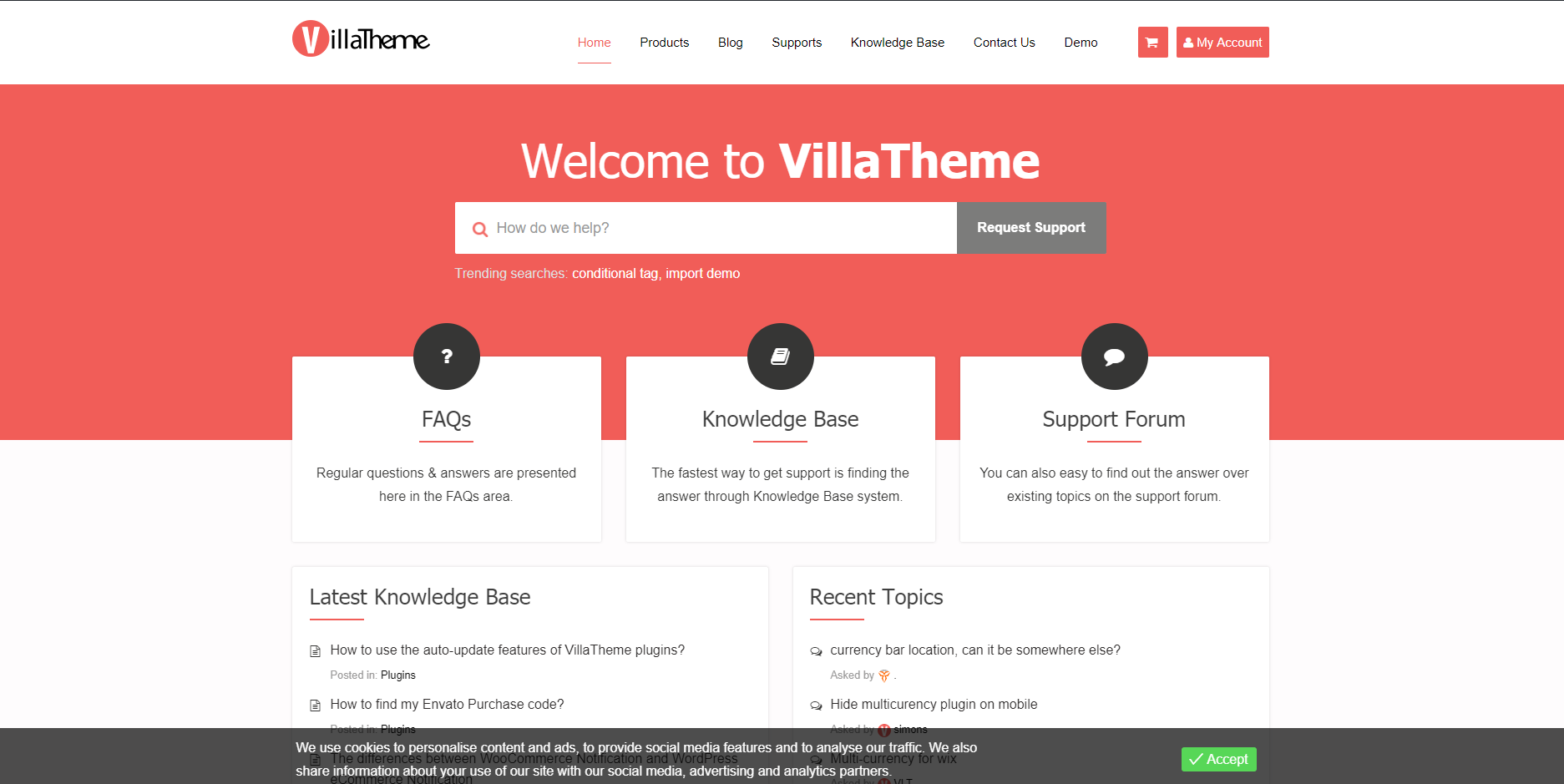
Frontend cookies bar with position botton 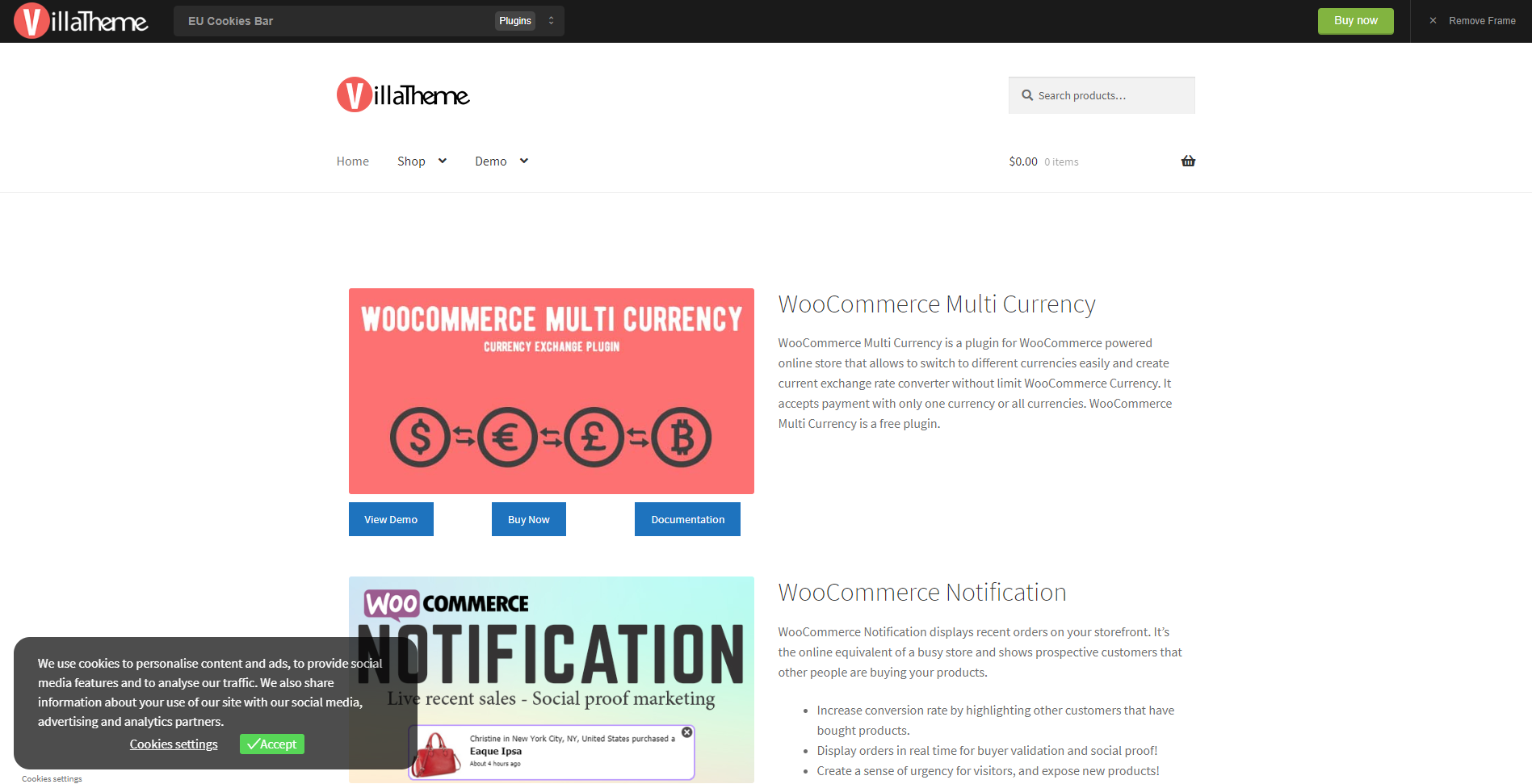
Frontend cookies bar with position botton left 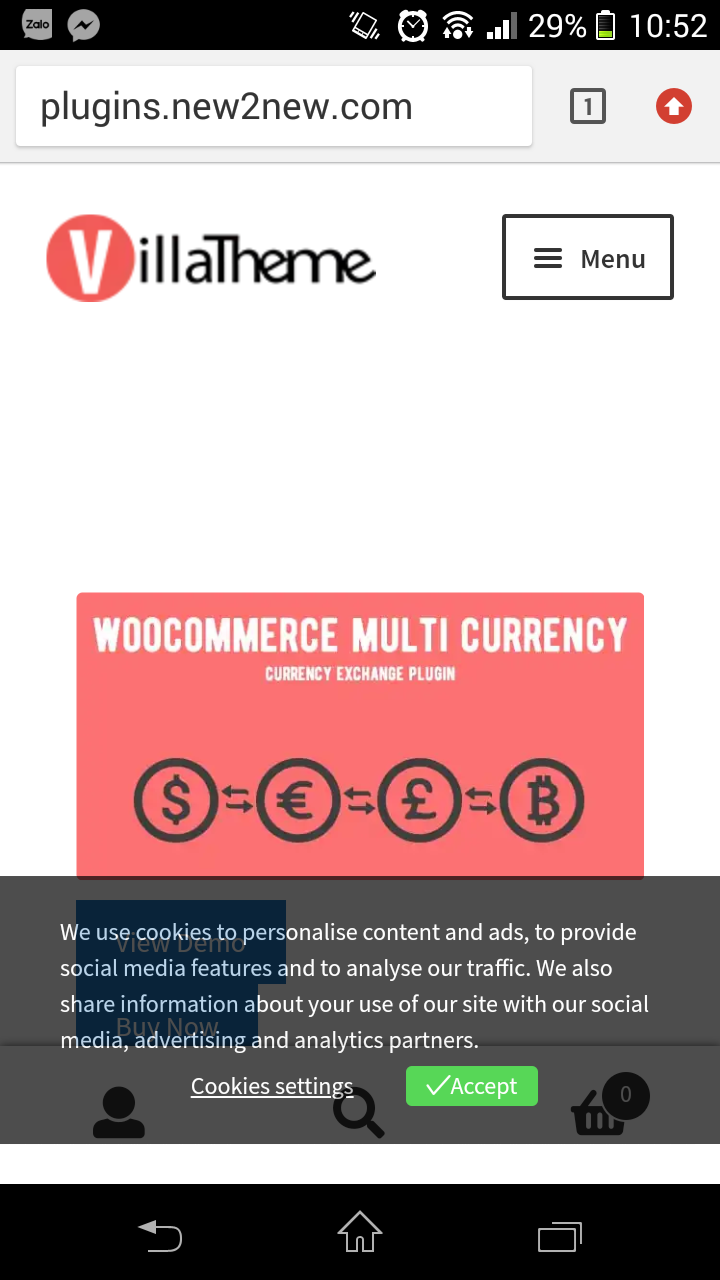
Responsive on mobile 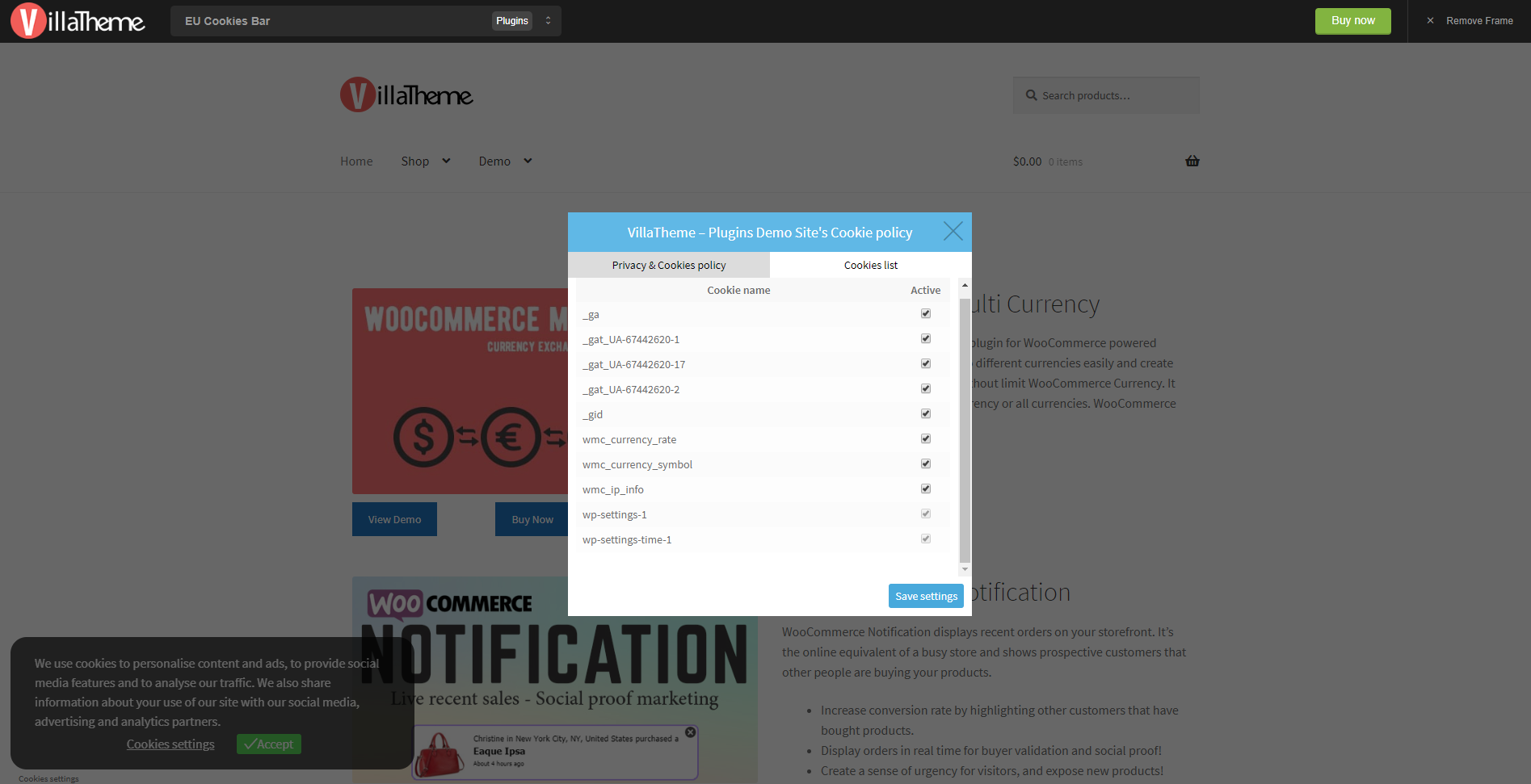
Visitors can views cookies list and change their mind whenever they want
Установка
- Unzip the download package
- Upload
eu-cookies-barto the/wp-content/plugins/directory - Activate the plugin through the ‘Plugins’ menu in WordPress
Отзывы


Участники и разработчики
«EU Cookies Bar for WordPress» — проект с открытым исходным кодом. В развитие плагина внесли свой вклад следующие участники:
Участники

Перевести «EU Cookies Bar for WordPress» на ваш язык.
Заинтересованы в разработке?
Посмотрите код, проверьте SVN репозиторий, или подпишитесь на журнал разработки по RSS.
Журнал изменений
/1.0.14 — 2024.04.13/
— Updated: Compatible with WP 6.5
/1.0.13 — 2023.10.26/
— Updated: Compatible with WP 6.3
/1.0.12 — 2023.02.24/
— Fixed: Use force_balance_tags for eu-cookie-bar content
/1.0.11 — 2022.10.04/
— Fixed: Changes in settings are not synchronized after clicking the Save button
— Fixed: Decline button not showing
/1.0.10 — 2022.07.22/
— Updated: Class support
— Updated: Data sanitization/escaping check
/1.0.9 — 2022.05.30/
— Updated: Class support
— Updated: Compatible with WP 6.0
/1.0.8 — 2022.04.20/
— Updated: Class support
/1.0.7 — 2022.03.29/
— Updated: Class support
/1.0.6 — 2022.03.21/
— Updated: Class support
/1.0.5 — 2022.02.21/
— Fixed: Error with admin users when enabling «Block cookies until accepting»
/1.0.4 — 2022.01.10/
— Updated: Class support
— Updated: Do not apply «Block cookies until accepting» feature to site admin
— Updated: Strictly necessary cookies prefix list
/1.0.3.10 — 2021.07.31/
— Updated: Class support
— Updated: Compatible with WP 5.8
/1.0.3.9 — 2021.06.16/
— Updated: Class support
/1.0.3.8 — 2021.04.08/
— Fixed: Slashes added when saving text
/1.0.3.7 — 2020.08.18/
— Updated: Compatible with WP 5.5
/1.0.3.6 — 2020.04.23/
— Updated: Language file
— Updated: Class support
/1.0.3.5 — 2020.03.23/
— Updated: Compatible with WP 5.4
— Updated: Class support
/1.0.3.4 — 2019.11.16/
— Updated: Compatible with WP 5.3
/1.0.3.3 — 2019.04.03/
— Updated: Add dismiss button for admin notices
/1.0.3.2 — 2018.11.21/
— Updated: Class support
/1.0.3.1 — 2018.11.10/
— Updated: Class support
/1.0.3 — 2018.10.17/
— Updated: Class support
/1.0.2 — 2018.10.15/
— Fixed: Class support
/1.0.1 — 2018../
— Added: Screenshort
— Added: Option to customize cookies bar border radius, margin, padding; button accept and button decline title, color, background color, border radius; user cookies form heading and button «Save settings» design
— Updated: Privacy page url
v1.0.0 — 2018.06.27
— First release.