
Описание
HIGHLY OPTIMIZED WEB CREATION TOOL
Do you want to build high quality animations and pages but you struggle with low performance on google tests with popular page builder? Greenshift will take care of this.
Plugin doesn’t use predefined styles, frameworks, icon fonts and script libraries. Every asset is generated on fly and loaded only when you use it. In the same time, plugin has very unique blocks and animation possibilities to surprise your visitors with high-end animations and transitions. You can build styles like on top awarded sites without any code knowledge.
Check out Greenshift block gallery
SOME EXCLUSIVE BENEFITS
✅ Ready library of sections and layouts with FSE support
✅ SVG shape libraries. Add extended formating to each block or animated dividers
✅ Advanced containers and Rows. Control every aspect of align, spacing, position, flexible position, responsive up to 4 breakpoints, flexbox and css grid options.
✅ Advanced position control. You can set css position via CSS transform, position or margins.
✅ Mobile smart scroll for sections. Turn your regular columns and blocks to scrollable items on mobiles or carousels.
✅ Advanced sliders and tabs. Make any kind of content as carousel/slider/tabs. Convert regular gallery to advanced 3d slider
✅ Extended background options (color/gradient/videos) and overlays with hover transitions.
✅ CSS scroll animations and hover transitions without libraries.
✅ AR/VR 3d viewer block and Spline3d block.
✅ Dynamic blocks: animated headlines, countdown, counters, videos, tabs, togglers, Table of content, progress bars etc.
✅ Easily control all options for separate resolutions
✅ Parent Hover transitions and background animations
✅ Up to 3 shadows for making 3d design effects
✅ Custom side and dropdown slide panels, popup builder
✅ Local font, GDPR ready
✅ Figma CSS to block design convertion
✅ Reusable styles (global styles)
ADVANCED PAGE DESIGNS AND ANIMATIONS
With Greenshift’s features, you can create complex pages and animations without code skills and directly inside core editor. Add spacing, positioning, css transform, shadows, borders like you can’t do in any other page builder. Use Shadow presets, hover transition presets, overlay transitions, infinite css animations, Headline Effects, Custom Animations, Gradient Backgrounds, Shape Dividers, parental transitions and many more.
To view some unique options, visit feature page.
EXTENDED RESPONSIVE OPTIONS
Mobile traffic is even more than desktop nowadays, and Greenshift has everything to make your mobile web design better. It provides 4 custom breakpoints, preview mode and possibility to add different values per each resolution. All blocks have special optimized mobile layouts. Also, you can shift your regular columned design to smart scroll on mobiles to generate Application-style design.
DYNAMIC LOADING
We understand that you may want to keep your current page editor, but in the same time you want to use some features from Greenshift. For this purpose, we added possibility to convert blocks and pages to shortcode. You can use them directly in your plugin or custom pages. And even more, we added possibility to load blocks dynamically when they are in view, or by click/hover. This can save page perfomance on heavy pages.
Highest web vitals score
We believe that Greenshift is most optimized plugin for web vitals. It’s because plugin uses unique conditional asset loading. All blocks are divided on style chunks which are loaded only when you use them on page. All dynamic libraries have no jquery dependencies. All styles are loaded inline in head section of page to prevent CLS and incompatibilities with cache plugins. Reusable blocks, Widget and Template environments are supported.
TAKE IT TO THE NEXT LEVEL WITH GREENSHIFT ADDONS
All our core features are free and will be free always. We don’t sell any premium versions and don’t limit functionality. In the same time, you may be interesting in extra blocks depending on your type of site. Check full list of addon’s blocks for wordpress
ANIMATION ADDON
You can add any custom animation in core version, but Animation addon will give you more options based on popular GSAP library. Custom parallaxes, different triggers for animations (scroll, hover, click, stagger, batch), controll interpolation with scroll, Pin blocks while scroll, make Smooth flip between states, use Smart Lottie loader, add animated blobs, reveals, mouse interactions, animation chains and connections, text and svg animations, image sequences and video loaders. Use Rive block to add Rive scenes and our special API to connect dynamic site values and Rive.
QUERY ADDON
Query addon is usefull if you want to extend dynamic functionality. It has a lot of ready patterns for query loop block, you can customize and extend each of them with special Meta getter block (use to get and show any values from custom field, ACF, ToolSet or taxonomy meta), wishlist block, thumbs and hot counter. Visibility block allows you to show/hide content based on different filters (category, tags, taxonomy, custom field value, user roles, detection of current category). Advanced listing builder helps you to build directory listings. Query Builder allows you to build any kind of design for CPT loops and carousels.
SEO AND MARKETING ADDON
We have very long 10 year story of developing different tools for affiliate, review, comparison sites. In coordination with best affiliate professionals and bloggers, we built set of special, highly conversion blocks to earn more profit from your sites. Link parser helpers, offer blocks, comparison and versus tables, listings, score and review boxes, woocommerce boxes. All blocks have special mobile layouts.
Скриншоты

Smart Scroll. Turn any elements or columns to scrollable/carousel block for mobiles 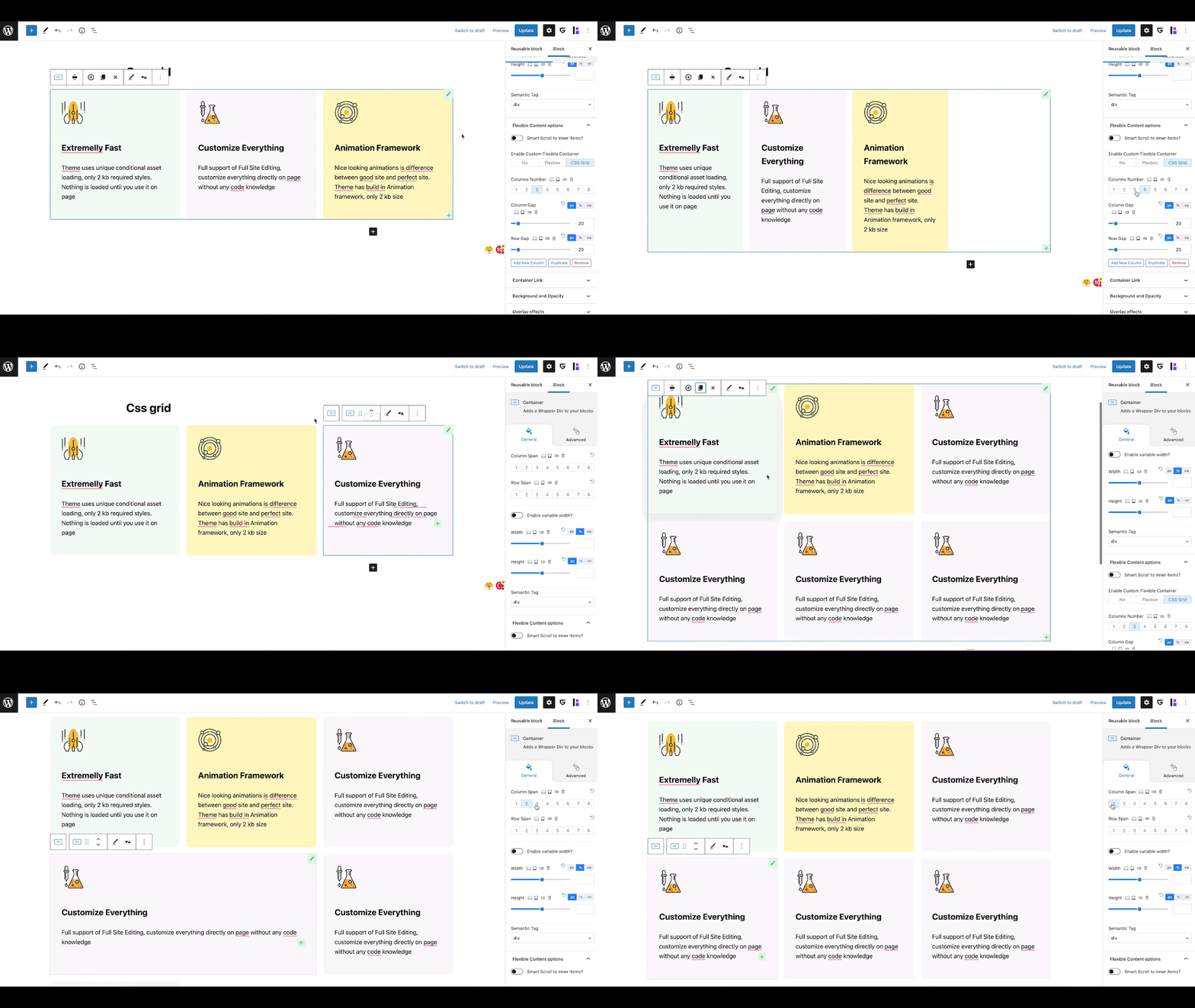
Fast CSS grid. Use smart css grid container if you need perfectly aligned equal height columns 
Flexible Container. Use FlexBox options to align elements perfectly 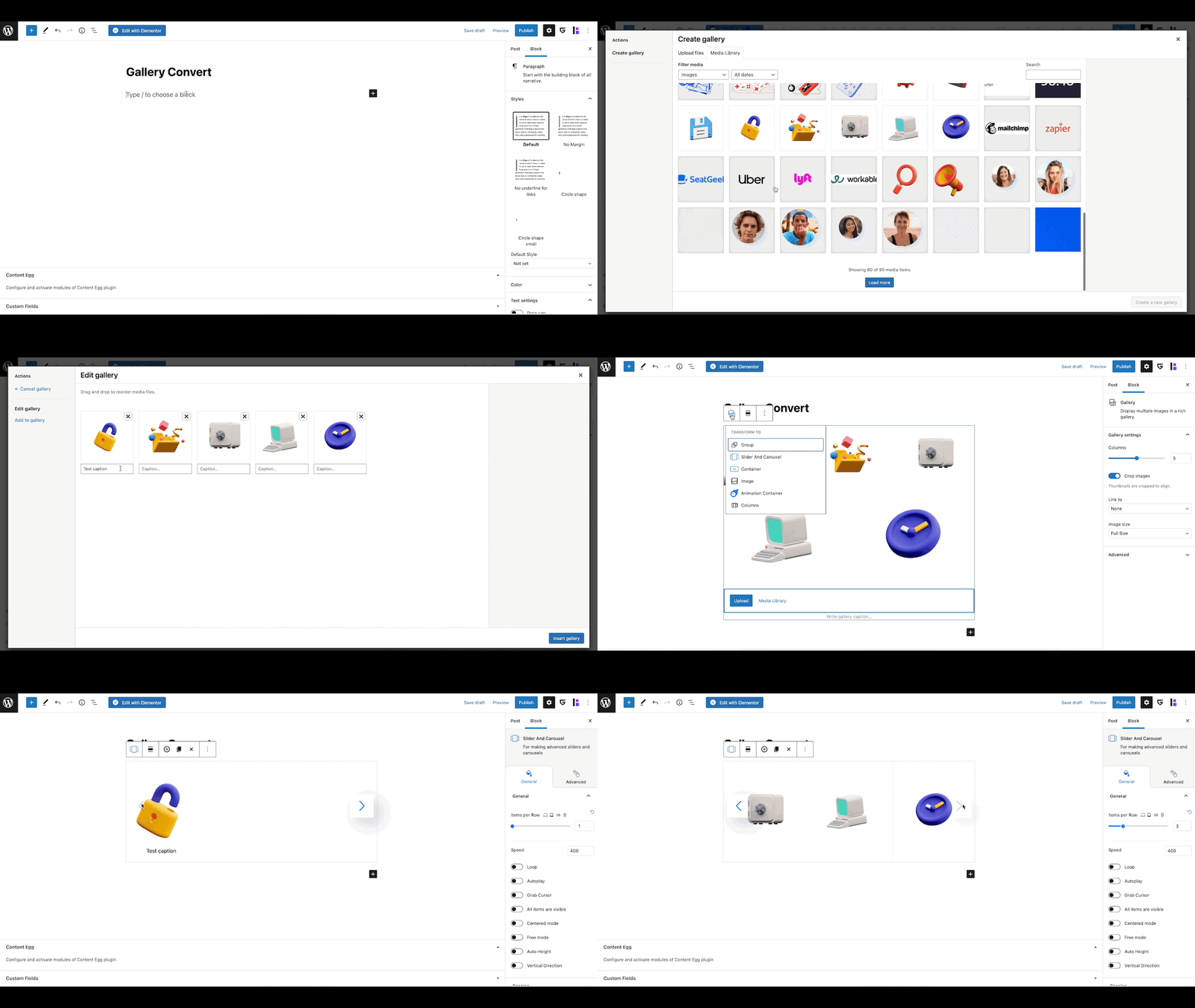
Advanced Sliders and Carousels. Add custom slider to any blocks. Convert galleries to sliders 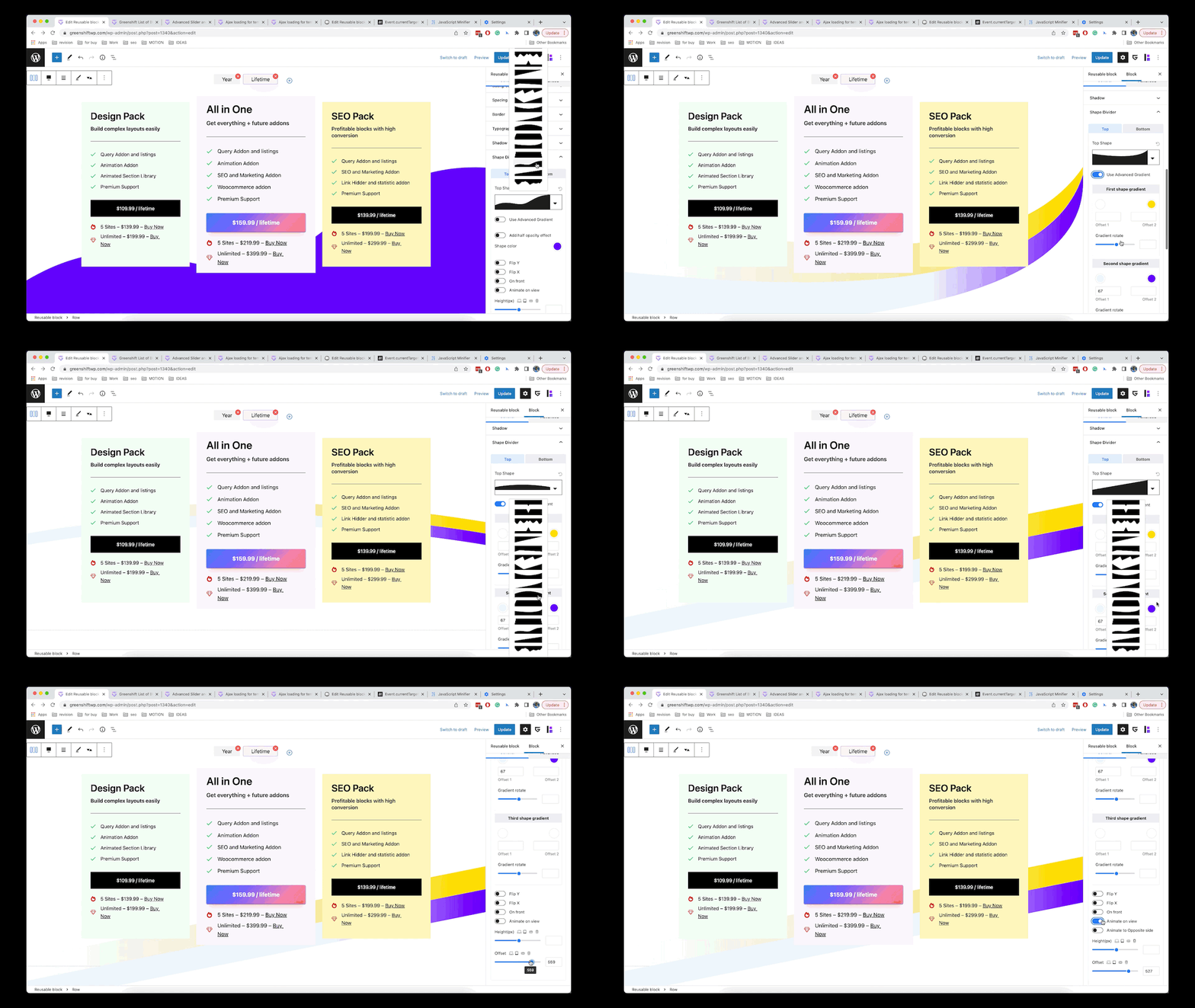
Shape dividers. Select predefined shapes, control color, gradient, animation 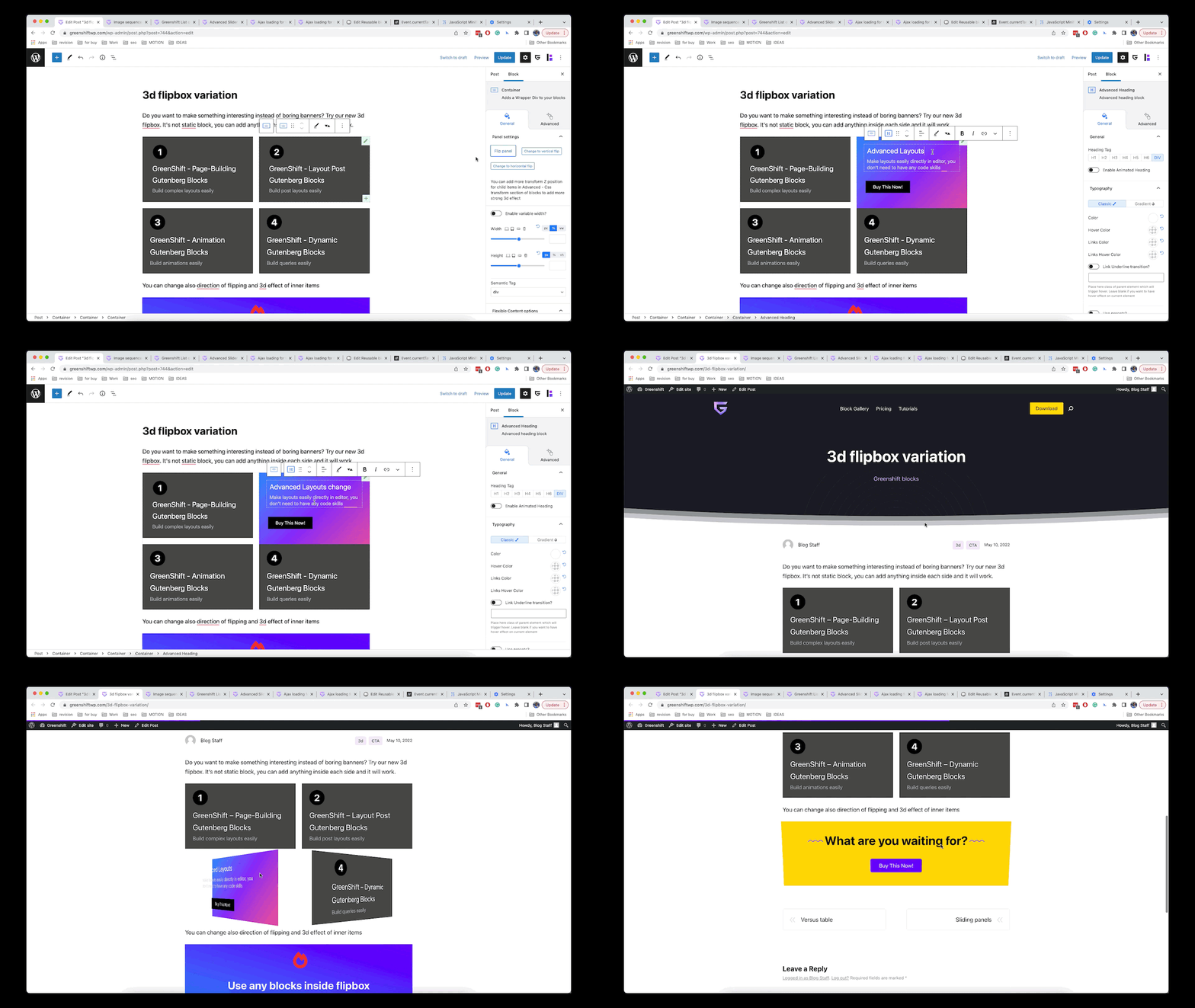
Css 3d transformations. Add any kind of css transformations, including 3d effect 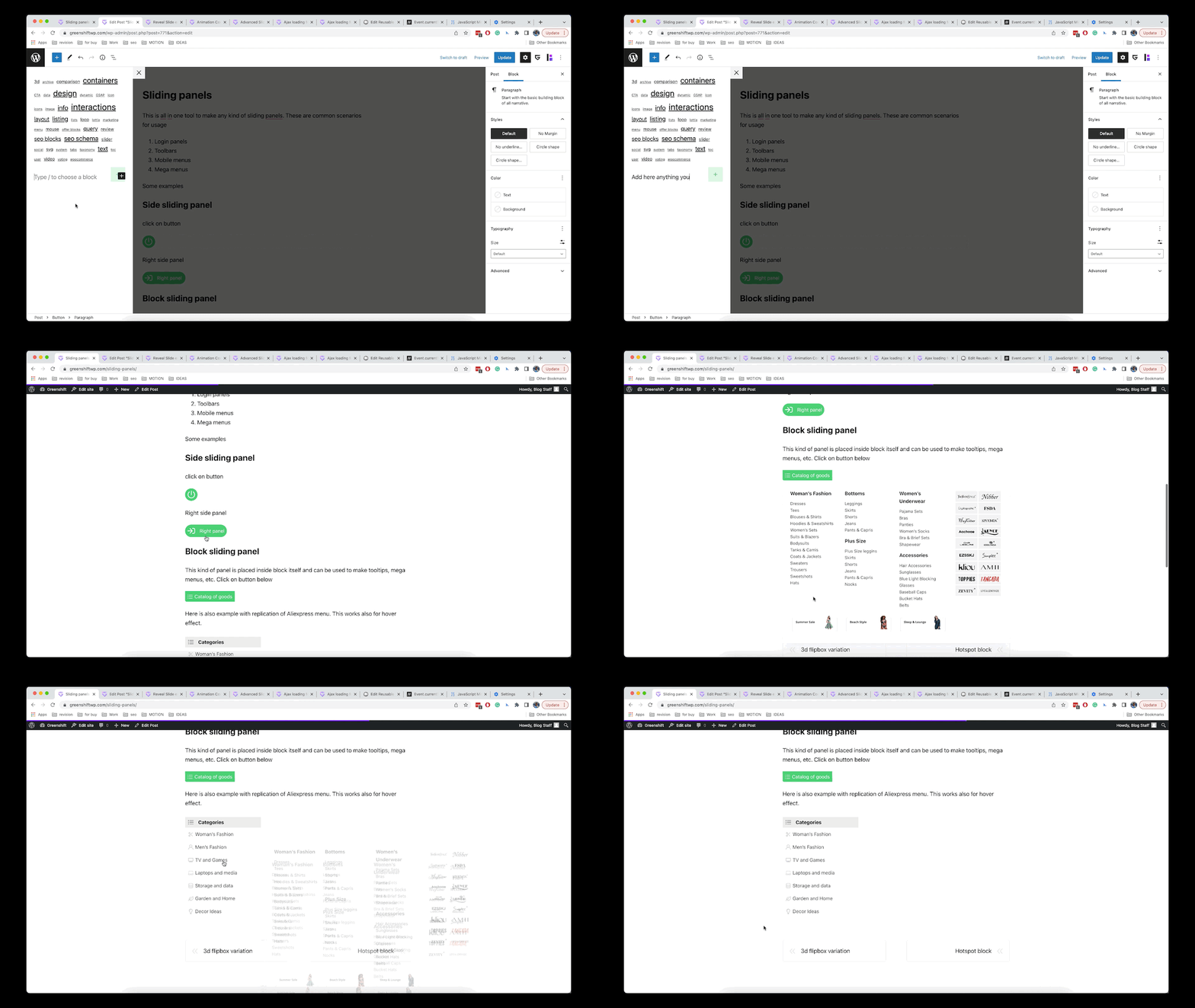
Sliding panels, popups. Build custom sliding panels, add any block, use for mega menus
Установка
Extract the zip file and just drop the contents in the wp-content/plugins/ directory of your WordPress installation and then activate the Plugin from Plugins page.
Часто задаваемые вопросы
-
Does GreenShift work with all the themes?
-
Greenshift works with all themes that follow the coding standards of WordPress. But we recommend to use Gutenberg optimized themes and FSE themes.
-
Can it be used inside other page builders?
-
You can create templates in Reusable template section and plugin will create shortcode for template. You can use this shortcode in any other page builders and areas which are not controlled by Gutenberg editor
-
Does it work with other WordPress Gutenberg plugins?
-
Yes, all codes are block based, so you can combine it with other plugins and blocks.
-
Do I need to know how to code?
-
No! Greenshift uses most modern functionality for browsers, but it has visual UI to control everything via editor. In the same time, there is Custom Css option which you can use to add custom code if you need it.
-
Can I get 100 web vitals score?
-
Yes, we guarantee that Greenshift is built on top of google recommendations and you can build even complex pages and keep 100 score on mobiles (in cases if you have optimized theme, good hosting and not overloaded page).
Отзывы


Участники и разработчики
«GreenShift — блоки конструктора страниц и анимации» — проект с открытым исходным кодом. В развитие плагина внесли свой вклад следующие участники:
Участники
«GreenShift — блоки конструктора страниц и анимации» переведён на 3 языка. Благодарим переводчиков за их работу.
Перевести «GreenShift — блоки конструктора страниц и анимации» на ваш язык.
Заинтересованы в разработке?
Посмотрите код, проверьте SVN репозиторий, или подпишитесь на журнал разработки по RSS.
Журнал изменений
8.7.2
- Added: Copy — Paste by type option supports copying classes from block to block
8.7.1
- Added: Support for tabs, accordion, slider, video lightbox, toggle, sliding panel scripts in template ajax loading and in ajax Infinite scroll options
- Added: Better video block support for dynamic queries
8.7
- Added: New Form Elements to Element block
- Added: On Input change Interaction Layer trigger and Input value conditions
- Added: Slider pause/resume Interaction Layer actions
- Added: RTL improvements in interface
- Added: Selector Rule Builder for class system
- Added: Mix Blend for Overlay panel
8.6.5
- Added: Class system has options for Flex Child
- Fix: rating star colors for progress bar
8.6
- Added: Option to set default units (Greenshift Settings — Interface)
- Added: Option to enable 4 breakpoints for Blocksy theme (Greenshift Settings — Css Options)
- Added: Progress bar has option to have Star rating style
- Added: Row can have margin left/right instead auto
- Added: Support for WP 6.5 font manager
- Added: Better support for WP 6.5
- Changed: default Icon color is inherited from text color
- Fix: sliding panel issue with not styled background, custom gap option as default attributes and many other
8.5.2
- Added: Vertical align option for Image tag block
8.5
- Added: Countdown types have also Fake countdown option with memory
- Added: option to disable auto generation of anchors in core heading block (GS Settings — Interface)
- Added: option to disable default padding for columns (GS Settings — Interface)
- Added: Word Wrap option for Advanced typography
- Fix: accordion block custom icon has improved transform point
8.4.3
- Fix: Preset panel fix
8.4.2
- Added: Element block now inherits flexible child options from Column, Containers and Css grid
- Added: Reordering panels to make them consistent between different blocks
8.4.1
- Added: Option to copy styles from one block to another by separate design type
- Added: Option to disable pause on hover for slider in auto play mode
8.4
- Added: HTML type support for Element block
- Added: HTML type has code syntax/helper (requires installation for Smart Code AI free addon)
- Added: fix for extra spacing in SVG shape for images
- Added: New Interface setting panel in GS with new options (dark accent, option to disable element blocks)
- Added: Dark mode support for server side (Settings — CSS options)
- Added: Dark mode support for server side (Settings — CSS options)
8.3.1
- Added: Element block has UL, LI, NAV, FIGURE tags support
- Added: Element block UL variation includes predefined one list item and each inner list items will be created on Enter key
- Fix: responsive options for Element block
8.3
- Added: New Dark mode switcher
- Added: Stylebook has option to overwrite default colors for dark mode
- Added: SVG shape option for images, svg shape presets
- Added: More attributes are allowed to set as default for blocks
- Added: Stretch align option for Slider to make inner containers fit whole space
- Added: Filters have option to set dark mode filters
- Added: FSE templates section for library and some UI changes in library
- Added: Better reset for height, width, flex content
- Added: Support for Core framework variable system (Greenshift — Settings — CSS management)
- Added: Clean Canvas template is working with FSE themes
- Added: Improved UI for some panels + option to enable Dark accent UI (Greenshift — Settings — CSS management)
- Added:New Element Block for vanilla html tags
- Fix: Safari bug for wrong spacing visual helpers
8.2.2
- Added: background color option for backdrop in sliding panel
- Fix: improvements in scripts for reusable templates, tabs, interaction layers, slider
8.2
- Added: Button presets
- Added: Active state for button design panels
- Added: Option in library to import animated version of template + New templates
- Added: More priority for Stylebook body element to overwrite some core wordpress styles
8.1.2
- Fix: Slider creative effects fix, videobox align fix, added Trigger action in GSAP library for Animation panel
8.1.1
- Fix: Slider images in scenarios when you use it in FSE templates + slider link bug.
- Added: New FSE templates section in Library
8.0
- Added: Progress bar block has updated DOM with new API
- Added: Improvements in UI for many panels
- Added: Reverse direction option for slider
- Added: Background color option for Stylebook for global background settings
- Added: Dynamic text option for heading block has Current user data options
- Added: Big update for Woocommerce addon with many new Conversion pack of blocks (buy now button, free shipping, fake sold out, etc)
- Added: Advanced list block has global align option which can be set different for different devices
- Fix: Parental hover option for class system
7.9.4
- Added: Progress bar block has animation option, more spacing options and copy-paste functions
- Added: Swiper block is clickable now in editor and has control buttons in Inspector
- Added: Typography panel improvements
7.9.3
- Added: Text mask and Rotation option for Mouse effects in Animation panel
7.9.2
- Added: Copy — paste options for tabs block
- Added: Fix for extra gap on Rows with custom gutters on mobiles
7.9.1
- Added: Mouse react animations for Animation panel
- Added: Improved 3d space inheriting from parent container
- Added: Polylang support and fix for styles
7.9
- Added: Option in container to disable inner items so you can use it as design element (shapes, lines, circles)
- Added: Button has Flexible align option and option to disable text if you enable icon
- Added: Visual position drag for containers
- Added: Advanced toolbar for counter block
- Added: Swiper has option to stop on last item in autoplay mode + fix for overlay in slides
- Fix: Global gradients for Stylebook
- Added: ACPT repeater support, search and filter, better Meta getter and many more in 7.9 update
7.8.4
- Added: Smart scroll has option to select width type and make custom arrow buttons
7.8.3
- Added: support for video block inside repeater builder
- Fix: sliding panel/popup in footer option
7.8.2
- Added: support for GS stylebook in Kadence theme
- Fix: duplicated pattern performance bug
- Change: container width/height calculation in editor
7.8.1
- Added: New Bulk stretch and align option for inner items for CSS grid builder
- Fix: Accordion inner items background issue
7.8
- Added: UI improvements for components
- Added: Iconbox align is device related now
- Added: Slider block is moved to API 3 with new panels
- Added: Synchronized Containers feature for slider check Slider Synchronization
- Added: Accordion block is moved to new API and new panels
- Added: Accordion block has new option to attach icon to title
- Added: Video block is moved to new API and new panels
- Added: Switcher block is moved to new API and new panels
7.7
- Added: Option to copy-paste style to definite type of block inside specific container
- Added: Tab in inspector has memory. If you open Advanced tab in button block, then it will be opened by default in all button blocks
- Added: Advanced list improvements, removal delete icon, improvements in toolbar, duplicate/remove buttons in toolbar are working for current selected list item instead of last item
- Added: Light style for Infobox (info light, notice light, error light, download light)
- Added: Accordion scroll to top of content is optional now
- Added: WPML support including addons, translation files for addons
- Added: Layout import has option to import also global assets (fonts, global colors, Global Element design)
7.6.3
- Added: preparation for new template library (importing global colors, fonts with template, etc) + fix for svg shape margin + security improvements + better WPML support
7.6.2
- Added: Sliding panel has sliding from top option
7.6.1
- Fix: Accessibility bug in accordion block (page must be resaved to apply changes)
- Added: Support Board for better support experience
7.6
- Added: Interaction layers have also option to Load Reusable templates
- Added: Interaction layers have new dynamic placeholders: offset left, offset top, height
- Added: Overlay panel use more modern isolation css option instead z-index for better compatibility with other elements on page
- Change: Interaction layers have now unlimited Math operation feature for values + custom selectors for dynamic placeholders. Please, note, that previous version of Math operations will not work in new version. You need to update your interactions in case if you used complex Math operations
7.5.2
- Added: Colors for simple social share buttons
- Fix: improvements for gutenberg API 3 performance
7.5
- Added: Custom close selector for sliding popup and other improvements for block
- Added: Video actions for Interaction layers
- Added: Rive App actions for Interaction layers check more in Fancy Academy
- Added: More layouts for wireframe library
7.4.1
- Added: additional align options for CSS grid
- Added: compatibility with older versions of wordpress
7.4
- Added: Accessibility improvements for tabs, accordions, content toggler, sliding panel, switcher. Added aria options, focusable elements and controlling from Keyboard
7.3.4
- Added: some improvements for Blocksy theme 2.0
7.3.2
- Fix: possible CLS on width 100% option for images + container height fix + added links on new documentation
7.3.1
- Added: Interaction panel In-view trigger has option to set root margin to control position of view trigger in viewport
- Added: Border presets and some UI change for border component
- Fix: Container margin auto option has better behavior in editor
7.3
- Added: Clip Path presets to GSAP Animation panel
- Added: Custom property option to GSAP Animation panel (you can animate any custom css property)
- Added: Color option to GSAP Animation panel
- Added: Observer type of trigger for GSAP Animation panel
- Added: Refreshed UI in GSAP Animation panel
- Added: Option to set custom units for Shifting properties
7.2.7
- Fix: Reverting back Stylebook if you accidentally removed page. Fix for responsive hide option for containers in case if you have extra gaps or margins on it, fix responsive option for column and 100% in slider when you enable full width alignment
7.2.5
- Fix: Scrollable carousel must prevent clicking while drag
7.2.4
- Fix: CSS grid builder bug for mobile devices, accordion block align bug
- Added: Smart Scroll feature for container was improved (added align option and drag option)
- Fix: twitter icon replaced
7.2.3
- Fix: Image view for mobiles for static width of images
7.2.2
- Added: Interaction panel can use cookie for set, get, conditions
7.2.1
- Added: Interaction panel new placeholders CLIENT_X_%, OFFSET_X, OFFSET_Y, CLIENT_Y_% for mouse effects
- Added: Interaction panel new action to set HTML to elements
- Added: Interaction panel new condition to check local storage
7.2
- Added: Local class can be limited to style element only in Editor or only on Frontend. It’s useful for cases when you build custom effects when element is hidden by default. You can set to be hidden only on frontend while you can continue to edit it in editor
- Added: Interaction panel has Action for Slide to specific slider for Advanced Slider block
- Added: Css transform panel has separate delay transition option for initial, hover and active state
- Added: Local classes can overwrite default position and spacing in Columns and Containers
7.1.4
- Added: Text blocks now uses placeholders for default text
- Added: Row can have custom semantic tag
- Added: Interaction panel has Delay option for triggers
7.1.1
- Added: more 6.4 fixes
7.1
- Added: Background position has option to set custom units and variables
- Added: Stylebook has Dark mode switcher
- Added: Image block has Full width option
- Added: Wp 6.4 compatibility
- Added: Fix for option to set default attributes for blocks
7.0.3
- Reverted: Typography presets are reverted back. Please note that it’s temporal restoring and will be removed in month, you need to migrate presets to new Variable or class system
7.0.2
- Added: Icon Spacing to Accordion block
- Added: Custom Action Selector has now option to use Index of Trigger (useful for building custom tabs and galleries)
- Added: Query builder, Gallery and Repeater builder has support for Visual Grid builder
7.0.1
- Added: Variable selector and custom values for all unit and color fields
- Added: Interaction Layers system
- Added: Gradient presets for Stylebook
- Added: Variable presets for Stylebook
- Added: Css grid builder has now also visual layout builder
- Added: Options for Custom values for Shadow and Border panels including variable values
- Added: Stylebook options in Sidebar for FSE and post (click on G icon in top toolbar)
- Added: Preload link option for Local font
- Added: Align option in Button is now device related
- Added: Disabling icon in Advanced list disables also predefined spacing
- Added: Slider has option to set number of slides per group
- Added: Video Block supports Live youtube links
- Added: Better align for icons in Accordion block
- Added: New Admin settings panel
- Fix: Multiple fixes according to reports: dynamic label, cleaning responsive data, stylebook class editing, Index panel, etc
- Details: check more in depth
6.9
- Added: Option to remove element styles in Stylebook
- Added: Option to set custom variables in unit controlled fields
- Fix: Slider fix for scenarios when slider is in flexbox
6.8.7
- Added: Stylebook Global Elements also applied to core heading block now
6.8.6
- Fix: fixed hover styles for Stylebook Global Elements, you may need to resave Elements to apply changes in admin area
6.8.4
- Added: Site Identity to StyleBook
6.8.2
- Added: New Class system
- Added: StyleBook feature
- Added: Parallax option for Slider
- Added: Clip Path option in CSS transformation panel
- Added: Global colors can be added unlimited
- Added: Experimental option to set Var, Calc, Auto in Unit Controlled fields (currently only for spacing and Position)
- Added: Option in Slider to upload images for slides from main slider block
- Added: Synchronization between Column gap preset and Visual builder for Row
- Added: New button block will inherit default buttons styles from theme
- Added: Custom child items Sorting panel for adding custom order (in Flexbox settings)
- Update: if you upload local font, then external Google fonts selector is hidden
- Update: All core blocks are moved to block API 3
- Fix: Slider border radius
- Fix: dropped performance for duplicated synced patterns
6.7.7
- Added: Counter block has options for extended typography and sizing
- Added: Css transform indicator for each state
- Fix: some issues related to migration to API 3
6.7.6
- Fix: position panel bug
6.7.5
- Added: Better synchronization between Mobile preview option from WordPress and Greenshift mobile preview
- Added: Improvements in width option of Column + migration to API 3 for Rows and Columns
- Added: Popup block supports also Query builder and dynamic popups
- Fix and updates: Inner Container flexbox option fixes for Flexbox and css grid
6.7
- Added: Ken Burns quick effect panel for Slider block
- Added: Options to control design of scrollbar in Smart scroll feature
- Added: css transition added automatically if it’s empty while adding css transform values
- Added: Dynamic button label placeholders
- Added: Icon transition effects for Button
- Fix: column gap for mobiles
- Fix: custom z index for popup
- Fix: Video dynamic url doesn’t require fallback
- Change: Breaking change in Container structure + fix for Firefox bug in Flipbox
- Fix: Selection bug in List block
6.6.8
- Fix: for php notices in admin
- Added: Border radius has option to set different units for each corner
- Fix: Css transform pointer events
6.6.5
- Fix: for wrong absolute position inside columns and other
6.6.4
- Added: Support for deep nested array values in repeater builder
- Added: Pointer events option for CSS transform panel
6.6.3
- Added: Video can have custom icon for overlay + button fix
6.6.1
- Added: better Button icon hover and transitions, fix for Vimeo videobox
6.6
- Added: better way to load global styles for WP 6.3
- Added: Updated section library component
- Added: Improved Dynamic Video feature
6.5.7
- Added: toolbar improvements for row, section, headings
6.5.5
- Fixes: reported by users
6.5.1
- Added: Visual Builder for Row block
- Added: JSON style for Map block
- Fixed: SVG icon picker
6.4.3
- Added: Visual css grid builder for FSE
6.4
- Added: Improved Spacing panel (separate units, preset support)
- Added: Visual design builder improvements (spacing top and bottom, visual position drag, resize drag, visual border radius drag, fast typography and colors)
- Added: SVG image to svg code conversion in icon picker
- Added: Better custom order for columns
- Added: Visual Css grid builder
- Added: Slider has option to use image as background
- Added: Blocksy theme V2 support
- Added: Blocksy theme sticky header and popup Active state options for css transform panel
- Added: Better variation names in Inspector
- Fix: core font size presets for some blocks
6.3.1
- Added: Color picker supports variables
6.3
- Fix: Accessibility options for Container link for images
- Fix: Images use Lazyload in FSE templates by default
- Added: Slides can have anchors in Slider block
- Added: Popup/Sliding panels support dynamic content
6.2.5
- Fix: Accessibility options for Iconbox block
6.2.3
- Fix: column gap sometimes breaks blocks
6.2.2
- Added: Clip animation presets
- Added: 3d block and Splide 3d support Dynamic data
6.2
- Added: Updated Slider options (Wheel, Keyboard, Snapping, custom pagination)
- Added: Updated CSS transform panel with new Active state options (used to add animations in sliders, tabs, flipbox, etc)
- Added: Flexbox controls in toolbar
- Added: Ajax add to cart button with inputs and variation swatches for Wholesale sites Woocommerce
- Added: New Woocommerce plan
6.1
- Added: Dynamic fields option for Countdown block
- Added: Start date, removal on expiration for Countdown block
- Added: Countdown block can be used for Woocommerce sale countdown
- Added: Click for pagination, option to enable autoplay after interactions for Slider block.
6.0.2
- Added: Support for Gutenberg plugin
- Added: Slider options: clickable dots, restore autoplay after user interaction
6.0
- Added: Advanced Background Size and background Size hover options for all blocks
- Added: Icon picker has separate width and height option
- Added: Countdown has no limits in days
- Added: Automatic separator for big values in Counter Block
- Added: Custom code areas for head and footer
- Added: FSE template export will export also Woocommerce custom templates (if you use Greenshift theme)
- Fix: unremovable 0 value for some fields
5.9.9
- Added: Sliders synchronization option
- Added: FSE template, reusable template, Greenshift settings and styles Import/Export options
5.9.8
- Added: TypeWriter effect for Advanced heading block
5.9.7
- Added: Modal fix
- Added: Woocommerce premium addon
5.9.6
- Added: Videobox supports Youtube shorts
- Added: Sliding panel/popup has Modal type (uses dialog tags)
- Added: Gallery block supports collapsing to slider for mobiles
5.9.4
- Added: Background and color options for TOC block
5.9.2
- Fixes: gradient for background, border radius for videos
- Added: Visibility Panel for blocks (requires Query addon)
5.9.1
- Added: Aspect ratio option for VideoBox
- Added: Tabs reorder option
- Added: Min/max values for variable sizing
- Added: Some fixes from reports
5.9
- Added: Custom Fluid typography for presets
- Added: Option to set Custom default styles for blocks
5.8
- Added: Aspect ratio option for Sizing and custom Fluid typography
5.7.3
- Added: option to set custom selector for trigger sliding panel, popup
5.7
- Added: Spline3D WordPress block
- Added: Accessibility options for Sliding panel, toggler, social share buttons
- Fix: some issues when using duplicate button in some scenarios when blocks have the same styles
- Fix: child containers for Flexbox have Order option
- Added: improvements in Slider script, added support for custom breakpoints and pause on autoplay for hover
5.6
- Added: Theme palette colors now uses variables instead flat colors
- Added: Map field supports FSE template creation environment
- Added: Accessibility labels for Button block
- Added: Accordion script supports ajax render
- Added: Repeater block (in Query Addon)
5.5
- Added: variable width detection for Row in Greenshift theme (plugin will use Wide width option which you can set in global Style editor)
- Added: Custom icon option for accordion
- Added: Right side option for Vertical tabs and increased width value
- Added: Option to place popup on top of page (useful if you have long forms in popup)
- Added: Color picker in Color component
- Added: Refreshed Typography options
- Added: Map block and Dynamic Map option
- Added: Dynamic Label option for Button block
- Added: Transform origin point for css transformations
- Added: Reusable style feature will clean local styles when you add or update reusable style to block
- Fix: some scenarios when Gutenberg plugin and Background options are not compatible
5.4.1
- Added: Performance improvements in style saving editor function
5.4
- Added: Progress bar has new Circle Style type
- Added: Dynamic fields for progress bar
- Added: Dynamic fields for counter
- Added: Option to retrieve values from multidimensional arrays in dynamic fields
5.3.3
- Added: Gallery block for Query addon
5.3
- Added: Option to reorder Advanced lists
- Added: New Price table patterns
- Added: Videobox lightbox improvements
5.2
- Added: Updated Sizing Panel with variable width, height features
- Added: Custom css grid template
- Added: Variable font weight options for Advanced typography options
- Added: Refreshed UI for better matching with core WordPress and popular WP themes
- Added: Security improvements for shortcode rendering
5.1.3
- Added: Custom Border options for Slider arrows
5.1.1
- Added: Library for Site editor
5.1
- Added: Title option to Advanced list links for better accessability
- Added: Overflow auto option for Spacing panel
5.0
- Added: Animation panel has improved GSAP options with all basic transformations, scroll interpolation and triggers (this still requires Animation addon)
- Added: Switcher block
- Added: Option to enable script delay for maximum web vitals score on pages with high amount of scripts How to get 100 web vitals score on highly animated pages
- Added: Wireframe Library of patterns
- Added: Dynamic option for TOC block (for using in reusable templates)
- Added: more predefined icons for Icon Picker and some improves in UI
4.9.9
- Added: TOC sticky panel has option to set breakpoint for collapsing
- Added: Trigger start, end, infinite animation options for Quick Animation panel in GSAP
- Fix: Fixed outside heading option for subtitle
4.9.8
- Added: Reusable ajax loading on hover uses click trigger if used on mobiles
- Added: Position and Resize quick toolbar buttons are working in FSE now
4.9.4
- Added: Custom decimal values allows in spacing panel
- Added: Reusable style Change/Remove selector has preselected class if you used it early
4.9.3
- Added: Vertical mode to Advanced typography component
- Added: Tabs support inner tabs
4.9.2
- Added: CSS grid has up to 16 columns
4.9.1
- Added: CSS grid and Flexbox has option to control flex and grid parameters in each child Container separately Overview of CSS grid control
4.9
- Added: Advanced list have option to enable columns
4.8.9
- Added: Security improvements and image block fix for scenarios when image size is not available
4.8.8
- Added: Margin auto switcher to spacing options
4.8.7
- Added: Additional Size panel for Rows.
- Added: Skew options for CSS transforms
- Added: Post link Post processor for Meta getter block
- Added: Cookie option for visibility block
4.8.6
- Added: Improved Size panel. Added size panel to Advanced heading, text, container blocks
4.8.5
- Fix: fix widget notices and border radius issues
4.8.4
- Added: Responsive control to border radius
- Added: Postfix to Counter block
- Added: Removed redundant outline borders and toolbars on column and container hovers in editor when you hover on child element
4.8.3
- Added: Mailto links data type for Meta getter block
- Added: Completely overwritten Custom Gap option for Row
- Added: Option to set Subheading outside Heading tag
- Added: Circle heading is recounting all numbers in post when you add new circle heading block
- Added: How to integrate theme in Greenshift
- Fix: some fixes in Copy style feature
- Fix: not saving presets and styles on some hostings
4.8.2
- Added: Date field support for Meta getter
- Added: Better Size units for icon picker, letter spacing, width, height
- Added: Support for new Greenshift Woocommerce addon
4.8.1
- Added: Better Astra theme integration (row width fix, UI fixes, button color inheritance)
- Added: Copy style option for countdown block
4.8
- Added: Custom font style option for typography panel
- Added: Clean color option for icon picker (this will allow to use reusable styles for icon colors)
- Added: Image scale (object fit and focal point) to image block
- Added: Image block has Dynamic fields. But if you use Query loop builder, please, use Dynamic Post Image instead
4.7
- Added: Padding option for sliding panel and better mobile closing button point
- Added: Support for reusable style option to columns
- Added: Default button styles and icon colors are inherited from Blocksy theme (if you use it)
- Added: Fix for Animated shape dividers
- Added: Custom cursor option for typography panel
4.6
- Added: New Reusable styles system Please, check demo
- Added: Alt for Svg images
- Added: More options for Accordion block
- Added: Content background for Tab block
- Added: Fix for Animated headings with loader type
- Added: Transformation from core list to Advanced list
- Added: AOS animation library was replaced by extra light Intersection Observer library
- Added: Exit intent popup has option to show it only once
4.5
- Added: Figma Css to Attribute Converter (Find it in Toolbar — Style icon — Convert css to attributes)
- Added: Separate Row and Column Gap for Flexbox
- Added: More units to line height
- Added: Lazy load for heading and text Image mask
- Added: Option to disable background image on separate resolutions
4.3.1
- Added: Addons page and some slider improvements
4.3
- Added: Localization files + improvements for margin, gap in Flexbox
- Added: Background Lazy Load option for Containers, Rows and Columns
- Added: parent hover class for icon picker, border, sub title in heading, improved detection of parent container class
- Updated: Freemius framework is removed. Please, check important message about addon update
- Fix: responsive options of Shape divider
4.2.2
- Added: Breakpoint option for smart scroll in container
- Added: Removing default color from Icon will set currentColor value which allows to inherit color from parent container
4.2
- Added: Dynamic Link option to Container Link
- Added: Parent Hover class option to shadow
4.0.9
- Column order option for CSS grid and some fixes
4.0
- Added distributed gap option for custom column gap
- Cleaning repeated body tag from styles
- Added Reset button for Panels
- Added option to select ul li tags for advanced lists
- Added name options for links in Container and Video Iframe for screen readers
- Dynamic fields for Text, Heading, Button, Video and Background options (Required to have Query addon)
- Improved Meta getter block and Query Loop Builder (Required to have Query addon)
- Slider Query block (Required to have Query addon)
- Counter block starts to count only when element is in view
- Lazy load option for Overlay image and Video Overlay
- Option to disable lazy load for image block
- Option for sliding panels and popup to place panel block in footer to fix z-index problems
3.9.3
- Added stretch option to tabs
- Added button for quick parent class detector for hover transitions
- Mobile options shows details of desktop options in scenarios when they are empty
3.9.2
- Added variable width option for Content width in Row
- Added auto inheritance for …