
Описание
⭐️ Social Icons Widget PRO NOW AVAILABLE! ⭐️
Вы нашли этот плагин полезным? Пожалуйста, рассмотрите 5-звездочный обзор .
Social Icons Widget & Block helps you to add quickly icons with links to your profiles from different social networks. The plugin includes several icon sets, which gives you the possibility to use the widget for more than just linking to your social media profiles. You can use generic icons to add links to anything you want.
With the help of WPZOOM’s excellent Social Icons Widget plugin, you can link to all your social network profiles in no time, letting your visitors easily get in touch with you on all social media channels.
⭐️⭐️⭐️⭐️⭐️
Read WPKlik’s review of this plugin: A Complete Guide to Social Icons Widget
⭐️ PRO FEATURES ⭐️
- Upload your SVG icons — 🆕
- Load icons in SVG format — 🆕
- Create your own custom icon set
- Outstanding performance
- Premium Support
- and many new features coming soon!
⭐️ Get the PRO version! ⭐️
What’s new in 4.0.0
- NEW: Gutenberg Block
- New icon styles in the new Social Icons Block
- New options to customize your icons: change margin, padding, alignment, roundness etc.
Что нового в версии 6.0?
- Добавлен Global Color Picker для изменения цвета всех значков
- Добавлен новый набор цветов для изменения цвета наведения на все значки
- Значки теперь сгруппированы по категориям
Что нового в версии 6.0?
- Добавлены параметры прокладки и размера для значков
- Добавлена поддержка ссылок Skype (skype: username)
Что нового в версии 6.0?
- Поиск по ключевым словам
- Интеграция значков FontAwesome
- Обновлен значок Instagram
Что нового в версии 6.0?
- New custom icons
- Выбор цвета для каждого значка
- 3 Значки Наборы, из которых вы можете выбрать более 400 значков
Где я могу посмотреть демо?
Вы можете просмотреть виджет в прямом эфире во всех наших темах на WPZOOM .
View Demo & Examples
- Монте-тема — панель заголовка и нижний колонтитул
- Тема темпа — заголовок (под логотипом) и нижний колонтитул
- Тема Foodica — панель заголовка и боковая панель
- Тема Inspiro — панель и нижний колонтитул боковой панели
Возможности:
- Gutenberg Block — NEW
- Поддержка 80+ сайтов / социальных сетей
- 400+ пользовательских значков
- Наборы значков
- Интеграция FontAwesome
- Academicons Integration: 38 academia icons for academics
- Перетащить и вставить значок
- Палитра
- Поиск по ключевым словам
- Отрегулируйте размер значка & amp; набивка
- 2 стилей: значок и значок с фоном
- 3 Фоновые стили: закругленные углы, круглые, квадратные
- Retina Ready Icons
- Поддерживает адреса электронной почты (mailto: email@example.com)
- Поддерживает номера телефонов (тел .: 12345)
- Поддержка Skype (скайп: имя пользователя? Звонок)
- Поддерживает Viber (viber: // add? Number = 123456)
- Поддержка WhatsApp (https://api.whatsapp.com/send?phone=15551234567)
Значки
Twitter, X, Facebook, Google+, Instagram, Pinterest, Snapchat, Skype, Yelp, Feedburner, LinkedIn, Bloglovin’, Lookbook, Feedly, Periscope, SoundCloud, Spotify, Last.fm, YouTube, Vimeo, Vine, Flickr, 500px, Tumblr, Blogger, Reddit, Dribbble, Envato, Behance, DeviantArt, GitHub, RSS, Disqus, Stackoverflow, Komoot, Tiktok, Mailchimp, Podcasts, Telegram, TripAdvisor, AirBnb, Baidu, ebay, Medium, Periscope, Snapchat, Bandcamp, Eyem, Viber, Quora, Etsy, Meetup, Linode, IMDB, Overwatch, Strava, Tidal, Deezer, Unsplash, Codered, Udemy, CrunchBase, Angie’s List, App Store, Nextdoor, WhatsApp, ResearchGate, Slack, Songkick, ReverbNation
Credits
Some Social Icons are provided by the Socicon icon font.
Academicons are provided by James Walsh.
GDPR COMPLIANCE
Social Icons Widget does not collect any information from your visitors, therefore it’s 100% GDPR compliant.
Get Involved
Хотите внести свой вклад в этот плагин? Идем дальше и разблокируем репозиторий в GitHub .
Скриншоты
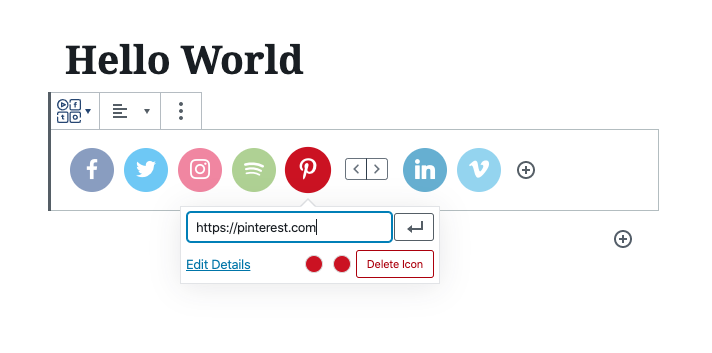
NEW: Social Значки Block 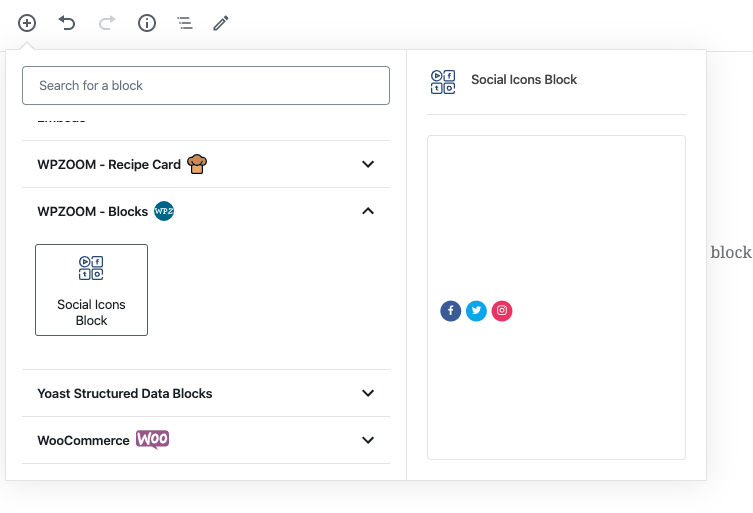
NEW: Social Значки Block 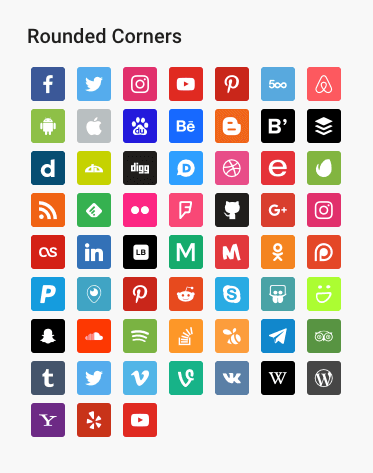
Стиль закругленных углов 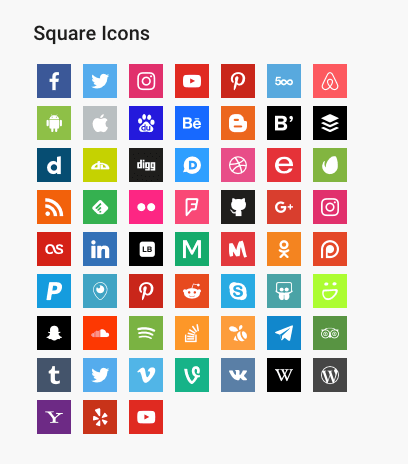
Square Style 
Стиль закругленного значка 
Нет фонового стиля 
With Icon label 
Настройки виджета
Блоки
Этот плагин предоставляет 1 блок.
- Social Icons Widget & Block by WPZOOM
Установка
Simply search for the plugin via the Plugins -> Add New dialog and click install, or download and extract the plugin, and copy the plugin folder into your wp-content/plugins directory and activate.
After that go to the Widgets page and add the widget Social Icons by WPZOOM to a widget area like Sidebar.
Часто задаваемые вопросы
-
Где я могу найти более подробную информацию об этом плагине?
-
На нашем сайте .
-
Add the Social Icons Block to the editor and customize the icons as you want.
Отзывы


Участники и разработчики
«Social Icons Widget & Block by WPZOOM» — проект с открытым исходным кодом. В развитие плагина внесли свой вклад следующие участники:
Участники


«Social Icons Widget & Block by WPZOOM» переведён на 8 языков. Благодарим переводчиков за их работу.
Перевести «Social Icons Widget & Block by WPZOOM» на ваш язык.
Заинтересованы в разработке?
Посмотрите код, проверьте SVN репозиторий, или подпишитесь на журнал разработки по RSS.
Журнал изменений
4.2.18
- Fixed an issue with arial label escaping
4.2.17
- Fixed an issue with the values of some fields not being escaped
4.2.16
- Removed the pointer from the Widgets page
4.2.15
- Updates to the Twitter icon
4.2.14
- New icons: X (use x.com/username for the new Twitter icon), Matrix, Element
4.2.13
- New icons: Threads, Venmo, Wise, Revolut, Gutenberg, Gravatar, OpenAI, Midjourney, WeChat, Roblox, OnlyFans, Figma, Elementor, Shopify, Woo, Gumroad, Artgram, Cubebrush, Aristree, OpenSea