
Описание
AtlasVoice — Text To Speech TTS Accessibility is the most user-friendly text to speech plugin for WordPress and WooCommerce, and the simplest way to add a text to audio player to your site. Convert any post, page, or product description into natural-sounding audio with one click. The free version uses the browser’s built-in speechSynthesis engine with 20–300+ voices across all major browsers. Upgrade to Pro for AtlasVoice’s own AI voice engine (included with Pro — no extra API costs), or connect premium third-party providers like Google Cloud TTS, OpenAI (ChatGPT) TTS, and ElevenLabs TTS.
Для бесплатной версии не требуется регистрация, аккаунт или API. Просто установите приложение и позвольте своим посетителям слушать контент.
Whether you run a blog, news site, online store, or educational platform, AtlasVoice, the free WordPress TTS plugin, makes your content accessible to everyone — including users with visual impairments, reading difficulties, or those who simply prefer listening. Support 81+ languages, 300+ AI voices, and reach a truly global audience.
Как это работает — 3 простых шага
- Установите и активируйте — установите плагин из репозитория WordPress. Аудиоплеер автоматически появится в выбранных вами постах.
- Выберите свой голос — выберите бесплатный браузерный голос, воспользуйтесь собственным движком искусственного интеллекта AtlasVoice (входит в Pro-версию) или подключите стороннего поставщика ИИ (Google Cloud, OpenAI или ElevenLabs) из меню Интеграция.
- Настройте и опубликуйте — выберите стиль плеера в меню Настройка , укажите предпочитаемый голос и язык в меню Прослушивание и приступайте к работе.
ДРУГИЕ ПОЛЕЗНЫЕ ССЫЛКИ:
НУЖНА ПОДДЕРЖКА ИЛИ ЕСТЬ ВОПРОСЫ?
- Свяжитесь с нами — обычно мы отвечаем в течение часа.
Для кого?
- Блогеры, новостные и медийные сайты — позволяют читателям прослушивать статьи, не отвлекаясь от других дел. Увеличивают время пребывания на странице и снижают показатель отказов.
- Сайты на платформе WooCommerce и для электронного обучения — сделайте описания товаров и материалы курсов доступными для прослушивания для покупателей и тех, кто лучше усваивает информацию на слух.
- Multilingual & Accessibility-First Websites — Serve a global audience in 81+ languages and meet WCAG 2.1 / ADA compliance.
Why Choose AtlasVoice, the WordPress Text To Speech Plugin?
-
Обеспечение доступности и соответствие требованиям WCAG: Помогите своему сайту соответствовать требованиям WCAG 2.1 и ADA, предоставив пользователям с нарушениями зрения, дислексией или трудностями при чтении альтернативные аудиоварианты.
-
Улучшение SEO и вовлеченности: аудио увеличивает время пребывания на сайте и снижает показатель отказов. Pro генерирует разметку Audio Schema (JSON-LD) для расширенных результатов поиска в Google.
-
Несколько поставщиков искусственного интеллекта: собственный ИИ-движок AtlasVoice (входит в подписку Pro), голоса Google Cloud Neural2, ультрареалистичные голоса ElevenLabs и голоса OpenAI ChatGPT.
-
Works Everywhere: Compatible with all major browsers, mobile devices, page builders (Elementor, WPBakery, Divi), caching plugins, and multilingual plugins (WPML, GTranslate, TranslatePress, Polylang).
Бесплатная версия плагина Text To Speech — возможности
-
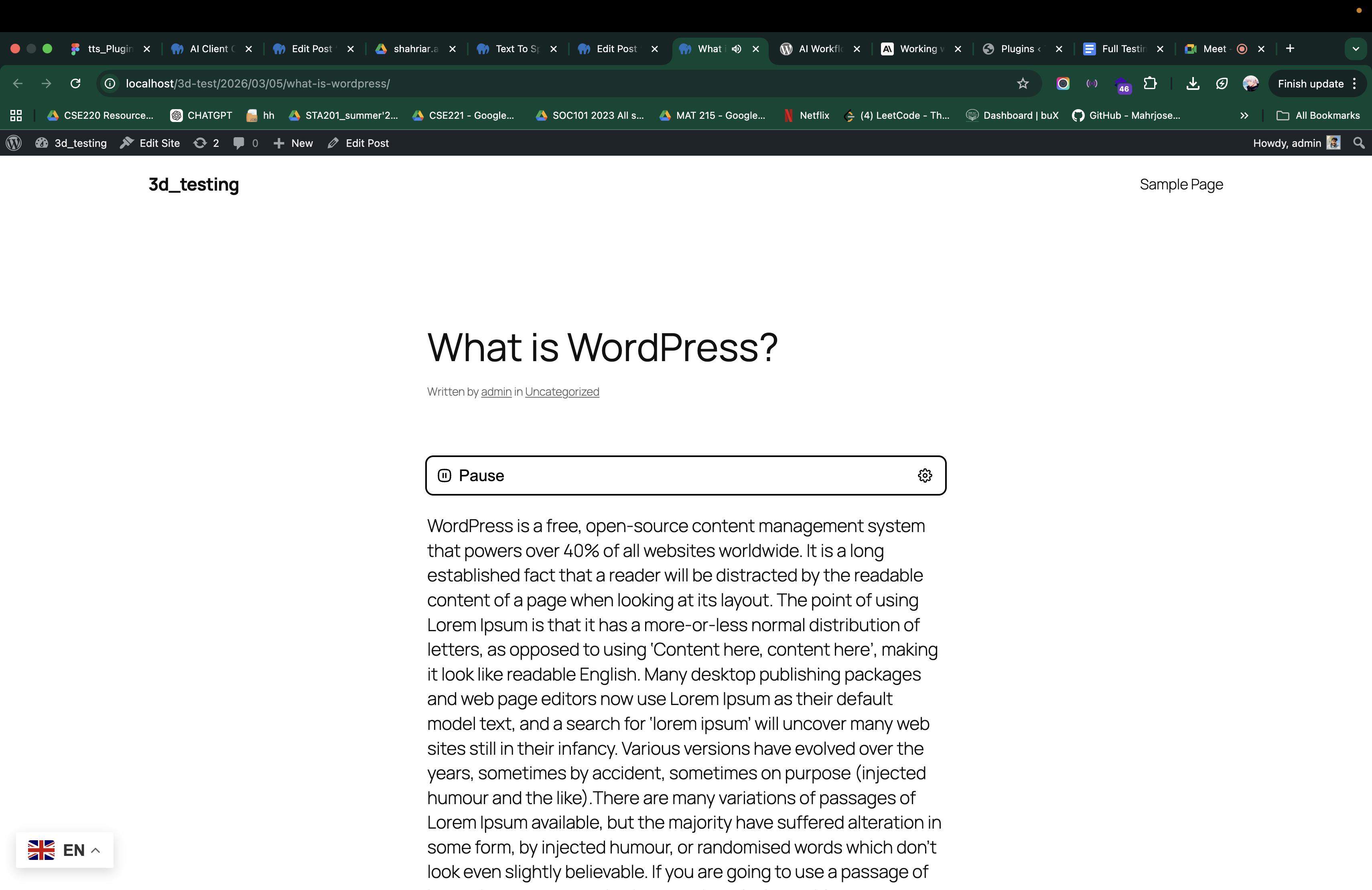
Не требует настройки: ни аккаунта, ни ключа API, ни регистрации. После установки аудиоплеер сразу же начнет воспроизводить выбранные вами посты с помощью встроенного в браузер механизма синтеза речи.
-
Простая короткая интеграция: Добавьте
[atlasvoice]шорткод в любой пост, на страницу или в виджет, чтобы разместить аудиоплеер именно там, где вам нужно. -
20–300+ голосов для браузера: В зависимости от браузера и операционной системы доступен широкий выбор голосов. Microsoft Edge поддерживает все доступные системные голоса; Chrome предлагает более 20 голосов; Firefox поддерживает основные языки.
-
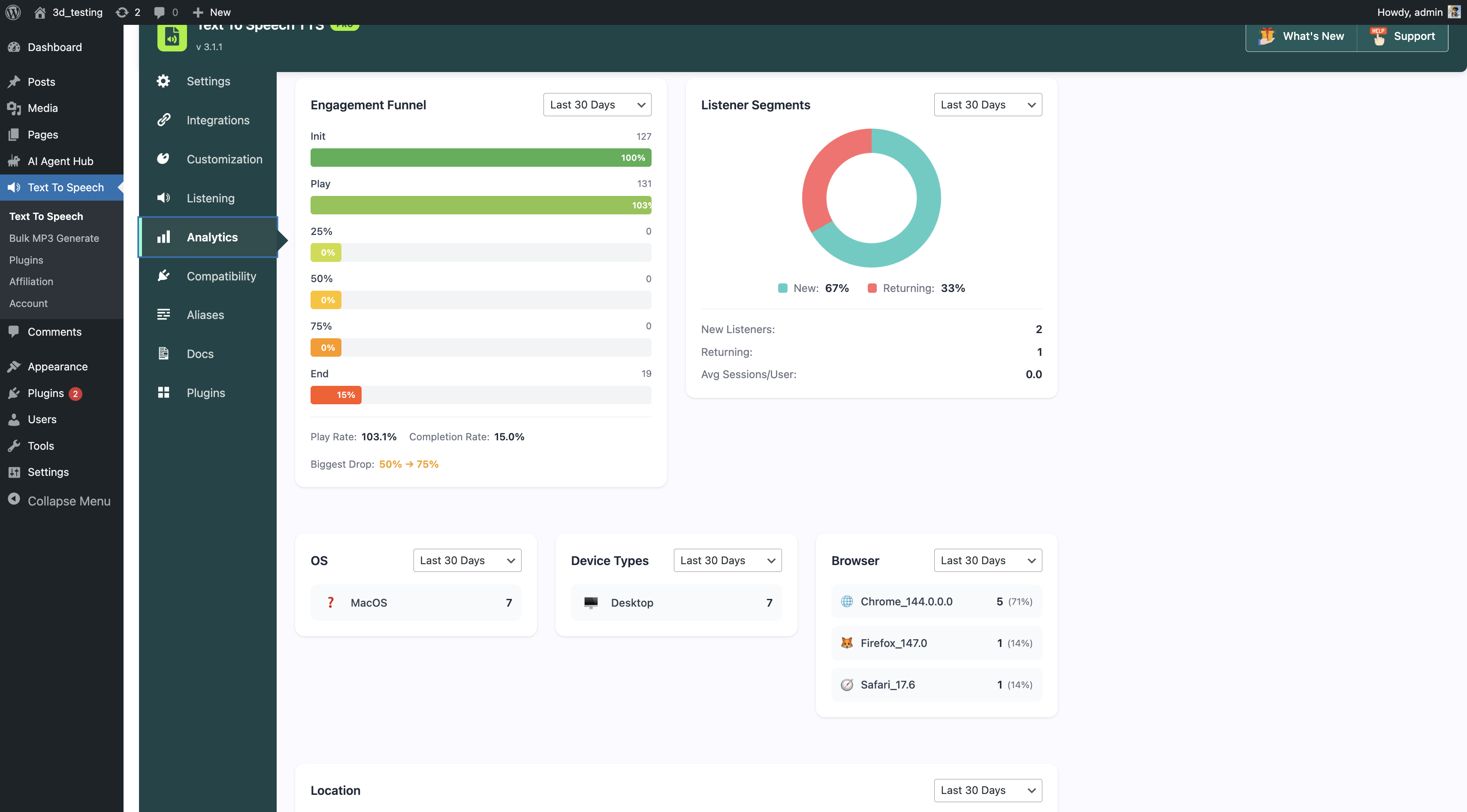
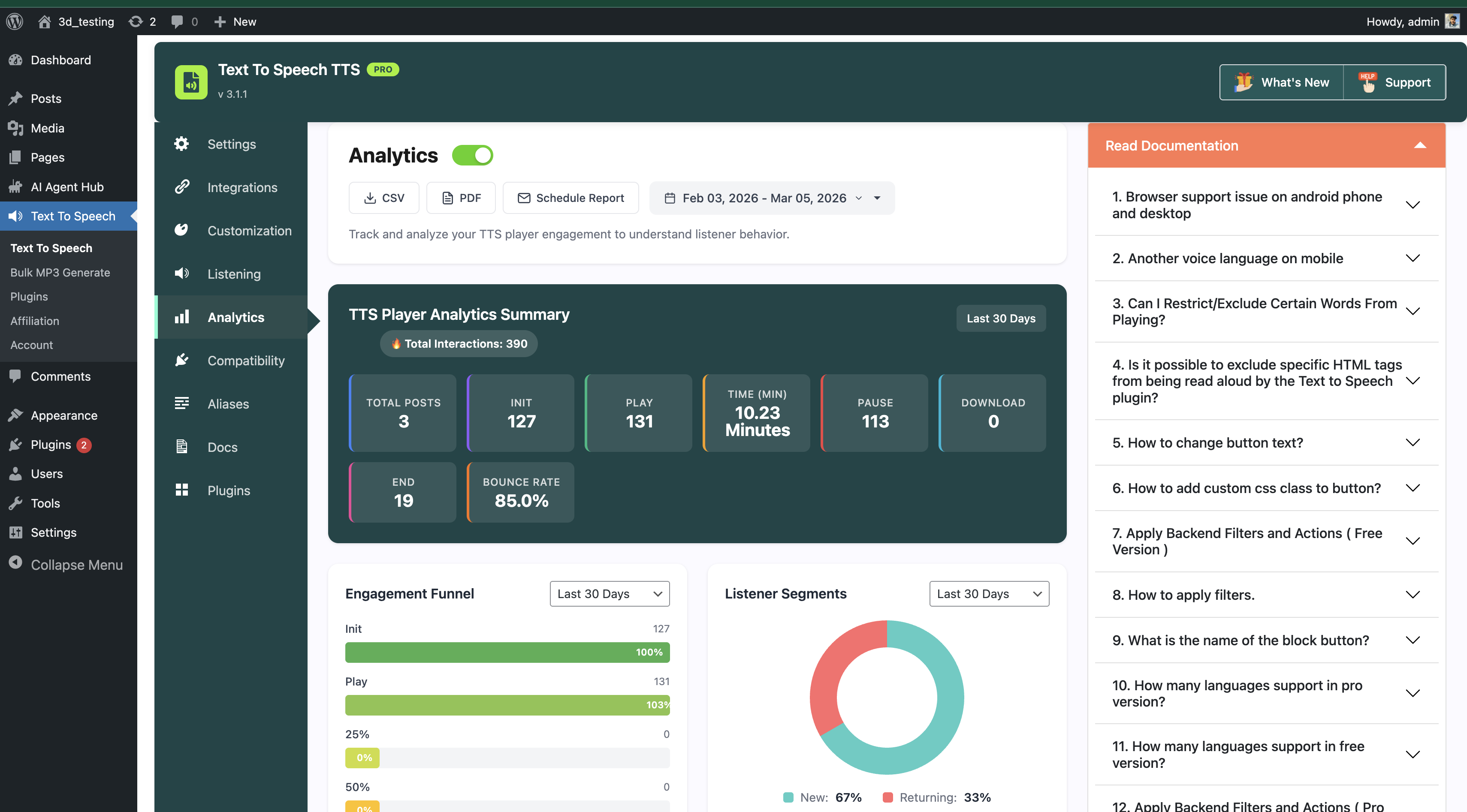
Аналитика в панели управления: отслеживайте, как посетители взаимодействуют с вашим аудио контентом — количество воспроизведений, паузы, показатели вовлеченности и многое другое с помощью встроенной аналитики панели управления.
-
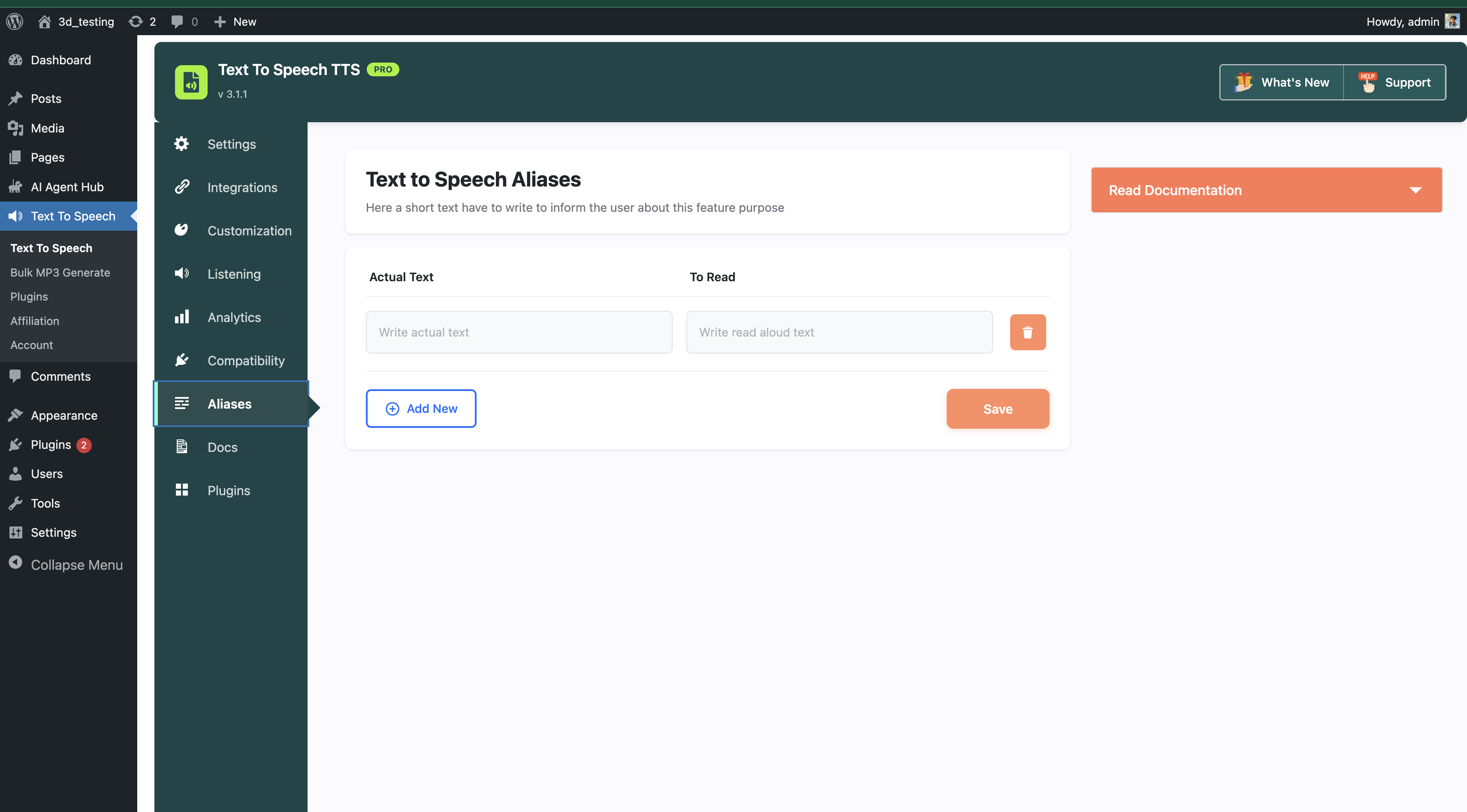
Псевдоним текста: Замените сокращения, аббревиатуры или сложные слова их разговорными эквивалентами с помощью функции Псевдоним текста.
-
Неограниченное преобразование текста в речь: Преобразуйте неограниченное количество текста в речь бесплатно — без ограничений по количеству символов и ежемесячных квот.
-
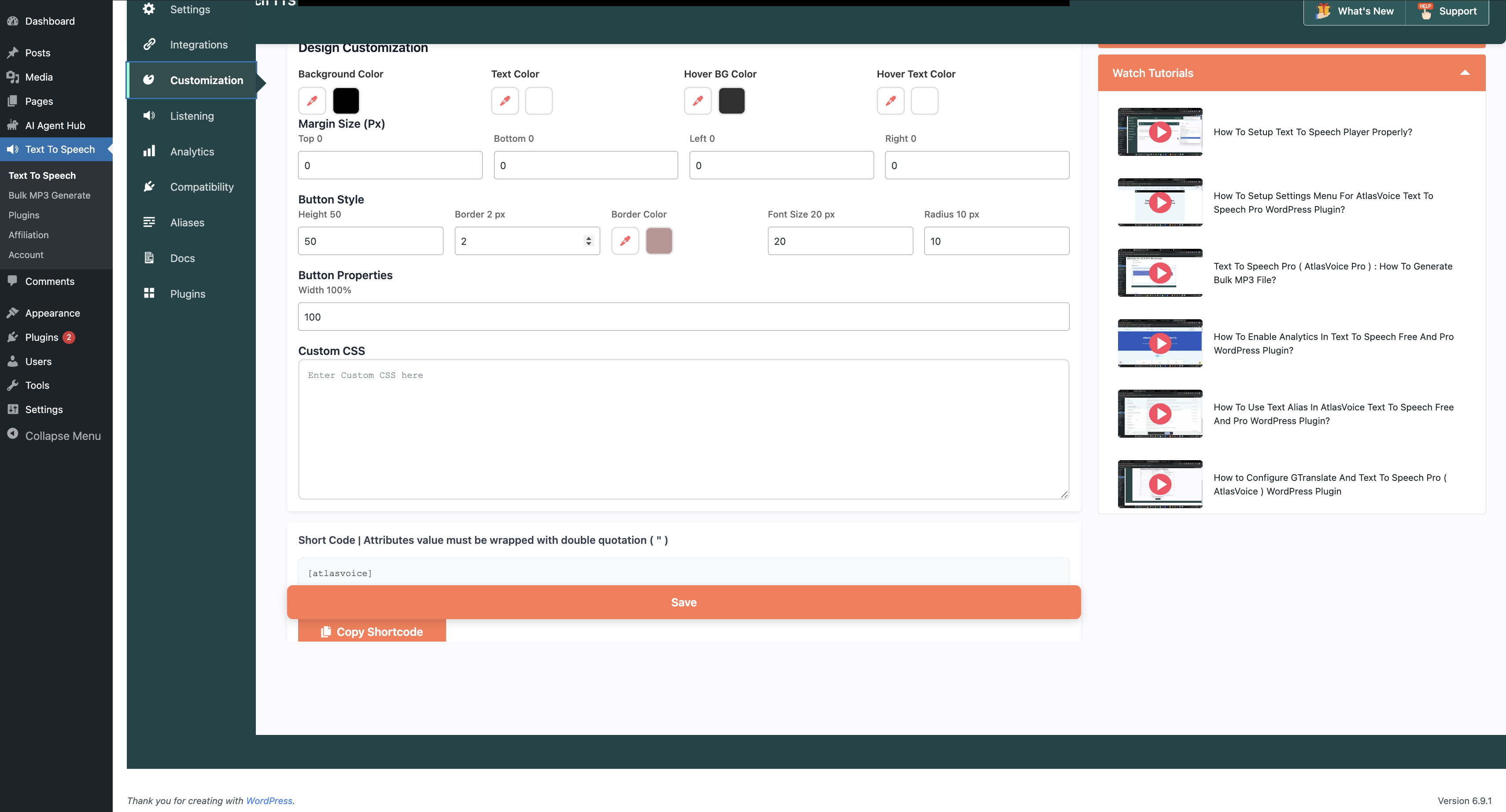
Полная кастомизация: Настройте цвет, ширину, радиус скругления углов, эффекты при наведении и текстовые метки кнопок. Просматривайте все изменения в режиме реального времени на панели управления.
-
Button Position & Floating Player: Place the Listen button before or after your content, or anywhere with the
[atlasvoice]shortcode. On long posts it follows readers, docking to the edge once they scroll past. Choose bottom full width, bottom right, bottom left or sticky top — or turn docking off. -
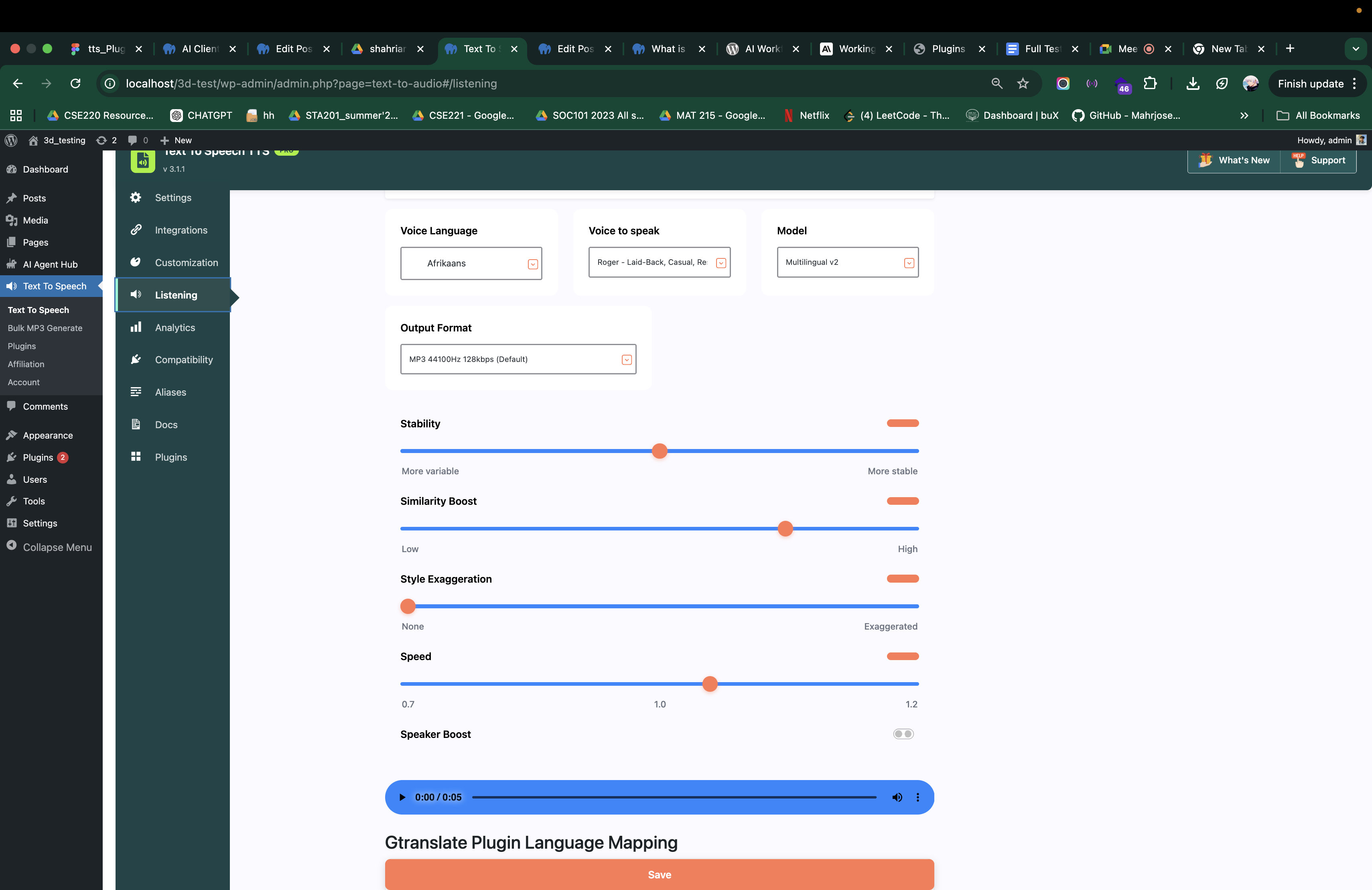
Выбор языка и голоса: Выберите язык и голос по умолчанию в меню Прослушивание. Отрегулируйте скорость, высоту тона и громкость в браузерных проигрывателях.
-
Read-Along Highlighting & Listen to Selection: The player highlights text as it is read — sentence by sentence, and word by word with supported voices — in your own colors, with optional focus-dimming and auto-scroll. Visitors can also select any passage to hear just that part, or click a word to start from there. Off by default; enable it in the Highlight tab.
-
Cross-Device Compatibility: Works across desktops, tablets and mobile via the browser’s built-in speechSynthesis API.
-
Поддержка пользовательских стилей CSS: Примените пользовательские стили к аудиоплееру, используя собственный CSS, чтобы идеально интегрировать его в вашу тему.
-
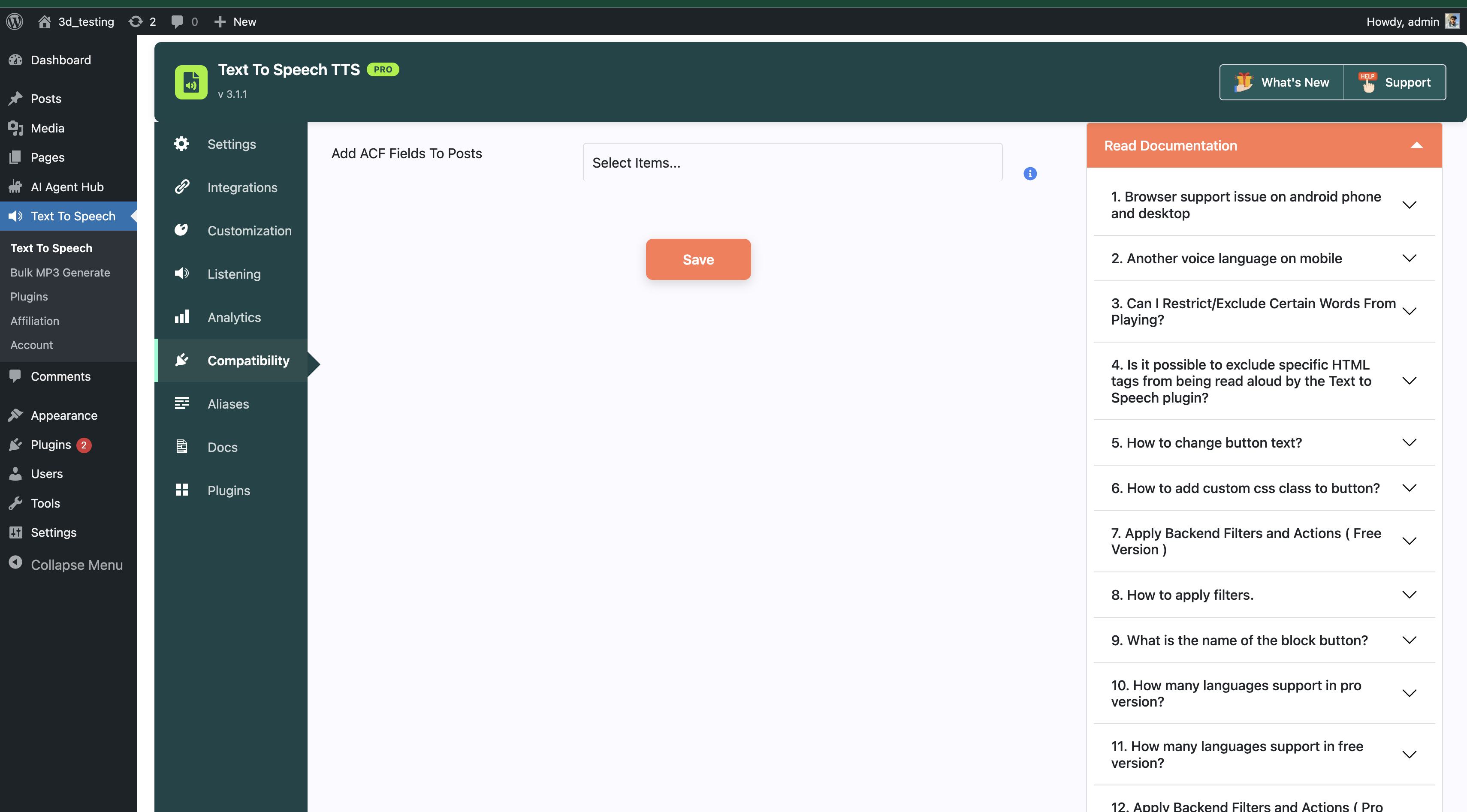
Поддержка пользовательских типов постов: Расширьте возможности преобразования текста в речь для любого пользовательского постного типа — продуктов WooCommerce, портфолио, отзывов и многого другого. Совместим с Advanced Custom Fields (ACF), Custom Post Type UI и Toolset Types.
-
Чистый аудиовыход: автоматически удаляет специальные символы, URL, шорткоды и HTML теги из контента перед озвучиванием, обеспечивая чистый профессиональный звук.
-
Блок Gutenberg: Добавьте и настройте плеер AtlasVoice прямо в Gutenberg редакторе блоков — визуально измените цвета, размер и стили.
Перейдите на AtlasVoice Pro, чтобы получить доступ к расширенным функциям:
Разблокируйте премиальные голосовые помощники на основе искусственного интеллекта, пакетные операции, облачное резервное копирование, расширенную аналитику и многое другое, перейдя на AtlasVoice Pro. Это премиальное дополнение расширяет возможности бесплатного плагина до корпоративного уровня.
Text To Speech TTS Accessibility Pro — возможности:
Поставщики (провайдеры) голосовых помощников на базе искусственного интеллекта (Pro):
Для каждого провайдера: выберите его плеер в меню «Настройка», затем выберите голос и язык в меню «Прослушивание».
-
AtlasVoice TTS Pro (Included with Pro): AtlasVoice’s own AI voice engine — included with your Pro license at no extra API cost. Access 81 languages with natural-sounding voices, smart sentence splitting, and seamless audio without mid-sentence pauses. No third-party account needed — just activate Pro and start generating MP3 files.
-
Google Cloud Text To Speech: Интегрируйтесь с Google Cloud Text To Speech для использования корпоративных голосов. Более 300 голосов на более чем 90 языках, включая Neural2, WaveNet и Standard типы голосов. Платная услуга — оплата производится Google в зависимости от использования. Подробнее
-
ChatGPT Text To Speech (OpenAI): Интеграция с OpenAI Text To Speech для получения естественного звучания. 6 голосов — Alloy, Echo, Fable, Nova, Onyx, Shimmer — со стандартными (tts-1) и HD (tts-1-hd) моделями. Платная услуга — стоимость определяется OpenAI в зависимости от использования. Подробнее
-
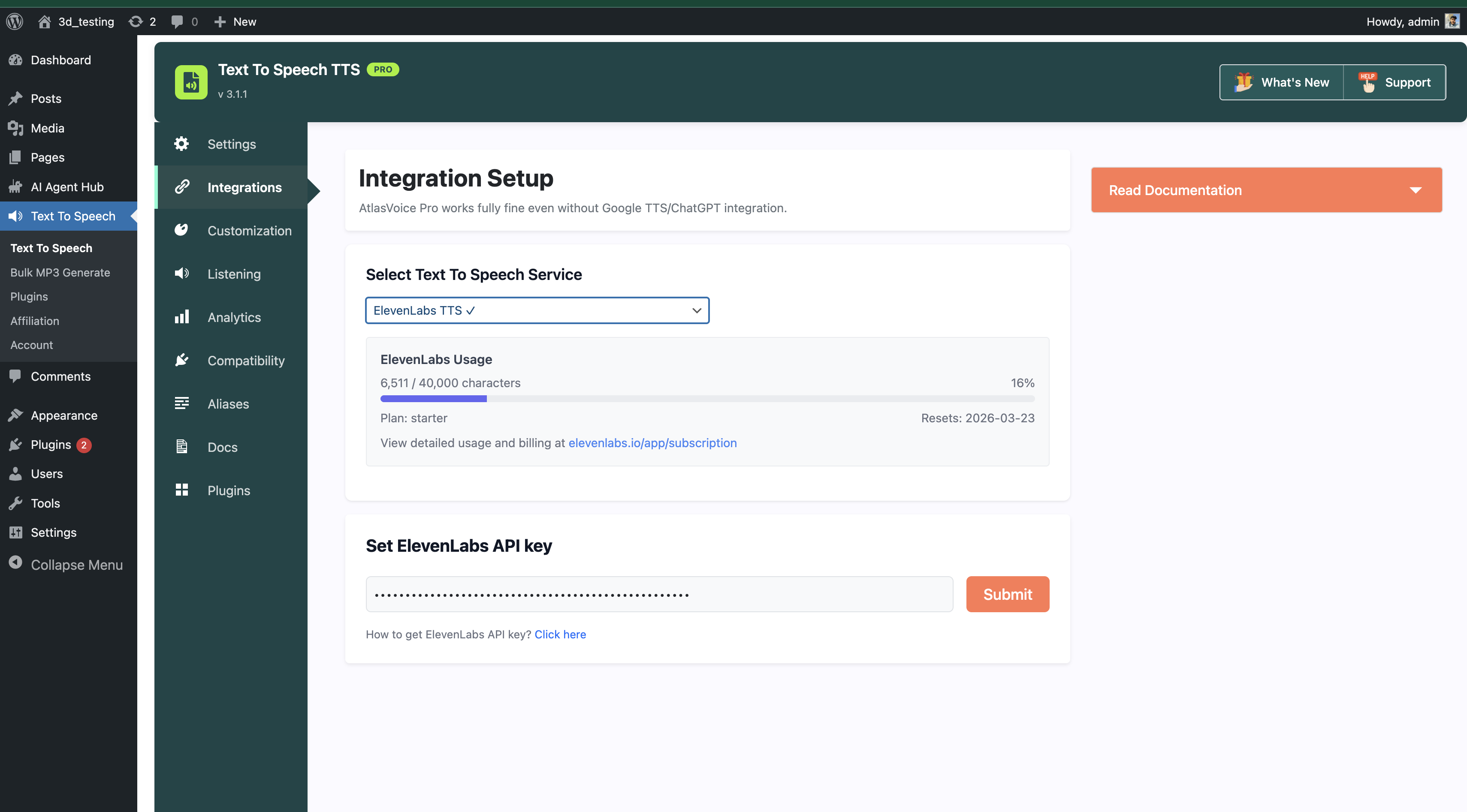
ElevenLabs Text To Speech: Интеграция с ElevenLabs:ElevenLabs для сверхреалистичных голосов искусственного интеллекта. Более 100 премиальных голосов с обозначениями акцентов, а также стабильность, повышение схожести, стиль и скорость управления. Отслеживание использования символов в режиме реального времени на вашей панели управления. Платная услуга — стоимость определяется ElevenLabs в зависимости от использования.
Облачное хранилище и резервное копирование (Pro):
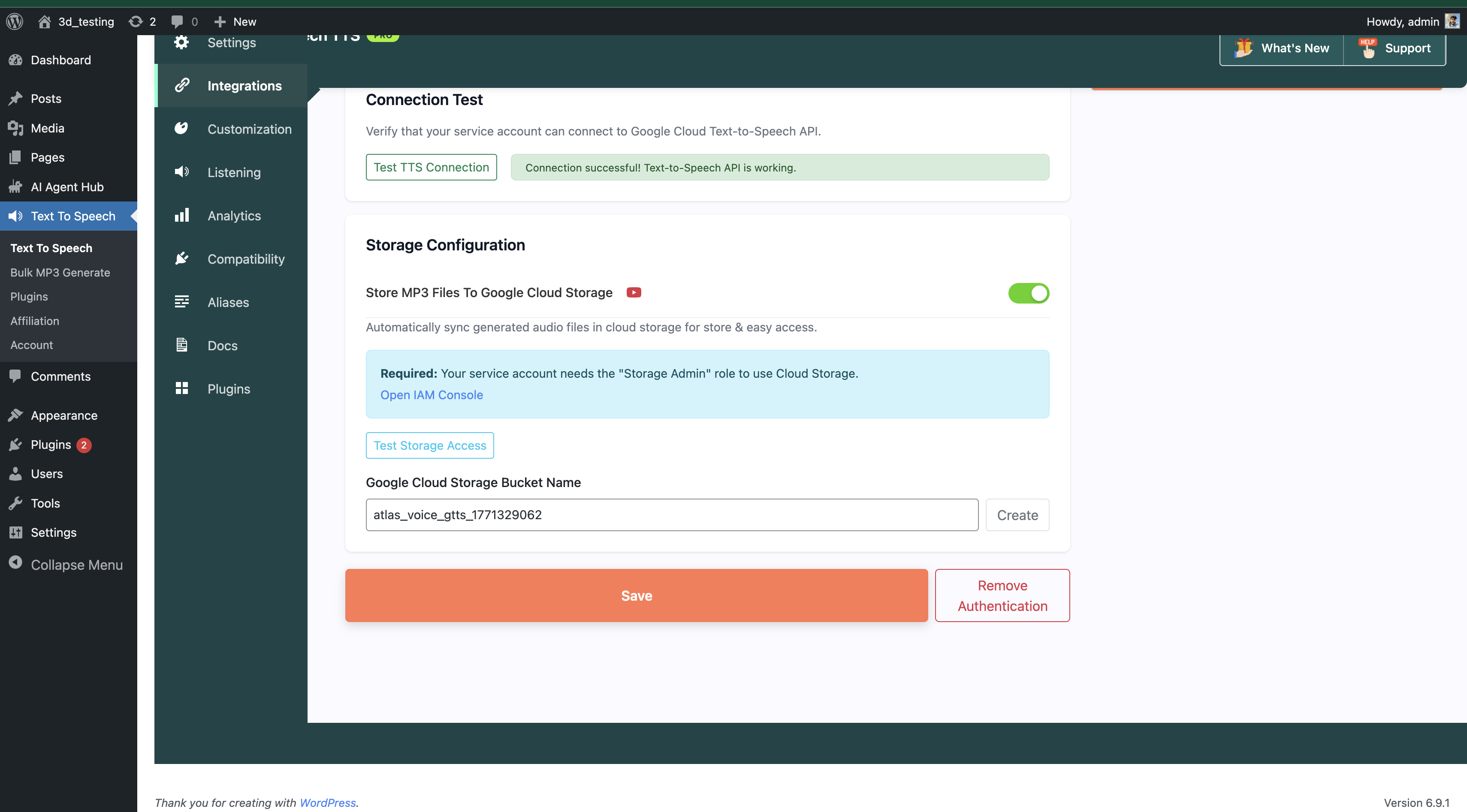
- Резервное копирование в Google Cloud Storage: Резервное копирование сгенерированных файлов MP3 в Google Cloud Storage. Доступно для всех поставщиков TTS — Google Cloud TTS, ChatGPT TTS, AtlasVoice TTS Pro и ElevenLabs TTS. Настройте файл JSON для сервиса Google Cloud учетная запись из меню Интеграция даже при использовании поставщика TTS, отличного от Google.
Содержимое & Управление воспроизведением (Pro):
-
Word-Perfect Read-Along Highlighting: With Google Cloud and ElevenLabs voices, every word lights up exactly as it is spoken — sentence-level for AtlasVoice TTS Pro and ChatGPT.
-
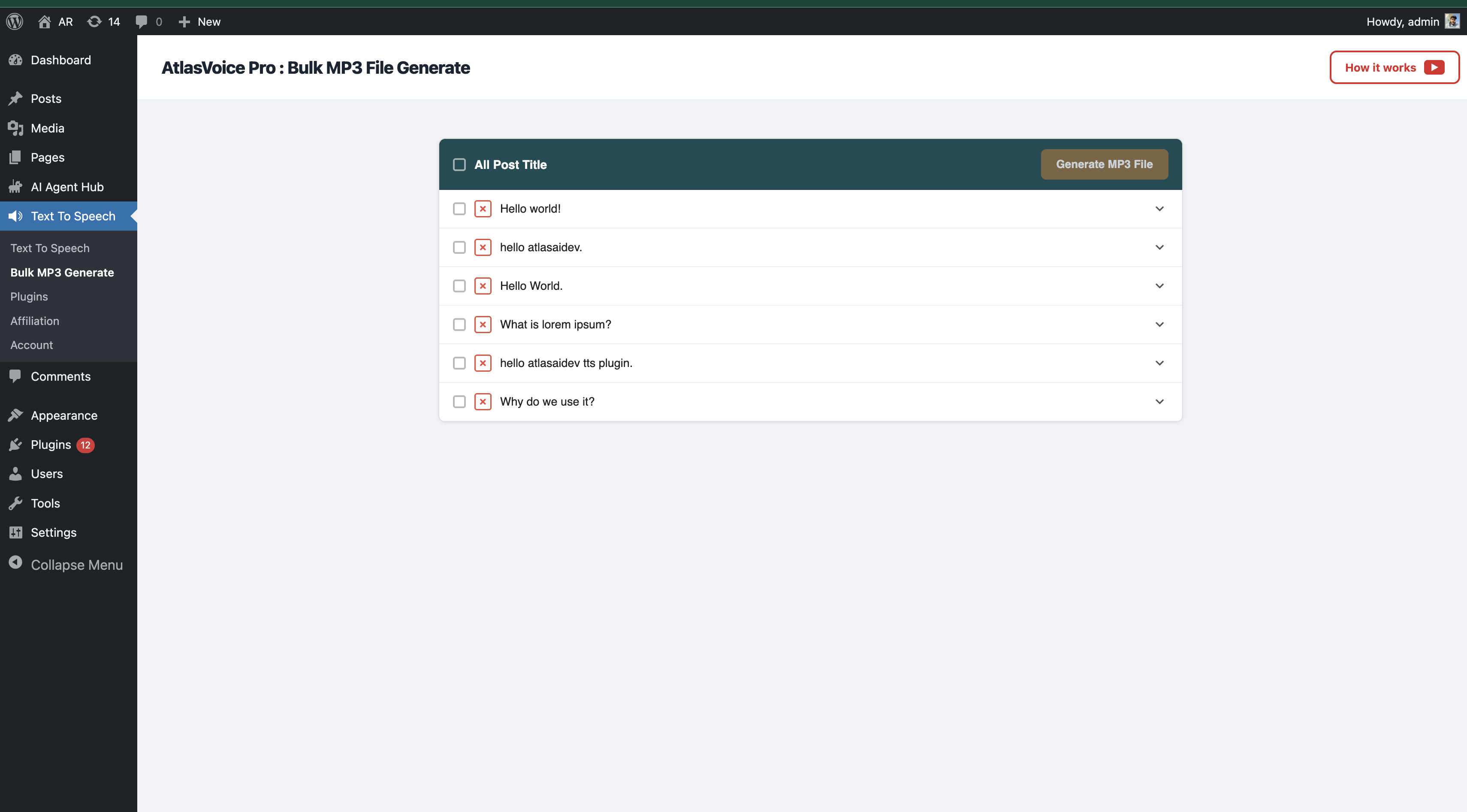
Массовая генерация MP3-файлов: Сгенерируйте MP3-файлы для сотен постов одновременно с помощью массового действия из списка постов WordPress. Выберите посты, нажмите «Создать MP3-файл с помощью AtlasVoice», и плагин автоматически обработает каждый пост. Посмотрите обучающее видео.
-
Загружаемые аудиофайлы в формате MP3: Разрешите посетителям скачивать MP3-файлы для прослушивания в автономном режиме. Неограниченное количество загрузок. Также загружайте свои предварительно записанные MP3-файлы для любых постов.
-
Считывайте контент из DOM: Захватывайте динамически отображаемый контент, считывая его непосредственно из DOM страницы, а не из базы данных.
-
Разметка аудиосхемы (SEO): генерирует структурированные данные JSON-LD для аудио контента, обеспечивая расширенные аудиорезультаты в поиске Google.
-
Разделение содержимого: Длинные статьи автоматически разбиваются на фрагменты, которые затем объединяются в один файл в формате MP3.
-
Элементы управления содержимым: Добавьте текст до/после содержимого для вступления и заключения. Включите или исключите заголовок записи и отрывок из аудиозаписи.
Фильтрация содержимого (Pro):
-
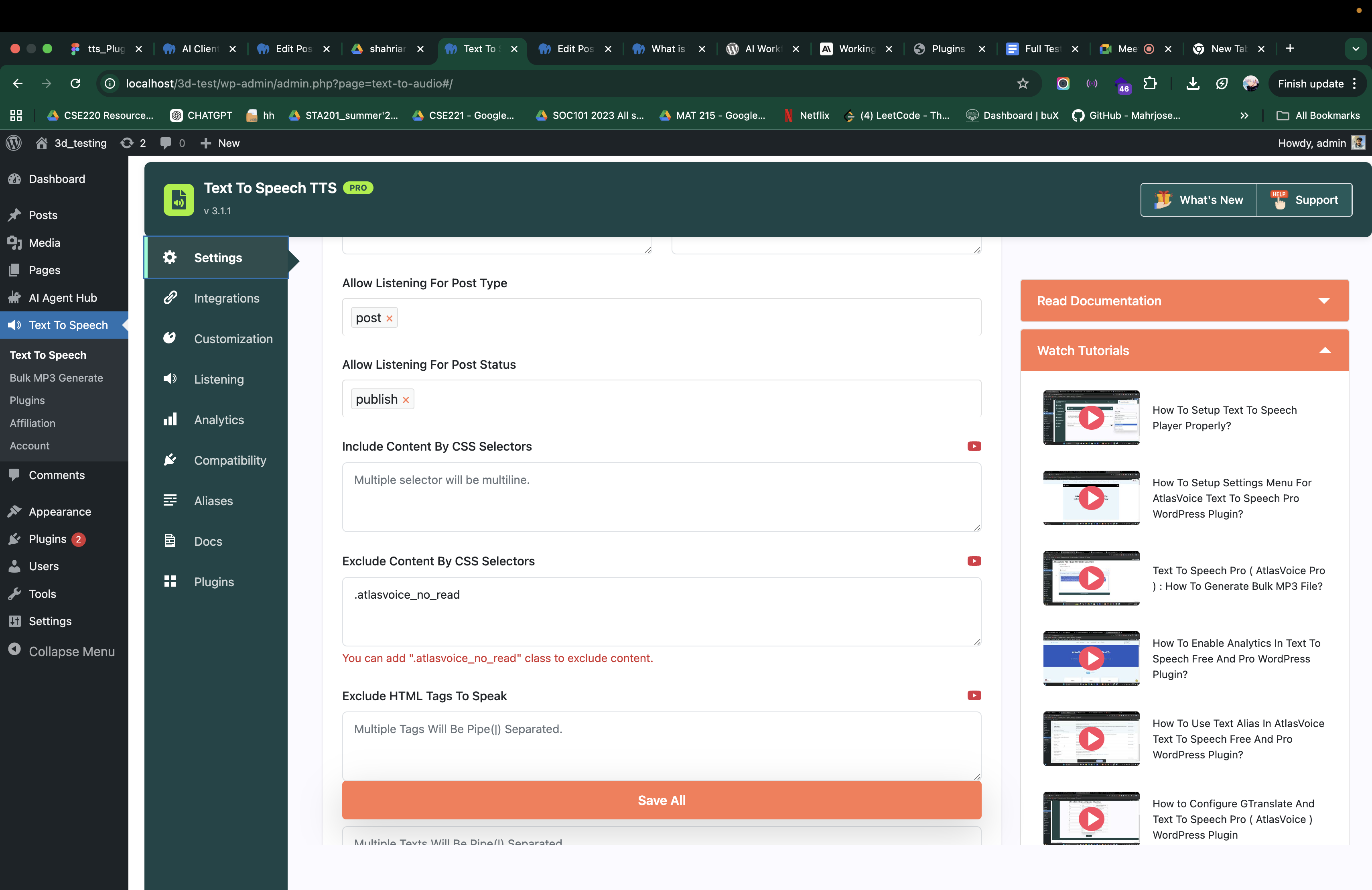
Добавьте CSS-селектор: С помощью CSS-селекторов выберите определенные элементы в контенте, которые будут воспроизводиться с помощью функции преобразования текста в речь. Читайте контент из боковых панелей, нижних колонтитулов или любых других элементов DOM.
-
Исключить из озвучивания: Исключите из озвучивания определенные слова, фразы или предложения. Разделяйте несколько записей символом вертикальной черты (|).
-
Исключить метки в содержимом: Пропустить содержимое внутри определенных HTML тегов (например,
code,blockquote,figcaption). Разделяйте несколько тегов символом вертикальной черты (|). -
Исключить запись по ID, категорию или тег: точно настройте, какой контент будет озвучен, исключив определенные публикации, категории или теги WordPress.
-
Неограниченный текстовый псевдоним: Заменяйте неограниченное количество сокращений, аббревиатур или узкоспециализированных терминов их разговорными эквивалентами с помощью системы Текстовый псевдоним
Аналитика и аналитика данных (Pro):
-
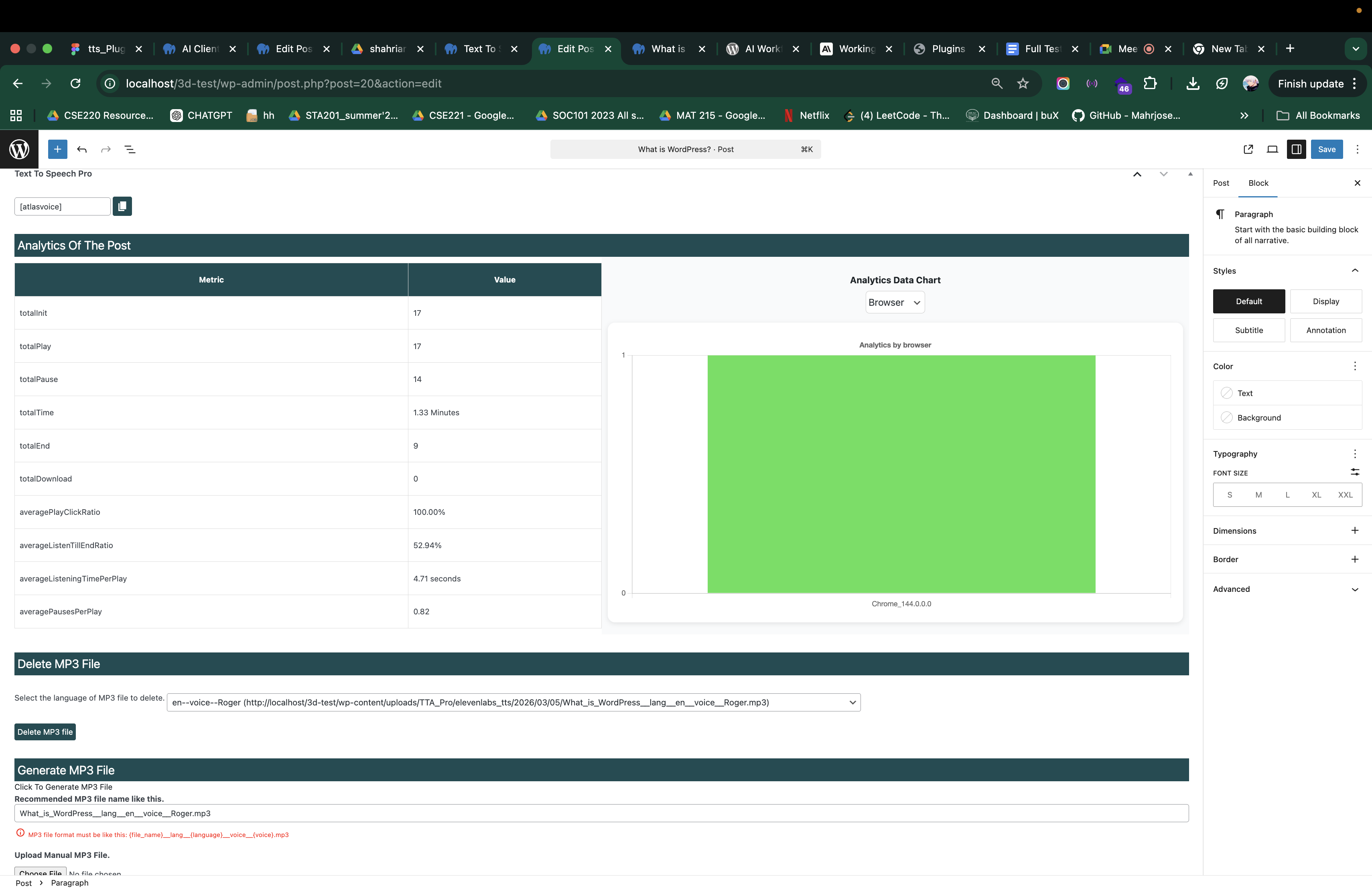
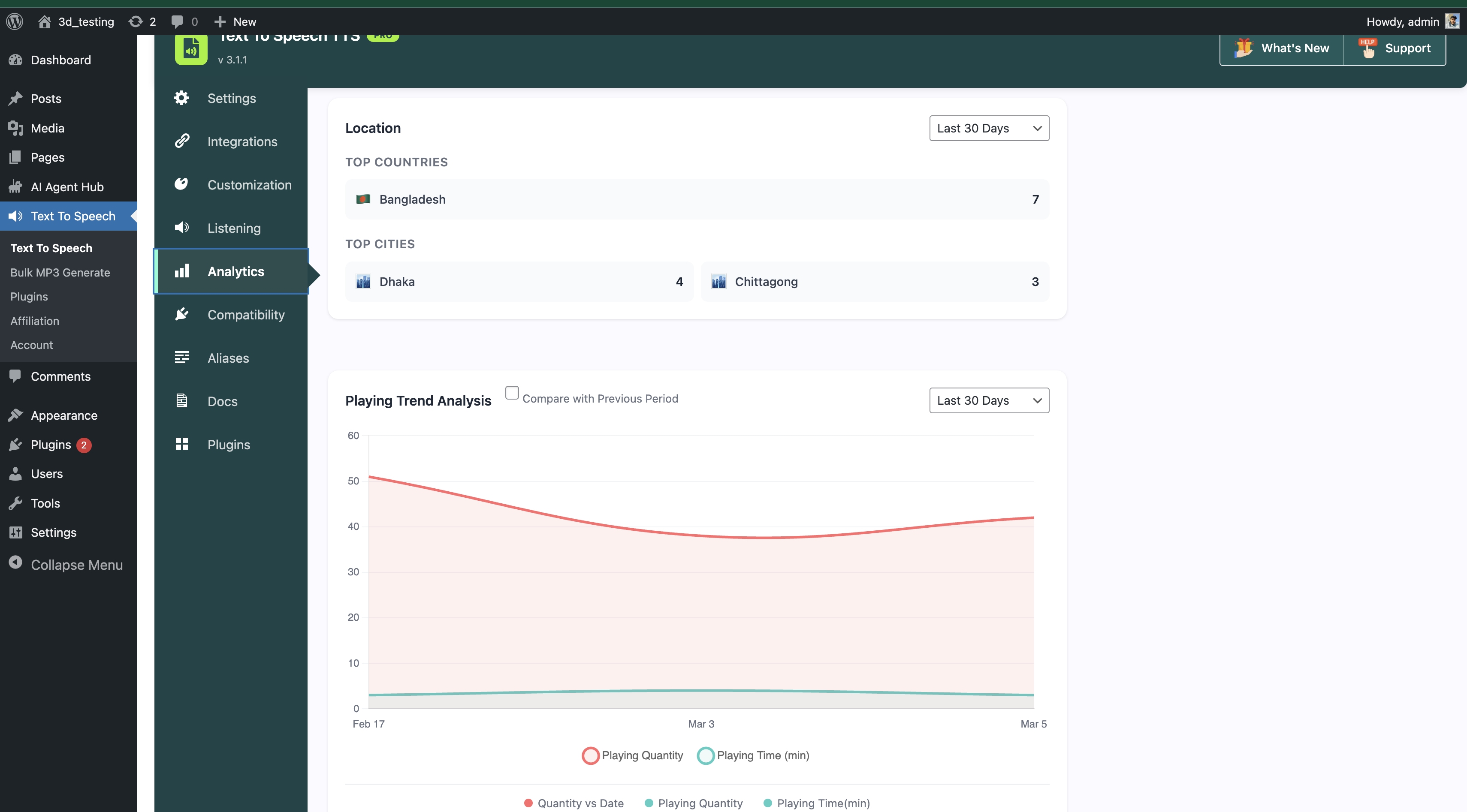
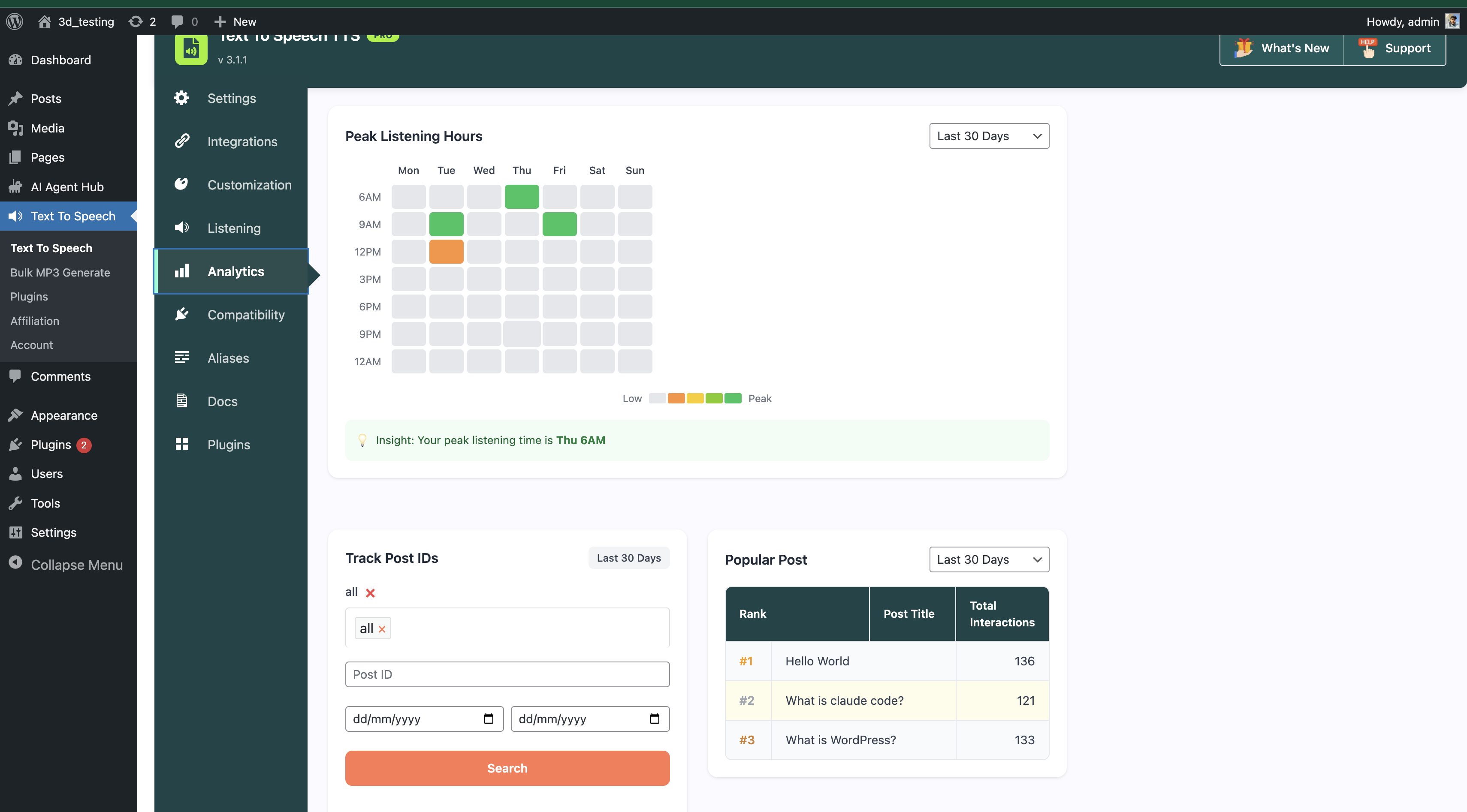
Расширенная аналитика в консоли: Комплексная аналитика с воронками вовлечения, разбивкой по браузерам, анализом типов устройств, распределением по операционным системам, отслеживанием местоположения, рейтингом популярных постов, тепловой картой пиковых часов, тенденциями прослушивания и сегментацией слушателей. Посмотрите демонстрацию.
-
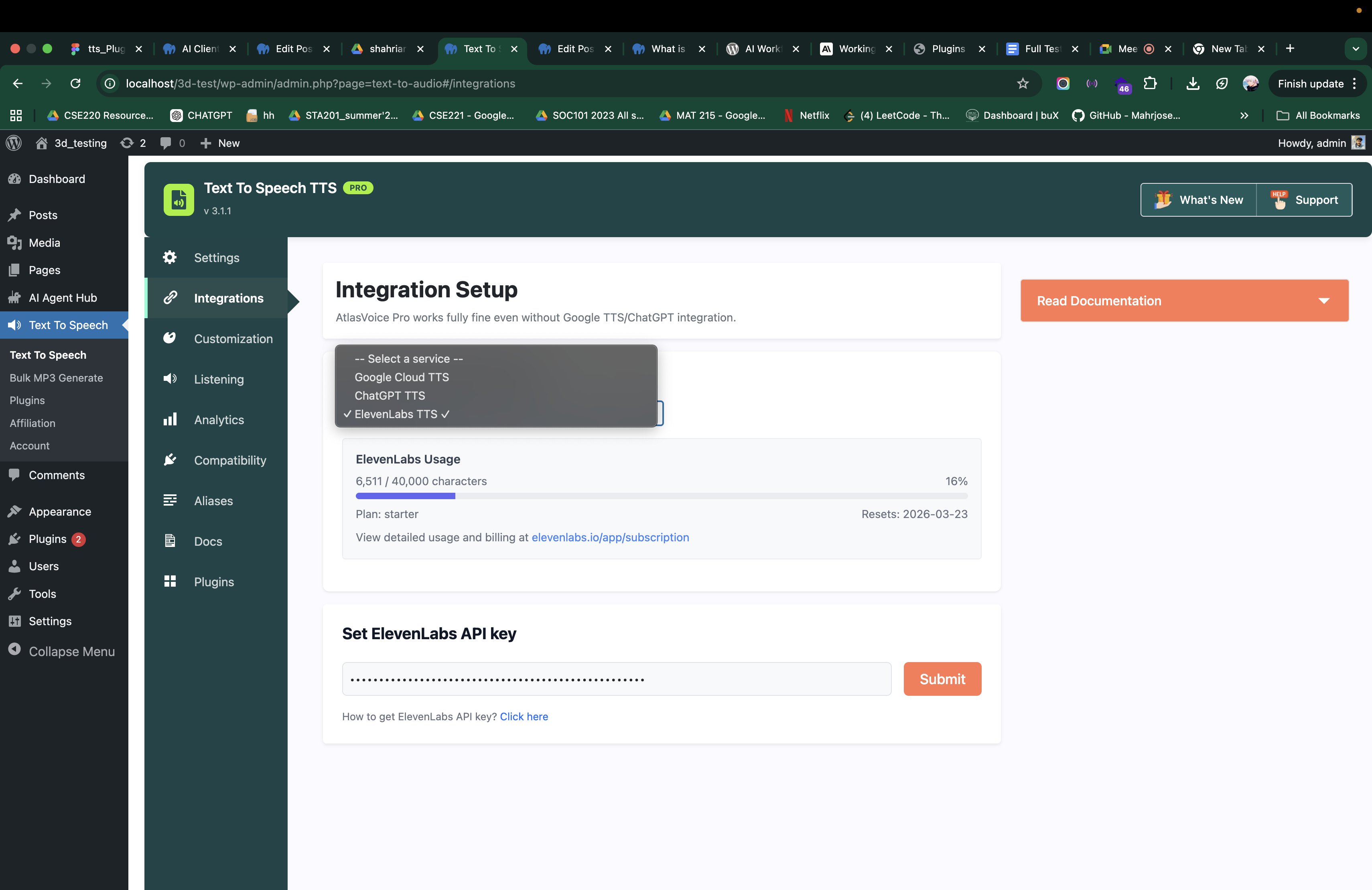
Отслеживание использования: контролируйте использование ИИ-провайдера прямо из панели управления WordPress — отслеживайте использование ElevenLabs с помощью данных о подписке в режиме реального времени или получайте доступ к панелям управления Google Cloud и OpenAI одним кликом.
-
Поиск по Post ID и диапазону дат: отфильтруйте аналитические данные по конкретным публикациям или настраиваемым диапазонам дат, чтобы оценить эффективность контента.
Настройка плеера (Pro):
-
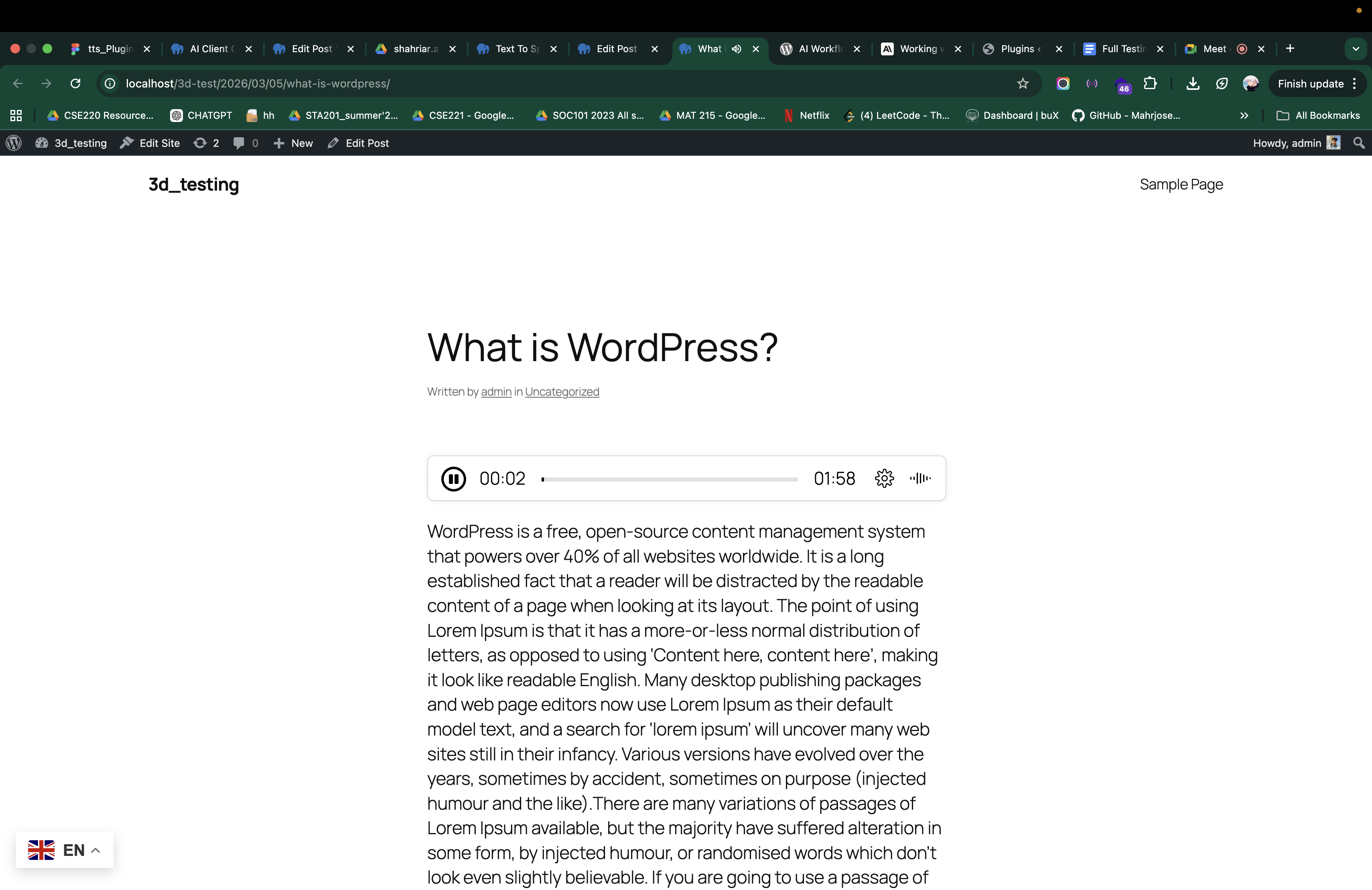
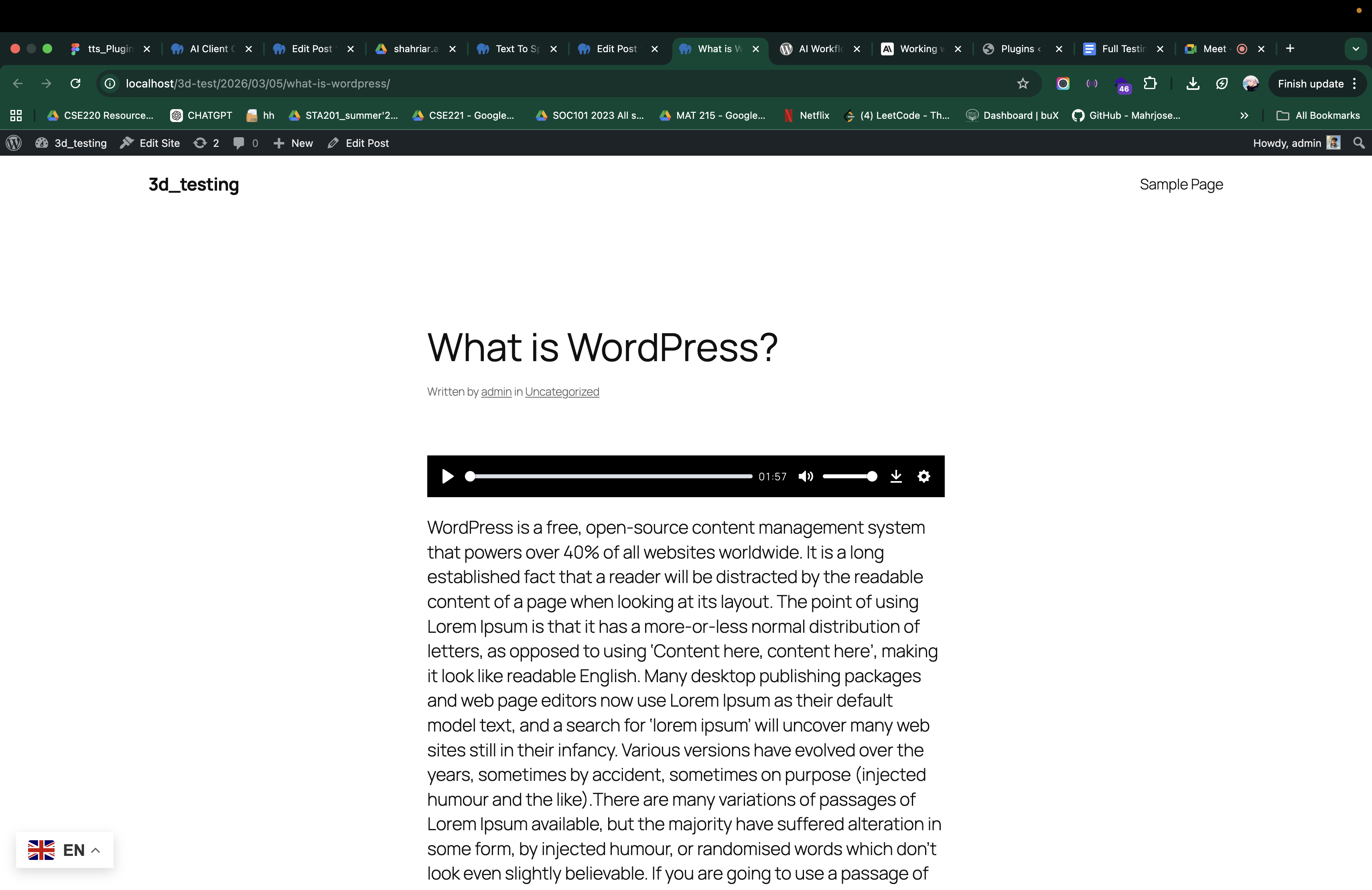
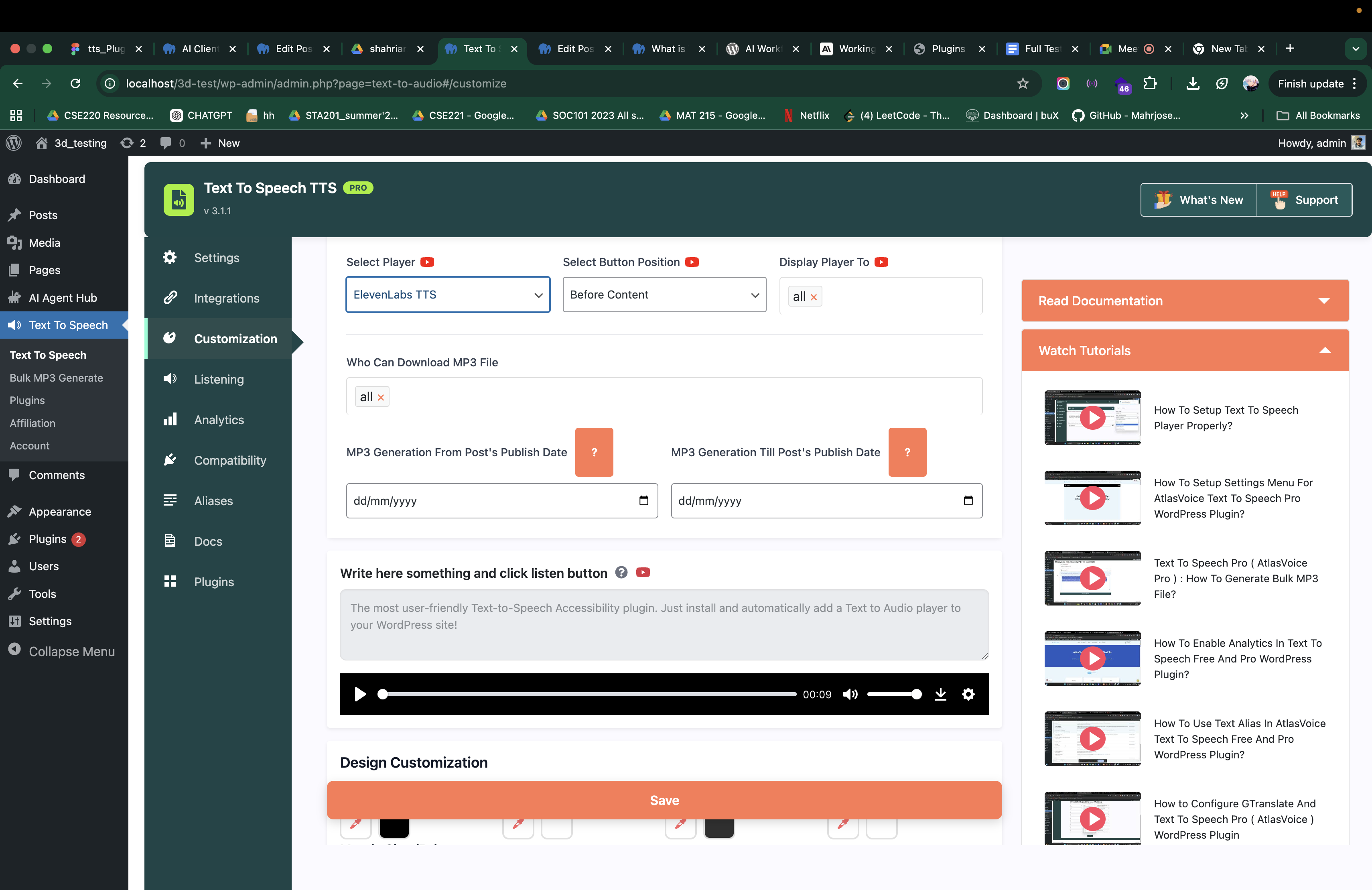
6 стилей воспроизведения: по умолчанию (бесплатные браузерные голоса), по умолчанию Pro, AtlasVoice TTS Pro (собственный ИИ-движок), Google Cloud TTS, ChatGPT TTS и ElevenLabs TTS. В проигрывателях Pro используется современный адаптивный аудиоплеер HTML5 с индикатором выполнения, регуляторами громкости и скорости, а также кнопкой скачать.
-
Display Controls: Display the player by date range, control margins, and apply full CSS customization. (Floating player positions are now included in the free version.)
Перевод и многоязычность (Pro):
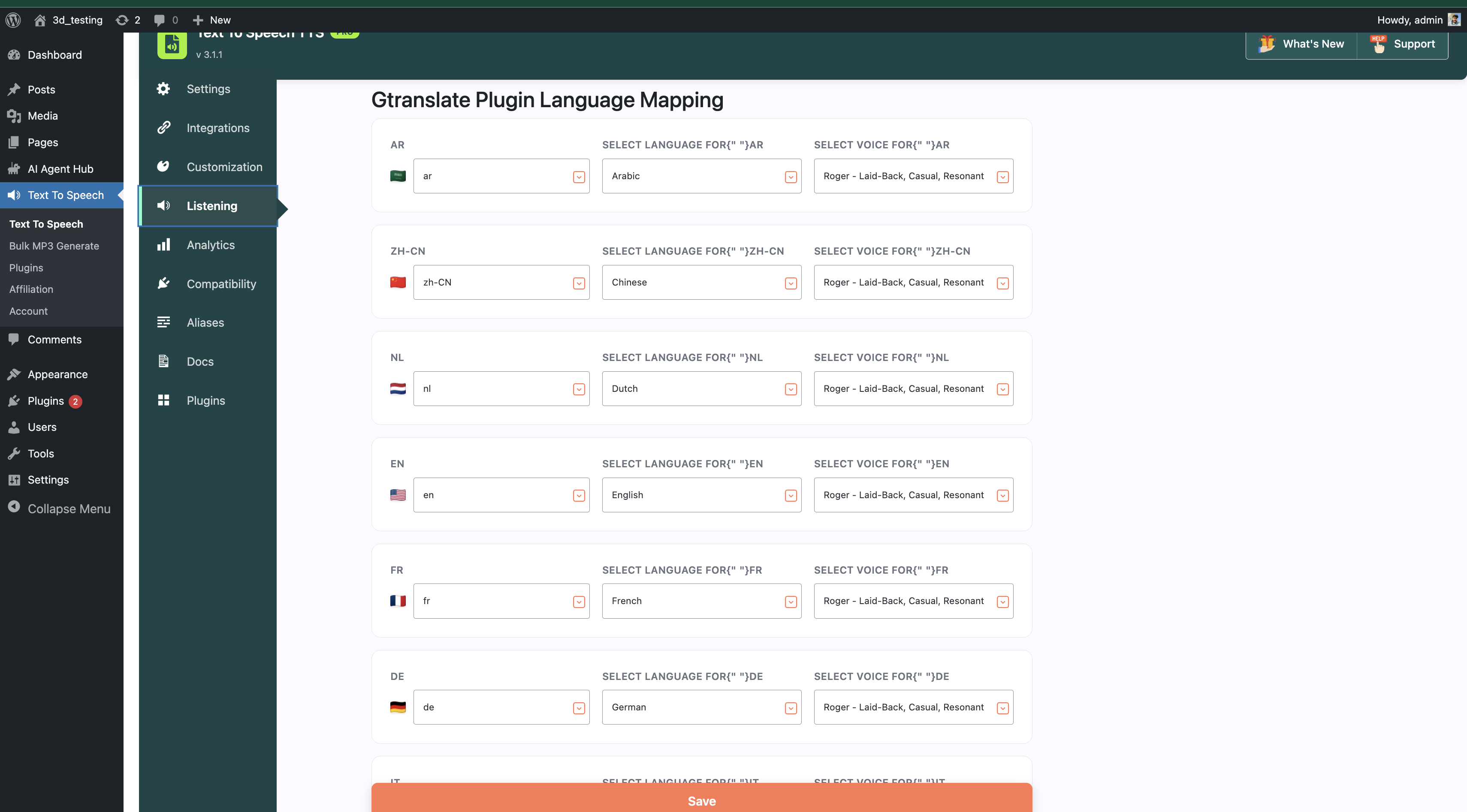
- 81+ Languages with WPML, GTranslate, TranslatePress & Polylang: Full multilingual support. The player automatically detects language changes and adjusts the voice accordingly.
Для разработчиков (Pro):
- 50+ фильтров и хуков, REST API: Расширенный API фильтров и действий WordPress и полноценный REST API (
tta_pro/v1) для программной генерации аудио. Приоритетная поддержка в режиме реального времени в течение 1 часа.
Попробуйте AtlasVoice Pro уже сегодня и превратите свой контент в аудио.
Обзор AtlasVoice: преобразование текста в речь от экспертов
Видеоуроки
Поддерживаемые языки Text To Speech Pro:
AtlasVoice Pro supports 81+ languages with premium AI voices:
Африкаанс, Албанский, Арабский, Армянский, бенгальский, Болгарский, каталанский, Китайский (мандарин /Китай), Китайский (мандарин /Тайвань), Китайский (кантонский диалект), Хорватский, Чешский, Датский, Голландский, Английский, Английский (Австралия), Английский (Соединенное Королевство), Английский (Соединенные Штаты), эсперанто, Финский, Французский, Немецкий, греческий, гаитянский креольский, Иврит, хинди, Венгерский, Исландский, Индонезийский, Итальянский, Японский, Корейский, Латинский, Латышский, македонский, Норвежский, Польский, Португальский, Португальский (Бразилия), Португальский (Португалия), Румынский, Русский, Сербский, Словацкий, Испанский, Испанский (Испания), Испанский (США), Суахили, Шведский, Тамильский, Тайский, Турецкий, урду, Вьетнамский, валлийский
Google Cloud TTS поддерживает более 90 языков. ElevenLabs поддерживает более 29 языков с помощью многоязычных моделей. Точная доступность зависит от провайдера.
Поддержка бесплатных языков в Text To Speech TTS:
В бесплатной версии используется API синтеза речи браузера, поэтому доступные голоса и языки зависят от браузера и операционной системы пользователя:
-
Chrome Desktop: 18+ languages — English (UK/US), Spanish (Spain/US), French, German, Italian, Russian, Dutch, Japanese, Korean, Chinese, Hindi, Indonesian, Polish, Brazilian Portuguese.
-
Chrome & Firefox Mobile: 7 languages — English (US/UK), German, Italian, Russian, French, Spanish.
-
Microsoft Edge (настольная и мобильная версии): Все доступные системные голоса — самый широкий выбор среди всех браузеров.
-
Firefox настольная версия: английский (США/Великобритания) — дополнительные голоса с установленными пакетами речи для ОС.
Совет: чтобы у ваших посетителей был самый широкий выбор голосов в бесплатной версии, порекомендуйте им Microsoft Edge. Для стабильного и качественного озвучивания во всех браузерах и на всех устройствах перейдите на AtlasVoice Pro с премиальными голосами на основе искусственного интеллекта.
Совместимость
Multilingual: WPML, GTranslate, TranslatePress, Polylang — auto-detects language and adjusts voice.
Конструкторы страниц и темы: Elementor, Avada, WPBakery, Divi
Кэширование: WP-Optimize, LiteSpeed Cache, Autoptimize, W3 Total Cache, Speed Optimizer
Пользовательские типы постов: ACF, Custom Post Type UI, Toolset Types
Другое: Yoast Duplicate Post, Duplicate Post, Duplicate Page, Easy Table of Contents
ИСПОЛЬЗОВАНИЕ:
Используйте [atlasvoice] шорткод, чтобы добавить аудиоплеер в любое место:
[atlasvoice] — Basic player.
[atlasvoice listen_text="Listen" pause_text="Pause" resume_text="Resume" replay_text="Replay"] — Custom button text.
[atlasvoice text_to_read="Welcome to our website."] — Custom text to read.
[atlasvoice class="my-custom-player"] — Add CSS class.
[atlasvoice lang="en-GB" voice="Google UK English"] — Change language and voice.
[atlasvoice id="42"] — Read a specific post by ID.
[atlasvoice]This content will be read aloud.[/atlasvoice] — Container tag.
Начните сегодня!
Boost engagement, accessibility, and SEO on your WordPress and WooCommerce site with the AtlasVoice text to speech plugin. It is the easiest way to turn your content from text to audio. Meet WCAG 2.1 accessibility standards, increase time-on-page, reduce bounce rate, and cater to a global audience in 81+ languages.
Попробуйте AtlasVoice Pro — премиальные голоса на основе искусственного интеллекта, массовое создание MP3-файлов, резервное копирование в облачное хранилище, расширенная аналитика и приоритетная поддержка.
Source code
Unminified GPLv3 source, tagged per release: https://github.com/azizulhasan/text-to-audio
External services
Third-party services that may be contacted:
AtlasAiDev Tracker (track.atlasaidev.com)
Opt-in, off by default (stored in option text-to-audio_allow_tracking; revocable anytime). When enabled, sends usage telemetry — plugin/WordPress/PHP versions, site language, enabled features, site name and URL, admin email, and the site’s outbound public IP (resolved via icanhazip.com) — so AtlasAiDev can prioritise improvements. No visitor/listener data is sent.
Provided by AtlasAiDev — Terms: https://atlasaidev.com/terms-and-conditions/ Privacy: https://atlasaidev.com/privacy-policy/
AtlasAiDev plugin catalog (raw.githubusercontent.com)
Fetches https://raw.githubusercontent.com/atlasaidev/plugins/main/plugins.json only when an admin opens the «Other AtlasAiDev Plugins» screen (cached 24h). No site or user data is sent beyond standard HTTP headers.
AtlasAiDev promotions (raw.githubusercontent.com)
Fetches https://raw.githubusercontent.com/atlasaidev/plugins/main/text-to-audio-promotions.json in the admin to show occasional plugin notices (cached 12h). No site or user data is sent beyond standard HTTP headers.
Translation downloads (raw.githubusercontent.com, api.github.com)
Translations are not bundled; only the .pot template ships, so a site downloads just the language it uses, from https://github.com/azizulhasan/atlasaidev-translations.
Once after the plugin updates, manifest.json is fetched from raw.githubusercontent.com to see which languages are available; it downloads no translation files and sends no site or user data beyond standard HTTP headers. The language files are fetched only when an administrator clicks «Download translation»; only the WordPress locale code (e.g. es_ES) is sent. Nothing is downloaded automatically. api.github.com is a fallback for older manifests.
GitHub, Inc. (catalog, promotions + translations) — Terms: https://docs.github.com/en/site-policy/github-terms/github-terms-of-service Privacy: https://docs.github.com/en/site-policy/privacy-policies/github-general-privacy-statement
Geolocation lookups (ip-api.com, ipinfo.io, icanhazip.com)
Opt-in, off by default (AtlasVoice Analytics «Show listener location in analytics»; requires Analytics on). When enabled, resolves a listener’s public IP to country/region/city via icanhazip.com (site’s outbound IP), ip-api.com (primary), and ipinfo.io (fallback). Only the listener’s IP is sent.
— ip-api.com — Terms: https://ip-api.com/docs/legal, Privacy: https://members.ip-api.com/privacy-policy
— ipinfo.io — Terms: https://ipinfo.io/terms-of-service, Privacy: https://ipinfo.io/privacy-policy
— icanhazip.com — https://major.io/p/a-new-future-for-icanhazip/
ОЗНАКОМЬТЕСЬ С ДРУГИМИ НАШИМИ ПЛАГИНАМИ:
More free plugins from AtlasAiDev: MCP Server For WordPress | AtlasAI Connector, Smart Local AI, and 3D Viewer – Augmented Reality & Virtual Try-On | AtlasAR.
Скриншоты
Блоки
Этот плагин предоставляет 1 блок.
- Tta Customize Button
Установка
- С консоли вашего WordPress перейдите в Плагины > Добавить новый. Найдите «Text To Speech TTS Accessibility». Нажмите Установить сейчас и затем Активировать.
- В качестве альтернативы, загрузите плагин из репозитория плагинов WordPress, перейдите в раздел Плагины > Добавить новый > Загрузить плагин, загрузите zip-файл и активируйте его.
- Перейдите в меню Text To Speech в разделе администрирования в области виджетов и настройте свои параметры.
- Аудиоплеер автоматически появится в выбранных вами типах постов.
Для версии Pro:
- Приобретите AtlasVoice Pro и установите его в качестве дополнения к бесплатной версии.
- Перейдите в меню Интеграция и подключите предпочитаемого поставщика голосового ИИ (Google Cloud TTS, OpenAI или ElevenLabs).
- Перейдите в меню Настройка и выберите предпочитаемый стиль плеера.
- Перейдите в меню Прослушивание и выберите свой голос, язык, скорость и высоту тона настройки.
Часто задаваемые вопросы
-
Поддерживает ли Text To Speech все телефоны на Android?
-
Да, функция преобразования текста в речь поддерживается на всех телефонах Android. В бесплатной версии используется API синтеза речи браузера, который зависит от браузера и устройства. Голоса и языки могут отличаться в зависимости от используемого браузера. Pro-версия устраняет это ограничение, используя серверные ИИ-сервисы для озвучивания (Google Cloud, OpenAI, ElevenLabs), которые обеспечивают стабильное высокое качество звука на всех устройствах и во всех браузерах.
-
Поддерживает ли Text To Speech мой язык?
-
The Pro version supports 81+ languages with premium AI voices. Google Cloud TTS supports 90+ languages, and ElevenLabs offers multilingual voice models. The free version supports languages available through your browser’s speech synthesis engine.
-
Работает ли с WooCommerce?
-
Да! AtlasVoice работает на всех страницах WooCommerce — страницах товаров, страницах магазина и любых страницах с контентом WooCommerce. Описания товаров, пользовательские поля (через ACF) и любой видимый текст можно преобразовать в аудио. Массовое создание MP3-файлов также работает для товаров WooCommerce.
-
Что такое Google Cloud Text To Speech и как его настроить?
-
Google Cloud Text To Speech — это премиальный голосовой сервис на основе искусственного интеллекта от Google, предлагающий более 300 голосов на 90 с лишним языках, включая типы голосов Neural2 и WaveNet. Чтобы настроить его, выполните следующие действия: (1) создайте аккаунт Google Cloud , (2) включите API преобразования текста в речь, (3) создайте сервисную учетную запись и скачайте файл с ключом JSON, (4) Загрузите файл JSON в AtlasVoice > Интеграция > Google Cloud TTS. Google Cloud TTS — это платная услуга. Google будет взимать плату в зависимости от количества обработанных символов.
-
Что такое ChatGPT (OpenAI) Text To Speech?
-
OpenAI Text To Speech предлагает естественные на слух голоса искусственного интеллекта, созданные на основе той же технологии, что и ChatGPT. Выбирайте из 6 голосов (Alloy, Echo, Fable, Nova, Onyx, Shimmer) со стандартным (tts-1) или высоким (tts-1-hd) качеством. Чтобы настроить его, выполните следующие действия: (1) создайте учетную запись OpenAI account, (2) сгенерируйте ключ API, (3) введите ключ API в AtlasVoice > Интеграция > ChatGPT TTS. OpenAI TTS — это платная услуга, стоимость которой зависит от объема использования.
-
Что такое ElevenLabs Text To Speech?
-
ElevenLabs предлагает самые реалистичные голоса, созданные искусственным интеллектом, с интонацией, эмоциями и мимикой, неотличимыми от человеческих. Получите доступ к более чем 100 премиальным голосам с возможностью тонкой настройки стабильности, усиления сходства, преувеличения стиля и скорости. Чтобы настроить его, выполните следующие действия: (1) создайте учетную запись ElevenLabs учетная запись, (2) получите ключ API в своем профиле, (3) введите ключ API в AtlasVoice > Интеграция > ElevenLabs TTS. ElevenLabs TTS — это платная услуга. ElevenLabs будет взимать плату в зависимости от количества использованных символов.
-
What is read-along highlighting, and how do I turn it on?
-
As your post is read aloud, AtlasVoice highlights the text in time with the voice — sentence by sentence, and word by word with supported voices. Open the Highlight tab, switch it on, and pick your highlight colors; you can also dim the rest of the article to help readers focus and let the page scroll along automatically. It’s off by default. Readers can also select any passage and press Listen to hear just that part, or click a word to start reading from there.
-
Можно ли создавать резервные копии MP3-файлов в Google Cloud Storage?
-
Да! Функция резервного копирования в Google Cloud Storage работает со всеми провайдерами TTS — Google Cloud TTS, ChatGPT TTS, AtlasVoice TTS Pro и ElevenLabs TTS. Даже если вы используете ElevenLabs для генерации голоса, вы можете хранить файлы в формате MP3 в Google Cloud Storage. Вам нужно настроить файл JSON для сервиса Google Cloud учетная запись с правами администратора хранилища в меню Интеграция.
-
Помогает ли аудио контент в поисковой оптимизации?
-
Да! Аудиоконтент улучшает поисковую оптимизацию по нескольким причинам: (1) увеличение времени пребывания на странице — посетители дольше задерживаются на страницах со звуком, что является положительным сигналом для ранжирования в Google. (2) снижение показателя отказов — аудио вовлекает пользователей на вашем сайте. (3) Разметка аудиосхемы (Pro) — AtlasVoice генерирует структурированные данные в формате JSON-LD, которые помогают поисковым системам распознавать ваш аудио контент, потенциально расширяя возможности расширенных результатов поиска в Google. (4) Соответствие требованиям доступности — Google все чаще отдает предпочтение сайтам с поддержкой специальных возможностей при ранжировании.
-
Соответствует ли этот плагин требованиям WCAG / ADA?
-
AtlasVoice помогает вашему сайту соответствовать требованиям WCAG 2.1 (Руководство по обеспечению доступности веб-контента Content) и ADA (Закон об американцах с ограниченными возможностями), предоставляя аудиоальтернативу текстовому контенту. Это ключевой компонент веб-доступности, особенно для пользователей с нарушениями зрения, дислексией или когнитивными нарушениями.
-
Можно ли использовать разные голоса ИИ для разных постов?
-
Настройки голоса и языка settings в меню «Прослушивание» применяются глобально. Однако вы можете изменить голос и язык для отдельных постов с помощью короткого кода:
[atlasvoice lang="en-GB" voice="Google UK English"]. Это позволяет использовать разные голоса для разных контентов. -
Поддерживает ли Text To Speech многоязычные плагины?
-
Yes, the Pro version fully supports WPML, TranslatePress, GTranslate, and Polylang. The audio player automatically detects language changes and adjusts the voice accordingly.
-
Поддерживает ли Text To Speech пользовательские типы записей?
-
Да, и бесплатная версия, и Pro-версия поддерживают пользовательские посты. Плагин интегрируется с ACF (расширенными пользовательскими полями), пользовательским интерфейсом пользовательских постов и наборами инструментов.
-
При воспроизведении звука отсутствует контент. Как это исправить?
-
У вас есть несколько вариантов: (1) включите «Чтение контента из DOM» в настройках — это позволяет считывать контент непосредственно со страницы, захватывая динамически генерируемый контент. (2) Добавьте CSS-селекторы (Pro) — выберите конкретные элементы для воспроизведения. (3) Используйте фильтры — добавьте контент программно с помощью фильтра
tta__content_description. (4) Используйте шорткод — оберните определенный контент в[atlasvoice]Ваш контент здесь[/atlasvoice]. -
Да! В Pro версии: (1) Перейдите в Настройки > Исключить тексты для разговора, чтобы исключить определенные слова или фразы (разделите с помощью |). (2) Перейдите в Настройки > Исключить содержимое тега, чтобы пропустить содержимое внутри определенных тегов HTML, таких как
codeилиblockquote(разделять с помощью |). (3) Исключайте по идентификатору поста, категории или тегу для более широкого контроля над контентом. -
Откройте Gutenberg редактор блоков, найдите блок «Настроить кнопку», добавьте его в свой контент и настройте внешний вид (цвет, фон, ширину, CSS).
-
Способ 1 — Шорткод:
[atlasvoice listen_text="Слушать" pause_text="Пауза" resume_text="Продолжить" replay_text="Повтор"]Способ 2 — фильтр (переопределяет shortcode):
add_filter('tta__button_text_arr', 'tta__button_text_arr_callback'); function tta__button_text_arr_callback($text_arr) { return [ 'listen_text' => 'Listen', 'pause_text' => 'Pause', 'resume_text' => 'Resume', 'replay_text' => 'Replay', 'listen_hover_title' => 'Click to listen', 'pause_hover_title' => 'Click to pause', 'resume_hover_title' => 'Click to resume', 'replay_hover_title' => 'Click to replay', ]; } -
Перейдите в меню «Настройка» в панели управления плагина, чтобы изменить цвет фона кнопки, цвет текста, эффекты при наведении и радиус границы. Вы также можете настроить эти параметры с помощью блока Gutenberg «Настроить кнопку».
-
Как изменить голос и язык с помощью шорткода?
-
Используйте атрибуты
langиvoice:[atlasvoice lang="en-GB" voice="Google UK English"] -
Куда сообщать об ошибках в системе безопасности, обнаруженных в этом плагине?
-
Пожалуйста, сообщайте об ошибках, связанных с безопасностью, через Программу раскрытия информации об уязвимостях Patchstack. Команда Patchstack поможет с проверкой, присвоением идентификатора CVE и уведомит разработчиков.
Отзывы


Участники и разработчики
«Text To Speech TTS Accessibility» — проект с открытым исходным кодом. В развитие плагина внесли свой вклад следующие участники:
Участники

«Text To Speech TTS Accessibility» переведён на 8 языков. Благодарим переводчиков за их работу.
Перевести «Text To Speech TTS Accessibility» на ваш язык.
Заинтересованы в разработке?
Посмотрите код, проверьте SVN репозиторий, или подпишитесь на журнал разработки по RSS.
Журнал изменений
TRANSLATION REQUEST
Мы ищем людей, которые помогут перевести этот плагин. Если вы можете помочь, мы будем рады получить от вас весточку. Помогите нам и сообществу WordPress перевести этот плагин. Свяжитесь с нами, и мы расскажем вам, что нужно сделать.
2.3.24 ( 31 Oct 2026 )
Fixed : The AtlasVoice dashboard no longer stays on «Loading…» on sites that use plain permalinks.
Fixed : The dashboard now works on https sites whose WordPress address is saved with http.
Fixed : Polylang Pro is now recognised, so you can choose a language and voice for each Polylang language.
Improved : The Settings page now shows a message if it cannot load, instead of loading for ever.
2.3.23 ( 29 Oct 2026 )
Fixed : On a page with audio players for more than one post, each player now tells AtlasVoice Pro which post it belongs to.
Changed : Behind-the-scenes tidy-up of the code documentation.
2.3.22 ( 23 Oct 2026 )
Fixed : On iPhone the player keeps reading the whole post instead of stopping after the first paragraph.
Fixed : On phones that don’t have the voice chosen in your settings, the player now reads with the phone’s own voice instead of staying silent.
Fixed : The listen button no longer stays empty inside app browsers (for example Facebook or Instagram) or when a speed plugin loads it late. It now says when listening isn’t available.
New : While AtlasVoice is in Staging, admins see a note under the player with Go live and a «Test on your phone» QR code that opens the post on a phone without logging in.
New : Staging or Live, with the Go live button, is now shown in the top bar of the AtlasVoice dashboard.
Improved : The dashboard side panel opens with its help sections closed and shows short cards about the 2.4 beta and our free AtlasMCP plugin.
2.3.21 ( 19 Oct 2026 )
Fixed : On sites with a page cache, audio could stop at «You are almost there» on older cached pages. The player now refreshes its security check and carries on.
Fixed : Listening statistics are recorded again for visitors who open an older cached page.
2.3.20 ( 16 Oct 2026 )
Fixed : Read-along highlighting no longer highlights text the voice skips, such as a table of contents.
Fixed : Sentences that repeat the post title are highlighted again when they are read.
Fixed : Read-along highlighting now follows the page after a translation plugin such as GTranslate translates it.
Improved : AI assistants connected to your site, for example through an MCP plugin, now get a clear description of every AtlasVoice setting and action.
2.3.19 ( 11 Oct 2026 )
Changed : Code tidy-up to follow the WordPress coding standards. Nothing changes in how the plugin works.
2.3.18 ( 08 Oct 2026 )
Changed : Behind-the-scenes tidy-up and a compatibility check with WordPress 7.1. Nothing changes in how the plugin works.
2.3.17 ( 23 Sep 2026 )
Added : A simpler Pronunciation page. Write a word as it appears on your site and how it should be spoken, and try it straight away in the «Try it with your own text» box, with a Listen button.
Added : Number rules. Write one example such as «5k» read as «5 thousand», tick «Also apply to other numbers», and every number written that way is read the same way, for example «250k» as «250 thousand».
Added : Sites that use a translation plugin now see a short guide on adding one pronunciation for each language.
Added : Developers can add their own pronunciation rules with code. Pro users find a ready-to-copy example on the Pronunciation page.
Changed : The Read Documentation panel is now open on every page of the dashboard.
Fixed : With caching plugins such as WP Rocket, the player could be missing for visitors who were not logged in. The scripts the player needs are now kept out of delayed loading automatically.
Fixed : Extra spaces at the start or end of a pronunciation are now removed when it is saved, so it always matches.
2.3.16 ( 21 Sep 2026 )
Fixed : Text aliases could change parts of other words — an alias for «ca.» also turned «Africa.» into «Africirca». Aliases now only replace whole words.
2.3.15 ( 16 Sep 2026 )
Fixed : On some sites the player could be added to the same post more than once, which could put a stray copy of the player’s data on the page. The player is now added once per post.
Fixed : On some themes the player could disappear from the article completely — themes that build a short summary of the post before showing it, and plugins that read the post text in the background, could take the player away from the article. The player now ignores those hidden passes and appears in the article exactly once.
Fixed : The player can now tell you why it did not appear on a page. If you add the shortcode somewhere and nothing shows up, logged-in editors get a short note in the page source explaining the reason — for example that the player only appears on single posts and pages.
Changed : Listening analytics now collects nothing at all while it is switched off. Previously, turning it off stopped the reporting but the plugin still recorded basic visitor details, such as browser and time zone, in the visitor’s own browser.
Fixed : With the listener location setting turned off, an exact location could still be kept in the visitor’s browser on sites that already had location access. It is now removed.
Fixed : On sites that use a translation plugin, your settings could stop saving altogether — the plugin kept talking to an address left over from an earlier language setup, and each save silently did nothing. The address is now checked and corrected by itself.
2.3.14 ( 10 Sep 2026 )
Added : Five more languages — Japanese, Polish, Russian, Turkish and Vietnamese — bringing the total to twelve. Every language is now fully translated.
Added : The plugin now tells you when an updated translation is available for your language, not only when one is missing.
Fixed : Downloading a translation could fail with an error even though the files had actually arrived. Downloads are now reliable.
Fixed : Your downloaded translation was thrown away every time the plugin updated, leaving your site back in English until you downloaded it again. Translations now stay put across updates.
Fixed : Parts of the plugin stayed in English even after downloading your language — the setup wizard, the settings menu on the left, and the text you see when selecting words to listen to. These are now translated.
Fixed : The mute button in the player settings no longer describes itself incorrectly to screen readers.
Changed : Translations are no longer bundled with the plugin, so the download is much smaller. Your site fetches only the language it needs.
2.3.13 ( 06 Sep 2026 )
Added : On a multisite network, AtlasVoice now appears in your Network Admin menu. It shows every site on the network at a glance — whether each one is in staging or live mode, which player it uses, and whether it has been set up yet — with a direct link to each site’s settings. Previously you had to open every site one by one to find out.
Fixed : Taking a site live, or putting it back into staging, no longer rewrites parts of your saved settings that it was never meant to touch. Your settings now come back exactly as you left them.
2.3.12 ( 31 Aug 2026 )
Fixed : The player could be missing for your visitors while still showing normally for you as a logged-in administrator. This happened on sites using a speed plugin that holds JavaScript back until someone interacts with the page. The player now appears for everyone, whichever speed plugin you use.
2.3.11 ( 26 Aug 2026 )
Fixed : On a multisite network, any site added after the plugin was activated showed no player at all. The plugin appeared installed and its settings page worked, but nothing was ever read aloud on that site. New sites now start with working settings.
Fixed : The player could stay hidden on sites where no «generate audio between these dates» range had been set. An empty date range now means every post, as it always should have.
Fixed : Audio ran sentences together and sometimes doubled a full stop. Headings, list items, quotes and separators now each read as their own sentence, and a paragraph that already ends in a full stop no longer gets a second one added after a closing quote.
Fixed : Pauses now work in every language. Chinese, Japanese, Korean, Hindi and Arabic endings were not recognised, so an extra English full stop was read aloud after them.
Fixed : Spanish and Arabic text could be corrupted, showing a replacement character in place of an opening inverted question mark or exclamation mark.
Fixed : The «Exclude HTML tags to speak» setting had no effect at all on sites not using the Pro plugin. Whatever you chose there is now actually applied.
Added : A new «Pick content to read» link in the AtlasVoice toolbar menu opens the content picker on the page you are already viewing, instead of going back to the dashboard to find the post.
Improved : Site owners can now change any part of how content is read using filters, without editing the plugin.
2.3.10 ( 18 Aug 2026 )
Fixed : Every article could end up playing the same audio. On sites using a speed or optimisation plugin that combines scripts, one article’s audio was reused for every other article. Each article now always plays its own.
Fixed : The shortcode’s id attribute did nothing. Pointing the player at another article with [atlasvoice id=»123″] produced no player at all, and it also stopped every later player on that page from appearing.
Fixed : Custom button wording set in a shortcode was ignored, and could overwrite the wording on every other button across the site.
Improved : The content picker is no longer loaded for visitors. It is an editing tool, so it now loads only for logged-in users who can edit posts.
Improved : Lighter pages. Player code is no longer repeated once per player on pages with several players.
Updated : Tested with WordPress 7.1.
2.3.8 ( 14 Aug 2026 )
Improved : Faster page loads. The plugin now serves compressed stylesheets, cutting the size of the player stylesheet your visitors download by around 40%.
Improved : Smaller download. Duplicate uncompressed stylesheets and an unused icon font stylesheet are no longer bundled with the plugin.
Updated : Documentation.
2.3.7 ( 02 Aug 2026 )
Added : Floating player — the Listen button now follows your readers. It sits in your content as usual, then docks to the edge of the screen once they scroll past it, so the controls are always within reach on long articles. Choose where it docks from Customization: bottom full width, bottom right, bottom left, or sticky top. Prefer it to stay put? Switch docking off in Settings.
Added : Button position and floating position are now two separate choices, so you can place the button before or after your content and still pick a different corner for it to dock to.
Improved : Floating positions are now included in the free plugin. They used to be a Pro-only feature.
Improved : Readers who arrive part-way down a page (from a search result or a shared link) now see the player straight away instead of having to scroll back up to find it.
Fixed : On a fresh install the plugin no longer guesses which part of your page to read. It now detects your content automatically, which avoids reading the wrong section on unusual themes.
Fixed : Promotional notices from AtlasAiDev now close as soon as you click the X, instead of staying on screen until the page reloads.
2.3.6 ( 24 Jul 2026 )
Added : Listen to selected text — visitors can highlight any passage on your post and a small button reads just that part aloud, or start reading from any word they click. Off by default; turn it on from the Highlight tab.
Added : A Pricing page inside the plugin so you can compare AtlasVoice Pro plans and features without leaving your dashboard.
Improved : Easier ways to explore Pro — a live demo you can hear, a «Go Pro» link on the Plugins screen, and tidier menu names.
Improved : Softer default colors for read-along highlighting and a friendlier final step in the setup wizard.
Fixed : Plugin settings could not be saved on sites running certain security/firewall plugins, which blocked the save request. Settings now save reliably on those sites.
2.3.5 ( 14 Jul 2026 )
Added : Read-along highlighting — the player can highlight each sentence, and each word with supported voices, as your post is read aloud. Choose your own colors, dim the rest of the article to help readers focus, and let the page scroll along with the reading. Off by default — turn it on from the new Highlight tab.
Improved : Auto-scroll follows the reading politely — if you scroll away it stops following, and it resumes when the spoken text comes back into view.
Fixed : While the post title is being read, the highlight could land on a paragraph that starts with similar words. This no longer happens, including on sites using speed-optimizer plugins.
Fixed : Two errors that could appear on the Analytics page when viewing a post’s listening insights.
Improved : After a plugin update, your visitors now get the latest player files right away instead of older cached ones.
2.3.4 ( 10 Jul 2026 )
Fixed : A conflict with Formidable Forms that could fill pages containing a form with repeated PHP warnings. The player no longer triggers these notices.
2.3.3 ( 1 Jul 2026 )
Fixed : The Listen player and its hidden read markers could appear inside post-card grids and other post listings — and on page types you haven’t enabled for listening — which could break the layout on some themes. They now appear only on the content you’ve enabled.
Fixed : The deactivation feedback form could leave its buttons disabled after the dialog was closed and reopened, so you couldn’t submit or cancel. The buttons now stay clickable.
2.3.2 ( 28 Jun 2026 )
Improved : A cleaner final step in the setup wizard, with a Listen preview that plays a sample so you can hear your chosen voice right away.
Changed : The Staging / Live indicator now shows in the toolbar by default. You can still turn it off in Settings.
Added : Quick links to the documentation from Settings and the on-page content selector.
Fixed : Voice, speed, volume and pitch now stay correct when you switch between players.
Improved : Small privacy and security improvements under the hood.
2.3.1 ( 22 Jun 2026 )
Improved : The on-page content selector no longer appears on your posts on its own. It now opens only when you choose to open it, so it stays out of your way while you work.
Added : A new setting to turn the on-page content selector on or off.
Added : A new setting to show or hide the Staging / Live indicator in the toolbar (off by default).
Added : A new setting to show or hide the per-post player on/off button in the toolbar (off by default).
2.3.0 ( 16 Jun 2026 )
Added : A new Staging mode. When you set the plugin up, the Listen player stays hidden from your visitors so you can get everything right first. When you are happy, click «Go Live» to show it to everyone.
Added : While in Staging, you and your other site admins can still see and try the player, so you can check it reads the correct content before any visitor sees it.
Added : A simple «Go Live» button in the WordPress toolbar. Type GO LIVE to confirm, and the page refreshes on its own.
Added : A new step in the setup wizard that helps you check what gets read aloud before going live.
Improved : Clearer wizard and dashboard messages explaining what Staging means and what happens when you go live.
2.2.5 ( 14 Jun 2026 )
Fixed : The player no longer reads punctuation marks such as apostrophes and quotation marks aloud as the word «backslash».
Fixed : Headings, section dividers, lists and quotes are now read as their own sentences instead of running into the next paragraph.
Fixed : Abbreviations, decimal numbers, email addresses and initials are no longer broken up while being read.
Fixed : The Listen button again matches the width of your content instead of appearing as a small box.
Fixed : Playback now starts from the beginning when you open and play a post in a new browser tab.
2.2.4 ( 11 Jun 2026 )
Fixed : Plyr-backed Pro player (players 3-6) could appear blank/invisible until the first user interaction on sites running Perfmatters with the «Remove Unused CSS» (RUCSS) feature enabled. Perfmatters was rewriting our two stylesheets (text-to-audio-pro.css, plyr.min.css) to data-pmdelayedstyle and only swapping the real href back after a mousemove / scroll / touch, so the widget rendered without any styles in the meantime.
Improved : TTA_Hooks::init_cache_compatibility() now also subscribes to perfmatters_rucss_excluded_stylesheets so the TTS/Pro stylesheets stay as ordinary <link href> tags at page load.
2.2.3 ( 31 May 2026 )
Improved : The Dashboard widget’s «Minutes Listened» and «Top Post Today» statistics are now shown to every user (previously hidden unless the premium add-on was active).
Improved : Removed the remaining audio-file features from the free plugin — the AudioObject (JSON-LD) schema generator and all MP3 file-URL handling now live entirely in the AtlasVoice Pro add-on, because they require a generated audio file that the free browser-voice player does not produce. The free plugin no longer contains any functionality that is limited unless the add-on is active.
Improved : The premium voice-provider integrations (Google Cloud TTS, ChatGPT, ElevenLabs) — their setup screen, API-key forms, and authentication checks — now live entirely in the AtlasVoice Pro add-on. The free plugin shows an upgrade prompt in their place; no provider or API-key code ships in the free build.
Improved : Player responsiveness — the player now flows with your theme’s content width on all screen sizes.
Improved : The Listening tab’s premium voice settings — provider voices, voice/language selection for the AI players, and the multilingual voice-to-language mapping — now live entirely in the AtlasVoice Pro add-on. The free plugin keeps the default browser-voice player’s listening settings and, when a translation plugin (GTranslate, WPML/SitePress, TranslatePress, Polylang) is detected, shows an upgrade prompt in place of the mapping UI.
Fixed : After the AtlasVoice Pro add-on is deactivated, the Customize tab now reliably reverts a previously selected premium player back to the Default player and saves it. Previously the saved premium player id stayed selected, so «Default» could not be re-saved.
Improved : Analytics now tracks all your posts — the previous 20-post tracking cap has been removed from both the dashboard and the setup wizard. New and existing installs default to tracking every post.
Added : If the AtlasVoice Pro add-on is active but older than the version that hosts the screens moved out of the free plugin, the dashboard now shows a notice prompting you to update the add-on so those screens keep working.
2.2.2 ( 31 May 2026 )
Improved : Custom button CSS now uses the WordPress Customizer’s built-in «Additional CSS» panel (Appearance Customize Additional CSS) instead of a separate plugin field. Any CSS you previously saved in the plugin’s Custom CSS box is migrated there automatically on update — nothing to re-enter.
Improved : The player now renders in the normal page DOM (light DOM) so your theme styles and Customizer Additional CSS apply to it directly.
Improved : Moved all remaining inline <style> and <script> output to properly enqueued stylesheets and scripts, for full WordPress.org plugin-guideline compliance and better caching-plugin compatibility.
Improved : Retired the legacy player markup and redundant wrapper elements, leaving a flatter, lighter player structure.
2.2.1 ( 24 May 2026 )
Improved : Removed ~1,100 lines of premium-feature code from api/AtlasVoice_Analytics.php that the free build no longer needs — the heatmap, CSV/PDF export, scheduled-report save/get, and PDF-render handlers now live exclusively in AtlasVoice Pro 3.3.0 under the tta_pro/v1/ REST namespace. No behavior change for free users; the free dashboard continues to show heatmap / export / scheduled-report sections only when Pro is active.
Improved : Trimmed three legacy / vestigial handlers from the free analytics class (track_old, insights_old, report, plus deprecated send_test_report, generate_and_send_report, and build_report_email shims) that no live code path was calling.
Improved : Updated TTA_Api_Routes doc comments to point to the correct tta_pro/v1/ namespace for the premium analytics endpoints.
2.2.0 ( 22 May 2026 )
Improved : The free plugin is now fully functional on its own — premium player options, button positions, voice integrations, and advanced analytics are presented as upgrade prompts instead of locked controls.
Fixed : Removed external sample-audio requests from the dashboard; previews now use your browser’s built-in voices.