Title: WP Code Pre
Author: zeshanb
Published: 19.09.2017
Last modified: 08.08.2021
---
Поиск плагинов
Этот плагин **не тестировался с последними 3 основными выпусками WordPress**. Скорее
всего, он уже не поддерживается и может быть несовместим с текущими версиями WordPress.
# WP Code Pre
Автор: [zeshanb](https://profiles.wordpress.org/zeshanb/)
[Скачать](https://downloads.wordpress.org/plugin/wp-code-pre.1.0.1.zip)
* [Детали](https://ru.wordpress.org/plugins/wp-code-pre/#description)
* [Отзывы](https://ru.wordpress.org/plugins/wp-code-pre/#reviews)
* [Установка](https://ru.wordpress.org/plugins/wp-code-pre/#installation)
* [Разработка](https://ru.wordpress.org/plugins/wp-code-pre/#developers)
[Поддержка](https://wordpress.org/support/plugin/wp-code-pre/)
## Описание
This simple plugin was created because of security concerns related to using PHP
preg_replace directly. With transition to PHP7, it’s advised to use preg_replace_callback
instead.
This plugin uses built-in supported feature of PHP-«highlight_string». This plugin
filters post content inside custom html block for
and helps display html and other source code.
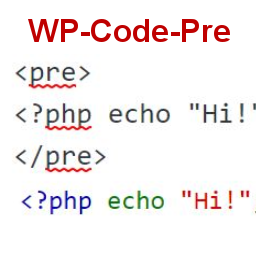
To display source code in your posts, surround source code with pre tags. Plugin
will filter for pre tags and add inline styles that may be modified using your wordpress
theme’s css stylesheet.
For WordPress versions 5.0 and above, HTML pre tags can be used within html block
or, classic block. Use the three dot menu to convert to html when there is a invalid
content error while post editing.
## Скриншоты
[⌊Code preview on blog post or page⌉⌊Code preview on blog post or page⌉[
Code preview on blog post or page
[⌊Typing code in text tab of WordPress Admin area when writing Post.⌉⌊Typing code
in text tab of WordPress Admin area when writing Post.⌉[
Typing code in text tab of WordPress Admin area when writing Post.
[⌊Convert block to html while editing to make modifications to existing source code
display⌉⌊Convert block to html while editing to make modifications to existing source
code display⌉[
Convert block to html while editing to make modifications to existing source code
display
## Установка
1. Download the plugin
2. Upload the wp-code-pre.zip folder to your site’s wp-content/plugins directory
3. Activate the plugin in the WordPress Admin Panel
4. Surround source code with `
` tags, when writing in blog posts using
Gutenberg with classic block and «Edit as HTML» or, html block
## Часто задаваемые вопросы
Why there aren’t any options to modify in admin?
This plugin simply filters for
pre tags.
## Отзывы
Нет отзывов об этом плагине.
## Участники и разработчики
«WP Code Pre» — проект с открытым исходным кодом. В развитие плагина внесли свой
вклад следующие участники:
Участники
* [ zeshanb ](https://profiles.wordpress.org/zeshanb/)
[Перевести «WP Code Pre» на ваш язык.](https://translate.wordpress.org/projects/wp-plugins/wp-code-pre)
### Заинтересованы в разработке?
[Посмотрите код](https://plugins.trac.wordpress.org/browser/wp-code-pre/), проверьте
[SVN репозиторий](https://plugins.svn.wordpress.org/wp-code-pre/), или подпишитесь
на [журнал разработки](https://plugins.trac.wordpress.org/log/wp-code-pre/) по [RSS](https://plugins.trac.wordpress.org/log/wp-code-pre/?limit=100&mode=stop_on_copy&format=rss).
## Журнал изменений
#### 1.0
* First version of the plugin.
#### 1.0.1
* Updated readme to reflect updates to version 5.0
## Мета
* Версия **1.0**
* Обновление: **5 лет назад**
* Активных установок: **10+**
* Версия WordPress ** 4.0 или выше **
* Совместим вплоть до: **5.8.14**
* Версия PHP ** 7.0 или выше **
* Язык
* [English (US)](https://wordpress.org/plugins/wp-code-pre/)
* Метки:
* [Code Highlight](https://ru.wordpress.org/plugins/tags/code-highlight/)[filter content](https://ru.wordpress.org/plugins/tags/filter-content/)
* [Дополнительно](https://ru.wordpress.org/plugins/wp-code-pre/advanced/)
## Оценки
Пока что нет ни одного отзыва.
[Your review](https://wordpress.org/support/plugin/wp-code-pre/reviews/#new-post)
[Посмотреть всеотзывы](https://wordpress.org/support/plugin/wp-code-pre/reviews/)
## Участники
* [ zeshanb ](https://profiles.wordpress.org/zeshanb/)
## Поддержка
Есть что сказать? Нужна помощь?
[Перейти в форум поддержки](https://wordpress.org/support/plugin/wp-code-pre/)