

Описание
This plugin is an add-on to the Gravity Forms form builder plugin.
It offers the opportunity to download all files from one or multiple Gravity Forms entries with one click.
Therefore, it adds a download link to the list view, and an extra download button to the single view of a Gravity Form entry and a Bulk Action.
All uploaded files are collected and downloadable in a single ZIP file.
New:
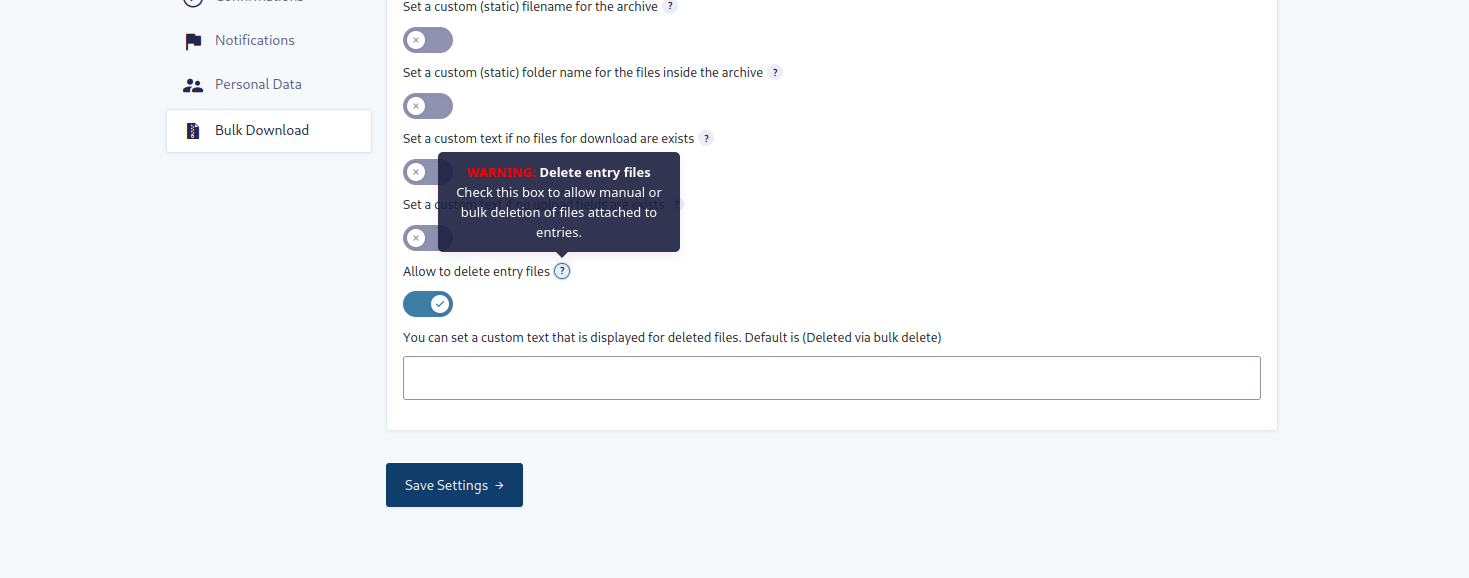
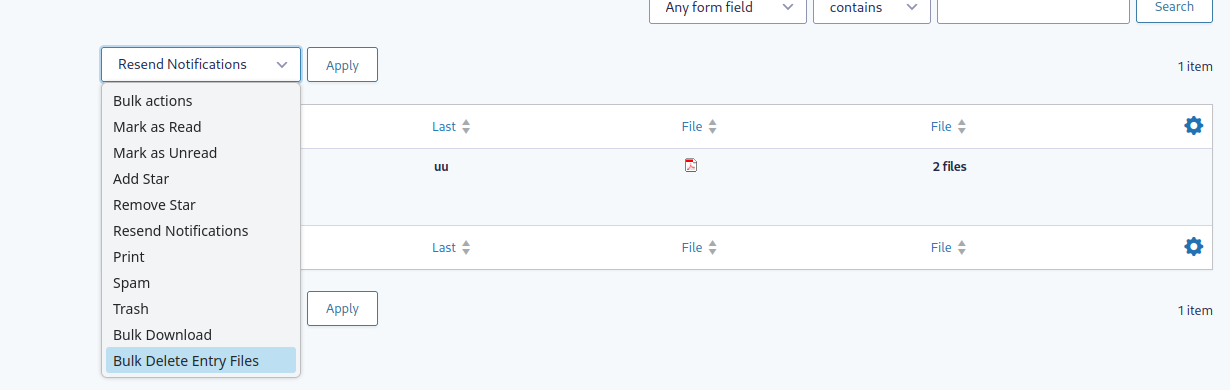
The plugin now also allows bulk deletion of all files from one or multiple entries.
This includes a new bulk action and row action. The files are permanently deleted from the server.
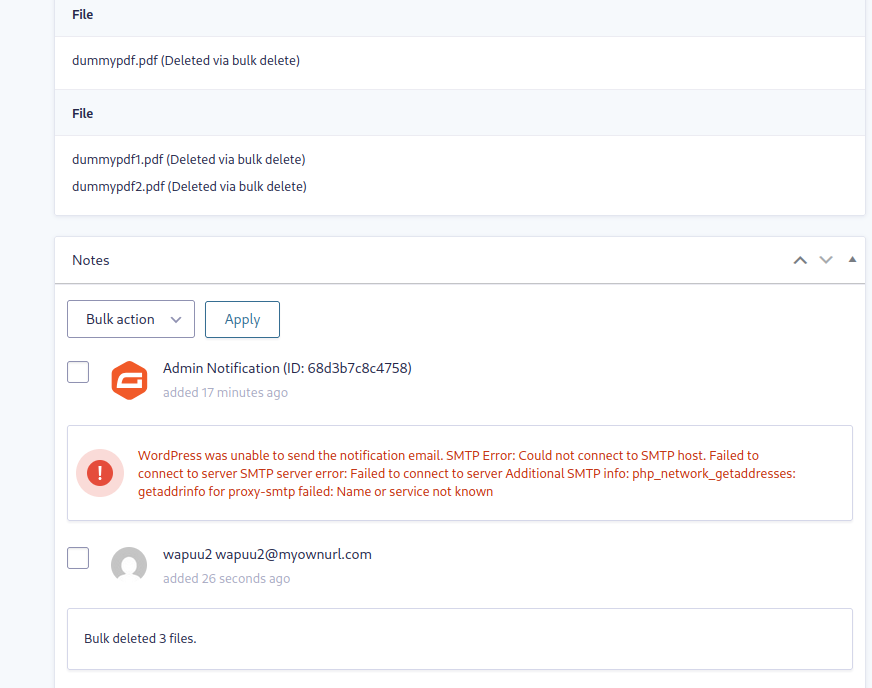
Deleted files are excluded from the ZIP archive and are marked in the entry details view using either the default text or your custom text..
Скриншоты





Установка
- Install and configure Gravity Forms plugin,
- Find this Bulk Download plugin in the «Add Plugins» page within your WordPress installation or Upload the Bulk Download plugin to your blog,
- Activate it,
- Find the Bulk Download link in list and single view!
Часто задаваемые вопросы
-
Can I change the file name of the ZIP archive?
-
You can use the settings page from this option to overwrite the zip archive name. In this option you can also use merge tags from your form.
The plugin also offers a filter called
bdfgf_download_filenamewhich you can use to change the zip archive name.You can find an example usage of this filter in a small plugin in a GIST.
-
Can I change the file or folder name of the entries in the ZIP archive?
-
You can use the settings page from this option to overwrite the folder name. In this option you can also use merge tags from your form.
The plugin also offers a filter called
bdfgf_entry_filenamewhich you can use to change the names.You can find an example usage of this filter in a small plugin in a GIST.
-
When I try to bulk download the files, nothing happens. What can I do?
-
Issues like these usually occur when your server has too low values for the
memory_limitormax_execution_time.The plugin provides the filters
bdfgf_memory_limitandbdfgf_max_execution_timeto change these values.You can find example usage of the memory_limit filter and the max_execution_time filter in the two linked GISTs.
-
Can I influence the permissions to download files in bulk?
-
By default only logged in users with the
gravityforms_view_entriescapability are allowed to download files in bulk. You can use thebdfgf_download_permissionfilter to expand permission check. -
Can I add additional files to the zip archive?
-
The Plugin provides a filter
bdfgf_single_entry_uploaded_filesand an actionbdfgf_after_uploaded_filesto do this. You can add extra files to every single entry or to the whole zip archive beside the entries.You can find example usage of the bdfgf_single_entry_uploaded_files filter and the bdfgf_after_uploaded_files action in the two linked GISTs.
-
Can I delete files in bulk?
-
Yes with our form settings you can enable bulk delete.
-
Can I customize the nonce lifetime for single-entry downloads?
-
Yes. Use the
bdfgf_download_nonce_lifefilter to return the lifetime in seconds. The filter also receives the nonce action, which contains the entry ID. A value of 2 days results in expiration after approximately 24 to 48 hours because WordPress uses nonce time windows.You can find an example usage of the bdfgf_download_nonce_life filter in this Gist.
-
How long are email download links valid?
-
Links generated with the {bulk_download_link} merge tag are valid for 3 days by default. In the form’s Bulk Download settings, choose a value in hours, days, weeks, or years. The effective lifetime is limited to 1 hour through 10 years.
The validity period starts when the link is generated. Changing the setting affects new links; existing links retain their expiration time. Invalid or expired links are rejected. Developers can use the
bdfgf_email_download_link_lifetimefilter to change the lifetime in seconds for a form. Download permission is still checked when the link is used.
Отзывы


Участники и разработчики
«Bulk Download for Gravity Forms» — проект с открытым исходным кодом. В развитие плагина внесли свой вклад следующие участники:
Участники


«Bulk Download for Gravity Forms» переведён на 2 языка. Благодарим переводчиков за их работу.
Перевести «Bulk Download for Gravity Forms» на ваш язык.
Заинтересованы в разработке?
Посмотрите код, проверьте SVN репозиторий, или подпишитесь на журнал разработки по RSS.
Журнал изменений
4.2.0
- Add per-form email download link validity settings in hours, days, weeks, or years, with a default of 3 days.
- Protect email download links with a signature and reject invalid or expired links.
- Add the
bdfgf_email_download_link_lifetimefilter to customize email download link validity (minimum 1 hour, maximum 10 years). - Add the
bdfgf_download_nonce_lifefilter to customize nonce lifetime for single-entry download links. - Check temporary ZIP creation and finalization before sending download headers; prevent caching of ZIP downloads.
4.1.0
- Harden upload URL to file path resolution to ensure files are resolved only inside the WordPress uploads directory.
- Validate that selected entries belong to the requested form before download, delete, and AJAX validation.
- Improve AJAX request sanitization for bulk action validation.
- Sanitize ZIP archive names and internal ZIP file paths more strictly.
- Improve bulk delete notes to count only successfully deleted files.
- Improve temporary ZIP cleanup and download header handling.
4.0.0
- Implement new settings for bulk deleting entry files, including a new bulk action and row action
- Display deleted files in the entry details view and entries list view with custom text
- Add a notice in the entry details view showing who performed the bulk delete action and when
- Add validation before performing the bulk delete action to prevent accidental file deletion
- Add a check for the bulk delete action when no files are found for an entry
- Add a check for the bulk download action when no files are found for an entry
- Update some texts and labels
- General improvements
3.2.5
- Fix PHP Deprecation Warning on empty ZipArchive for PHP 8.2 and above
3.2.4
- Remove
Requires Pluginsfrom plugin header because premium plugins are not supported at the moment
3.2.3
- Fix Github actions
3.2.2
- Fix Github actions
- General improvements
3.2.1
- Adding
Requires Pluginsto plugin header for WP 6.5 and above
3.2.0
- Adding a filter
bdfgf_single_entry_uploaded_filesto include extra files to a single or every subfolder inside the zip archive. - Adding an action
bdfgf_after_uploaded_filesto add one or more files into the zip archive after the folder passthrough the merge tags. - Update some filter to the gf_apply_filter function.
- Update to min PHP Version 7.4
3.1.1
- Correct some wording
3.1.0
- Adding 2 new setting fields for the form, which now can customize error messages.
- Fixed errors that could be caused by an incorrectly send header for the zip archive. This sometimes meant that the zip file could not be opened.
- Adding filter for download permission to allow more fine grained permission management for other plugins.
- General improvements
- Fix error message not being triggered when entry id for single entry download is invalid.
- Show error when form not found.
- Do not create an invalid zip file when no files are found.
- Skip entries which could not be retrieved.
3.0.0
- Introducing a settings page per form.
- Adding a setting to overwrite the zip archive file name.
- Adding a setting to overwrite the entry folder names in the zip archive.
2.5.0
- Use the
gf_apply_filters()functions to allow filtering of values based on a form ID
2.4.1
- Restore the vendor folder in the build made by Github actions
2.4.0
- Replace nonce check with a capability check to allow downloads using the mail links in multiple notifications.
2.3.0
- Increase memory_limit to 512M and add filter
bdfgf_memory_limitto allow changes to the value. - Increase max_execution_time to 120 and add filter
bdfgf_max_execution_timeto allow changes to the value. - Add filter
bdfgf_download_filenameto allow changes to the zip archive file name. - Add filter
bdfgf_entry_filenameto allow changes to the entry folder names added to the zip archive.
2.2.0
- Adding a check if the ZIP extension is installed.
- Use shorter labels for download buttons.
2.1.0
- Adding support for the «Select all X entries» link for the bulk action.
- Fixing an issue where zip file was missing some uploaded files.
2.0.0
- Add a bulk action to allow bulk downloads for all files from multiple entries.
1.2.0
- Add custom Gravity Forms merge tag {bulk_download_link} to display a download link in notification mail.
- Also add a «link_text» attribute to the Gravity Form merge tag {bulk_download_link:link_text=»your link text»} to change the default link text.
1.1.0
- Prevent issues when files with empty paths are added to the ZIP file
- Use the sanitized form title for the download file name
1.0.1
- Remove function to load translation files from the plugin directory
1.0.0
- First stable version