

Описание
ReadJoy adds a smooth reading progress bar to your WordPress posts and pages — and does something no other plugin does: it celebrates your readers when they finish reading!
When a visitor finishes your article, ReadJoy shows a beautiful popup with confetti animation and a thank-you message. This makes readers feel valued and encourages them to come back.
Why bloggers and site owners love ReadJoy:
- Readers stay longer on your site
- Bounce rate goes down
- Readers feel appreciated and return
- Zero setup needed — works right after activation
- 100% FREE — no hidden fees, ever
Key Features
Reading Progress Bar
* Smooth real-time progress bar (top or bottom of page)
* 5 styles: Solid, Gradient, Striped, Animated, Glow
* Fully customizable colors
* Works on all screen sizes
Reading Time Display
* Shows estimated reading time
* Live percentage (e.g. «45% read»)
* Estimated finish time
* Adjustable Words Per Minute (WPM)
Celebration Popup
* Beautiful popup appears when reader finishes the article
* Confetti animation
* Smart messages based on your content mood (happy, sad, or neutral)
* Can be disabled from settings
Easy Customization
* Color picker for all elements
* Control bar thickness, font size, border radius
* Choose which post types to show it on
* Turn any feature on or off independently
Perfect For
- Bloggers
- News websites
- Online magazines
- Educational sites
- Any site with long-form content
100% Free Forever
All features are completely free. No premium version. No upsells. We built ReadJoy to help the WordPress community — that’s it.
Privacy
ReadJoy does not collect, store, or share any user data. Fully GDPR compliant.
Support
- Support Forum: https://wordpress.org/support/plugin/farjana-reading-progress-bar/
- GitHub: https://github.com/TanjinaAkte
We respond within 24 hours!
Скриншоты
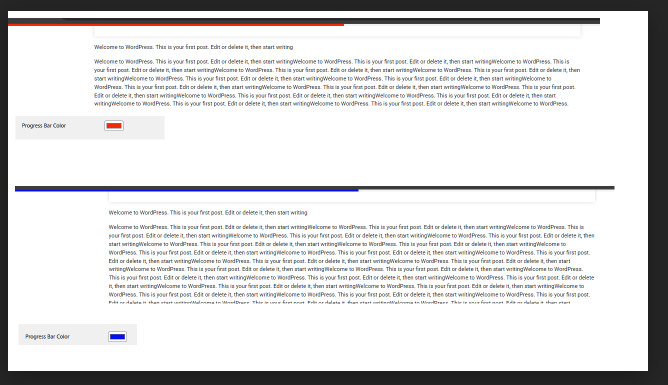
Reading progress bar with reading time display on a live post 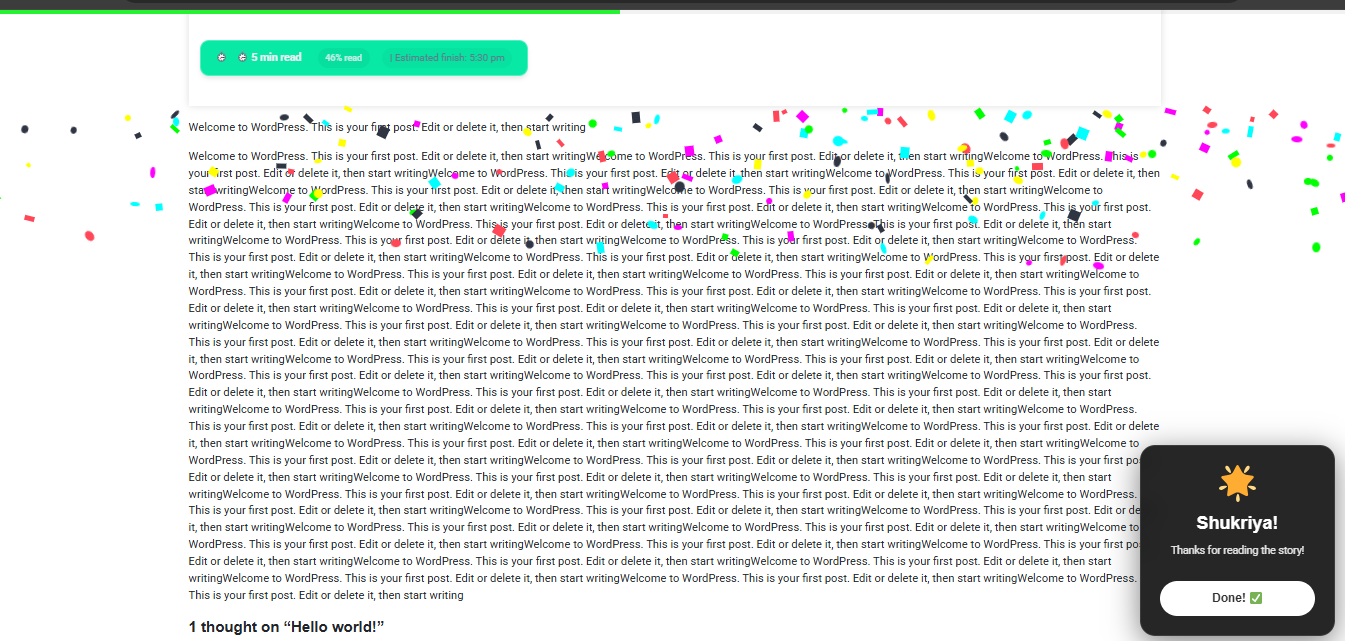
Settings page — customize colors, position, and post types 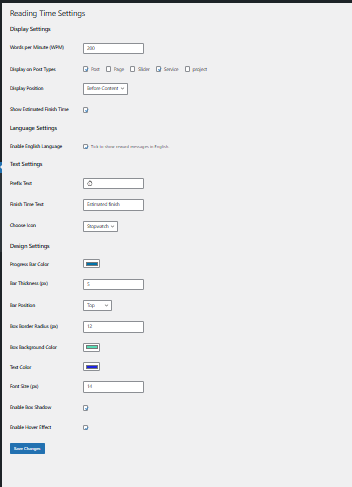
Design settings — bar styles, colors, and size controls 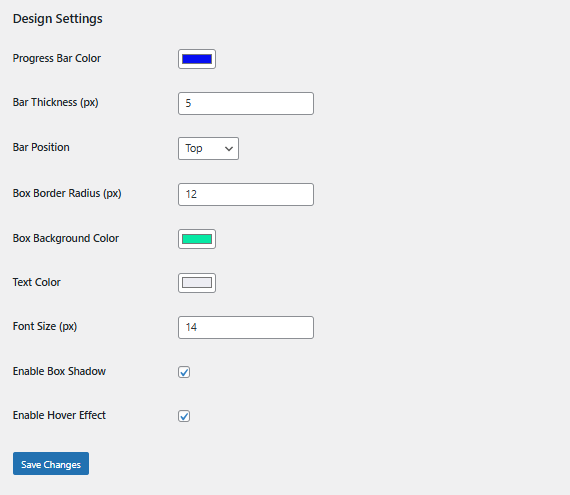
Celebration popup with confetti animation 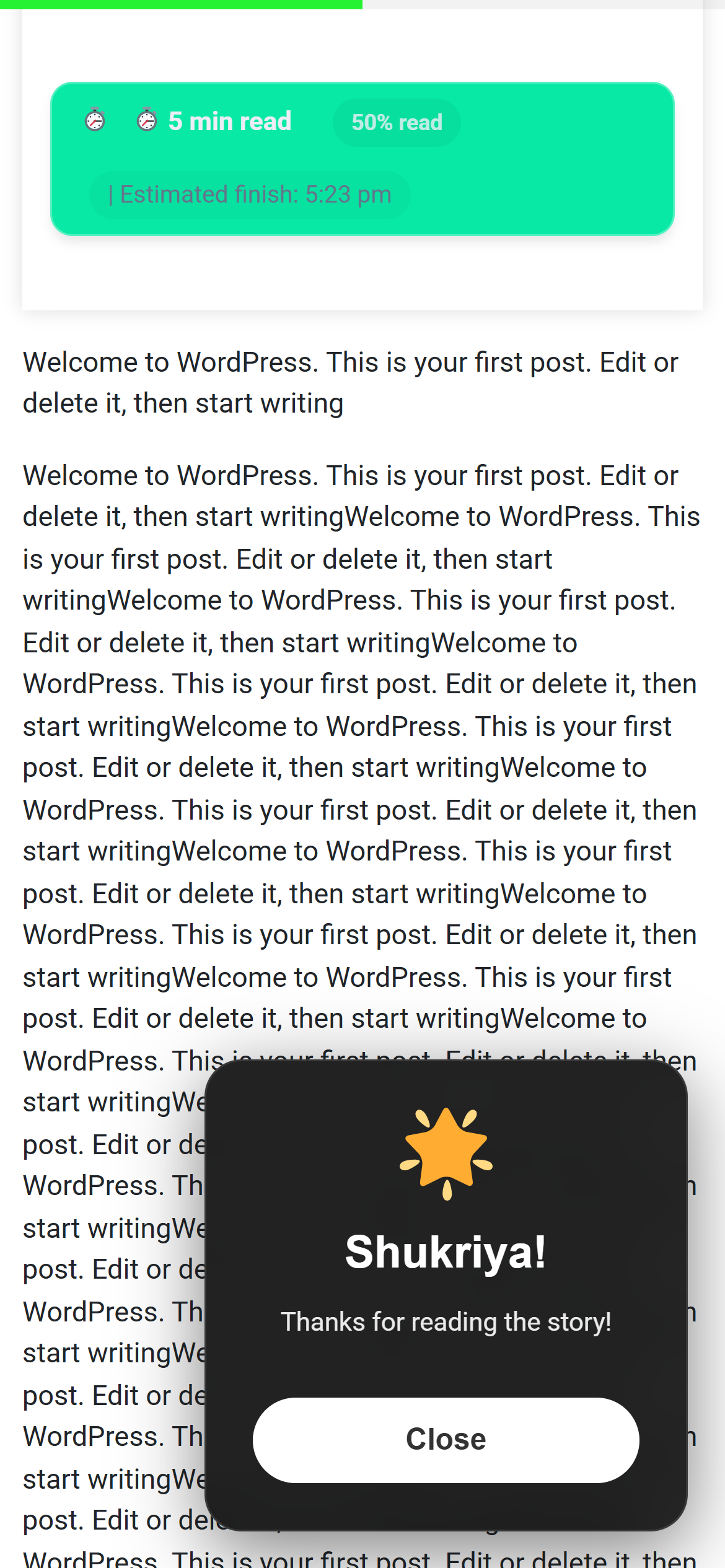
All 5 progress bar styles in one view 
Welcome screen after activation
Установка
- Go to Plugins Add New in your WordPress dashboard
- Search for ReadJoy
- Click Install Now then Activate
- Go to Settings ReadJoy to customize
- Done! Visit any post to see it in action.
Часто задаваемые вопросы
-
Will it slow down my website?
-
No. ReadJoy is lightweight and only loads on posts/pages where it’s enabled.
-
Does it work with my theme?
-
Yes. ReadJoy works with any WordPress theme including Astra, GeneratePress, OceanWP, and Divi.
-
Can I turn off the celebration popup?
-
Yes. Go to Settings ReadJoy and uncheck the celebration popup option.
-
Does it work on mobile?
-
Yes. Fully responsive on all screen sizes.
-
Can I show it only on blog posts, not pages?
-
Yes. You can choose exactly which post types to enable it on from the settings page.
-
How is reading time calculated?
-
Based on Words Per Minute (WPM). Default is 200 WPM (average adult reading speed). You can change this in settings.
-
Is there a pro version?
-
No. Everything is free forever.
Отзывы
Нет отзывов об этом плагине.
Участники и разработчики
«ReadJoy — Progress Bar with Celebrations» — проект с открытым исходным кодом. В развитие плагина внесли свой вклад следующие участники:
Участники
Перевести «ReadJoy — Progress Bar with Celebrations» на ваш язык.
Заинтересованы в разработке?
Посмотрите код, проверьте SVN репозиторий, или подпишитесь на журнал разработки по RSS.
Журнал изменений
1.5.0 — 2026-02-20
- Rebranded to ReadJoy for better discoverability
- Improved description and SEO
- All existing features remain unchanged
1.4.0 — 2026-02-18
- Added Welcome Screen for new users
- Improved onboarding experience
1.3.0 — 2026-02-10
- Added option to enable/disable celebration popup
- Minor CSS fixes
1.2.0 — 2026-02-04
- All features now free forever
- Dynamic color support for all bar styles
- Performance improvements
1.1.0 — 2026-01-15
- Added celebration popup with confetti
- Smart mood detection for messages
- Bengali and English language support
1.0.1 — 2026-01-05
- Security improvements
- CSS conflict fixes
1.0.0 — 2026-01-01
- Initial release
1.5.1 — 2026-05-25
- Updated tested up to WordPress 7.0
- Improved readme for better discoverability