
Описание
3task Glossary helps you create professional glossaries, dictionaries, wikis and knowledge bases using the WordPress page hierarchy you already know. No complex setup required — just select a page as your glossary, and its child pages become your entries.
Perfect for:
* Glossaries — Define technical terms, jargon, acronyms
* Dictionaries — Build word lists with definitions
* Knowledge Bases — Create support documentation
* Wikis — Organize encyclopedia-style content
* Lexicons — Academic and scientific term collections
How It Works
- Create a WordPress page for your glossary (e.g., «Glossary»)
- Add child pages under it for each entry (e.g., «API», «Database», «Widget»)
- Activate the glossary in plugin settings
- Your glossary page automatically shows A-Z navigation and entry list
Key Features
- Uses WordPress Pages — No new post types, no database tables. Just pages.
- A-Z Navigation — Beautiful alphabetical navigation with 2 styles (Buttons, Pills)
- 2 Color Schemes — Emerald (green) and Slate (neutral gray)
- Dark Mode Support — Auto (system), Light, or Dark mode
- German Umlaut Support — Proper handling of Ä, Ö, Ü, ß
- Auto-Linking — Automatically link glossary terms within your glossary pages
- Responsive Design — Works perfectly on all devices
- Lightweight — No bloat, fast loading, SEO-friendly structure
- Multi-Language Ready — Works with RTL languages, Hebrew, Arabic, Greek
Pro Version Features
Upgrade to 3task Glossary Pro for advanced features:
🚀 SITE-WIDE AUTO-LINKING (SEO Power Feature!)
The #1 reason to upgrade: Automatically link glossary terms across your ENTIRE website — not just on glossary pages! Every blog post, every page, every custom post type. One glossary term mentioned? Automatic link. Massive internal linking boost for SEO.
- Site-Wide Auto-Linking — Link glossary terms across ALL posts and pages automatically
- 5 Tooltip Themes — Show definitions on hover (Light, Dark, Gradient, Minimal, Bordered)
- AJAX Live Search — Visitors find terms instantly while typing
- AI Definition Generator — Generate definitions with OpenAI, Claude or Gemini (BYOK)
- Synonyms — Link multiple terms (AI, KI, Artificial Intelligence) to one entry
- CSV Import/Export — Bulk create hundreds of entries, backup your glossary
- 6 Color Schemes — Emerald, Ocean, Sunset, Berry, Slate + Custom colors
- Schema.org SEO — DefinedTermSet markup for better search visibility
- Priority Support — Email support with fast response
Developer Notes
Filters
azgl_max_glossaries— Override maximum glossaries limitazgl_max_entries— Override maximum entries limitazgl_color_schemes— Add custom color schemesazgl_nav_styles— Add custom navigation styles
Actions
azgl_before_glossary— Before glossary outputazgl_after_glossary— After glossary outputazgl_before_navigation— Before navigation outputazgl_after_navigation— After navigation output
CSS Classes
.azgl-nav— Navigation container.azgl-entries— Entries container.azgl-section— Letter section.azgl-letter— Letter heading.azgl-list— Entry list.azgl-item— Entry item.glossary-term— Auto-linked term
About 3task.de
3task Glossary is developed by 3task.de, specialists in WordPress plugin development. We create focused, lightweight tools that solve real problems.
Support
Free Version:
* WordPress.org Support Forum
* Built-in Help tab in plugin settings
Pro Version:
* Priority email support
* 24-hour response time
* Custom development available
Скриншоты
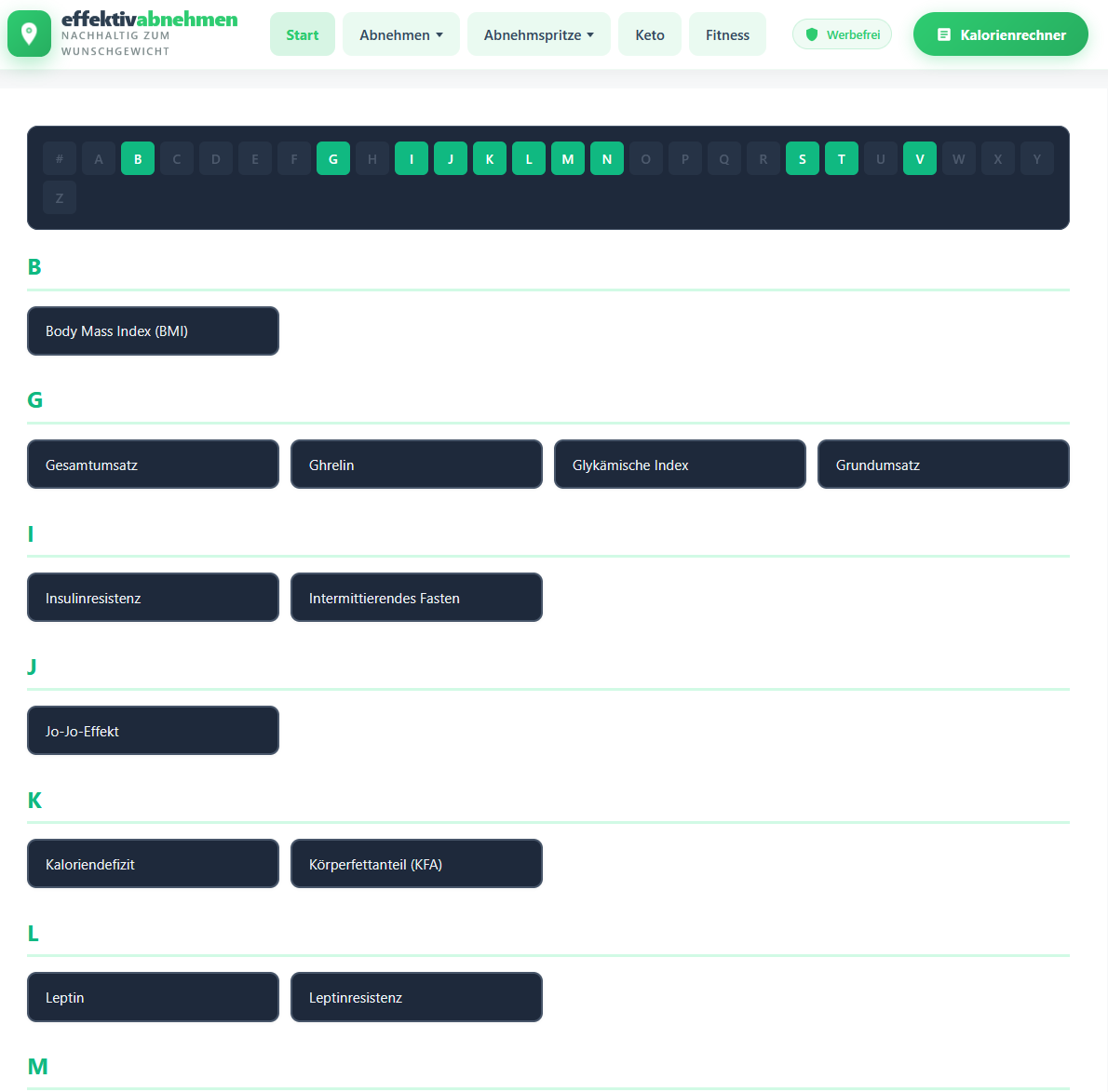
Glossary Page — A-Z navigation with entry list 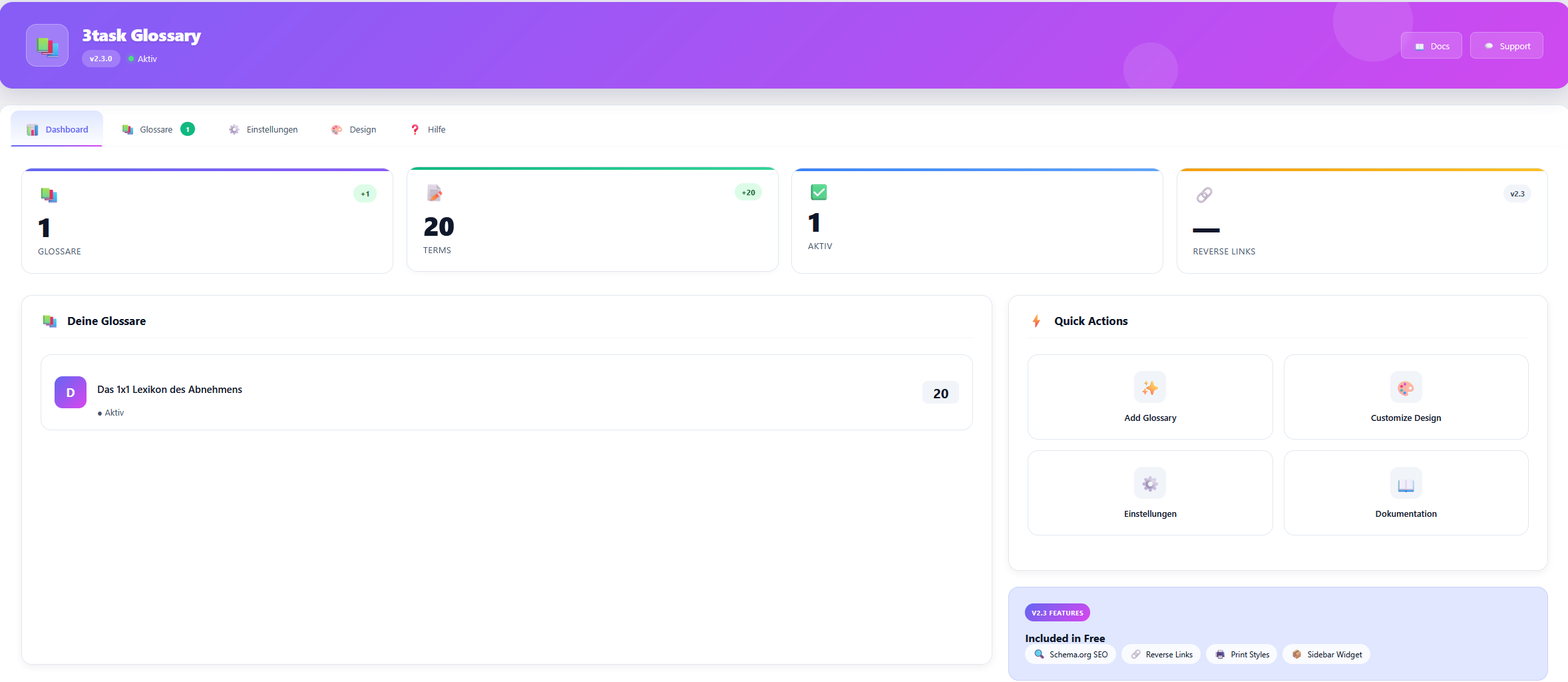
Admin Settings — Simple glossary configuration 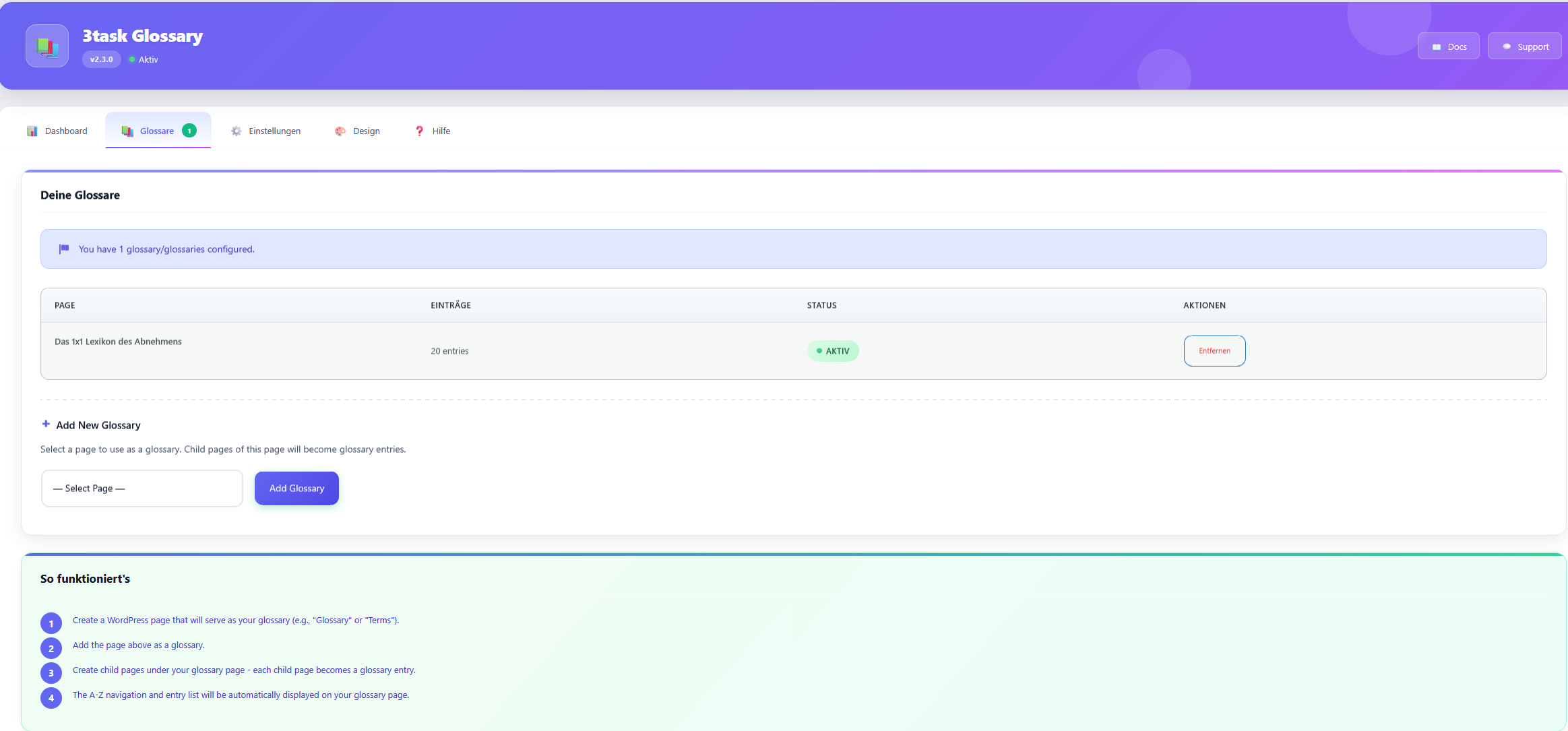
Color Schemes — Emerald and Slate color options 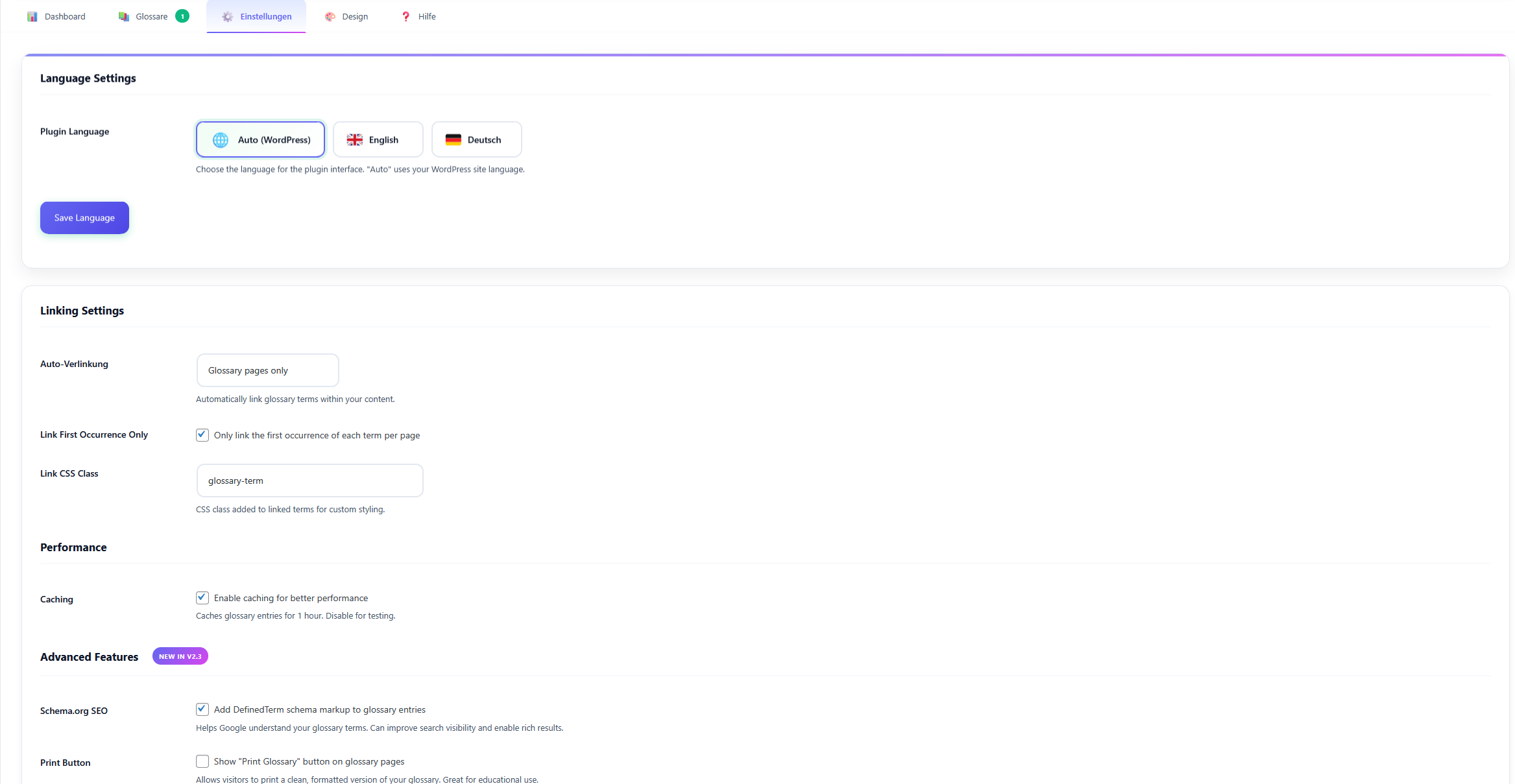
Navigation Styles — Buttons or Pills 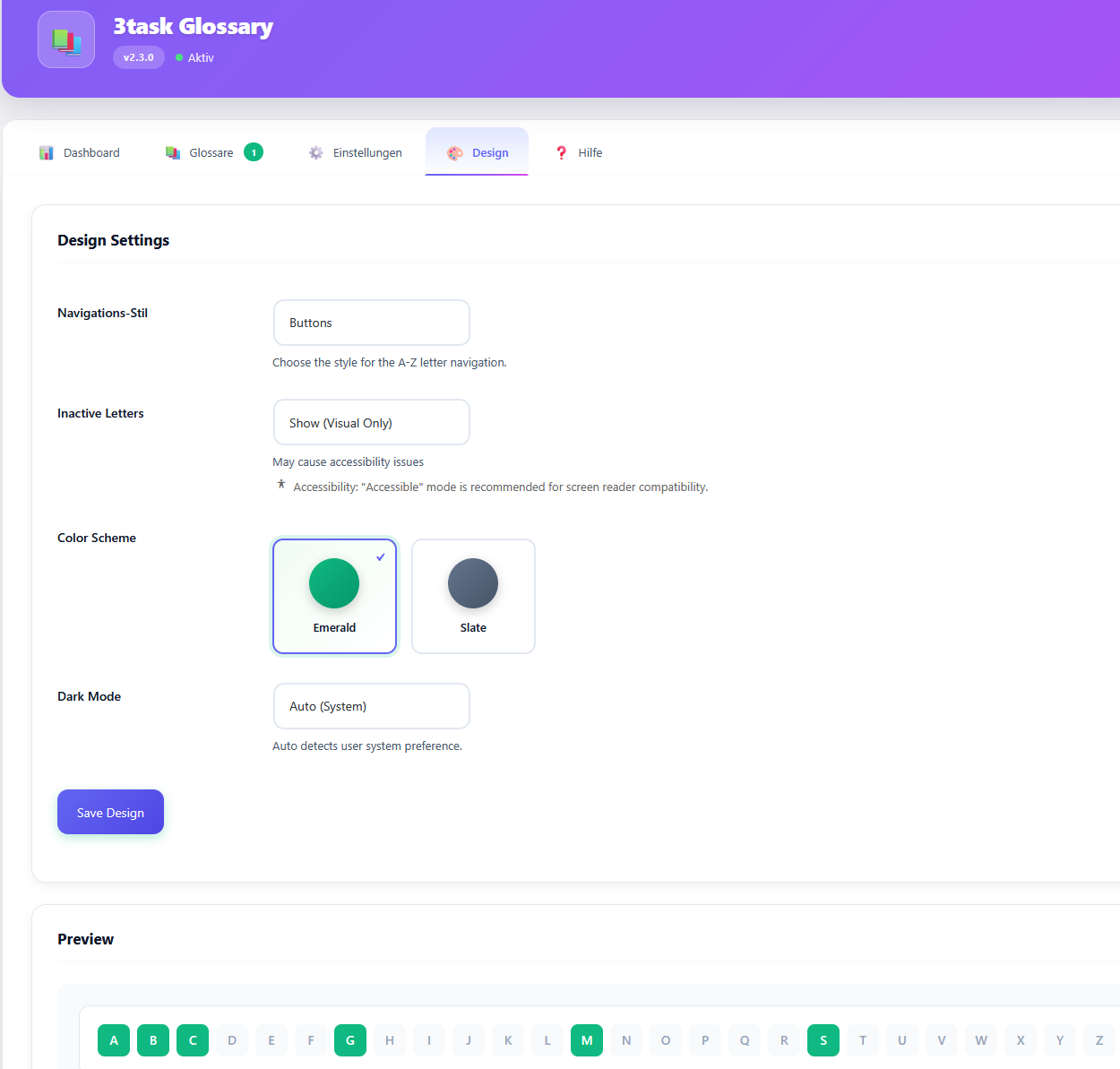
Entry Page — Sub-navigation on glossary entries
Установка
Automatic Installation
- Login to WordPress admin
- Go to Plugins > Add New
- Search for «3task Glossary»
- Click Install Now, then Activate
Manual Installation
- Download the plugin zip file
- Go to Plugins > Add New > Upload Plugin
- Choose the zip file and click Install Now
- Click Activate
Quick Start
- Create a WordPress page (e.g., «Glossary»)
- Create child pages under it for each entry
- Go to 3task Glossary in admin menu
- Add your page as a glossary
- Visit your glossary page to see the A-Z navigation
Часто задаваемые вопросы
-
How do I create a glossary?
-
- Create a regular WordPress page (this will be your glossary index)
- Create child pages under it (each child page is an entry)
- Go to 3task Glossary menu and add your page as a glossary
- That’s it! Your page now shows A-Z navigation and links to all child pages.
-
Can I use this for a dictionary or wiki?
-
Yes! The plugin works great for dictionaries, wikis, knowledge bases, lexicons, and any A-Z indexed content. Each child page becomes an entry with its own URL.
-
How many glossaries and entries can I add?
-
The free version has no artificial limits. Create as many glossaries and entries as you need. Pro adds automation features like site-wide auto-linking, tooltips, and import/export.
-
Does it work with my theme?
-
Yes! The plugin uses clean, semantic HTML that works with any WordPress theme. It includes 2 color schemes (Emerald, Slate) and dark mode support. Pro version offers 6 schemes + custom colors.
-
How does auto-linking work?
-
Free version: Automatically links glossary terms within your glossary pages only.
Pro version: Site-Wide Auto-Linking! Automatically links glossary terms across your ENTIRE website — every blog post, every page. Huge SEO benefit through internal linking. This is the #1 reason users upgrade to Pro.
-
Is it SEO-friendly?
-
Yes! The plugin uses proper semantic HTML structure, clean URLs (your existing page permalinks), and doesn’t add any bloat. Your existing page SEO remains intact.
-
Does it support German umlauts and special characters?
-
Yes! German umlauts (Ä, Ö, Ü, ß) are properly sorted under their base letters (A, O, U, S). Works with Hebrew, Greek, Arabic and other languages too.
-
Can I customize the appearance?
-
Yes! Choose from 2 color schemes (Emerald, Slate), 2 navigation styles (Buttons, Pills), and dark mode settings (Auto, Light, Dark). Pro version offers 6 color schemes, 3 navigation styles, and custom colors.
Отзывы
Нет отзывов об этом плагине.
Участники и разработчики
«3task Glossary – Dictionary, Wiki & Knowledge Base» — проект с открытым исходным кодом. В развитие плагина внесли свой вклад следующие участники:
Участники
Перевести «3task Glossary – Dictionary, Wiki & Knowledge Base» на ваш язык.
Заинтересованы в разработке?
Посмотрите код, проверьте SVN репозиторий, или подпишитесь на журнал разработки по RSS.
Журнал изменений
2.3.0
- New: Completely redesigned admin interface with 3task Plugin Design System v1.0
- New: Dashboard tab with stats overview (glossaries, terms, active count)
- New: Animated gradient header with glassmorphism effects
- New: Tab navigation with icons and animated underline
- New: Quick Actions grid for faster navigation
- New: Schema.org DefinedTerm markup for better SEO (can be disabled in Settings)
- New: Sidebar widget with A-Z navigation, recent terms, or popular terms display
- New: Reverse Links showing which posts/pages mention a glossary term
- New: Print stylesheet for clean A4 printing of glossary pages
- New: Onboarding banner for new users
- Improved: DSGVO-compliant design (no Google Fonts, uses System Font Stack)
- Improved: Responsive layout for all screen sizes
2.2.1
- Fixed: Consistent branding — renamed all «SEO Glossary» labels to «3task Glossary» in admin menu and UI
2.2.0
- New: Accessibility options for inactive letters (screen reader support)
- New: Four display modes for letters without entries: Accessible (with aria-label), Hidden (aria-hidden), Show (visual only), None (hide completely)
- Improved: Screen readers now properly announce «X, no entries» instead of reading letters as one string
- Thanks to Elena Brescacin for reporting the accessibility issue and contributing the Italian translation
2.1.0
- Renamed plugin to 3task Glossary
- New: Optimized for dictionary, wiki and knowledge base use cases
- Improved: Better multi-language support
2.0.0
- Complete rewrite using Child-Pages-System
- New: Uses WordPress pages instead of custom database
- New: 6 color schemes (Emerald, Ocean, Sunset, Berry, Slate, Auto)
- New: 3 navigation styles (Buttons, Pills, Minimal)
- New: Dark mode support (Auto, Light, Dark)
- New: German umlaut support (Ä, Ö, Ü, ß)
- New: Auto-linking within glossary pages
- Improved: Cleaner, lighter codebase
- Improved: Better accessibility
- Improved: Modern admin interface
1.0.0
- Initial release