

Описание
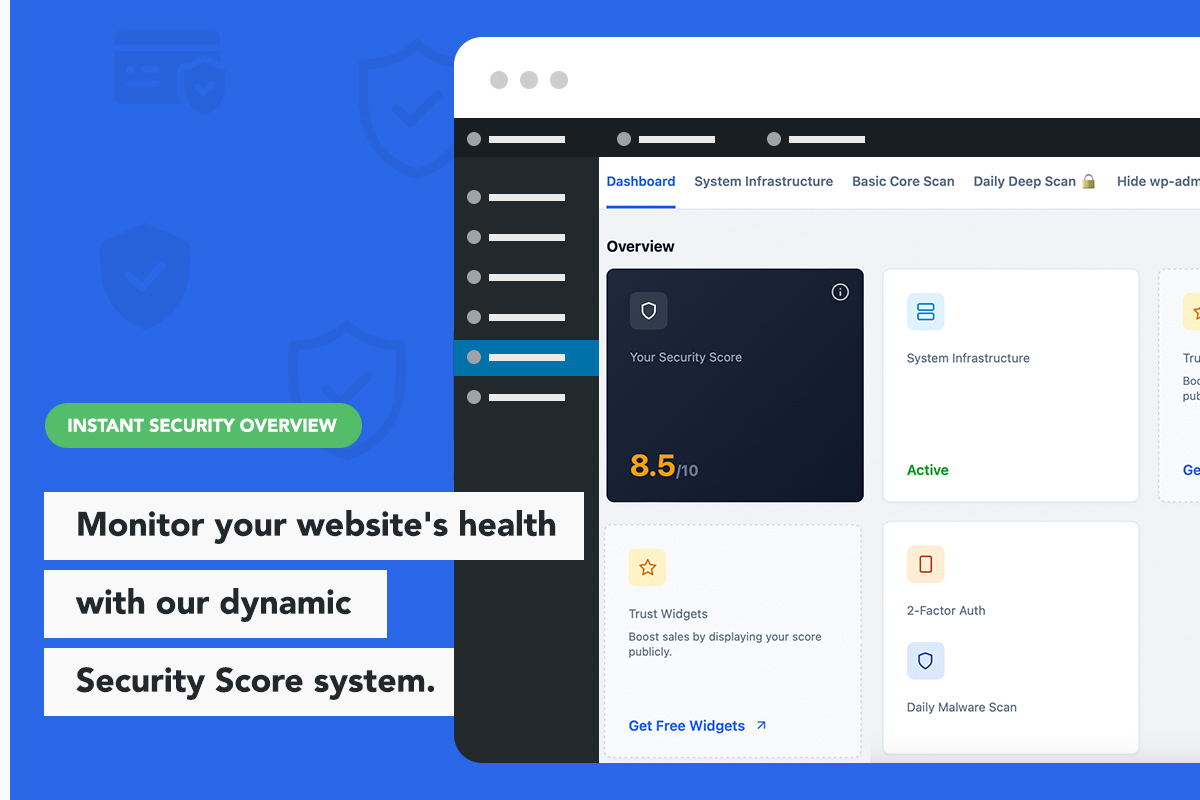
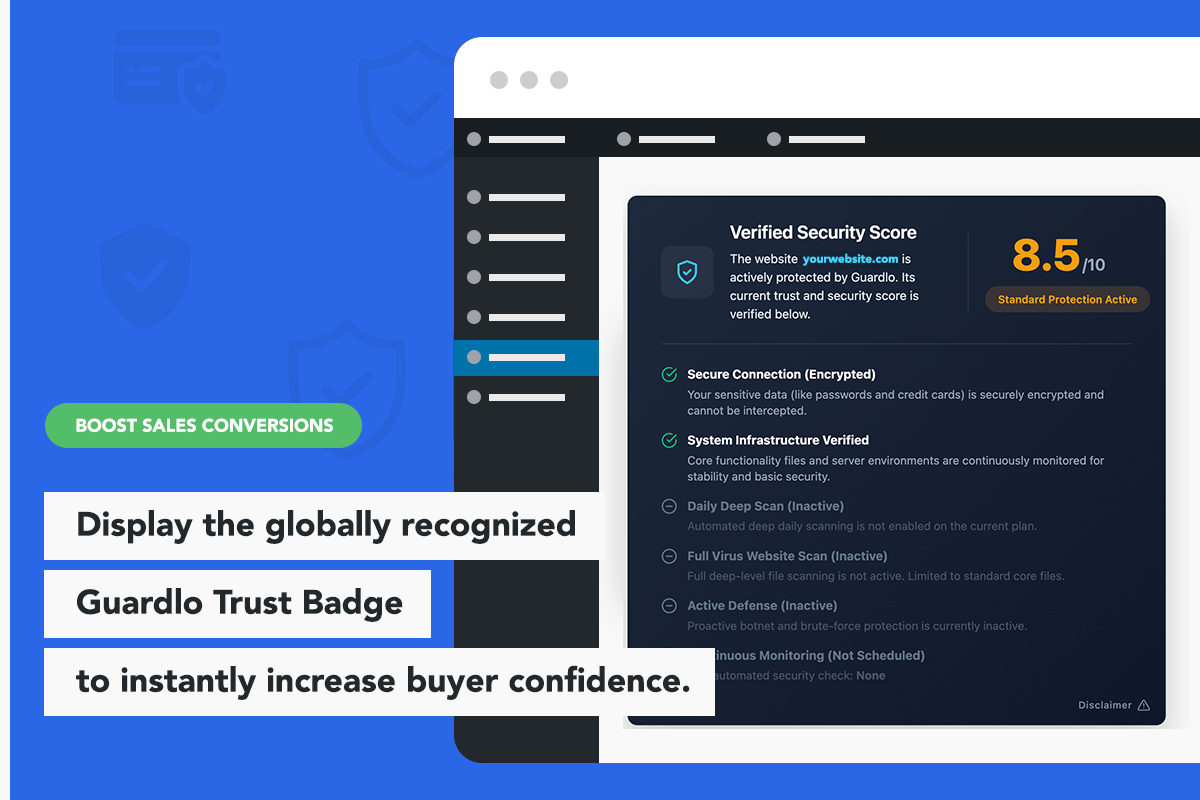
Guardlo is a powerful yet lightweight security tool designed to protect your website’s basic foundation without slowing it down. It also includes a unique Trust Badge feature that allows you to display your website’s security status to your visitors, actively increasing trust and conversions.
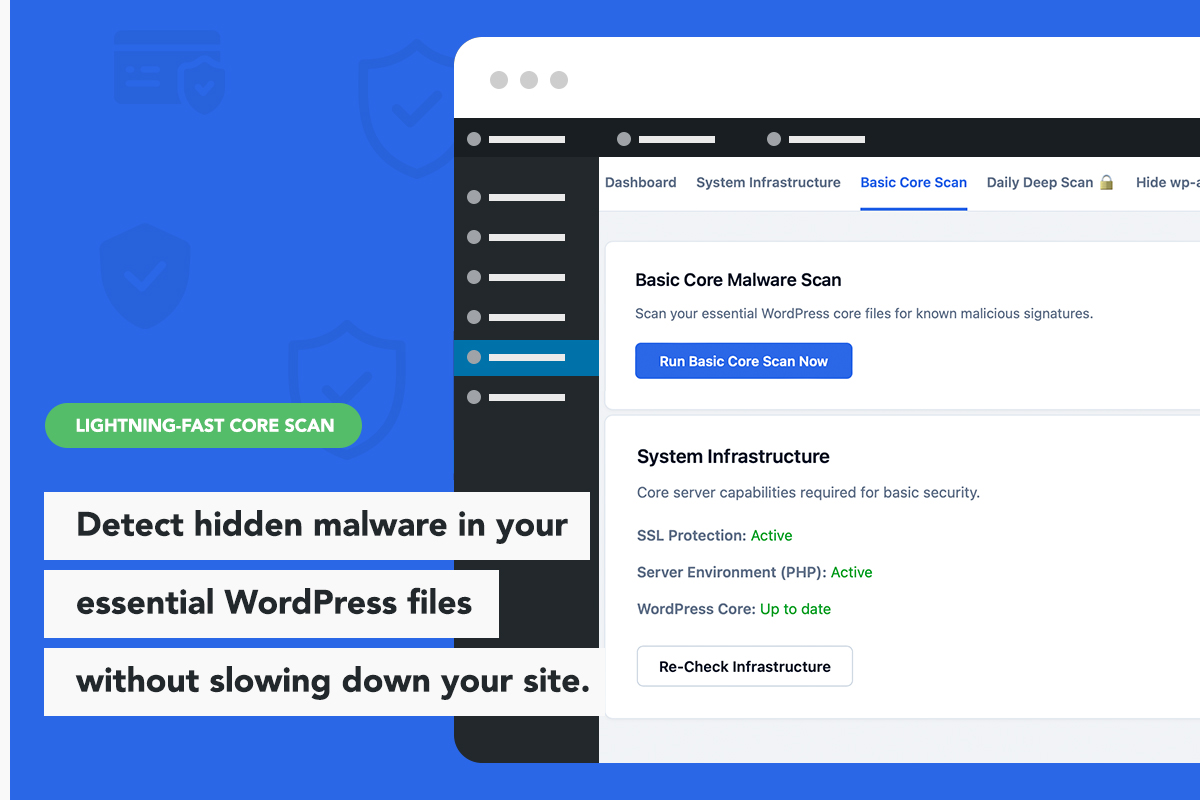
The Guardlo core scanner is built to have a zero impact on server performance by verifying essential WordPress files on demand, rather than running continuous, heavy background processes that consume resources.
The Lightweight Security Alternative
Guardlo acts as a fast, optimized alternative to heavy firewall plugins that drain your server. It provides essential security tools including a core file malware scanner, server environment checks, and seamless integration with a visual security badge.
Standard Features (Free)
- Trust Badge: Display a security badge in your website footer to show visitors that your site is actively monitored.
- Elementor Integration: Includes a native Elementor widget to easily position the Trust Badge on your pages, with 3 design layouts available.
- Basic Core Integrity Scanner: Scan critical WordPress root PHP files (including wp-config.php, .htaccess, index.php) against a database of known malware signatures.
- Infrastructure Monitor: Verify that your server is running secure and up-to-date PHP versions, and check if your website is properly routing traffic through an encrypted SSL connection.
- Localized Security Profiles: Choose from over 30 languages for your public security profile. When international visitors click your Trust Badge, they will view your safety status translated into their native language.
Premium Features
Guardlo offers a premium upgrade for administrators who require automated monitoring, WooCommerce security, and advanced login protection:
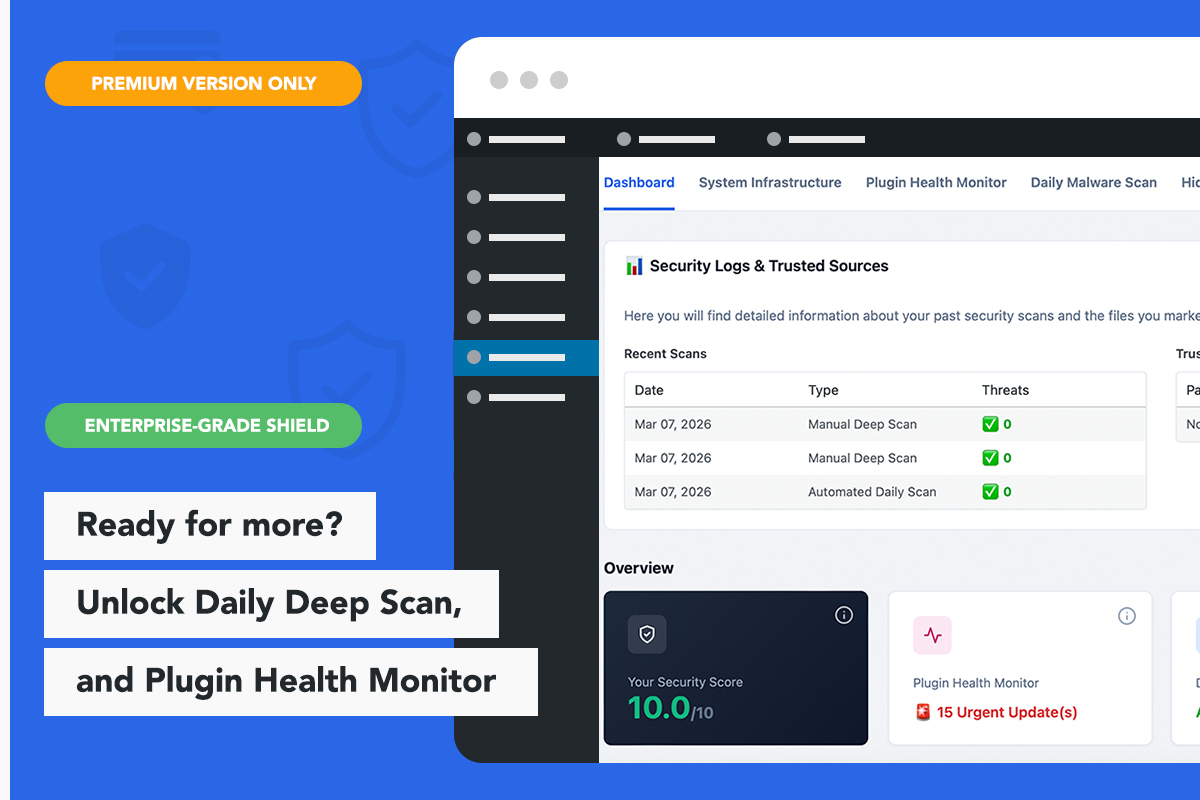
- Automated Deep Malware Scans: Deep daily scanning that checks for hidden backdoors and malicious code across core files, installed themes, and plugins.
- Hide wp-admin (Invisible Admin Mode): Change your default wp-admin login URL to a secret custom link to stop automated brute-force attempts dead in their tracks.
- Email 2FA: Add two-factor authentication via email for administrator accounts.
- Advanced Shields (WAF & File Lock): A military-grade Traffic Filter that auto-bans malicious IPs and locks your core files from remote tampering.
- Real-Time Plugin Upload Shield: Scans newly uploaded plugin ZIP files to ensure they are safe before activation.
- Smart Plugin Health Monitor: Identifies major plugin updates that require attention to ensure compatibility and keep your site running smoothly.
- Advanced Trust Badge: Upgrades the visual security score on your Trust Badge to a verified 10.0/10 when full monitoring is active.
Скриншоты
Установка
Setting up Guardlo is straightforward:
- Upload the
guardlo-security-malware-scan-trust-badgefolder to the/wp-content/plugins/directory, or install directly through the WordPress plugins screen. - Activate the plugin through the ‘Plugins’ screen in WordPress.
- Your basic environment checks will begin, and the standard Trust Badge will be available to display.
- Navigate to the Guardlo menu in your WordPress dashboard to run a manual core scan or configure your settings.
Часто задаваемые вопросы
-
Will Guardlo consume a lot of server resources?
-
No. Guardlo is designed to be extremely lightweight. The free version runs its infrastructure and core file checks on demand, which helps ensure your frontend performance is not impacted by background scanning.
-
Can Guardlo hide my wp-admin login page?
-
Yes. The Premium version includes an «Invisible Admin Mode» feature that allows you to change your default wp-admin path to a custom link, completely hiding it from hackers and bots.
-
How does the two-factor authentication (2FA) work?
-
The Premium version secures your administrator accounts with Email 2FA. During login, after entering the correct password, administrators must also enter a unique code sent to their registered email address.
-
The Standard version allows you to run on-demand scans of your core server health and root WordPress files, and provides the basic Trust Badge widget. The Premium version adds automated deep scanning for all plugins and themes, secret login page protection, 2FA, Advanced WAF, and an upgraded Trust Badge display.
Отзывы
Нет отзывов об этом плагине.
Участники и разработчики
«Guardlo Security & Malware Scanner with Trust Badge» — проект с открытым исходным кодом. В развитие плагина внесли свой вклад следующие участники:
Участники
Перевести «Guardlo Security & Malware Scanner with Trust Badge» на ваш язык.
Заинтересованы в разработке?
Посмотрите код, проверьте SVN репозиторий, или подпишитесь на журнал разработки по RSS.
Журнал изменений
1.0.2
- Performance: Improved Trust Badge loading compatibility with aggressive caching plugins (LiteSpeed, SG Optimizer, WP Rocket).
- Optimization: Refined internal security check logic for faster dashboard load times.
- SEO: Updated plugin metadata and tags to help users find the specific security modules they need.
1.0.1
- Security Update: Implemented XOR encryption for the malware signature database to prevent false-positive triggers from server-side antivirus software.
- Feature Enhancement: Expanded the Basic Core Malware Scan to automatically check all .php files in the root directory (public_html), significantly increasing basic coverage.
- UI/UX: Cleaned up the top navigation bar and added a ‘Leave a Review’ link.
- Minor bug fixes and code optimizations.
1.0.0
- Initial release on the WordPress.org repository.
- Added native Elementor Widget for Trust Badge placement.
- Implemented basic environment and SSL checks.
- Added on-demand core file malware scan.
- Integrated the Guardlo Premium security add-on options within the dashboard.