
Описание
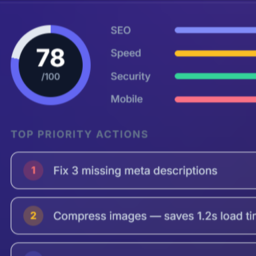
WebAudit Website Widget turns your own website into a lead magnet. Add a small «Free Website Audit» box anywhere on your site — visitors enter a URL, get an instant SEO score in about 30 seconds, and if they want the full report they leave their email. That email becomes a lead in your WebAudit AI Tool account, branded with your name, not ours.
- Drop-in widget — add via shortcode
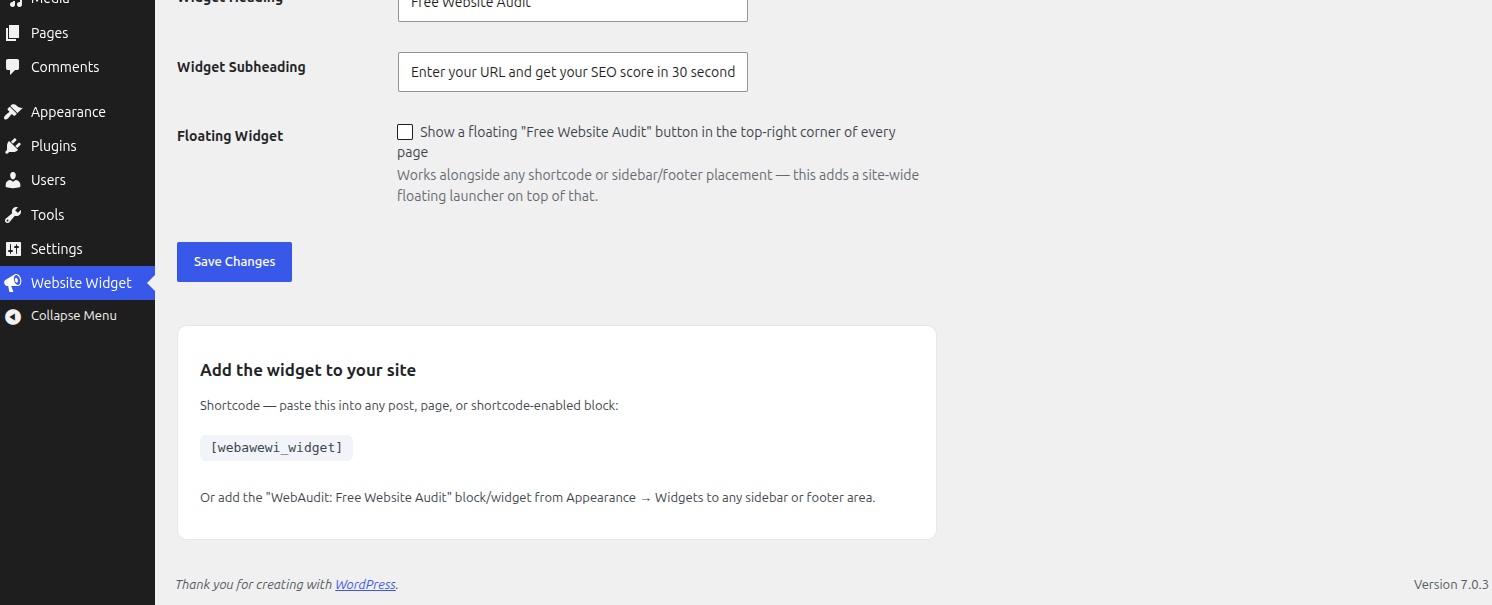
[webawewi_widget]or the «WebAudit: Free Website Audit» sidebar/footer widget - Your branding — the widget shows «Powered by (your agency name)», linking to your own site
- Client-side only — this plugin never makes the WordPress server fetch a visitor-supplied URL; the report and lead submission are handled by your browser calling your WebAudit AI Tool account directly, the same way widgets like live-chat or booking embeds work
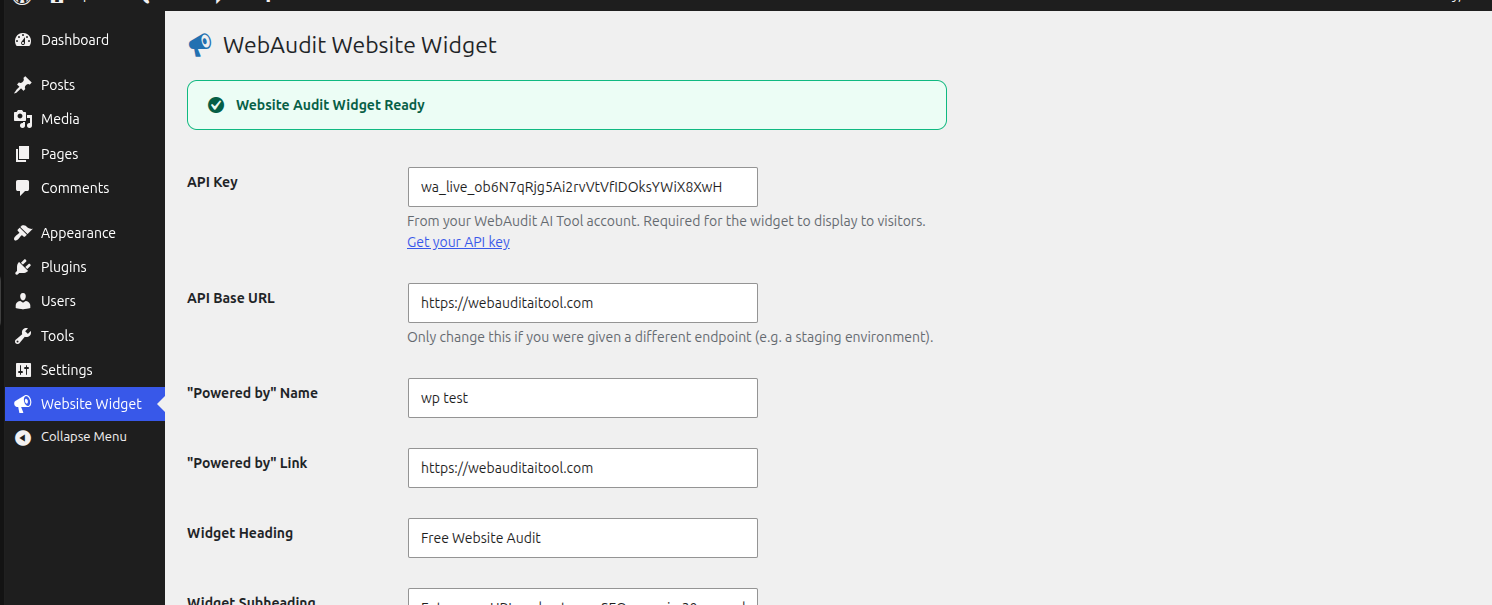
- One API Key — paste the key from your WebAudit AI Tool account and the widget activates instantly
How it works
- Install and activate the plugin
- Go to Website Widget and paste your API Key from your WebAudit AI Tool account
- Add
[webawewi_widget]to a page, or add the widget block to a sidebar/footer - Visitors run a free audit; their email becomes a lead in your WebAudit AI Tool dashboard
External services
This plugin’s PHP does not make any outbound HTTP requests. The widget it renders loads a small script that, when a visitor uses it, sends their entered URL (to request a score) and, if they choose to request the full report, their email address, directly to your WebAudit AI Tool account (https://webauditaitool.com by default, or the API Base URL you configure under Website Widget Settings). This only happens when a visitor actively uses the widget.
WebAudit AI Tool is operated by the plugin author. See their terms of service (https://webauditaitool.com/terms) and privacy policy (https://webauditaitool.com/privacy).
Скриншоты
Установка
- Upload the
webaudit-website-widgetfolder to/wp-content/plugins/ - Activate the plugin through the ‘Plugins’ menu in WordPress
- Visit Website Widget in the admin menu, paste your API Key, and place the widget
Часто задаваемые вопросы
-
Does this plugin fetch any URL from my server?
-
No. Every request a visitor triggers — running the audit and submitting their email — is made directly from their own browser to your WebAudit AI Tool account (identified by your API Key). Nothing passes through, or is fetched by, your WordPress server.
-
Where do the leads go?
-
Directly to your own WebAudit AI Tool dashboard, attributed to your account via your API Key — not to a shared or public list.
-
What shows to visitors before I add an API Key?
-
Nothing. If no API Key is configured, only logged-in administrators see a setup reminder; the public-facing form is not rendered at all until a key is set, so a half-configured widget never reaches visitors.
Отзывы
Нет отзывов об этом плагине.
Участники и разработчики
«WebAudit Website Widget» — проект с открытым исходным кодом. В развитие плагина внесли свой вклад следующие участники:
Участники
Перевести «WebAudit Website Widget» на ваш язык.
Заинтересованы в разработке?
Посмотрите код, проверьте SVN репозиторий, или подпишитесь на журнал разработки по RSS.
Журнал изменений
1.0.0
- Initial release