

Описание
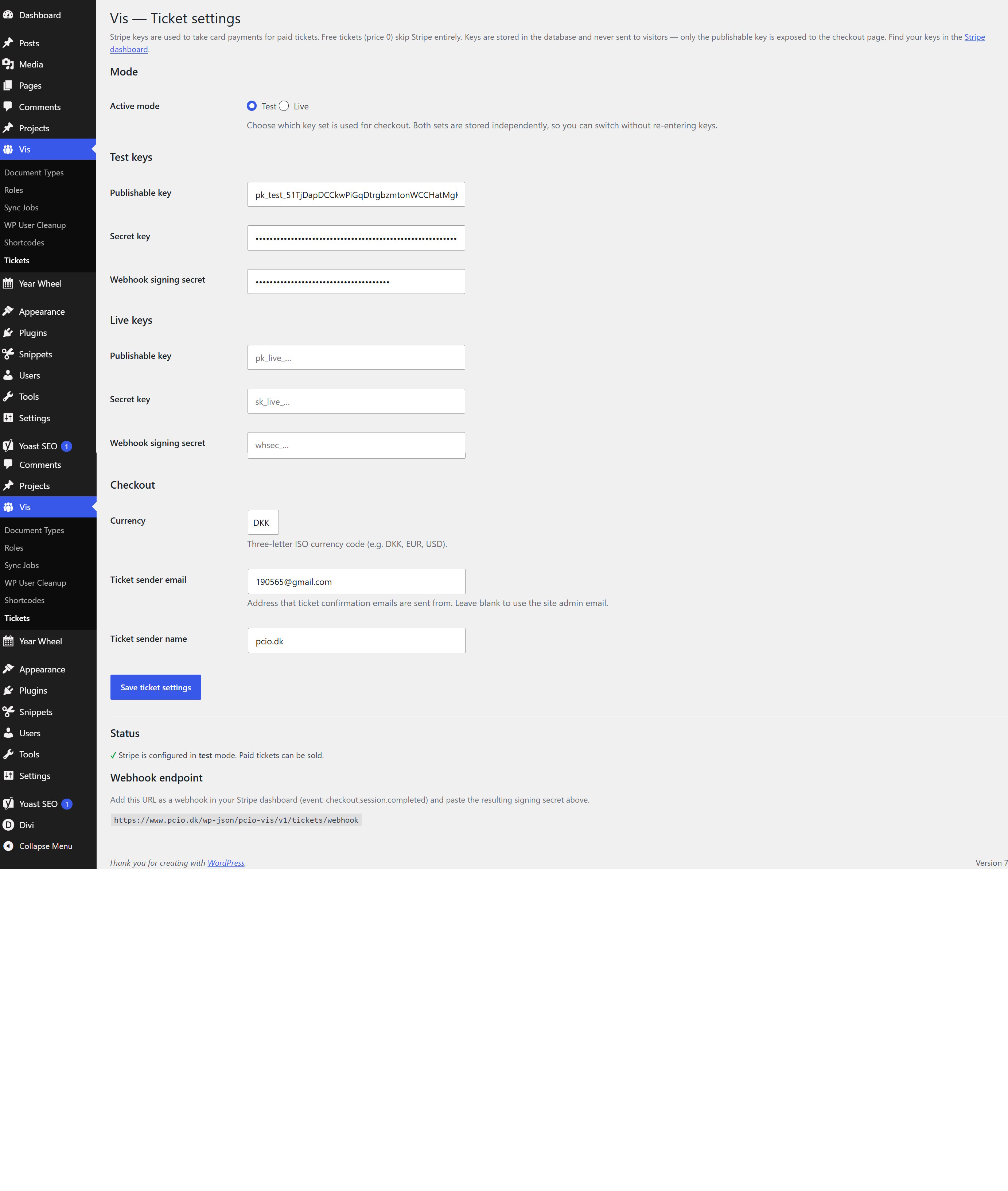
PCIO VIS Tickets is an extension for the PCIO VIS Member Event plugin. Events with a guest limit sell tickets to the public: per-event ticket types, a secure Stripe checkout, PDF tickets with QR codes, and refunds. Events without a limit keep the member join / interested / not-joining signup.
Features:
- Paid tickets via Stripe Checkout, plus free tickets.
- Per-event ticket types with prices and quantities.
- PDF tickets with QR codes for entry validation.
- Refund handling and a Ticket Orders list in Finance.
This plugin requires the PCIO VIS Member Event core plugin to be installed and active. It reuses the core plugin’s bundled Dompdf and php-qrcode libraries for PDF and QR generation.
External services
This plugin connects to the Stripe payment API (operated by Stripe, Inc.) to take card payments for paid tickets. Free tickets (price 0) never contact Stripe. Stripe is only used when you have entered your Stripe API keys under Vis Tickets.
What is sent, and when:
- When a buyer checks out a paid ticket: the plugin creates a Stripe Checkout Session by sending the order number, the ticket line items (names and amounts), the currency, the buyer’s email address, and success/cancel return URLs to
https://api.stripe.com. The buyer is then redirected to Stripe’s hosted checkout page, where they enter their card details directly with Stripe (card data never passes through this site). - When Stripe confirms payment: Stripe calls this site’s webhook endpoint; the plugin verifies the signature and records the payment reference.
- When an administrator refunds a paid order: the payment reference is sent to
https://api.stripe.comto create the refund.
Buyer name, email and phone entered at checkout are stored on this site to issue and email the tickets. Because personal data and payment data are transmitted to Stripe, please ensure your own privacy policy covers this. By using this integration you and your buyers are subject to Stripe’s terms and policies:
- Stripe Services Agreement (terms): https://stripe.com/legal/ssa
- Stripe Privacy Policy: https://stripe.com/privacy
Скриншоты
Установка
- Install and activate the PCIO VIS Member Event core plugin first.
- Upload the
pcio-vis-ticketsdirectory to/wp-content/plugins/. - Activate the plugin in Plugins in the WordPress admin.
- Configure your Stripe keys and ticket settings under the Vis admin menu.
Часто задаваемые вопросы
-
Do I need Stripe?
-
Only for paid tickets. Free tickets work without any payment configuration.
-
What happens to events without a guest limit?
-
They keep the standard member join / interested / not-joining signup provided by the core plugin.
Отзывы
Нет отзывов об этом плагине.
Участники и разработчики
«PCIO VIS Tickets» — проект с открытым исходным кодом. В развитие плагина внесли свой вклад следующие участники:
Участники
Перевести «PCIO VIS Tickets» на ваш язык.
Заинтересованы в разработке?
Посмотрите код, проверьте SVN репозиторий, или подпишитесь на журнал разработки по RSS.
Журнал изменений
1.0.0
- Initial release.