

Описание
Mandragora QA Test Manager gives a small team a place inside wp-admin to plan and record manual testing.
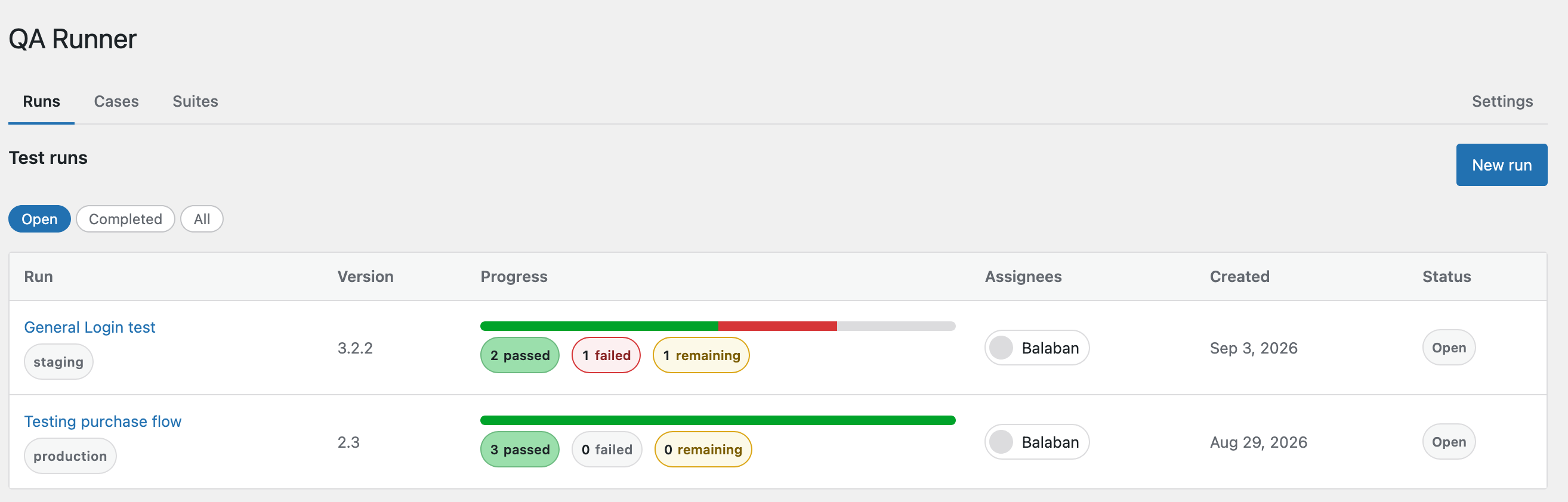
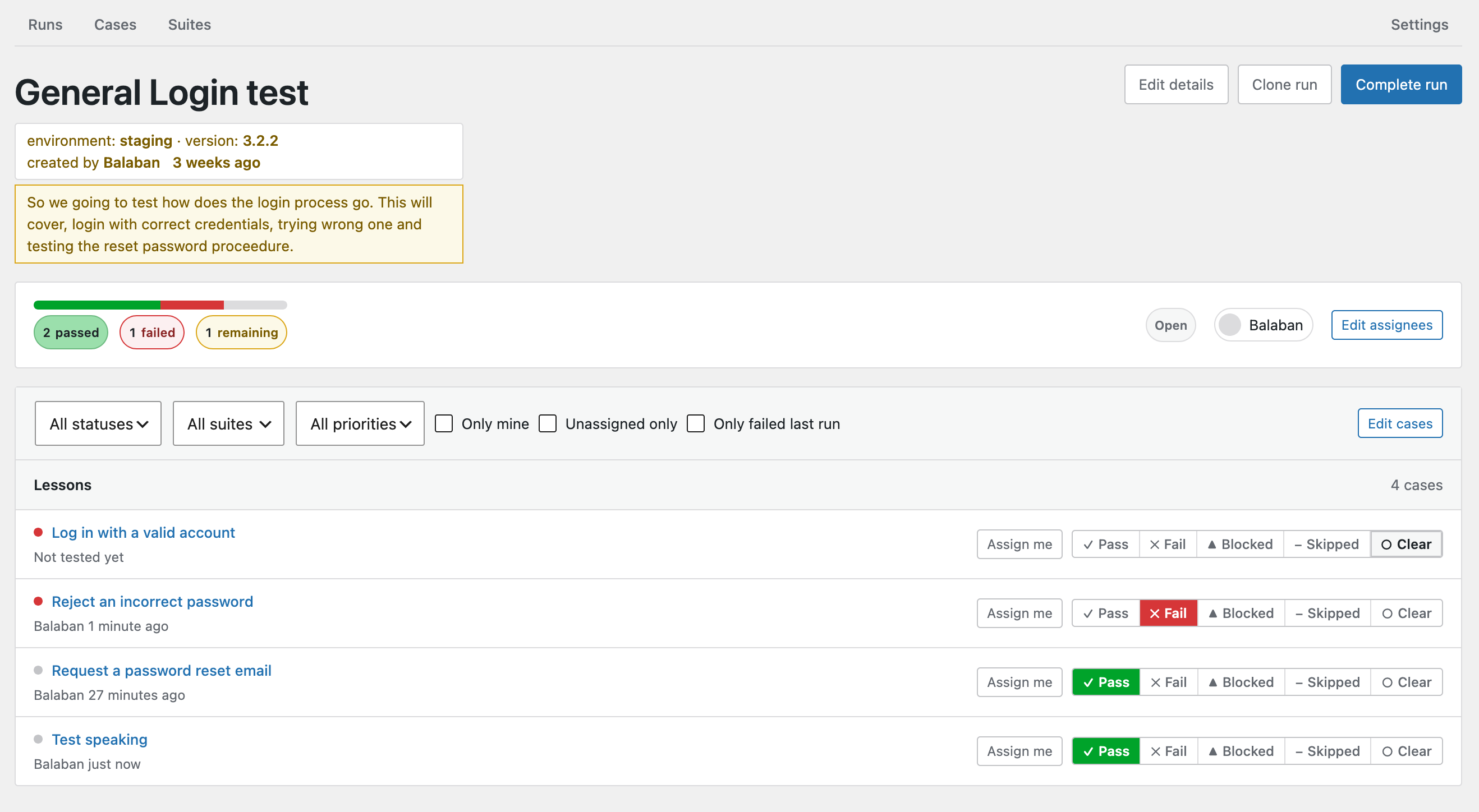
Write your test cases once, group them into suites, then start a run whenever you need to test a release or an environment. Testers work through the run case by case and mark each one pass, fail, blocked or skipped. Failures get a comment thread and an issue that stays attached to the case, so the next person to test it sees what is still broken.
Everything is entered by people. Mandragora QA Test Manager does not run automated tests, execute code or take screenshots.
Features
- Case library – test cases with steps, expected result and priority, organised into suites.
- Runs – test any subset of cases against a named environment and version. Several runs can be open at once, and a finished run can be cloned for a retest.
- Results – one status per case per run, with who set it and when, so runs stay comparable over time.
- Assignment – add testers to a run and hand individual cases to people. Testers can also claim cases for themselves.
- Comments – rich-text comments on any result, with threaded replies up to three levels deep.
- Issues – raise an issue on a failing case, optionally linked to your bug tracker. It stays visible on that case in every later run until it is resolved.
- Email notifications – a person gets an email when someone else assigns them to a run or a case. Assigning yourself sends nothing, and notifications can be paused in Settings.
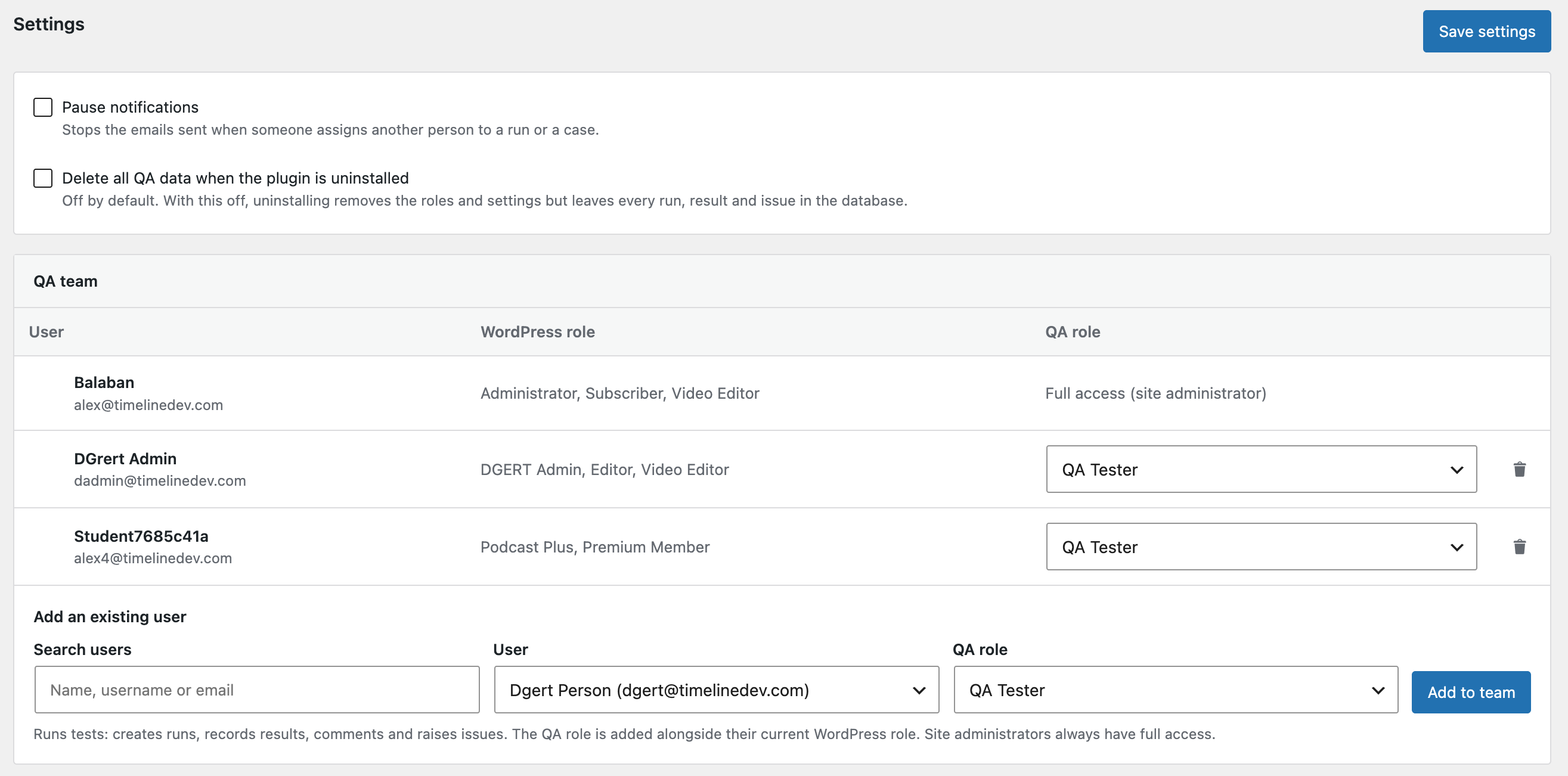
- Team management – site administrators grant QA roles to existing WordPress users from the Settings screen.
Roles
The plugin adds two roles and three capabilities. Access is always checked by capability, so you can grant these capabilities to other roles as well.
- QA Tester – sees everything, creates and works through runs, records results, comments, and raises and resolves issues.
- QA Admin – everything a tester can do, plus editing the case library and suites, abandoning runs and changing settings.
- Administrator – full QA access automatically.
A QA role is added alongside the user’s existing WordPress role. Removing someone from the QA team takes away only the QA role.
Privacy
Mandragora QA Test Manager does not contact any external service and does not track usage. All data stays in your WordPress database. Emails are sent through your site’s own wp_mail(), and only to users of your site. User avatars are shown through WordPress’s standard avatar function.
Source code
The admin screen is a Vue application. The plugin ships the compiled bundle in build/ together with its uncompiled source in src/, package.json and vite.config.js.
The full development repository is public at github.com/alordiel/mandragora-qa-test-manager.
To rebuild the bundle from source:
- Install Node.js 20 or later.
- Run
npm installin the plugin directory. - Run
npm run build. This writesbuild/mqatm-admin-page.jsandbuild/mqatm-admin-page.css.
Third-party libraries
The compiled bundle includes these open-source libraries, all under GPL-compatible licenses:
- Vue – MIT
- Vue Router – MIT
- Pinia – MIT
- Quill and Parchment – BSD-3-Clause
- VueQuill – MIT
- quill-delta, lodash-es, eventemitter3 – MIT
- fast-diff – Apache-2.0
Скриншоты


Установка
- Upload the
mandragora-qa-test-managerfolder to/wp-content/plugins/, or install the plugin from the Plugins Add New screen. - Activate the plugin through the Plugins screen.
- Open Mandragora QA Test Manager in the admin menu.
- As a site administrator, go to Mandragora QA Test Manager Settings and add the people who will test, choosing QA Tester or QA Admin for each.
Часто задаваемые вопросы
-
Does Mandragora QA Test Manager run automated tests?
-
No. It records manual testing done by people.
-
Who can see the Mandragora QA Test Manager screens?
-
Only users with the
mqatm_viewcapability. The plugin adds two roles that have it, QA Tester and QA Admin, and site administrators always have full access. -
What happens to my data when I delete the plugin?
-
Deleting the plugin always removes its roles, capabilities and settings. Your suites, cases, runs, results, comments and issues are kept, unless you turn on Delete all QA data when the plugin is uninstalled in Settings first.
-
Can I translate Mandragora QA Test Manager?
-
Yes. Every string, including the admin screen, uses the
mandragora-qa-test-managertext domain. Translations are managed on translate.wordpress.org, andlanguages/mandragora-qa-test-manager.potis included as a template. -
Which emails does the plugin send?
-
Two, and only when someone assigns another person:
- when someone adds you to a run, and
- when someone assigns you a case within a run.
You can pause both in Settings.
Отзывы
Нет отзывов об этом плагине.
Участники и разработчики
«Mandragora QA Test Manager» — проект с открытым исходным кодом. В развитие плагина внесли свой вклад следующие участники:
Участники
Перевести «Mandragora QA Test Manager» на ваш язык.
Заинтересованы в разработке?
Посмотрите код, проверьте SVN репозиторий, или подпишитесь на журнал разработки по RSS.
Журнал изменений
1.0.0
- Initial release.