

Описание
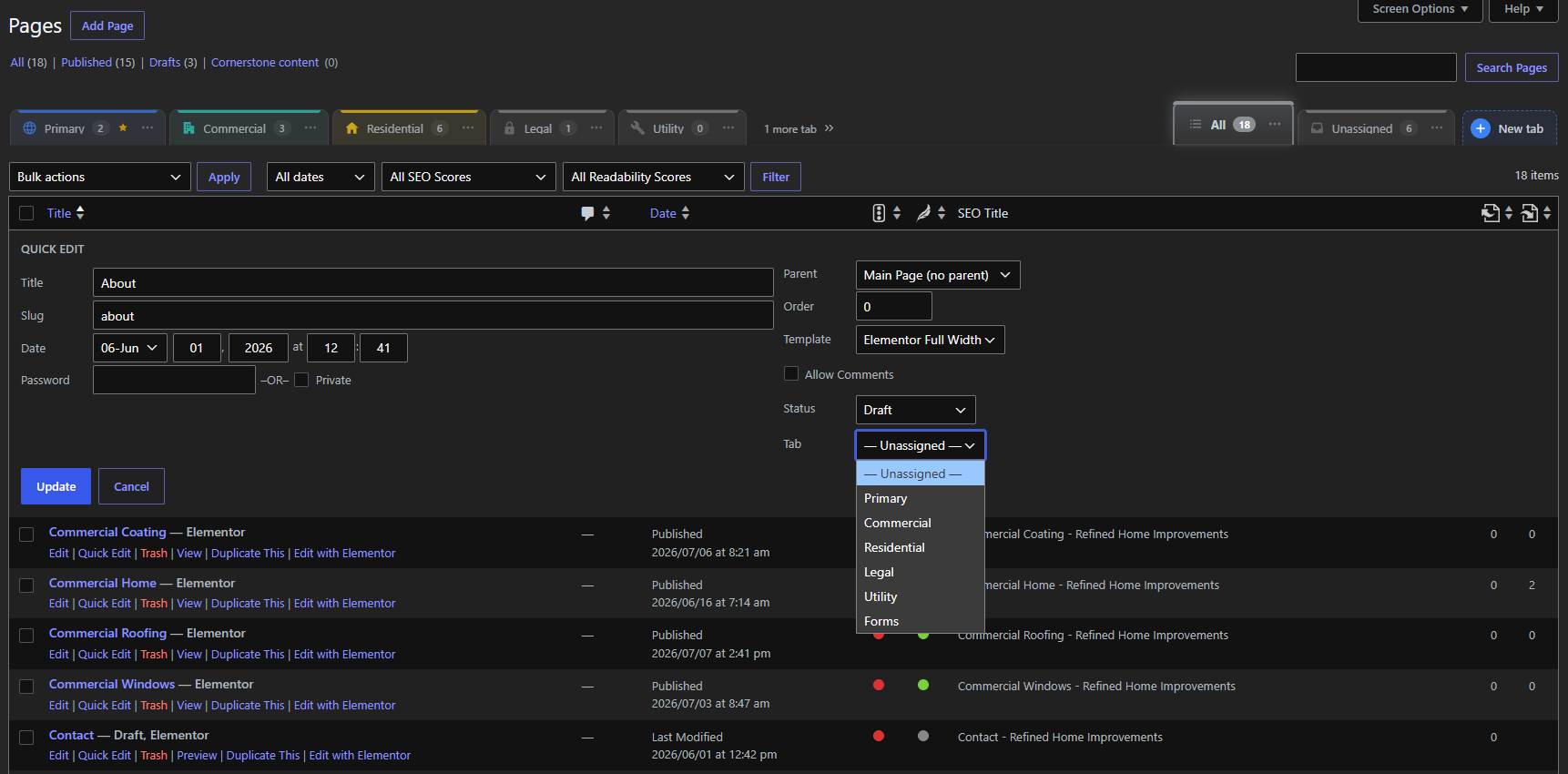
Tabwise helps you organize your WordPress pages into tabs.
If your site has lots of pages, the Pages screen turns into one long list that’s hard to scroll through. Tabwise lets you group your pages into tabs, like «Services,» «Locations» or «Legal,» so you can click a tab and see only the pages you need.
It doesn’t change, move or delete your pages. It just helps you sort them.
Free forever. Every feature is included. No paid version, no upsells, no ads and no tracking.
Features
- Tabs above your list. Click a tab to see only its pages. Switching tabs is instant, with no page reload.
- All and Unassigned tabs. «All» shows everything, and «Unassigned» shows pages you have not filed yet.
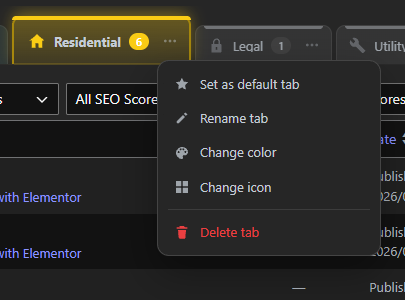
- Default tab. Pin any tab as your default and it opens first whenever you visit Pages.
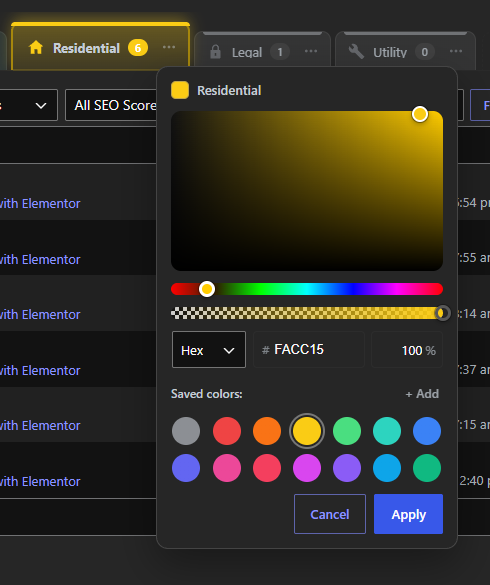
- Colors. A full color picker with hue, opacity, Hex, RGB and HSL, preset colors, and your own saved colors.
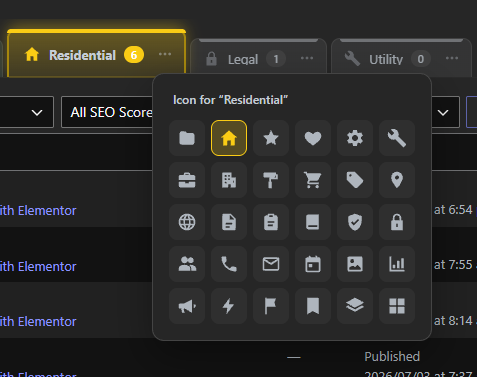
- Icons. Choose from 30 classic icons for each tab, such as home, settings, services and location.
- Drag and drop. Reorder tabs by dragging them, with a clear marker showing where the tab will land.
- Move pages your way. Use Bulk actions, the Tab field in Quick Edit, or drag a page onto a tab.
- Overflow. Up to five custom tabs show at once. The rest sit behind a «more tabs» button.
- Posts too, optionally. Turn tabs on for Posts in Settings. When it is off, nothing loads for posts.
- Role control. Administrators always have access. You choose which other roles can use and manage tabs.
- Works with any theme and page builder, including Elementor.
Safe by design
Tabwise only sorts. It never creates, edits, publishes, trashes or deletes your pages or posts. Deleting a tab simply moves its pages to Unassigned.
Lightweight
- Loads only on the Pages (and optionally Posts) list screen, and never on the front end of your site.
- One small script and one small stylesheet, with no jQuery, frameworks, icon fonts or external requests.
- Uses WordPress’s own taxonomy system, with no custom database tables.
Скриншоты


Установка
- In your dashboard, go to Plugins Add New Plugin and search for «Tabwise», or upload the plugin zip.
- Activate it.
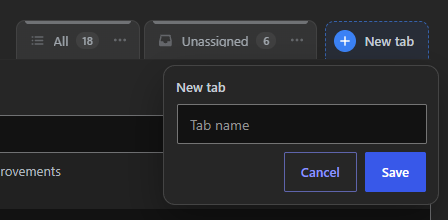
- Go to Pages. Click «+ New tab» to create your first tab.
- Optional: visit Settings Tabwise to enable Posts or choose which user roles can use tabs.
Часто задаваемые вопросы
-
Is it really free?
-
Yes. Every feature is free and will stay free. There is no pro version.
-
Can deleting a tab delete my pages?
-
No. Tabwise never deletes, trashes or edits your content. When you delete a tab, its pages become Unassigned.
-
Can a page be in more than one tab?
-
No. Each page lives in exactly one tab, or in Unassigned. That keeps counts accurate and moving pages simple.
-
Does it slow down my site?
-
No. Nothing loads on the front end, and in the admin it only loads on the Pages (and optionally Posts) list.
-
Who can see and manage tabs?
-
Administrators, plus any roles you allow under Settings Tabwise. People can only move pages they are already allowed to edit.
-
What happens to my data if I uninstall?
-
By default your tabs are kept in case you reinstall. To remove everything, check «Remove all tabs and settings when the plugin is deleted» in Settings Tabwise before deleting the plugin. Your pages are never touched either way.
-
Does it work with Elementor and other page builders?
-
Yes. Tabwise works on the standard WordPress Pages list, so it works no matter how your pages are built.
Отзывы
Нет отзывов об этом плагине.
Участники и разработчики
«Tabwise» — проект с открытым исходным кодом. В развитие плагина внесли свой вклад следующие участники:
Участники
Перевести «Tabwise» на ваш язык.
Заинтересованы в разработке?
Посмотрите код, проверьте SVN репозиторий, или подпишитесь на журнал разработки по RSS.
Журнал изменений
1.0.0
- Initial release.