
Описание
This adds the Style Sheet definition that I set while it is — to use Style Sheet besides the theme being used now when contributing.
Скриншоты
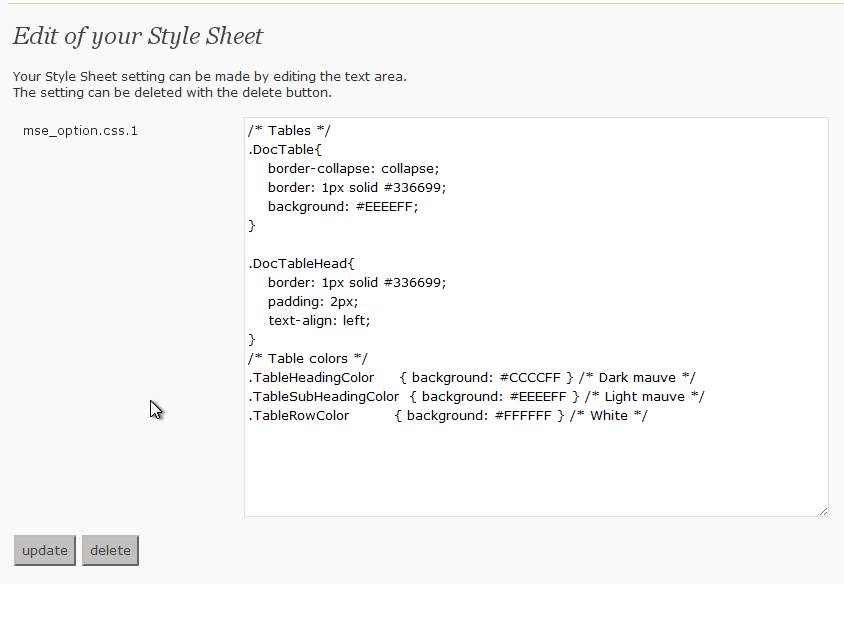
The options page.
Установка
- Upload
my-css-editor.phpto the/wp-content/plugins/directory - Activate the plugin through the ‘Plugins’ menu in WordPress
- If the Style Sheet definition that you want to use is set and the update button is pressed, it is possible to use it
Часто задаваемые вопросы
- Where is the Style Sheet definition preserved?
-
It is preserved in the data base by the name described in the left of the text area on the definition screen.
It is a name of «mse_option.css.1» now. - Is it good if it does very to delete the definition?
-
«delete» Please press the button. It is deleted from the data base.
Отзывы
Нет отзывов об этом плагине.
Участники и разработчики
«My CSS Editor» — проект с открытым исходным кодом. В развитие плагина внесли свой вклад следующие участники:
Участники
Перевести «My CSS Editor» на ваш язык.
Заинтересованы в разработке?
Посмотрите код, проверьте SVN репозиторий, или подпишитесь на журнал разработки по RSS.
Журнал изменений
0.2
- Opening to the public