
Описание
404 Emails is an email marketing service. This plugin connects your WordPress site to your 404 Emails account, so you can grow your list without leaving WordPress.
Make and edit forms in WordPress
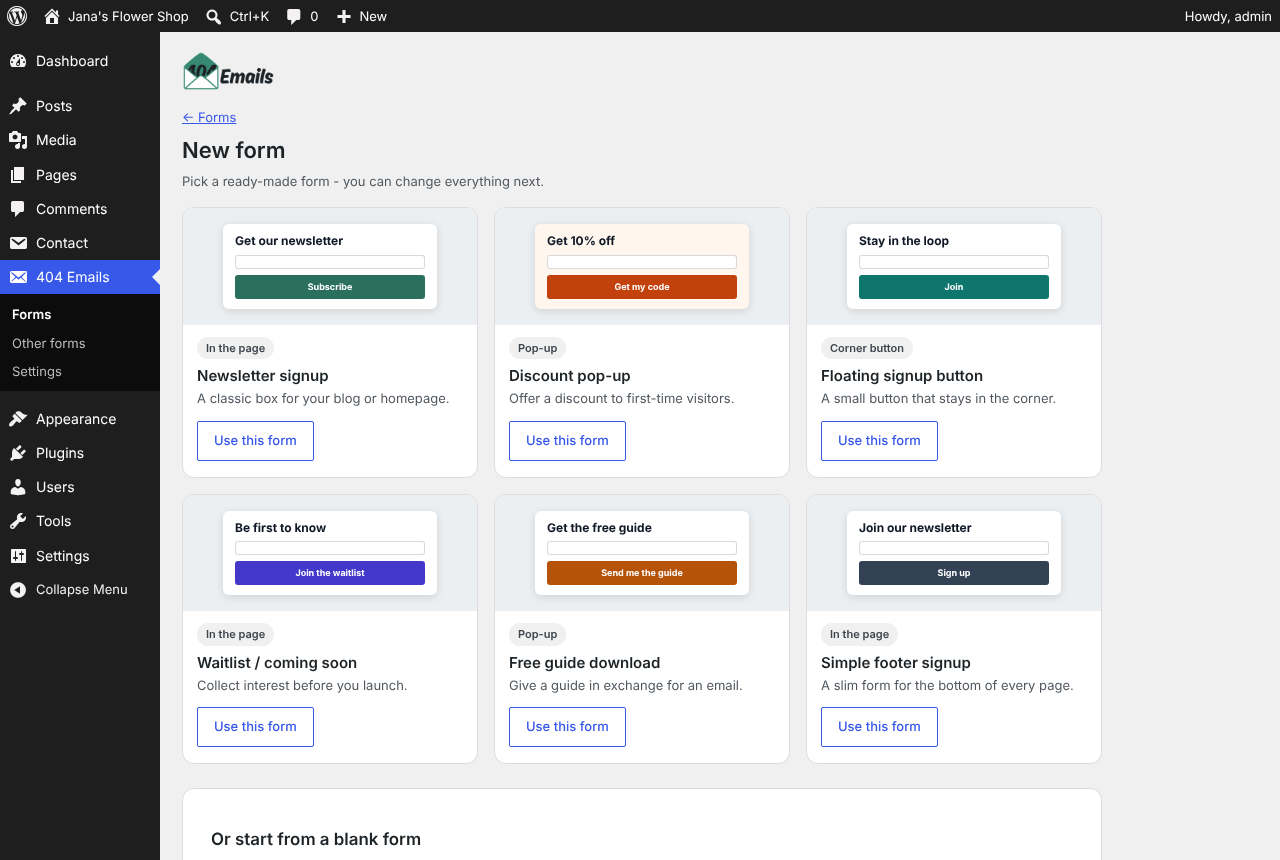
- Start from a ready-made form (newsletter, discount, waiting list…) or a blank one.
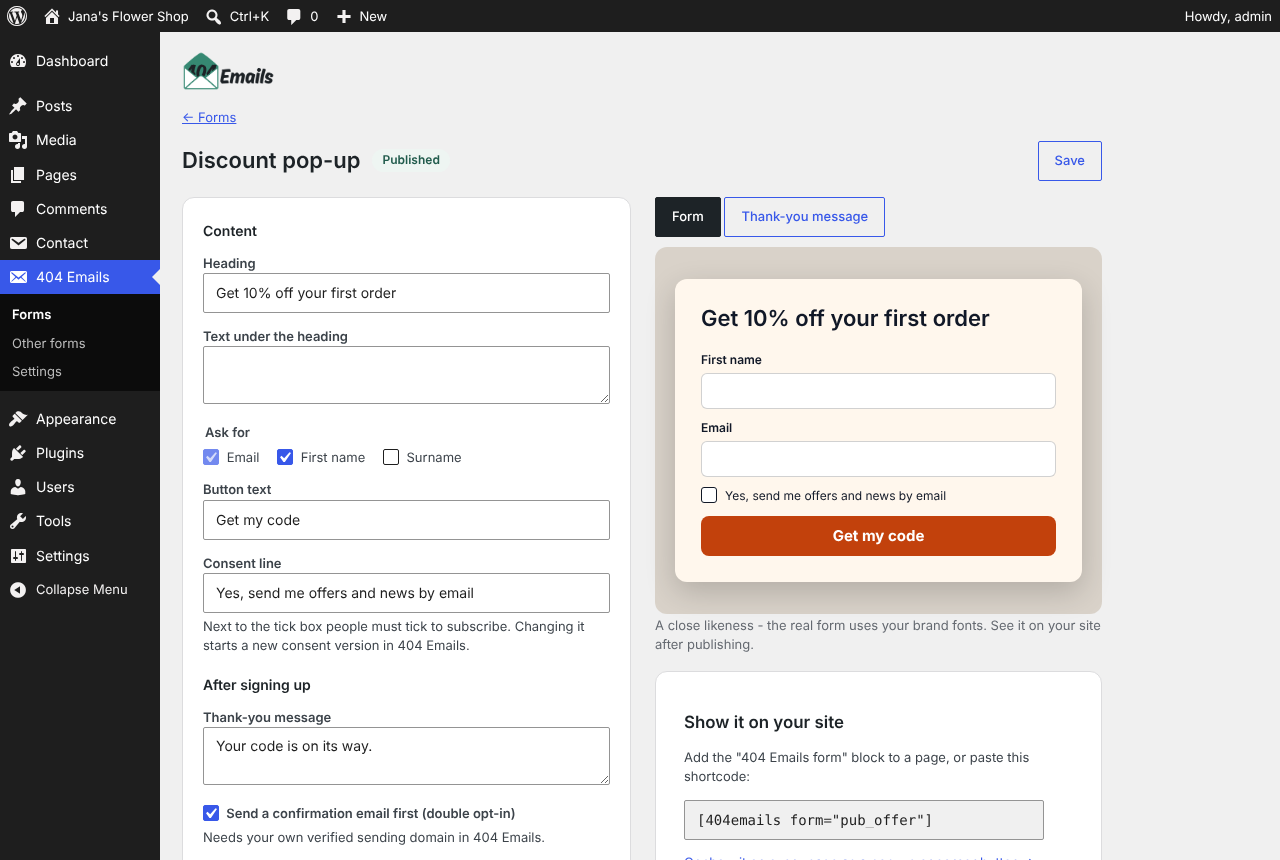
- Change the heading, text, name fields, permission text, double opt-in, groups, button and colours, with a live preview of the form and its thank-you message.
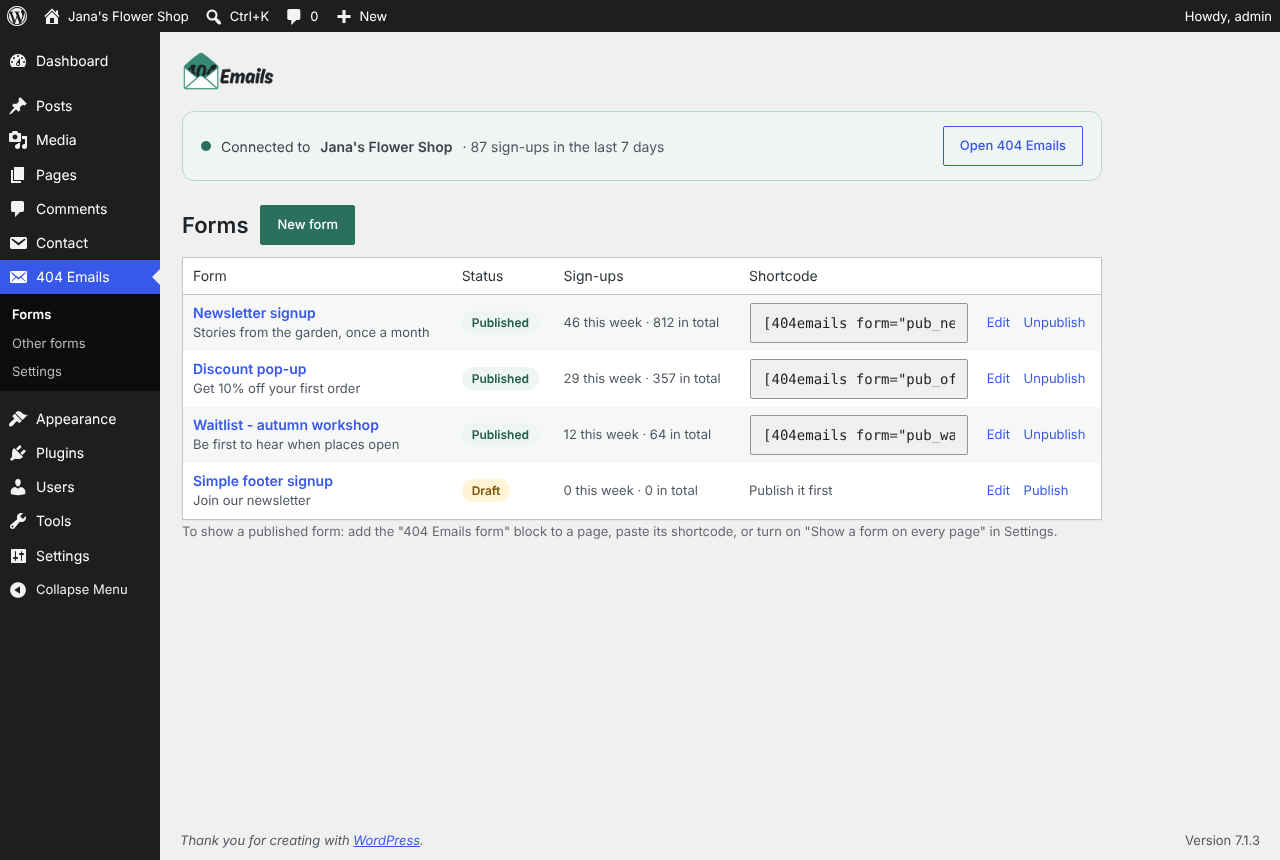
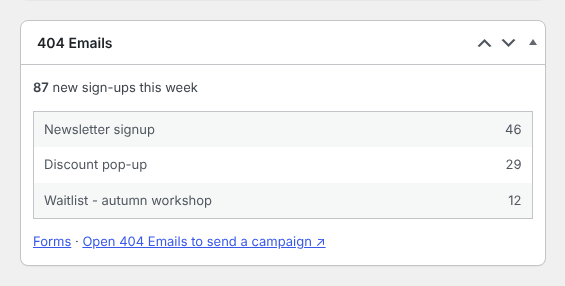
- See how many people signed up to each form, and this week’s sign-ups on your dashboard.
Show forms on your site
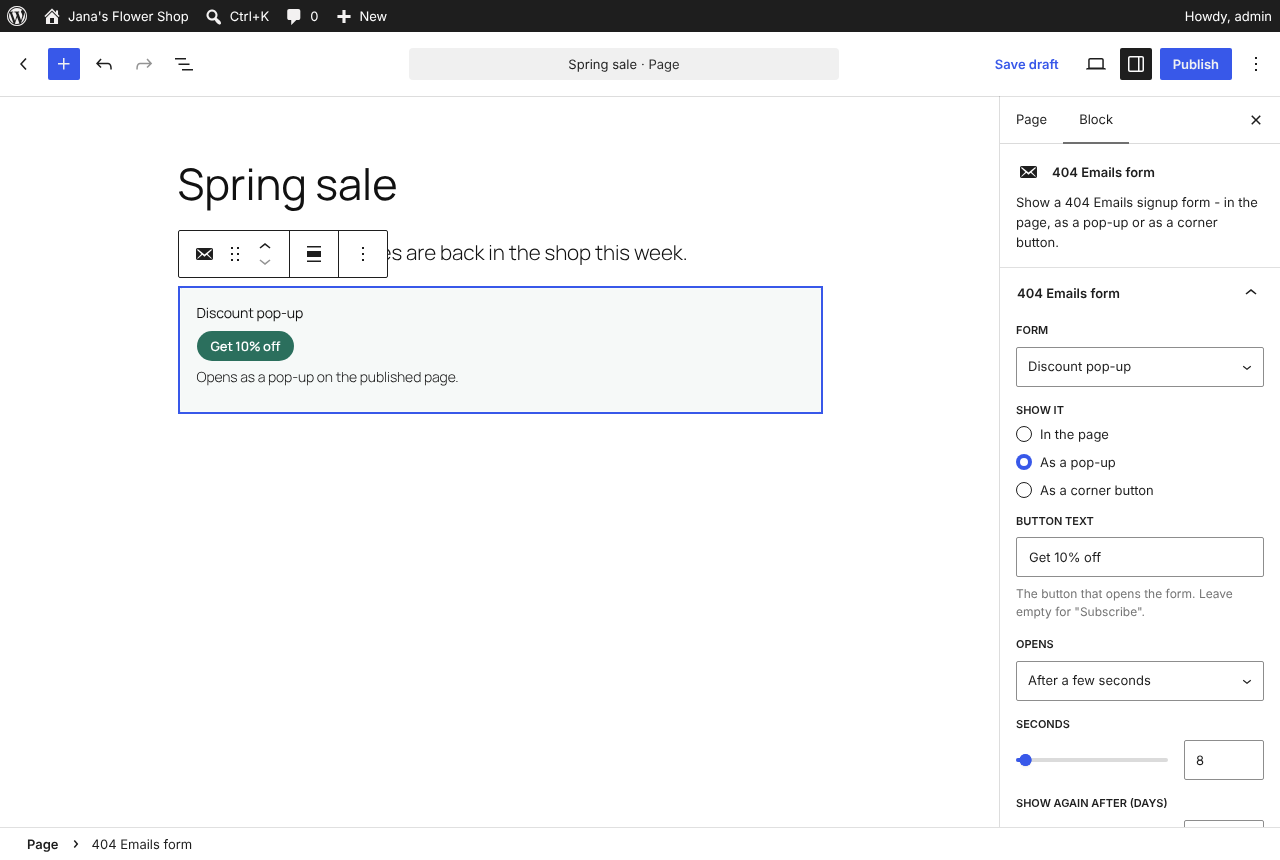
- The «404 Emails form» block: in the page, as a pop-up (on click, after a few seconds, on scroll or when leaving) or as a corner button.
- The
[404emails]shortcode for page builders and the classic editor. - One form as a pop-up or corner button on every page, without editing pages.
Add people from forms you already use
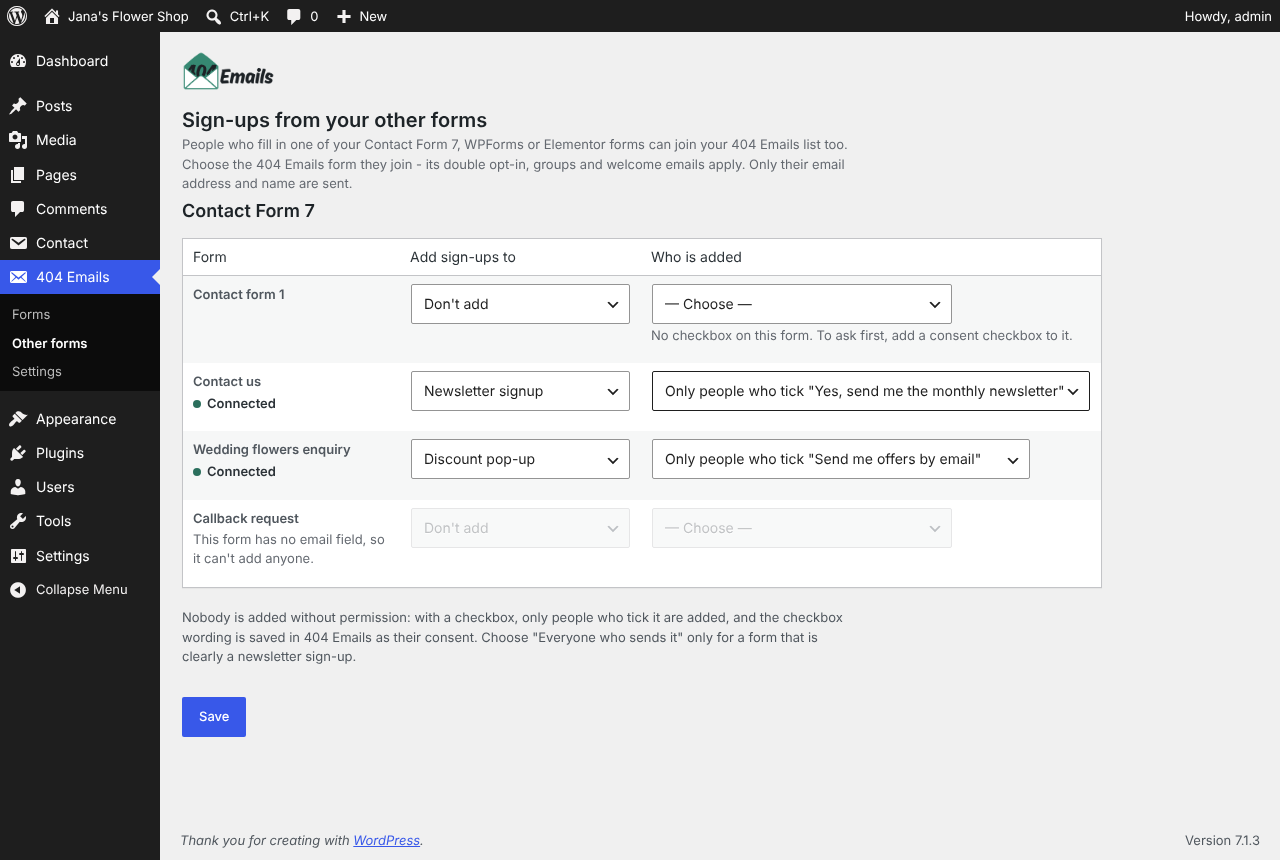
Connect your Contact Form 7, WPForms or Elementor Pro forms: people who tick your newsletter checkbox join your 404 Emails list, with the checkbox wording saved as their consent. Only the email address and name are sent — never the message. WooCommerce checkout and Event Tickets registrations can be added too, with their own newsletter tick-box — for Event Tickets, the free version is enough.
Events with an Elementor sign-up form
Show your events with The Events Calendar and take sign-ups with an Elementor Pro form? One setting adds a newsletter tick-box to the form on every event page — old and new events, without editing them.
Consent first
Nobody is added without permission. Every form has a permission line, double opt-in is one switch away, and 404 Emails keeps a consent record for each subscriber.
You need a 404 Emails account. The Free plan covers up to 250 subscribers and 1,000 emails a month. Create an account.
External services
This plugin connects to 404 Emails (https://app.404emails.com), the email marketing service it’s made for. It only contacts 404 Emails after a site administrator connects the site.
- Connecting — your browser goes to 404 Emails to sign in and allow the site; your site then exchanges a one-time code for its own access key. Disconnect tells 404 Emails to switch that key off.
- In the admin — the Forms, Other forms, Settings pages, the block editor and the dashboard box load your forms, groups and sign-up counts from 404 Emails, and send the changes you make to forms (wording, colours, settings). The block editor shows a preview of the form from 404 Emails.
- For visitors — on pages with a 404 Emails form, the visitor’s browser loads the form script and form from 404 Emails. When they sign up, the details they type in the form (email address, name if asked, their consent) go to 404 Emails.
- Sign-ups from other forms — when someone sends a connected Contact Form 7, WPForms or Elementor form (including the sign-up form on an event page, when its newsletter tick-box is switched on), or completes a WooCommerce order or Event Tickets registration with the newsletter box ticked, your site sends their email address, name, the permission wording they agreed to and a reference to the form, order or registration. Nothing is sent for people who don’t tick the box. These connections are off until you switch them on.
404 Emails Terms of Service and Privacy Policy.
Скриншоты
Блоки
Этот плагин предоставляет 1 блок.
- 404 Emails form Show a 404 Emails signup form — in the page, as a pop-up or as a corner button.
Установка
- Install the plugin from Plugins Add New Plugin and activate it.
- Open 404 Emails in the admin menu and click Connect to 404 Emails.
- Sign in to 404 Emails, choose your workspace and click Allow. You don’t copy any keys.
- Go to 404 Emails Forms to make a form, then add it to a page with the block or shortcode, or show it on every page.
The Connect button needs your site’s admin on HTTPS. Without HTTPS, you can connect with an API key under 404 Emails Settings Advanced.
Часто задаваемые вопросы
-
Do I need a 404 Emails account?
-
Yes. The plugin is how your site talks to 404 Emails; your subscribers, emails and consent records live there. The Free plan is enough to start.
-
Is anything sent before I connect?
-
No. Until you click Connect and allow it, the plugin doesn’t contact 404 Emails at all.
-
Does it slow down my site?
-
Pages without a form load nothing extra. On pages with a form, one small script loads from 404 Emails.
-
Which languages does it support?
-
The plugin’s screens are in English, and other languages — Czech first — come through translate.wordpress.org. The forms your visitors see follow your 404 Emails workspace’s language (English or Czech), whatever language WordPress is in.
-
What happens when I disconnect or delete the plugin?
-
Disconnect switches off this site’s access in 404 Emails straight away. Deleting the plugin also removes its settings and logs from your site. Your subscribers stay in your 404 Emails account.
Отзывы
Нет отзывов об этом плагине.
Участники и разработчики
«404 Emails» — проект с открытым исходным кодом. В развитие плагина внесли свой вклад следующие участники:
Участники
Перевести «404 Emails» на ваш язык.
Заинтересованы в разработке?
Посмотрите код, проверьте SVN репозиторий, или подпишитесь на журнал разработки по RSS.
Журнал изменений
1.5.1
- Translations now come from translate.wordpress.org instead of being included in the plugin.
1.5.0
- New: a newsletter tick-box on the Elementor sign-up form of every event page (The Events Calendar), switched on once under 404 Emails Other forms.
1.4.2
- Changed: Event Tickets registrations are sent to 404 Emails only when the newsletter box is ticked — nothing is sent for anyone else.
1.4.1
- New: a newsletter tick-box on Event Tickets’ RSVP forms and ticket checkout — no Event Tickets Plus needed.
- Fixed: ticket orders from Event Tickets weren’t passed on to 404 Emails.
1.4.0
- New: sign-ups from Contact Form 7, WPForms and Elementor Pro forms (404 Emails Other forms), with the checkbox wording saved as consent.
- Fixed: the plugin could stop WordPress from loading.
- Fixed: sign-ups without a name were refused.
1.3.0
- New: make and edit forms in WordPress, with a live preview; sign-up counts and a dashboard box.
1.2.0
- New: the «404 Emails form» block, the
[404emails]shortcode and a form on every page.