
Описание
GlobeSign Speed Optimization gives you the core features of premium caching plugins with one design rule: it must never break your site.
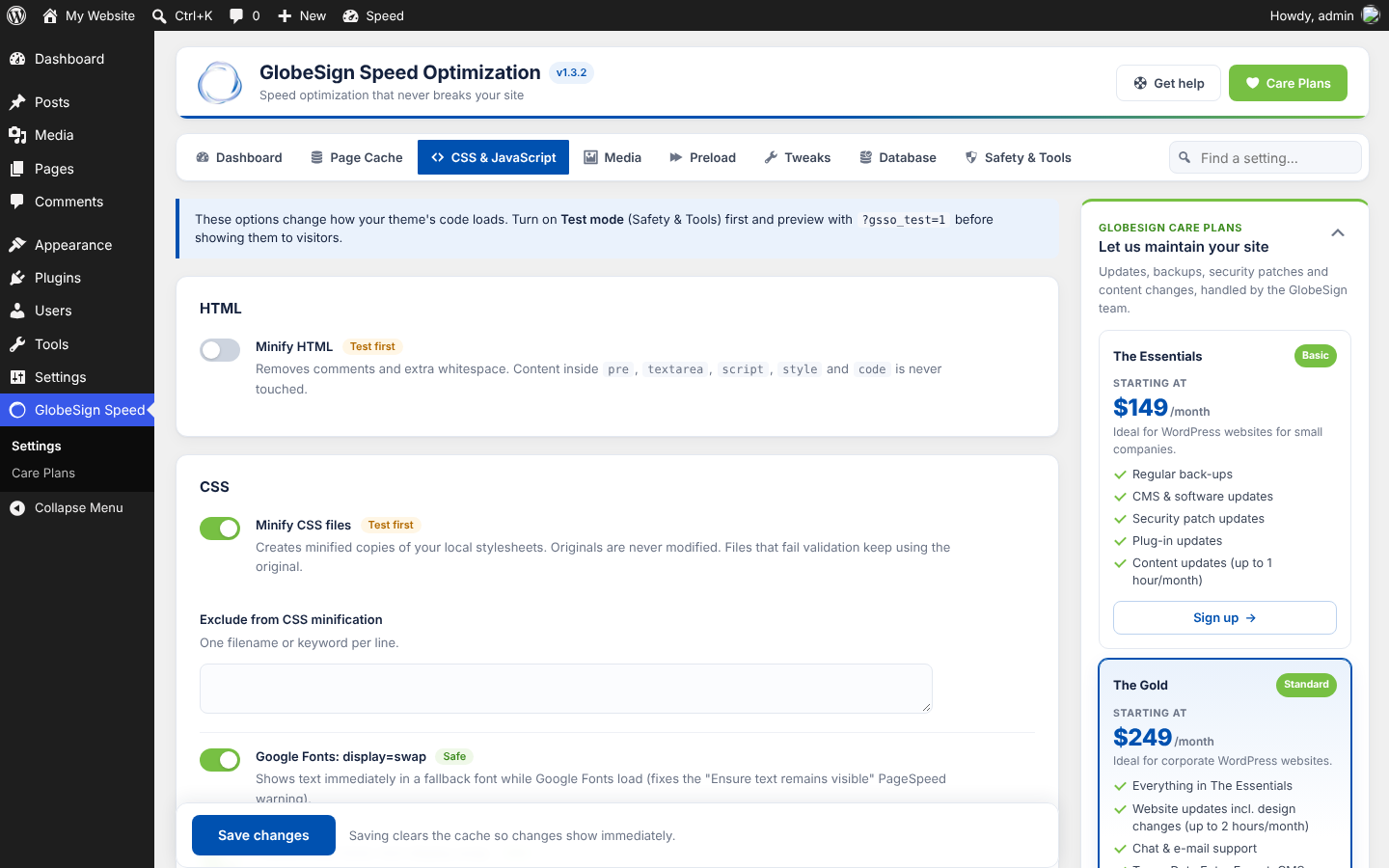
Safe optimizations are switched on the moment you activate it. Everything that can change how your theme’s scripts run is off until you try it in Test mode, where only you see the optimized version.
Speed features
- Page cache via advanced-cache.php, with an automatic compatibility mode when that isn’t possible
- Smart purging when posts, comments, menus, widgets or the theme change
- Background preloading so visitors never hit an empty cache
- Browser caching and GZIP (.htaccess on Apache and LiteSpeed)
- Minify HTML, CSS and JavaScript. Your original files are never modified.
- Asset Manager: scan any page and stop plugin CSS/JS from loading where it isn’t used (for example, a form plugin’s files everywhere except the contact page)
- Combine CSS (opt-in): merges stylesheets that already load back to back, keeping the exact cascade order
- Defer JavaScript, keeping execution order (inline scripts included)
- Delay JavaScript until interaction for analytics, pixels and chat widgets
- Native lazy loading for images and iframes, skipping above-the-fold images to protect LCP
- Preload your LCP image (separately for mobile and desktop) so the biggest image starts downloading immediately
- font-display: swap for Google Fonts and your theme’s own text and icon fonts
- Preconnect, DNS prefetch and font preloading
- Add missing image dimensions to reduce layout shift (CLS)
- Remove bloat: emoji script, embeds, Dashicons, jQuery Migrate, XML-RPC, Heartbeat control and revision limits
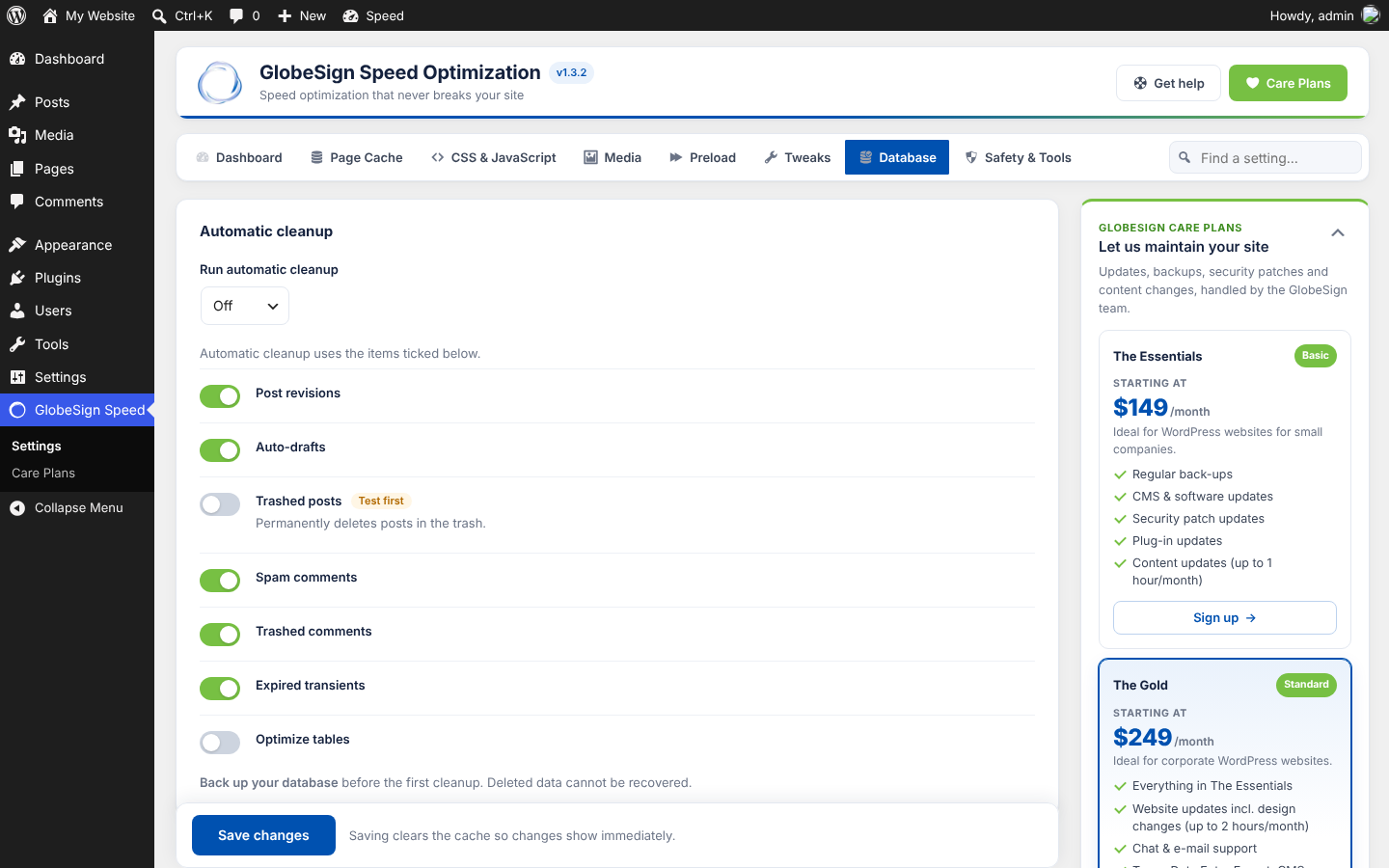
- Database cleanup: revisions, auto-drafts, spam, trash, expired transients and table optimization, manual or scheduled
- Hosting cache aware: detects SiteGround, Kinsta, Cloudflare, LiteSpeed and Varnish page caches, purges them where the host allows it, and tells you how otherwise
- WooCommerce and Easy Digital Downloads aware: carts, checkouts and accounts are never cached
How it stays safe
- Conservative defaults: only universally safe features are on out of the box.
- Test mode: preview CSS/JS/HTML optimizations as an admin with
?gsso_test=1while visitors keep seeing the normal site. - Isolated steps: if any optimization fails or produces broken HTML, it is skipped and logged, and the page is still served.
- Pages are only cached when they are complete, return HTTP 200 and contain no PHP errors.
- .htaccess and wp-config.php changes are limited to clearly marked lines, health-checked with a loopback request, and reverted automatically if the site stops responding. No copies of these files are ever written anywhere.
- It never overwrites another plugin’s advanced-cache.php. It detects competing optimization plugins and pauses the features that overlap.
- Logged-in users, page-builder editors, AMP pages, carts and checkouts are never optimized or cached.
- Per-page «don’t cache» and «don’t optimize» switches in the editor.
- Emergency switch:
define( 'GSSO_DISABLE', true );in wp-config.php. - Deactivation removes every change it made to your server files.
A fast, friendly settings page
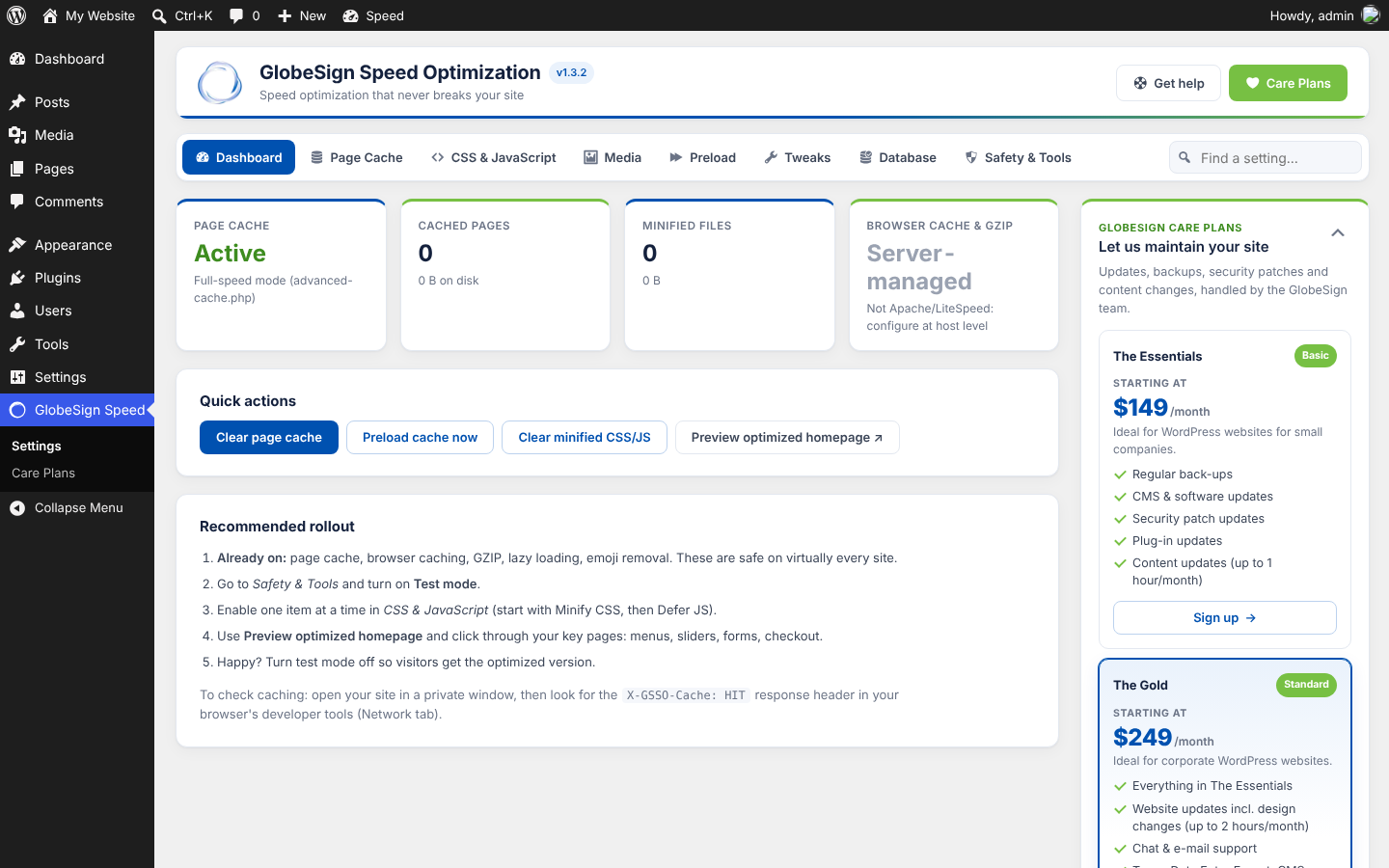
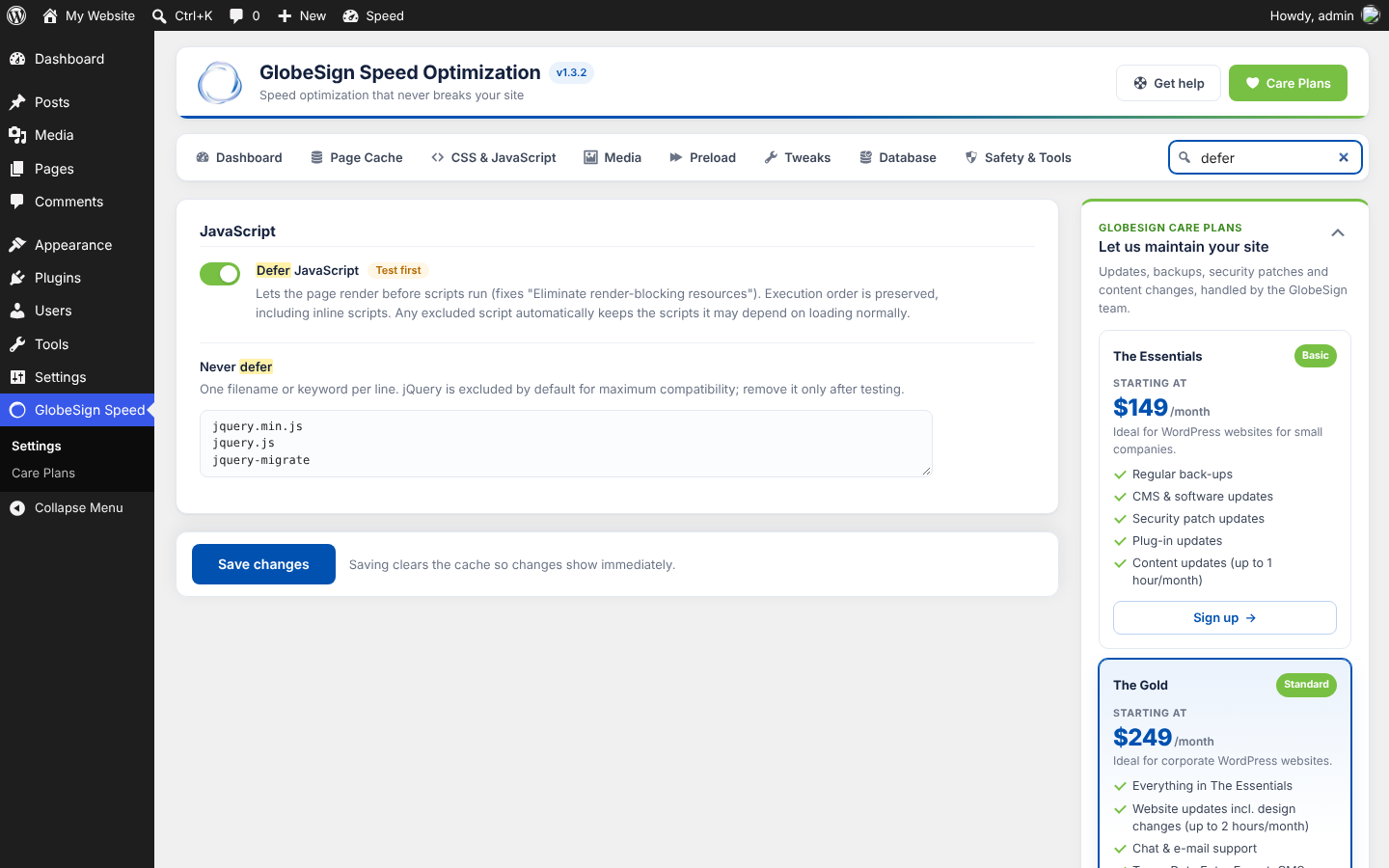
Settings save instantly without reloading the page, every option has plain-English help and a Safe / Test first / Advanced label, and you can search all settings from one box. Quick actions clear or preload the cache in the background.
Website maintenance by GlobeSign
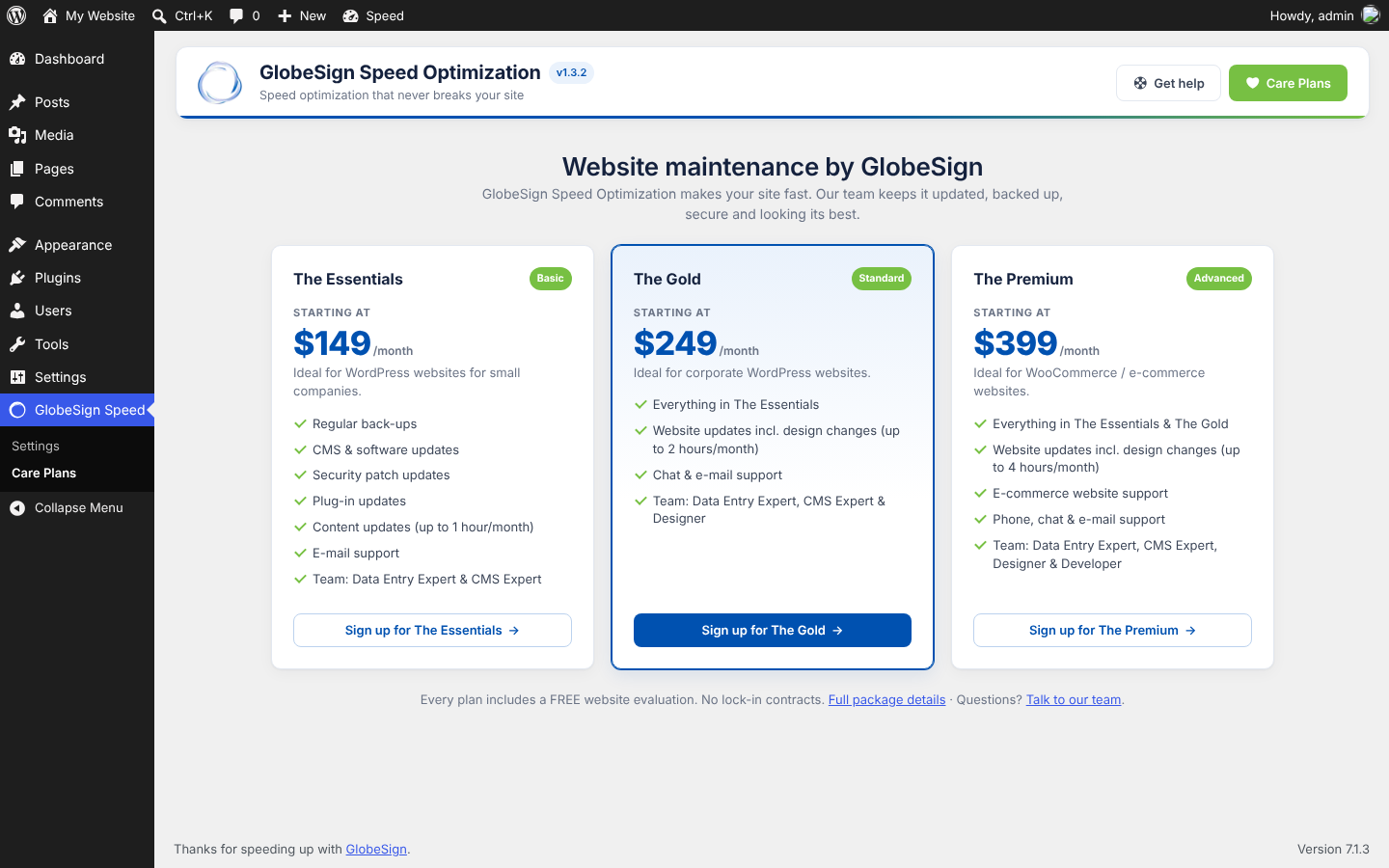
GlobeSign Speed Optimization is built by GlobeSign, a web design and development agency. If you’d rather have experts look after your site, the plugin’s sidebar and GlobeSign Speed Care Plans page show our optional website maintenance packages. The plugin is fully functional without them: nothing is locked, limited or time-restricted.
External services
GlobeSign Speed Optimization does not connect to any external service and does not send any data to GlobeSign or to any third party.
- Requests to your own site only. Cache preloading, the hosting-cache check, the Asset Manager page scan and the .htaccess / wp-config.php health checks send ordinary HTTP requests to your own website’s URLs. Nothing leaves your own domain.
- Third-party domain names in the settings are text patterns, not connections. The default «Scripts to delay» list contains domain names such as googletagmanager.com, connect.facebook.net, hotjar.com, clarity.ms or recaptcha/api.js. The plugin only uses them to recognise script tags your site already includes (added by your theme or other plugins) and to load those scripts after the visitor interacts with the page. The plugin itself never loads, calls or contacts these services. Likewise, fonts.googleapis.com links already on your page only get
display=swapadded. - Links to globesign.com. The Care Plans sidebar, the Care Plans page and the «Get help» buttons are ordinary links to globesign.com. Nothing is loaded from globesign.com, and you only visit it if you click a link. The links carry campaign tags (utm_source, utm_medium, utm_campaign, utm_content) so GlobeSign knows the visit came from the plugin; no information about your site or its users is included. See GlobeSign’s privacy policy.
Third-party libraries
Includes matthiasmullie/minify and matthiasmullie/path-converter, both MIT licensed (GPL compatible).
Скриншоты
Установка
- In your dashboard go to Plugins Add New, search for «GlobeSign Speed Optimization», then install and activate it. Or upload the zip via Plugins Add New Upload Plugin.
- Deactivate any other caching or optimization plugin.
- Open GlobeSign Speed Settings. The safe features are already active.
- Turn on Test mode (Safety & Tools), enable CSS/JS options one at a time, and preview with
?gsso_test=1. - Turn off Test mode when everything looks right.
Часто задаваемые вопросы
-
How do I check the cache works?
-
Open your site in a private window and check the response headers in your browser’s developer tools (Network tab).
X-GSSO-Cache: HITmeans the page came from the cache. -
My site uses Nginx. Does it work?
-
Yes. Page caching, minification and all front-end optimizations work. Browser caching and GZIP must be configured on the server, and most hosts already do this.
-
Something looks broken. What do I do?
-
Turn off the last option you enabled and save; the cache clears automatically. You can also switch off optimization for a single page from its editor sidebar, or click Reset to safe defaults under Safety & Tools. If you can’t reach wp-admin, add
define( 'GSSO_DISABLE', true );to wp-config.php. -
Why doesn’t it combine JavaScript?
-
Combining scripts changes when and in what scope they run, which is a common cause of broken menus, sliders and forms, and on HTTP/2 servers it rarely makes pages faster. Defer and Delay JavaScript give the real gains safely. Use the Asset Manager to remove scripts a page doesn’t need.
-
Can I use it with another cache plugin?
-
We recommend using one optimization plugin. If another one is active, GlobeSign Speed Optimization detects it and pauses the overlapping features automatically to avoid conflicts.
-
Does it work with WooCommerce?
-
Yes. Cart, checkout and account pages, and visitors with items in their cart, are never served from cache.
-
Can I hide the GlobeSign Care Plans?
-
Yes. Each admin can collapse the plans panel, and it stays collapsed for them. To hide it for everyone, add
define( 'GSSO_WHITE_LABEL', true );to wp-config.php.
Отзывы
Нет отзывов об этом плагине.
Участники и разработчики
«GlobeSign Speed Optimization» — проект с открытым исходным кодом. В развитие плагина внесли свой вклад следующие участники:
Участники
Перевести «GlobeSign Speed Optimization» на ваш язык.
Заинтересованы в разработке?
Посмотрите код, проверьте SVN репозиторий, или подпишитесь на журнал разработки по RSS.
Журнал изменений
1.4.2
- Improved: preloading is gentler on shared hosting. It rests between pages for as long as each page took to build, and if the server answers with an error (502, 503, 508 and similar) it pauses for 10 minutes and logs why, instead of continuing.
1.4.1
- Fixed: on some sites no pages were cached or optimized, because another plugin closed WordPress’s page buffer early. The plugin now opens its own page buffer before other plugins load and closes it itself at the end of the request, so other plugins’ buffers can’t interfere.
- Fixed: cache preloading could stall for hours, because WP-Cron rarely runs once pages are cached. Each run now works for up to 20 seconds instead of 5 pages a minute, and the dashboard keeps preloading moving (with a live count) while it is open.
- Fixed: preloading now passes through Nginx or Varnish caches in front of WordPress, so pages are really rebuilt.
- New: detects Nginx server caches (X-Proxy-Cache) on cPanel and similar hosts.
1.4.0
- New: Asset Manager. Scan any page to see every stylesheet and script it loads, then unload files on specific pages, or load them only on the pages that need them. Paths support * wildcards. Files another loaded file depends on are always kept, and core files like jQuery can’t be unloaded. Rules follow Test mode.
- New: Combine CSS (off by default, Test first). Stylesheets in the head that already load one after another, with the same media, are merged into one minified file. Inline styles, excluded files and files using @import stay where they are, so the cascade order never changes. If the combined file fails validation, the original files are used.
1.3.2
- Plugin icon now uses the GlobeSign logo ring.
1.3.1
- HTML optimization and page caching now use the WordPress 6.9+ template enhancement output buffer (the plugin no longer opens its own output buffer). Requires WordPress 6.9 or newer.
1.3.0
- Renamed to GlobeSign Speed Optimization (slug: globesign-speed-optimization).
- Page-cache settings for the drop-in are now stored as a plain JSON file in wp-content/cache/gsso/config/. No PHP files or copies of wp-config.php/.htaccess are written; older backup folders are removed automatically on upgrade.
- Removed the optional remote package feed; the plugin makes no external requests.
- Status notices now appear only on the plugin’s own pages and the Plugins screen.
1.2.0
- New: hosting page cache detection (SiteGround Dynamic Cache, Kinsta, Cloudflare, LiteSpeed, Varnish). It is purged automatically where the host provides a purge function; otherwise you get a clear reminder of how to flush it.
- New: «Let GlobeSign Speed manage page caching» stops a host cache from serving stale copies by telling it not to store pages.
- New: preload key (LCP) images, with optional mobile-only or desktop-only loading.
- New: font-display: swap for self-hosted theme and icon fonts in inline styles and minified stylesheets.
- Improved: Google reCAPTCHA is now delayed until interaction by default (saves about 1.5 MB and 2 s of processing on mobile). Sites still using the default lists are upgraded automatically.
- Improved: large theme stylesheets (up to 3 MB) are now minified.
1.1.0
- New: dedicated admin menu. The old Settings GlobeSign Speed link redirects automatically.
- New: settings save instantly without a page reload, and fall back to a normal save if anything goes wrong.
- New: quick actions (clear cache, preload, clear minified CSS/JS) run in the background and update the dashboard counts.
- New: «Find a setting» search across every tab. Press / to focus it; Ctrl/Cmd+S saves.
- New: unsaved-changes indicator.
- New: optional GlobeSign Care Plans sidebar and page, which each admin can collapse. Hide it entirely with GSSO_WHITE_LABEL.
- Improved: faster settings page. Database counts load only when the Database tab is opened, and cache statistics are cached briefly.
- Improved: uses WordPress file helpers (wp_delete_file, wp_is_writable) wherever WordPress is loaded.
1.0.0
- Initial release.