
Описание
Hover Preview enhances your WordPress website by displaying a small website preview when users hover over a link.
It utilizes the PagePeeker service to generate the previews, making it easier for users to get a sneak peek of the linked website.
Features
- Automatically displays a preview of the linked website when hovering over a link.
- Easily configure the API key for the PagePeeker service.
- Lightweight and responsive design.
- Free to use with the PagePeeker unbranded plan.
How to Get Started
- Install and activate the plugin.
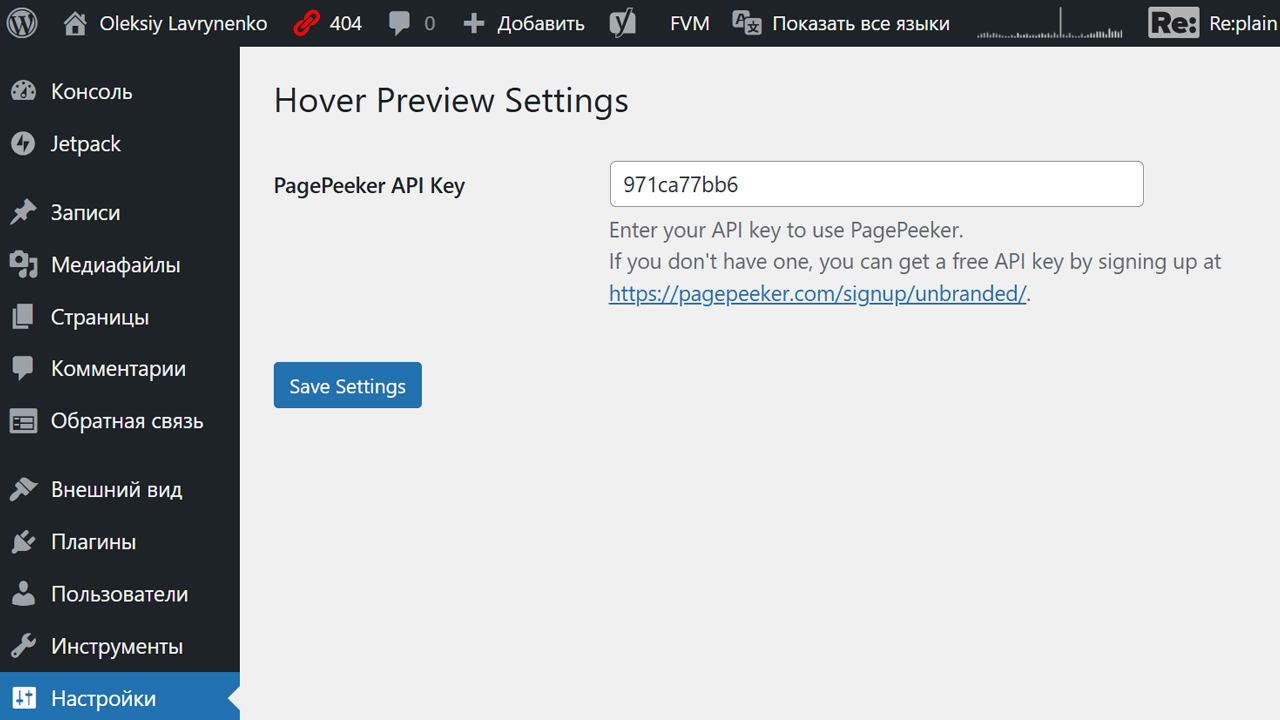
- Navigate to «Settings > Hover Preview» in the WordPress admin dashboard.
- Enter your PagePeeker API key. If you don’t have one, sign up for a free unbranded plan here:
https://pagepeeker.com/signup/unbranded/. - Save the settings and enjoy!
Скриншоты
Link with preview — A small preview displayed when hovering over a link.
Установка
- Download the plugin zip file.
- Upload the zip file through the «Plugins > Add New > Upload Plugin» section in the WordPress admin dashboard.
- Activate the plugin.
- Configure the API key under «Settings > Hover Preview.»
Часто задаваемые вопросы
-
Where can I get a PagePeeker API key?
-
You can sign up for a free unbranded API key at PagePeeker: https://pagepeeker.com/signup/unbranded/.
-
Can I customize the preview size?
-
The current version does not support custom preview sizes. This feature may be added in a future release.
Отзывы
Нет отзывов об этом плагине.
Участники и разработчики
«Hover Preview» — проект с открытым исходным кодом. В развитие плагина внесли свой вклад следующие участники:
Участники
Перевести «Hover Preview» на ваш язык.
Заинтересованы в разработке?
Посмотрите код, проверьте SVN репозиторий, или подпишитесь на журнал разработки по RSS.
Журнал изменений
1.1
- Added an admin settings page for configuring the API key.
- Included a helper link to guide users on obtaining a free API key.
1.0
- Initial release with basic hover preview functionality.