
Описание
Kirki — это визуальный конструктор свободной формы для WordPress и расширенный инструмент настройки тем, который позволяет визуально проектировать и создавать полноценные веб-сайты — без написания кода.
Unlike traditional page builders, Kirki uses an infinite freeform canvas, giving you full creative freedom without rigid grids or layout restrictions.
Создавайте целевые страницы, бизнес-сайты, блоги и полноценные веб-сайты с адаптивными элементами управления, динамическим контентом и мощными инструментами дизайна — и всё это прямо в WordPress.
Посмотрите, как работает Kirki:
🔥 Почему стоит выбрать Kirki?
Kirki сочетает в себе современный визуальный конструктор и мощную систему настройки WordPress — благодаря чему вы можете свободно создавать дизайны, не теряя при этом гибкости.
✔ Полотно свободной формы — без жестких макетов и ограничений
✔ Визуальный редактор с функцией «перетаскивания» и точным управлением
✔ Адаптивное редактирование для настольных компьютеров, планшетов и мобильных устройств
✔ Встроенные инструменты (формы, всплывающие окна, динамический контент)
✔ Чистый и оптимизированный под производительность конечный результат
✔ Совместимость с любой темой WordPress
✔ Разработан для дизайнеров, разработчиков и команд
🧱 Основные функции
Visual Website Builder
Design your website visually with full control.
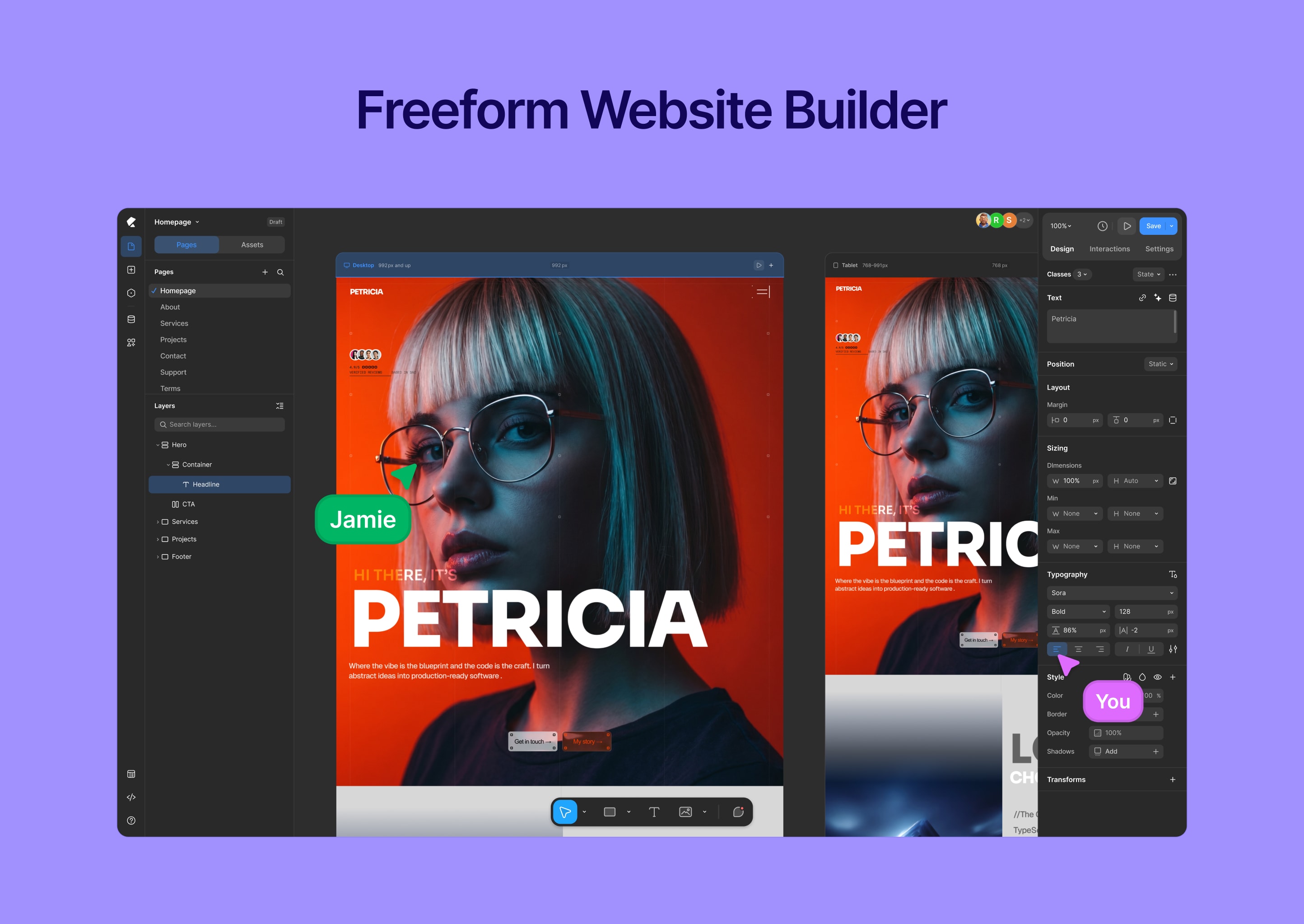
- Freeform drag-and-drop editor
- Infinite canvas — no grid or column restrictions
- Real-time responsive editing (desktop, tablet, mobile)
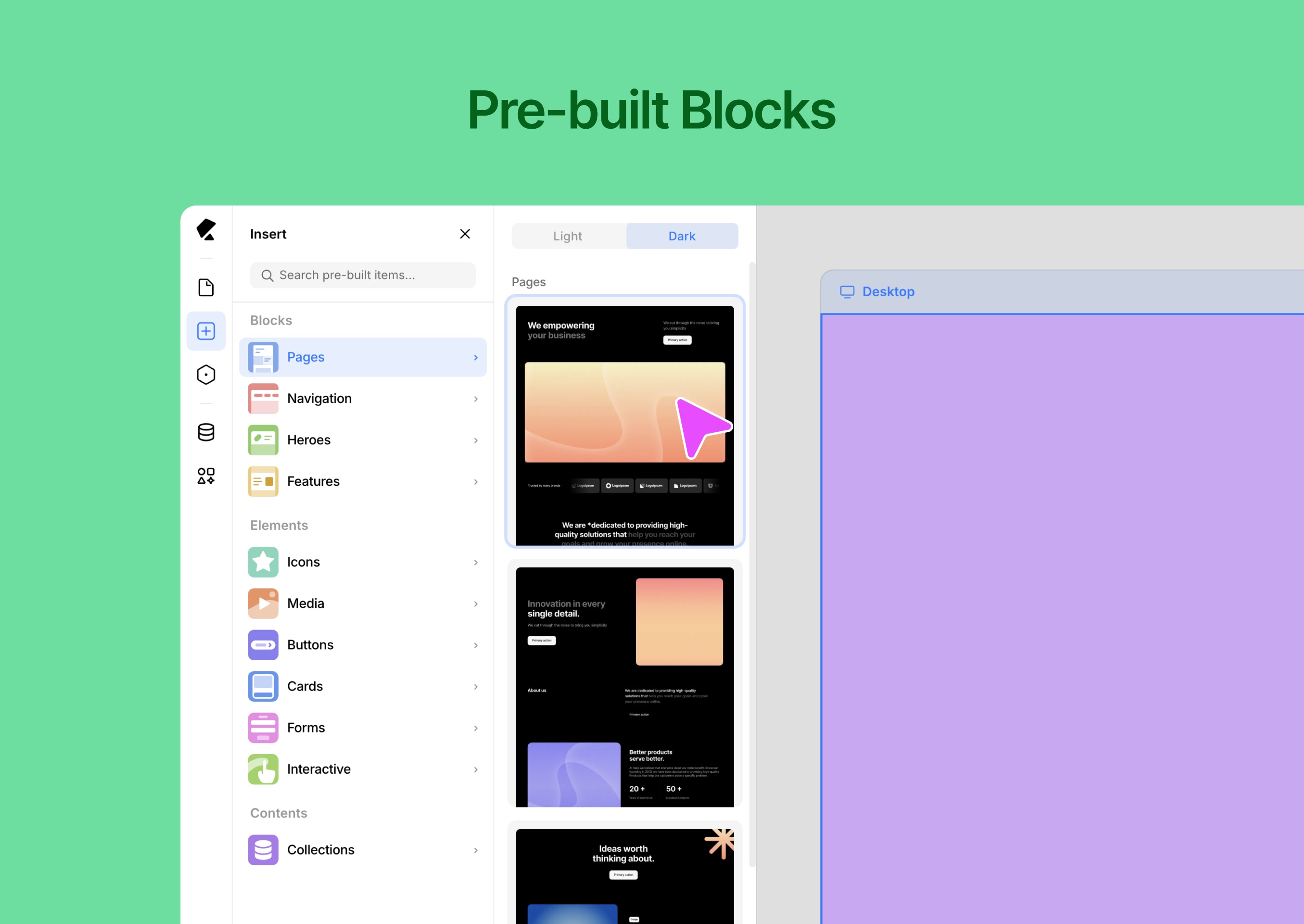
- Pre-built components and layout blocks
- Global styles (colors, fonts, spacing)
- Version history and rollback
- Media manager for assets
- Интерфейс в светлом и тёмном режимах
⚡ Динамическое содержимое и интеллектуальные функции
Создавайте масштабируемые сайты, основанные на данных.
- Dynamic content system (collections & templates)
- Conditional visibility controls
- Custom attributes for advanced control
- Developer-friendly extensibility
- Reusable design systems and components
🎨 Шаблоны и дизайнерские ресурсы
Start fast and customize everything.
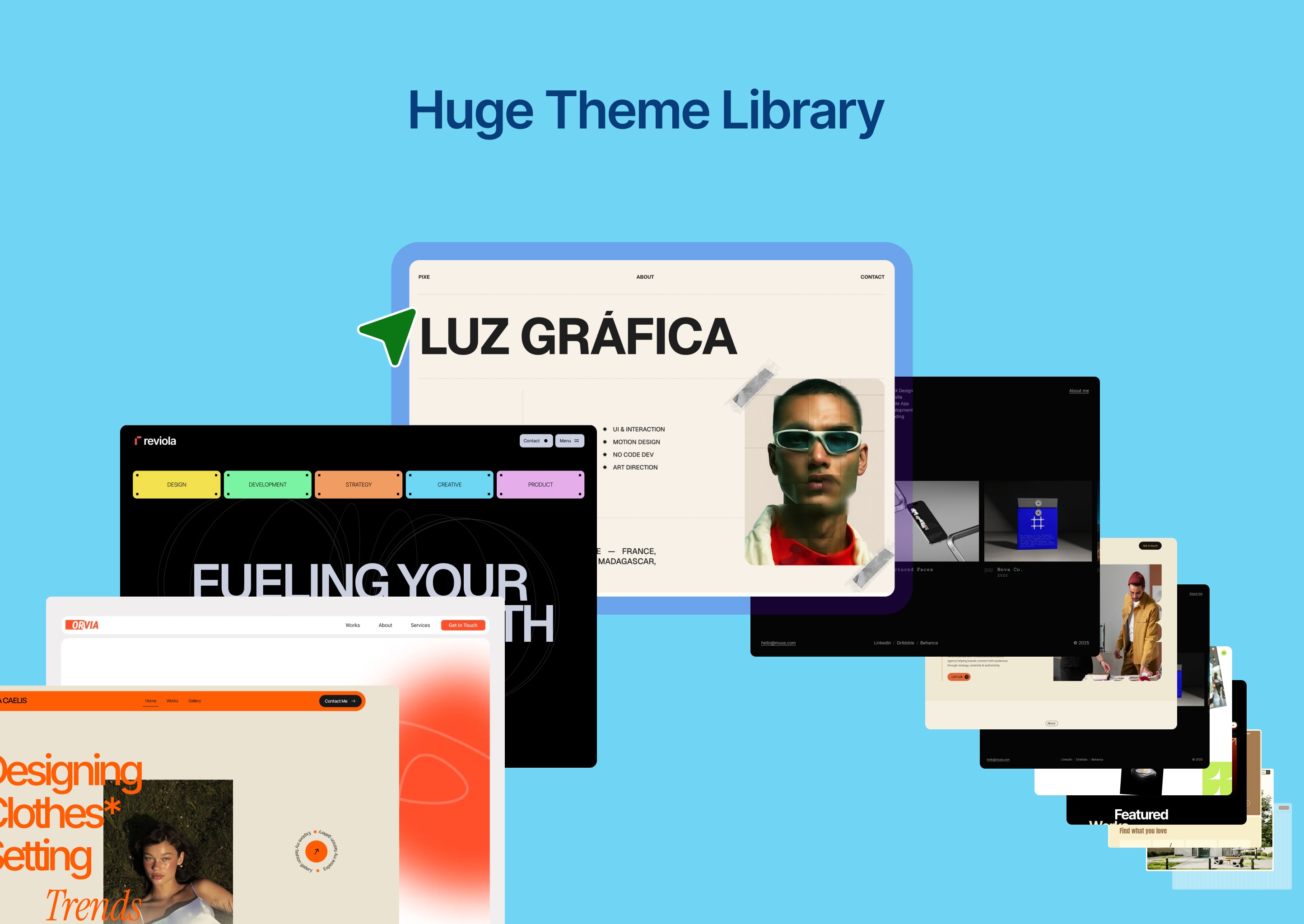
- Ready-made website templates
- Pre-built sections and layout blocks
- Reusable design assets
- Import / export projects easily
🧩 Встроенные инструменты
Всё, что вам нужно — без дополнительных плагинов.
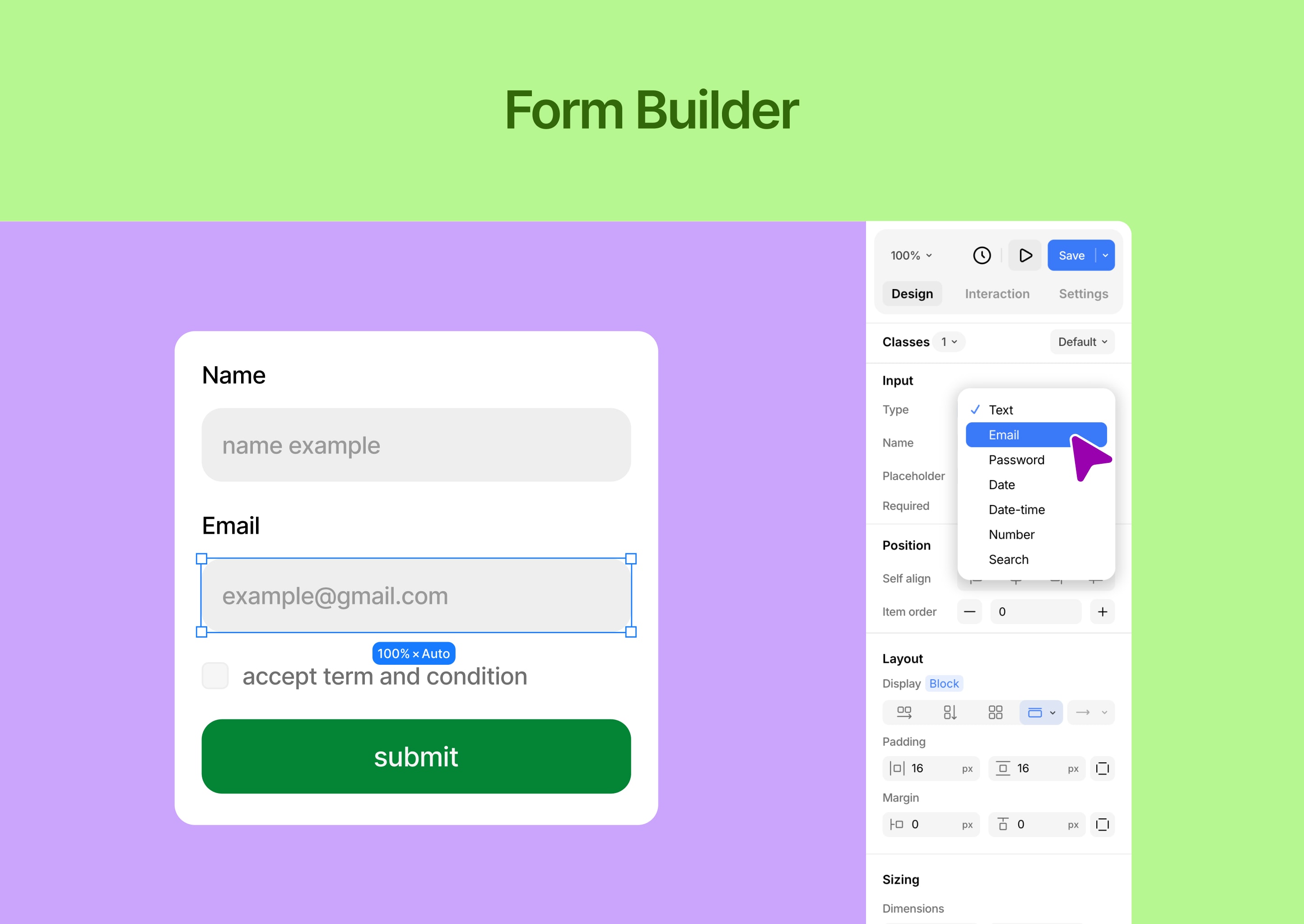
- Form builder with submission management
- Popup builder with visual controls
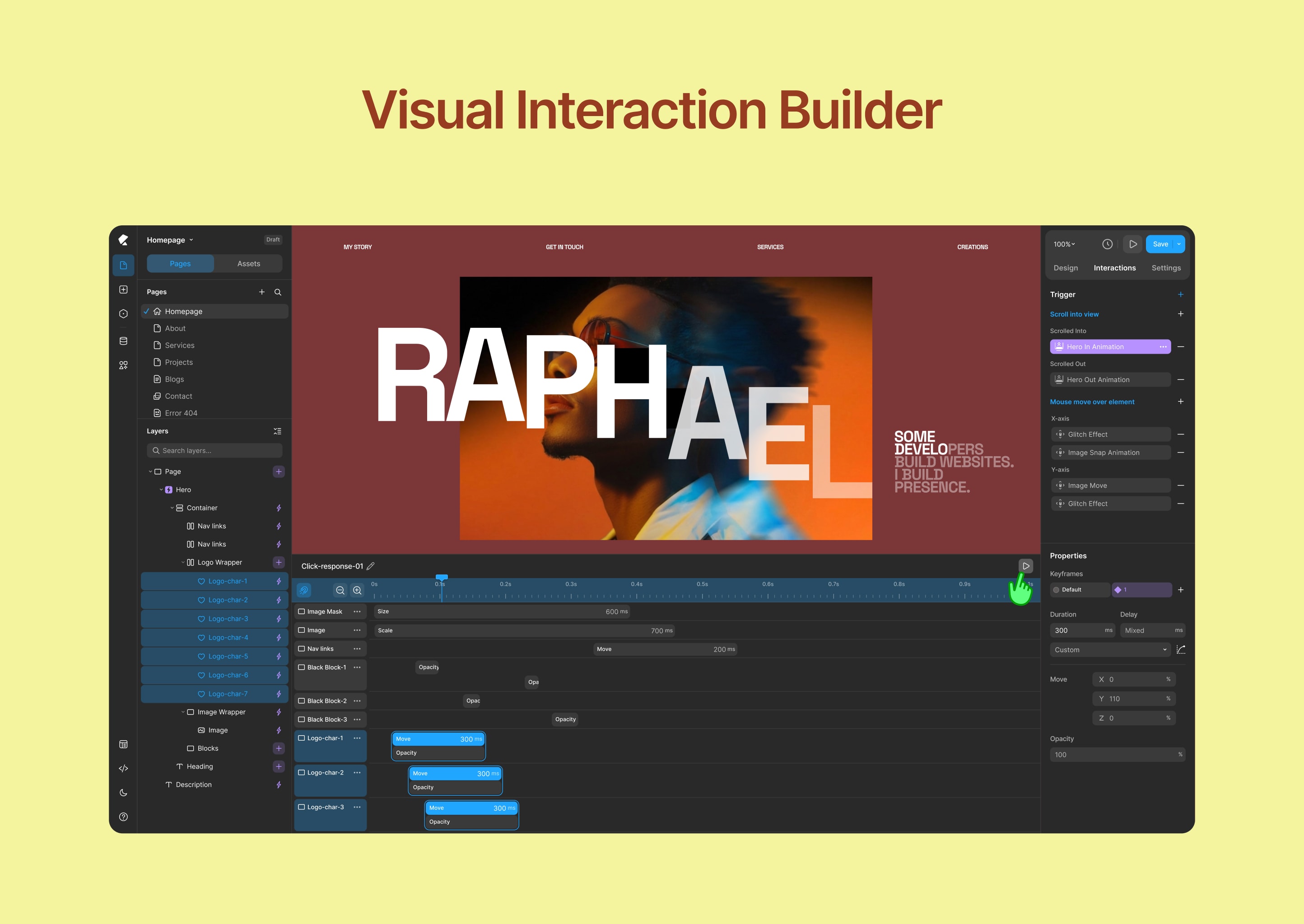
- Interaction and animation builder
- Icon library and media tools
🎬 Взаимодействия и анимации
Create engaging, modern experiences.
- Visual animation builder
- Interaction timeline editor
- Custom transitions and effects
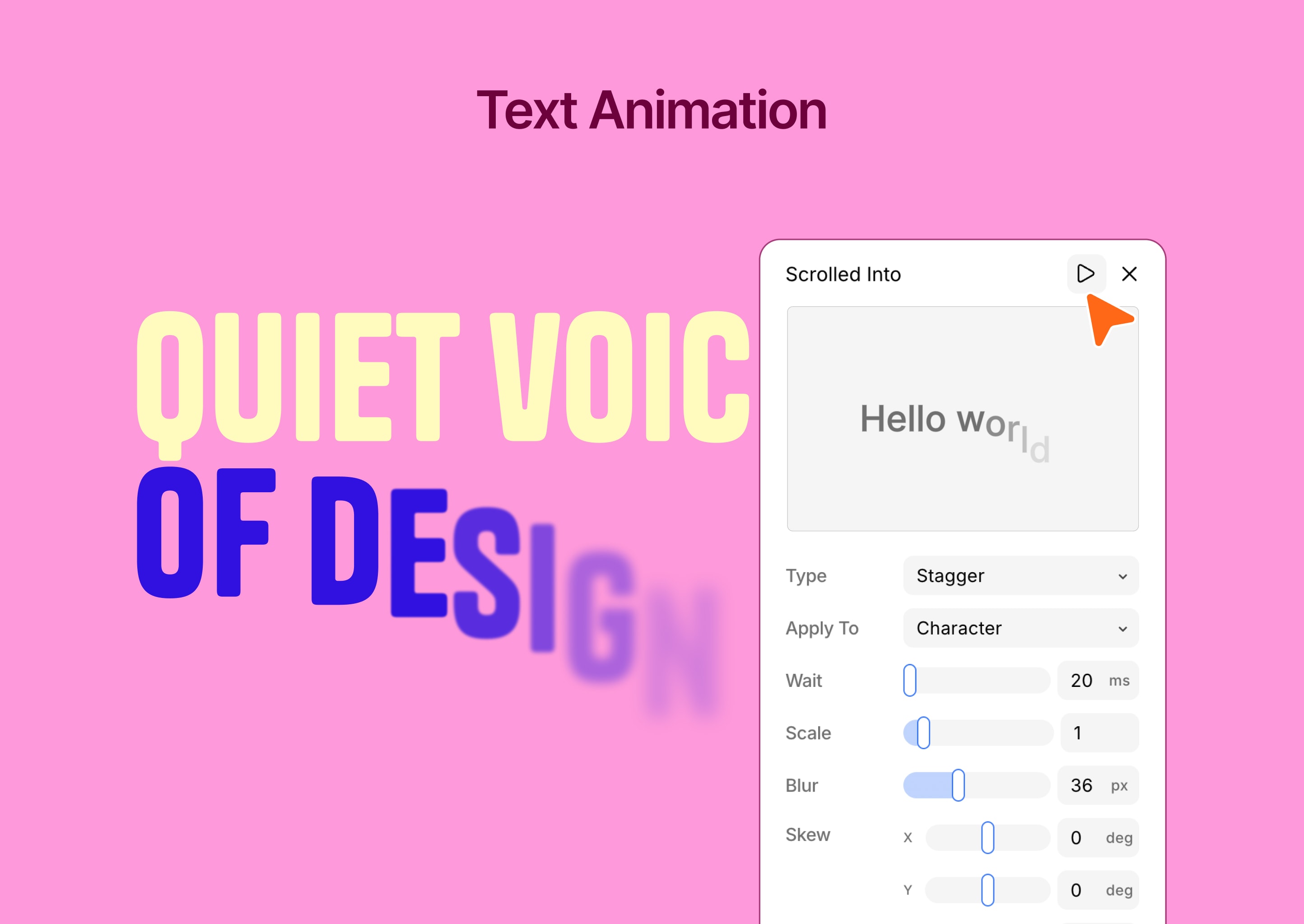
- Text animation tools
⚙️ Расширенные настройки WordPress
Расширьте возможности настройки WordPress с помощью мощных инструментов управления.
- Более 35 элементов настройки
- Предварительный просмотр в реальном времени
- Автоматическая генерация CSS
- Поддержка условной логики
- Developer-friendly API
- Производительность оптимизирована
👥 Для кого предназначена Kirki?
- Designers who want full creative freedom
- Freelancers building client websites
- Организации, управляющие несколькими проектами
- Developers extending WordPress functionality
- Всем, кто ищет визуальный конструктор для WordPress, не требующий программирования
🚀 Чем отличается Kirki?
Kirki — это не просто очередной конструктор страниц.
Instead of forcing layouts into rows and columns, Kirki gives you a freeform design experience — similar to modern design tools — while keeping the full power of WordPress.
Создавайте дизайн по своему усмотрению. Создавайте сайты с помощью WordPress.
Поддержка
- Поддержка сообщества: https://facebook.com/groups/kirkicommunity
- Documentation: https://kirki.com/docs
- Website: https://kirki.com
Скриншоты
Установка
- Перейдите в Плагины Добавить новый
- Search for Kirki
- Нажмите Установить сейчас и активировать
Или вручную:
- Upload the plugin to
/wp-content/plugins/kirki/ - Активируйте через панель управления WordPress
- Open Kirki and start building
Часто задаваемые вопросы
-
Is Kirki free?
-
Yes, Kirki is free to use. Additional advanced features are available in Kirki Pro.
-
What’s included in the free version?
-
The free version includes the full Customizer framework with 35+ controls, and the core visual builder. Kirki Pro unlocks advanced capabilities including dynamic content, the full interaction timeline, popup builder, and premium templates.
-
Do I need coding knowledge?
-
No. Kirki is designed for visual, no-code website building.
-
Можно ли использовать Kirki с любой темой?
-
Yes, Kirki works with any WordPress theme.
-
Is Kirki responsive?
-
Yes. You can design for desktop, tablet, and mobile.
-
Могу ли я экспортировать свои проекты?
-
Yes, import and export features are available.
-
Does Kirki support dynamic content?
-
Yes, you can create dynamic templates and data-driven designs.
-
Где я могу получить поддержку?
-
Free users can get help from the Kirki community on Facebook: https://facebook.com/groups/kirkicommunity — thousands of designers and developers ready to help. Priority ticket support is available for Pro and Agency plan users at https://kirki.com/support
-
I was using Kirki as a Customizer framework. Has anything changed?
-
Nothing. All existing Customizer controls are fully preserved. Your current setup will not be affected by the update. The visual builder is simply a new addition on top of the framework you already rely on.
Отзывы


Участники и разработчики
«Kirki – конструктор страниц, веб-сайтов и инструментов для настройки в произвольном формате» — проект с открытым исходным кодом. В развитие плагина внесли свой вклад следующие участники:
Участники
«Kirki – конструктор страниц, веб-сайтов и инструментов для настройки в произвольном формате» переведён на 24 языка. Благодарим переводчиков за их работу.
Заинтересованы в разработке?
Посмотрите код, проверьте SVN репозиторий, или подпишитесь на журнал разработки по RSS.
Журнал изменений
6.3.2
- New: Added an accessibility contrast ratio option to the color picker.
- New: Added multiselect interaction support.
- Update: Remember the last selected font family and use it as the default font for newly dropped text elements on the canvas.
- Update: Reset width and height to auto when changing position with ratio lock enabled.
- Update: Implemented symbol root transition handling for wrapping and unwrapping elements.
- Update: Adjusted range input thumb styles for improved consistency.
- Update: Removed the Role Manager from the Settings panel and updated the API so that Role Manager functionality now depends on WordPress capabilities.
- Update: Remove the Street View option from the OpenStreetMap map element and remove the deprecated styles from the map settings.
- Fix: Fixed an issue where form data input values of 0 were not rendered.
- Fix: Fixed nested symbol export/import issues.
- Fix: Fixed preview scripts not running for cloned elements when infinite slider mode is enabled.
- Fix: Resolved multiselect context menu open issue from canvas.
- Fix: Addressed security issues related to comments and Lookback IP handling.
- Fix: Resolved collaboration mouse tracker hide issue while dragging an element.
- Fix: Fixed flex-reverse drag-and-drop line issues on the canvas.
- Fix: Addressed security issues related to shortcodes and sensitive metadata.
6.3.1
- New: Added dynamic content support to ComponentInstanceFields.
- New: Added SVG selection color preview for updating SVG fill and stroke colors.
- New: Pusher broadcasting configuration for faster, real-time updates.
- Update: Variable search now supports searching by value.
- Update: Pasting copied strings or elements is now supported across multiple selected elements.
- Update: Improved drag-and-drop snapping by adjusting coordinates when the closest vertical and horizontal snap points are detected.
- Update: Resizing elements while holding Shift now maintains the aspect ratio in all drag directions.
- Update: Added blend mode support for multiple selected elements.
- Update: Preserved the component edit canvas size across create and save actions.
- Update: The component editing canvas now automatically adapts to the content size.
- Fix: Fixed a viewport-wise CSS inheritance issue affecting text styles.
- Fix: Resolved an issue with form data export.
- Fix: Fixed an issue where transparent or PNG images could get a black background when pasted.
6.3.0
- New: Master Components, nested component support, and Custom Component Fields.
- New: Freeform Positioning across breakpoints for absolutely and fixed-positioned elements.
- Update: Copy/paste interactions now understand the element structure and hierarchy, enabling more accurate operations.
- Update: Media selection experience improved for background image, cms, and other media fields.
- Update: Optimizing canvas drag and drop element outline indicators.
- Fix: Fixed the bulk update functionality to change the post_status of Content Manager items to Draft.
- Fix: Keyboard shortcuts now work seamlessly with French and other international keyboard layouts.
- Fix: Resolved collection rendering issue with view-only tokens.
- Fix: Addressed all known security vulnerabilities.
6.2.5
- Update: Redesigned the Island toolbar with updated icons, layout, and functionality.
- Update: Moved the editor’s dark/light mode controls to the Island.
- Update: Updated SVG element settings.
- Update: Improved responsive device resizing based on minimum and maximum device width ranges.
- Update: Updated Form reCAPTCHA element settings and functionality.
- Update: Refreshed the empty placeholder design for Image, Video, Lottie, and Lightbox elements.
- Fix: Resolved an issue causing DynamicTextBox to glitch when focused.
6.2.4
- Update: Verify font files before parsing OpenType features.
- Update: Show the text clamp value when a font-size clamp is configured.
- Fix: Resolve an issue with the Dashboard page list API when deleting a page.
- Fix: Address security vulnerabilities related to XSS through attacker-injected object keys.
- Fix: Fully disable unauthorized POST API calls.
6.2.3
- New: Copy-and-paste interactions now also support the interaction library.
- Update: Updated the default styles for headings, buttons, images, and tabs.
- Fix: Fixed an issue with font family OpenType feature data parsing.
- Fix: Prevented font upload issues when changing file extensions.
- Fix: Reset typography-related CSS when applying a text style.
- Fix: Removed ZIP file upload functionality from custom font uploads.
6.2.2
- New: Added Element Multiselect for selecting and editing multiple elements at once.
- New: Added vertical resizing for the custom interaction timeline editor.
- Update: Advanced typography panel functionality updated for open type feature text.
- Update: Text animations now play only when the element enters the viewport.
- Update: Improved the Layer Panel and Canvas drag preview opacity for better visibility.
- Update: Removed the File element from the Form Builder.
- Fix: Resolved specificity issues in text style and variable CSS generation.
- Fix: Fixed custom animation timeline previews so transform animations replay chronologically instead of collapsing by property.
6.2.1
- New: Added a Flex Child option to the Sizing panel for finer control over flex layouts.
- Update: Automatically removes matching styles from an element when a text style is applied.
- Update: Improved rich text selection handling with better root selection context management.
- Update: Enhanced external text paste behavior, preserving formatting and eliminating trailing whitespace issues.
- Update: Enhanced the Color Picker to support mixed color values.
- Update: Videos now automatically pause when they move out of the viewport.
- Update: Improved CSS generation for text styles and variables to ensure better specificity.
- Fix: Addressed multiple security vulnerabilities, including XSS, arbitrary shortcode execution, path traversal, SSRF, and email relay issues.
- Fix: Resolved text overflow and ellipsis issues in Input Number, Tabs, and Select controls.
- Fix: Resolved dropdown target visibility issues when controlled by dropdown state settings.
6.2.0
- New: Introduced the Interaction Library.
- New: Introduced predefined design presets for new dynamic template pages.
- New: Added current state design support for Tabs and Slider elements.
- Update: Redesigned Connect to Field and Connect to CMS.
- Update: Improved the Add New Page experience.
- Update: Added a sticky, scrollable Layers panel.
- Update: Added contextual icons to the Layers panel for visibility conditions, interactions, and more.
- Update: Improved WordPress post slug validation.
- Update: Improved Symbols save and delete operations.
- Update: Added an image alt text popover to the Image element.
- Update: Refined the Typography Font Options popover.
- Update: Added support for combining search queries with collection filters using AND conditions.
- Fix: Changed canvas multi-select from Cmd + Click to Shift + Click.
- Fix: Fixed the preview URL on the Collection Details page.
- Fix: Resolved a deprecated warning in the form submission class.
- Fix: Resolved legacy style block merging issues.
- Fix: Fixed the page rename issue.
- Fix: Fixed the SVG element class generation issue.
6.1.1
- Fix: Resolved php 7.4 compatibility issue.
6.1.0
- New: Introduced a centralized Class Manager.
- New: Added Mix Blend Mode support to the Style Panel.
- Fix: Fixed filter and backdrop-filter properties being removed when deleting styles.
- Fix: Applied !important to the Liquid Glass backdrop filter for proper rendering.
- Fix: Fixed video audio playback for hover and autoplay when the audio toggle is enabled.
- Fix: Fixed an issue where color changes from the Selection Color Panel affected multiple elements.
- Fix: Resolved a double-click issue with legacy Rich Text content.
- Fix: Fixed cloned elements not syncing newly created style blocks with the server.
- Fix: Improved API security by validating editor preview tokens.
- Fix: Added validation for ZIP file uploads.
- Fix: Fixed frontend REST API validation for password-protected posts.
- Update: A curated set of Google Fonts now loads by default. A Google API key is needed to access the full library.
- Update: Redesigned range sliders to numerical input fields, so values can be set by dragging.
- Update: Updated the App Settings route middleware for preview tokens.
- Update: Implemented paginated loading for Kirki editor comments.
6.0.14
- Fix: Fixed CSRF vulnerability in admin POST AJAX requests (kirki_wp_admin_post_apis).
- Fix: Sanitized redirect URLs and replaced wp_redirect with wp_safe_redirect in TemplateRedirection utility pages.
- Fix: Improved file path protection to prevent unauthorized access.
- Fix: Fixed datetime handling in the comment resource after Carbon removal.
- Fix: Fixed double-quote handling in font family variables.
- Fix: Fixed text style tag application for non-text elements.
- Update: Enhanced permission checks for AJAX endpoints and enabled SSL certificate verification for ZIP downloads.
- Update: Improved collaboration performance by running collaboration tasks in a separate thread.
6.0.13
- New: Added support for dragging and dropping local media files directly into Grid cells.
- Update: Refactored the REST API backend for improved stability and maintainability.
- Fix: Implemented security improvements and resolved known security issues.
- Fix: Resolved device-specific interaction preview issues in the canvas.
- Fix: Added support for dynamic video fields from the Content Manager in the Video element.
6.0.12
- Обновление: добавлены элементы управления холстом в режиме реального времени при фокусировке на полях ввода «Внутренний отступ», «Внешний отступ» и «Пробел».
- Обновление: Улучшена функциональность контроллера сетки.
- Update: Automatically open the Element Settings panel when dropping Image, Icon, Video, Lottie, or SVG elements.
- Update: Context menu functionality improvements.
- Fix: Unauthenticated arbitrary comment modification and moderation bypass.
- Fix: Unauthenticated Server-Side Request Forgery vulnerability.
- Fix: Resolved the reset password email body issue by implementing hash validation.
- Fix: Addressed multiple random issues to improve overall stability.
6.0.11
- New: Added multi-select support in the canvas
- Update: Improved grid controller functionality
- Update: Design enhancements
- Update: Hide non-active outlines while dragging controllers
- Update: Refined component edit top bar
- Update: Support wrapping elements across different parents
- Update: Improved sibling element outline behavior
- Update: Fixed Safari copy-paste issues when importing from Figma or copying elements within Kirki
6.0.10
- New: Added timeline scrubbing support for previewing custom animations.
- New: Added variable support for Padding and Margin controls.
- New: Introduced breakpoint virtualization for better performance and scalability.
- Update: Improved Collection API call performance and optimizations.
- Update: Collection reference and multi-reference search functionality improvements.
- Update: Improved background color shade generation during color selection.
- Update: Added variable support for conic gradient color stops.
- Update: Improved variables, font-family support, and HTML generation for the Figma to Kirki plugin.
- Fix: Fixed permission and rewrite rule issues affecting Utility Pages.
- Fix: Figma to Kirki variable, font-family, image paste issue.
- Fix: Resolved pinch-to-zoom and zoom-out issues affecting Safari browsers.
6.0.9
- New: Added support for custom timing editing in slider animations.
- Update: Updated the custom interaction timeline behavior for smoother editing and playback.
- Update: Improved color picker performance and responsiveness.
- Update: Improved comment behavior and shortcut handling.
- Update: Updated the Kirki Apps settings design.
- Fix: Fixed drawing issues caused by excessively large canvas sizes.
- Fix: Fixed inconsistencies with dragging cursor and controller interactions.
- Fix: Fixed device selection behavior when clicking outside elements.
- Fix: Fixed fill and gradient controller positioning issues.
- Fix: Fixed layer panel icon reset and undo behavior issues.
- Fix: Fixed nested rich text editing and selection behavior.
- Fix: Fixed symbol editing freeze issues after style synchronization.
- Fix: Fixed issues caused by deleting elements during active color picking.
- Fix: Fixed textarea height styling issues in form blocks.
6.0.8
- Fix: Resolved css variable enqueue issue on the custom template pages.
- Fix: Fixed collection pagination issue for filtered data.
- Fix: Solved random issues.
6.0.7
- Update: Centralized symbol edit canvas positioning across all symbols.
- Update: Added viewport-aware symbol editing for tablet and mobile.
- Update: Improved typography controls and CSS unit handling.
- Update: Added support for special max-width values and clamp() parsing.
- Update: Added CSS variable duplication support.
- Update: Refactored SVG rendering with dedicated InlineSvg handling.
- Update: Improved Liquid Glass rendering and viewport isolation.
- Fix: Unauthenticated Limited Arbitrary File Read and Deletion via downloadZIP
- Fix: Missing Authorization to Authenticated (Subscriber+) Sensitive Form Submission Data Exposure via ‘kirki_wp_admin_get_apis’ Action Description
- Fix: Unauthenticated Privilege Escalation via ‘handle_forgot_password’
- Fix: Fixed auto-scroll for unmounted selected elements in the Layers panel.
- Fix: Rich text editing no longer blocks canvas zoom and scroll across viewports.
- Fix: Improved overlay behavior during typing and dragging interactions.
- Fix: Prevented tall symbol content from being clipped in symbol edit mode.
- Fix: Resolved forgot password content and reset URL issues.
- Fix: Corrected margin and padding value normalization.
- Fix: Improved border width and mixed unit handling.
- Fix: Fixed viewport activation and device delete flow issues.
- Fix: Improved Form submission data array serialization and multiple select handling.
- Fix: Interaction ScrollHeight and ScrollWidth property set issue.
6.0.6
- Update: Enhanced the inline text editing and styling experience.
- Update: Added support for variable mode selection in components.
- Fix: Fixed a security vulnerability in media search.
- Fix: Improved code preview and code editor functionality.
6.0.5
- Update: Improved element comment coordinate positioning
- Update: Enhanced island toolbar functionality
- Update: Improved grid inline control area settings and track unit selection
- Update: Improved navigation element functionality
- Update: Enhanced code element functionality
- Update: Improved variable and text addition workflow
- Update: Collection item post_data and modified_data are not updating correctly for scheduled posts
- Fix: Fixed handling of multi-select values when styleBlockId is missing
- Fix: Resolved component name overflow in component list items
- Fix: Fixed canvas repositioning issue during component editing
- Fix: Fixed collaboration endpoint unauthorized access
- Fix: Fixed grid x,y alignment property update issue
6.0.4
- Fix: Resolved an Uncaught SyntaxError in webfontloader.min.js
- Fix: Broken woocommerce catalog product title
- Update: Updated frontend script enqueue handling for Kirki-based designs.
- Improvement: Enhanced text element tag selection; now supports span, p, and h1–h6
6.0.3
- Fix: WebFontLoader JavaScript file not found issue resolved.
- Fix: WebFont is not defined error fixed in the Konte theme.
- Fix: Added backward compatibility for all Kirki modules (CSS, Tooltips, Postmessage, Field_Dependencies, Selective_Refresh, Preset, Webfonts, Editor_Styles) to prevent fatal errors.
- Fix: Added class alias existence checks to prevent redeclaration warnings when themes/plugins have bundled Kirki.
- Fix: Added type safety check in Field constructor to handle legacy argument formats.
- Fix: Added missing property declarations ($name, $data_tags, $dynamic) to prevent PHP 8.2+ dynamic property deprecation warnings.
- Улучшения: Повышение стабильности.
- Improvement: Fixed DesiIcons alignment issue.
6.0.2
- Fix: Resolved a fatal error that occurred when the wp_insert_post hook was triggered after the plugin finished loading.
6.0.1
- Update: Theme header and footer display logic updated.
6.0.0
- New: Kirki is now a fully freeform visual website builder — design on an infinite canvas with no layout restrictions.
- New: Rebranded from Droip to Kirki — the Customizer framework and the visual builder are now unified under one product.
- New: Atomic design approach — compose from primitives, no pre-decided widgets, no component ceilings.
- New: Responsive editing, full interaction timeline, form builder, popup builder, and dynamic CMS — all built in.
- New: Real-time collaboration — design together on the same canvas simultaneously.
- New: Staging mode, publish history, and rollback.
- New: Figma to Kirki importer — import designs directly into the canvas.
- New: Dev mode — full CSS visibility and clean markup for developer handoff.
- New: 100+ premium template kits for faster launches.
- New: White label support for agencies.
- Update: Unified builder and Customizer experience.
- Note: All existing Customizer controls are fully preserved. No changes to your current setup.
5.2.2
- Fix: Color palette not displaying in the Customizer in certain cases.
- Fix: Select field inside Repeater control not retaining the selected value.
5.2.1
- Исправление: Исправлена проблема, при которой неверно использовался путь к файлу.
5.2.0
- Update: Performance optimizations across the platform.
- Update: Added compatibility with WordPress 6.9.
5.1.0
- Fix: Resolved the issue with fonts not loading properly.
- Fix: Addressed deprecated errors to boost compatibility.
- Update: Compatibility with WordPress 6.4 and PHP 8.2.
5.0.0
- Update: Free and Pro merged.