

Описание
Управление несколькими сайтами WordPress может быть трудоемкой и неприятной задачей. Панель управления MainWP позволяет сэкономить время, путём эффективного управления всеми вашими сайтами WordPress и обеспечивать их безопасность с помощью автономной централизованной панели управления.
Разработанный для агентств, фрилансеров и веб-профессионалов, MainWP предлагает комплексный контроль с учётом принципа конфиденциальности. Используйте возможности MainWP для обновлений, резервного копирования и многого другого, чтобы обеспечить бесперебойную и безопасную работу своих сайтов.
Функционал расширенного управления WordPress:
- Централизованные обновления: Поддерживайте актуальность всех ваших сайтов WordPress в один клик.
- Безопасное резервное копирование: выполняйте резервное копирование по расписанию или по требованию для обеспечения полной безопасности сайтов.
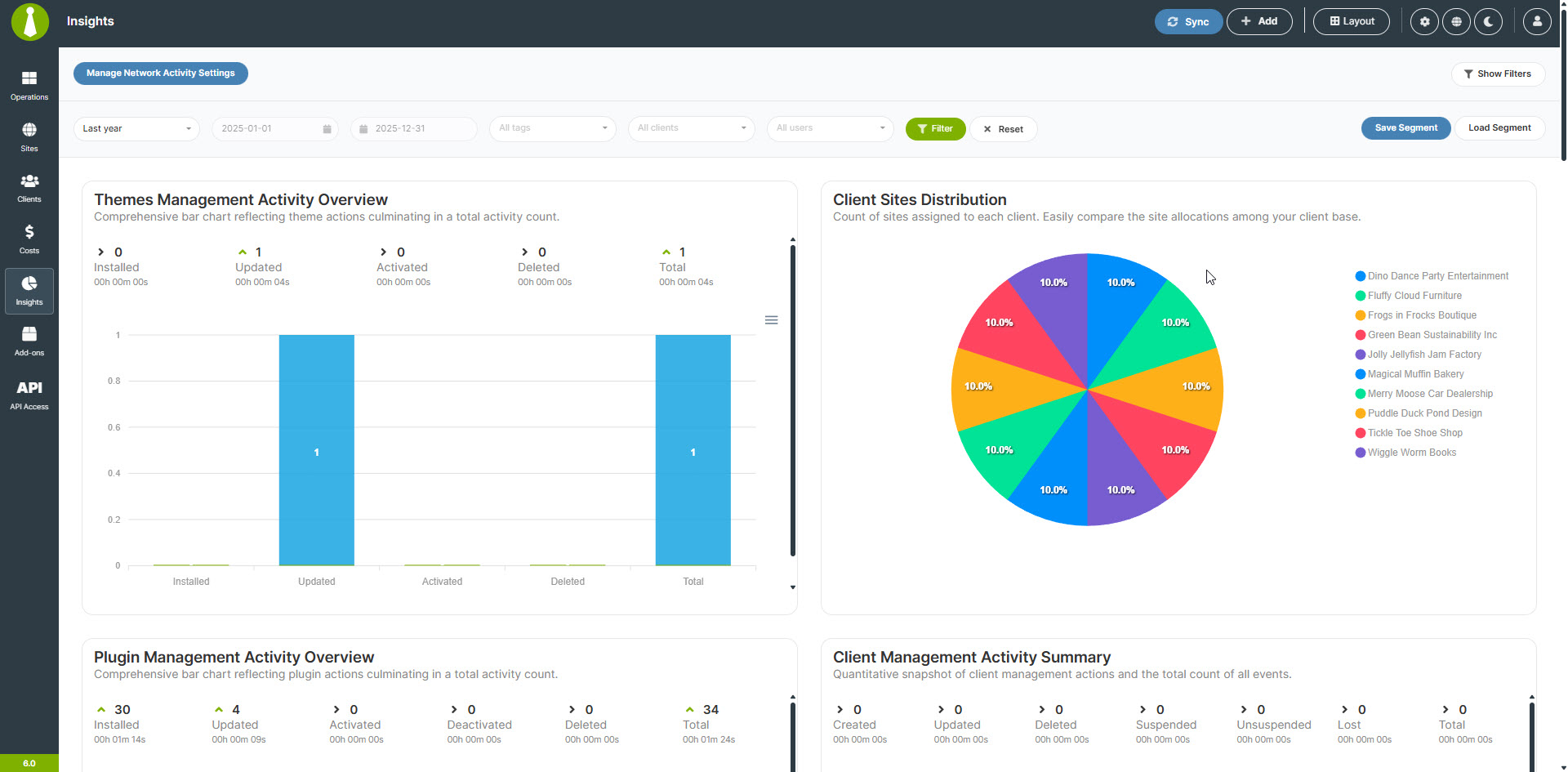
- Управляйте как своими сайтами, так и клиентскими с помощью модуля управления сайтов клиентов.
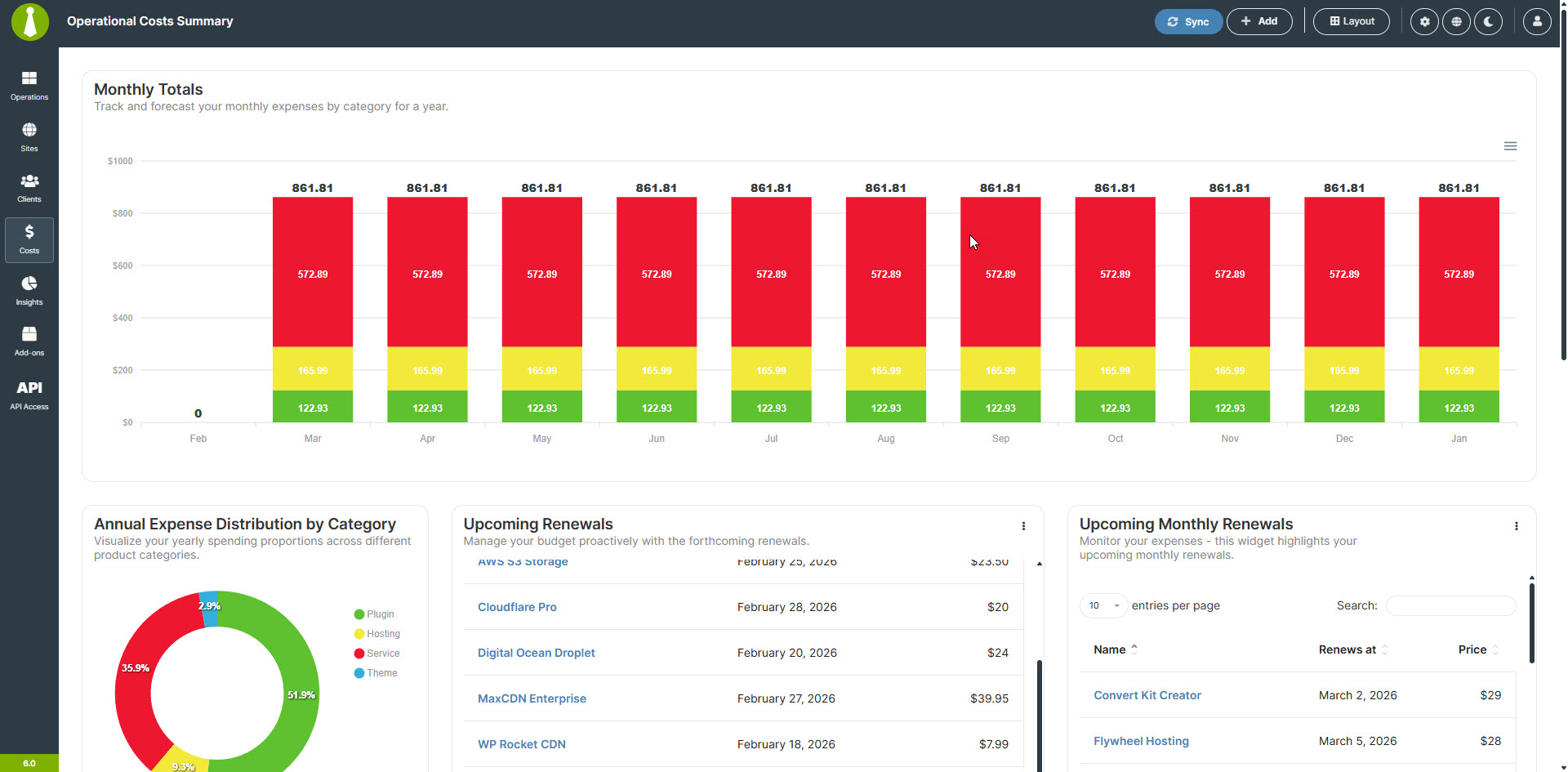
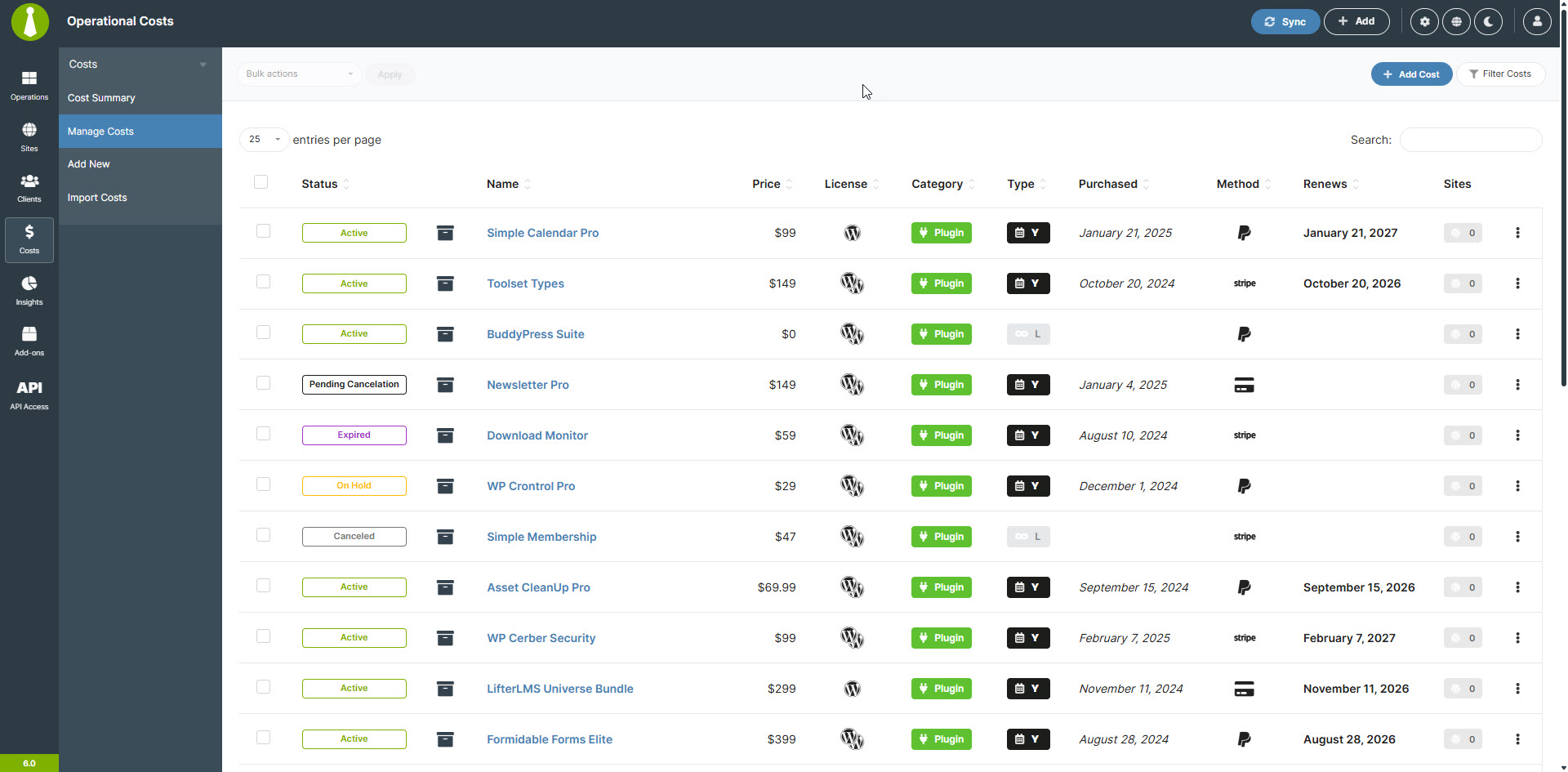
- Встроенный трекер затрат позволяет легко отслеживать расходы клиентов.
- Конфиденциальность и автономный доступ: ваши данные остаются вашими, при полной конфиденциальности и контроле.
Остановите бег по кругу SaaS:
Созданный с соблюдением основных принципов WordPress, плагин MainWP Dashboard позиционируется как универсальное решение для управления WordPress. Он сочетает в себе простоту использования с надёжными функциями и непревзойденной конфиденциальностью.
Плагины MainWP работают с открытым исходным кодом, ориентированы на конфиденциальность и имеют собственную политику конфиденциальности, гарантирующую, что они не собирают никакой личной информации (PII).
Панель управления MainWP является расширяемой, что позволяет сторонним разработчикам подключаться к ней. Она также обеспечивает поддержку CLI и имеет собственный REST API, так что все, что вам нужно или что вы хотите использовать для управления своим бизнесом, может быть разработано для вашей панели управления MainWP.
Всё это делает MainWP лучшей альтернативой ManageWP, InfiniteWP, WPRemote и WP Umbrella, который не является SaaS.
Начало работы с MainWP:
MainWP разработан таким образом, чтобы быть удобным и интуитивно понятным даже для тех, кто не знаком с плагинами для управления WordPress. Благодаря простому процессу настройки и чистой и логичной панели управления вы сможете быстро начать эффективно управлять своими сайтами на WordPress.
- Setting up MainWP is straightforward, install the dashboard on a private WordPress site, add the MainWP Child plugin to your other WordPress sites, and take control.
Гарантия конфиденциальности
Плагины MainWP поставляются со своей собственной политикой конфиденциальности , гарантирующей, что плагины не собирают никакой персональной информации (PII).
Почему MainWP бесплатный? В чем подвох? Как вы будете продолжать оплачивать затраты на разработку?
Панель управления MainWP БЕСПЛАТНА на 100% и всегда будет такой. Независимо от того, управляете ли вы 5 сайтами или 5000, основная панель мониторинга остаётся бесплатной.
Мы зарабатываем деньги, предлагая MainWP Pro, который предоставляет доступ к широкому спектру премиальных дополнений. Эти премиальные дополнения разделены на две чёткие категории:
-
Интеграции:
дополнения этой категории обеспечивают бесперебойную связь с популярными сервисами сторонних производителей и плагинами, позволяя интегрировать инструменты, которые вы уже используете, непосредственно в вашу основную панель управления WWP. -
Расширения:
Это различные автономные аддоны, разработанные исключительно для панели управления MainWP, добавляющие уникальную специализированную функциональность для улучшения процесса управления WordPress.
Для получения более подробной информации посетите страницу Премиум-дополнения и посмотрите таблицу сравнения Бесплатные и профессиональные – почувствуйте разницу.
Ощутите основные отличия MainWP
Готовы ли вы избавить себя от хлопот по управлению своими сайтами WordPress? MainWP позволяет легко поддерживать всё обновленным, безопасным и работающим именно так, как нужно. Поскольку MainWP доверяют более 20 тысяч владельцев сайтов, которые ежедневно управляют более чем 700 тысячами сайтов на WordPress, вы быстро увидите, насколько проще может быть управление сайтом. Попробуйте сегодня и почувствуйте разницу на себе!
Скриншоты
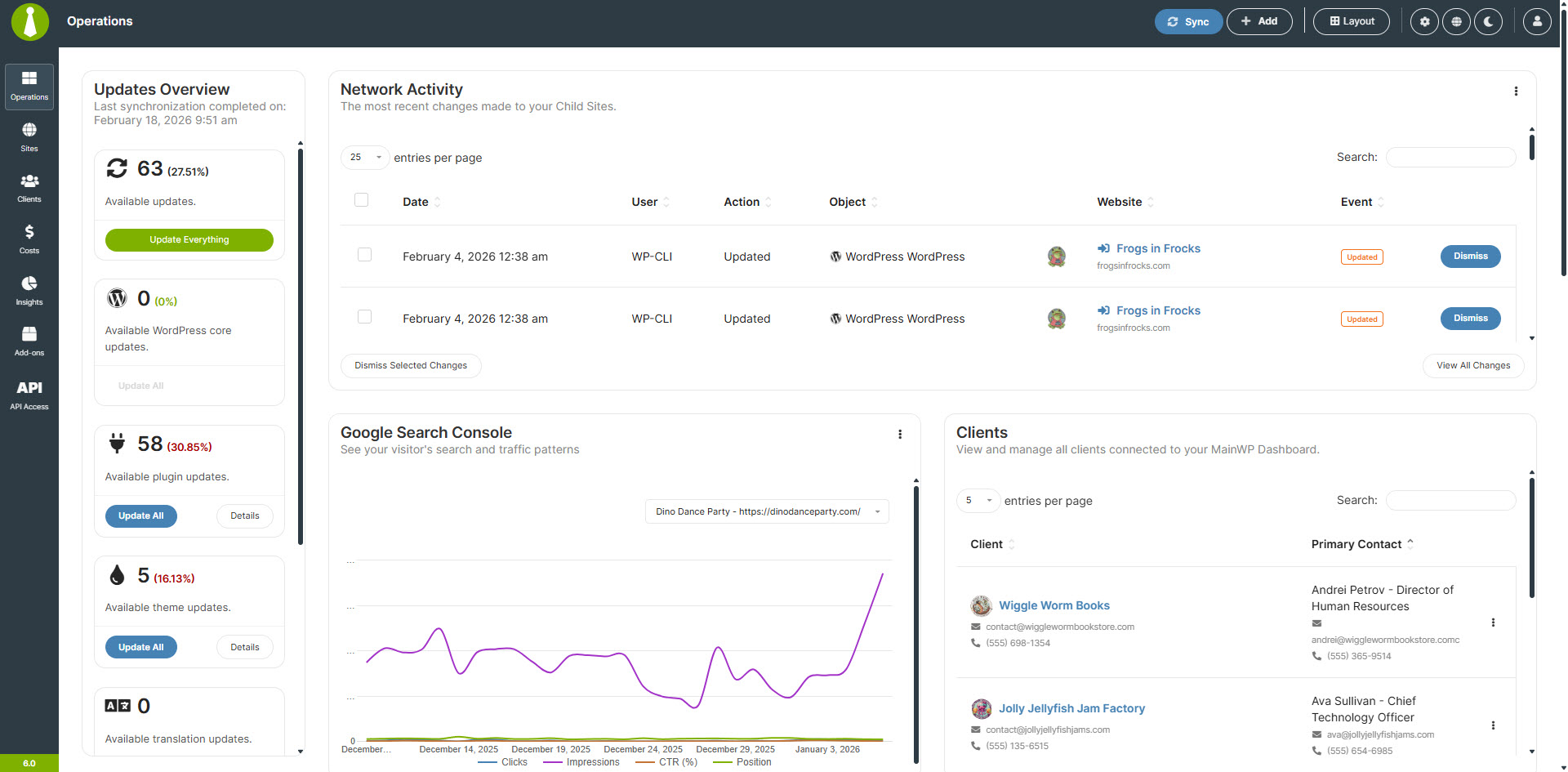
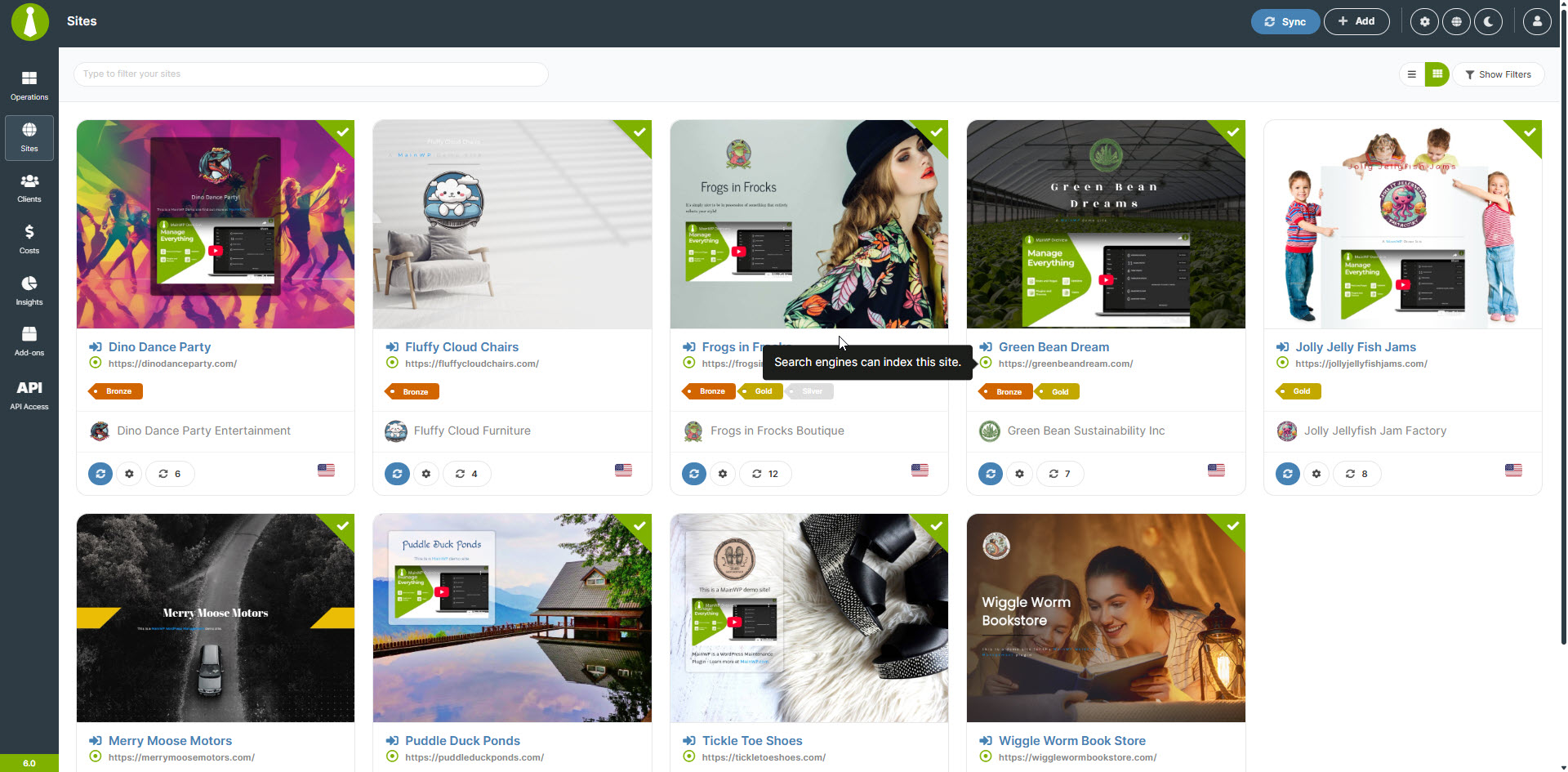
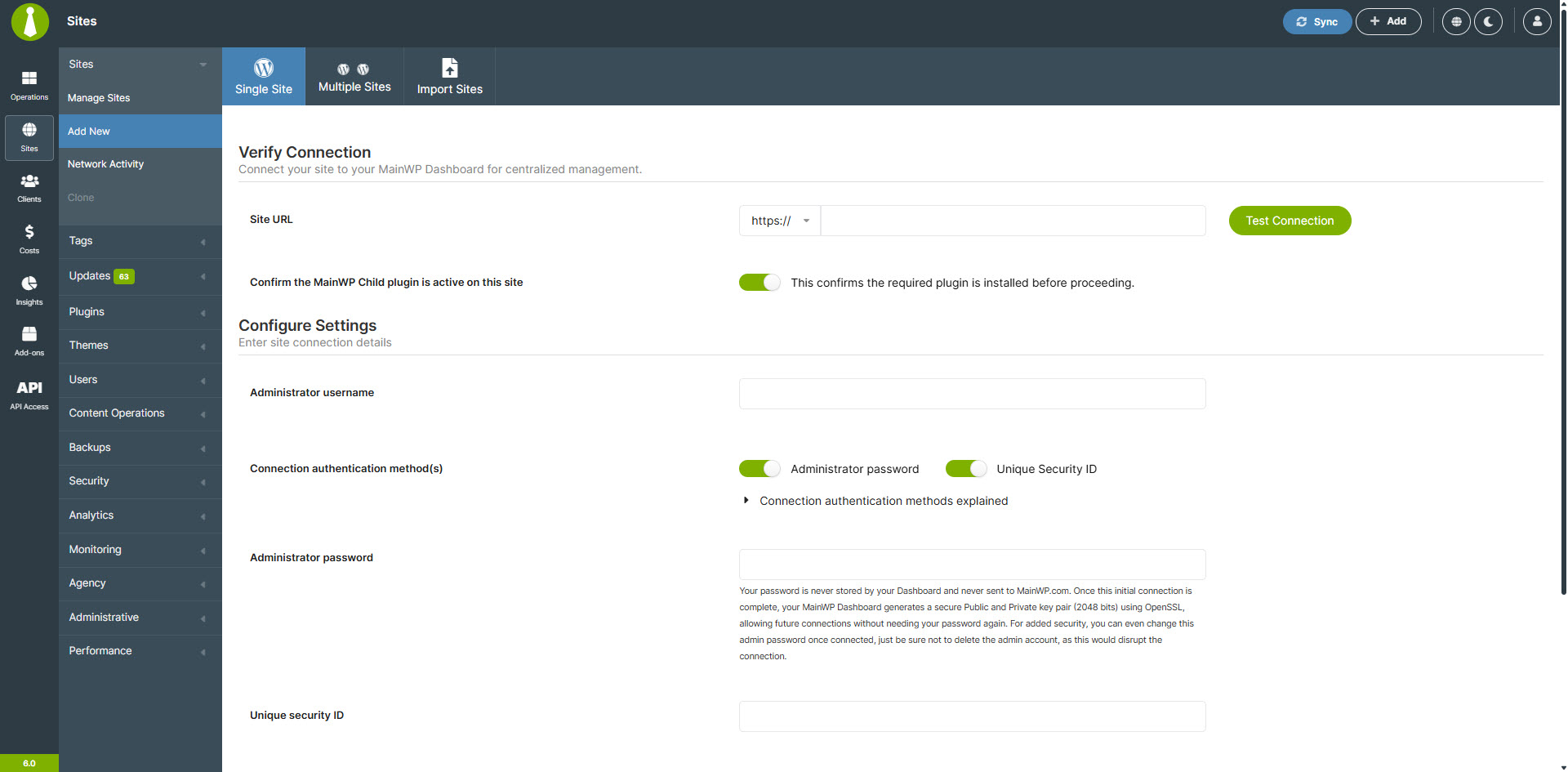
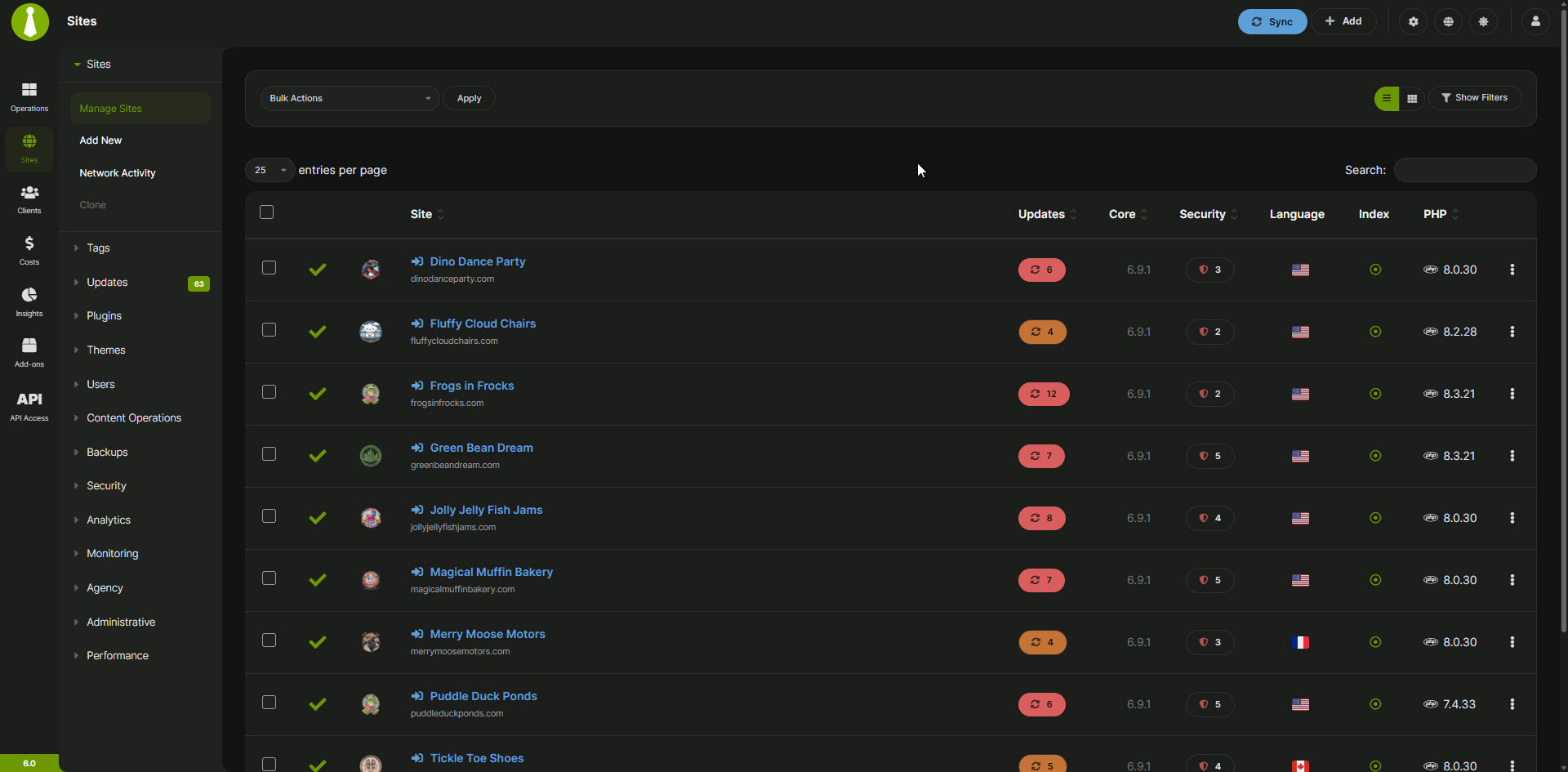
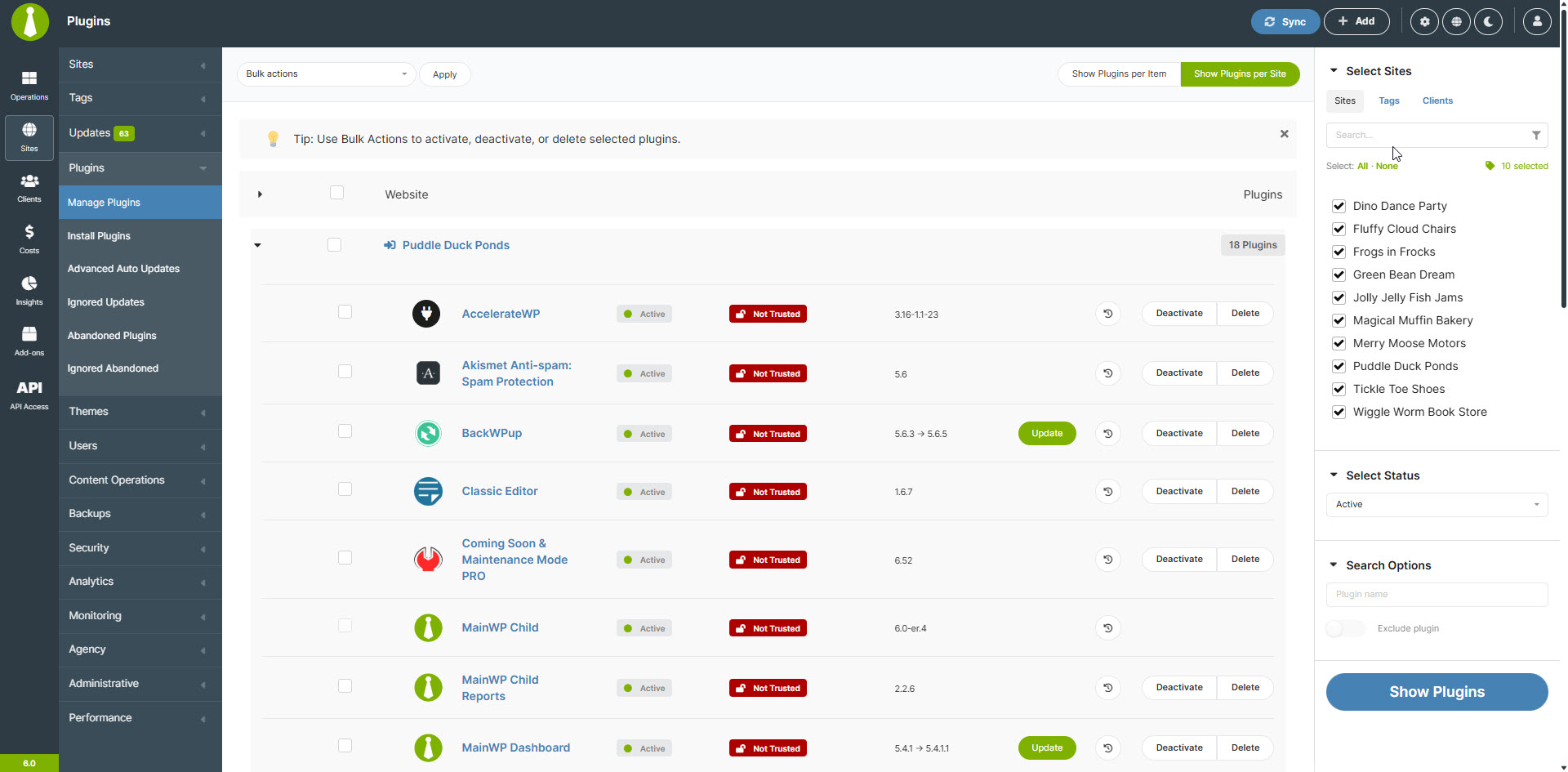
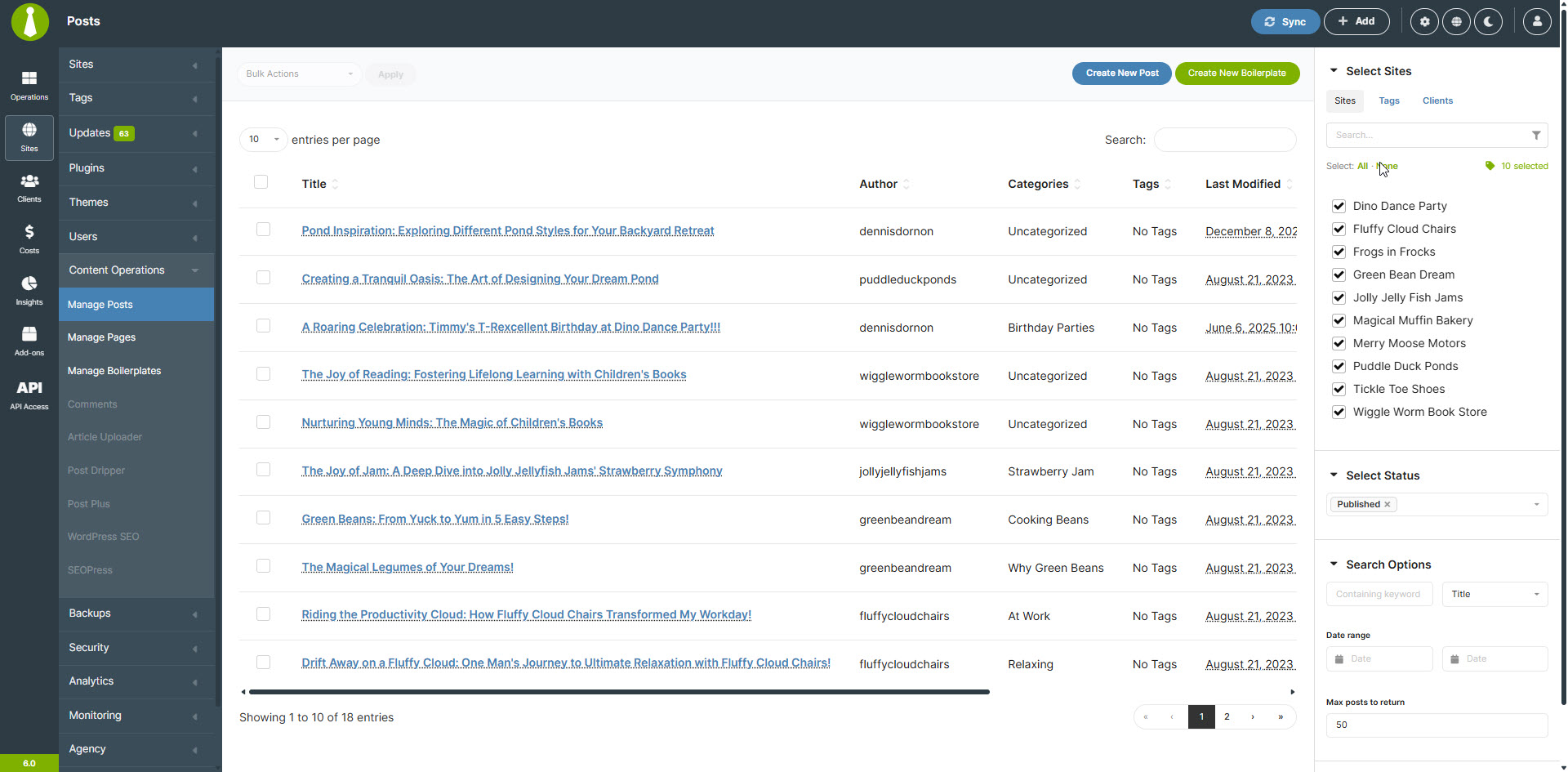
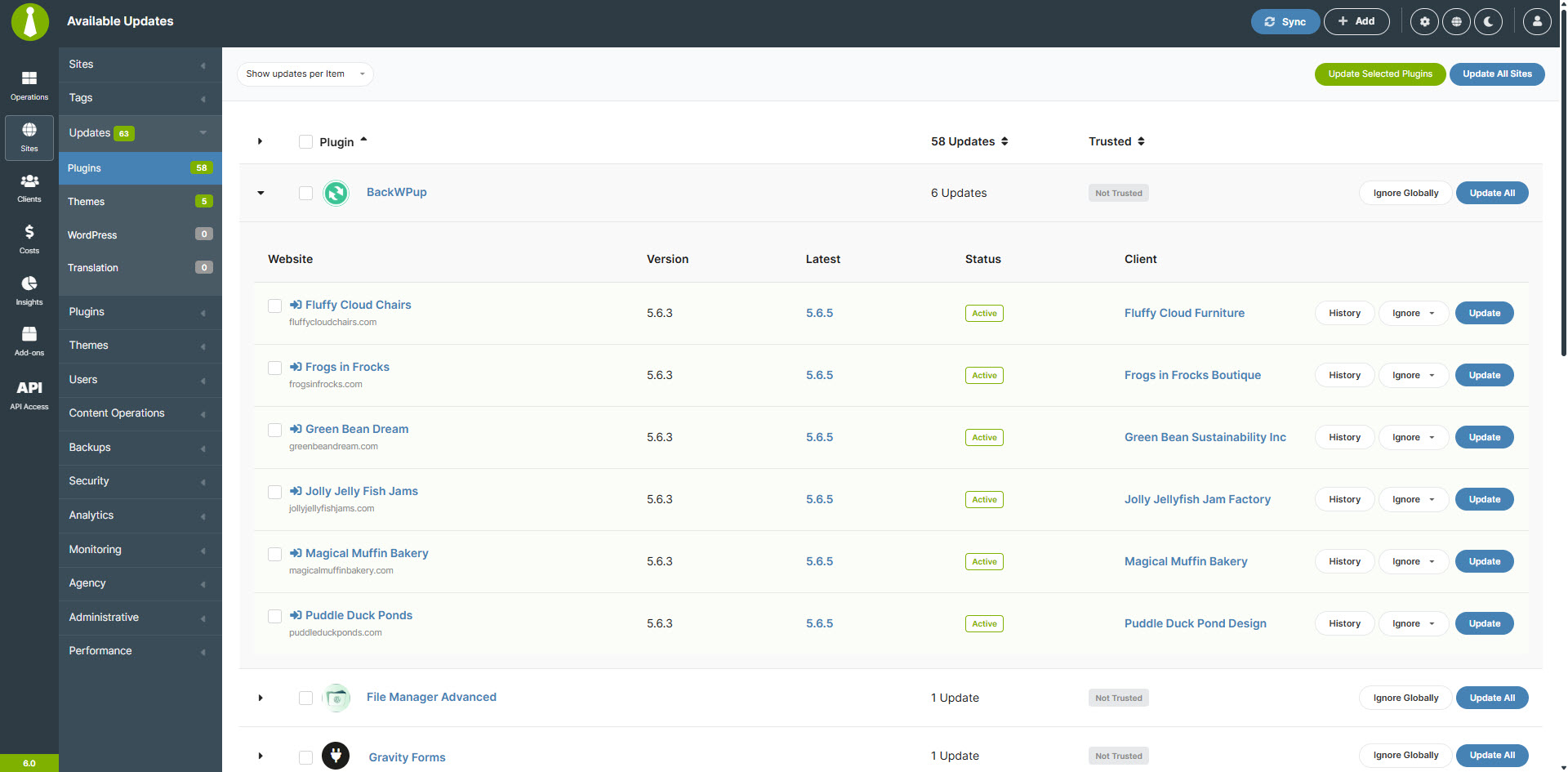
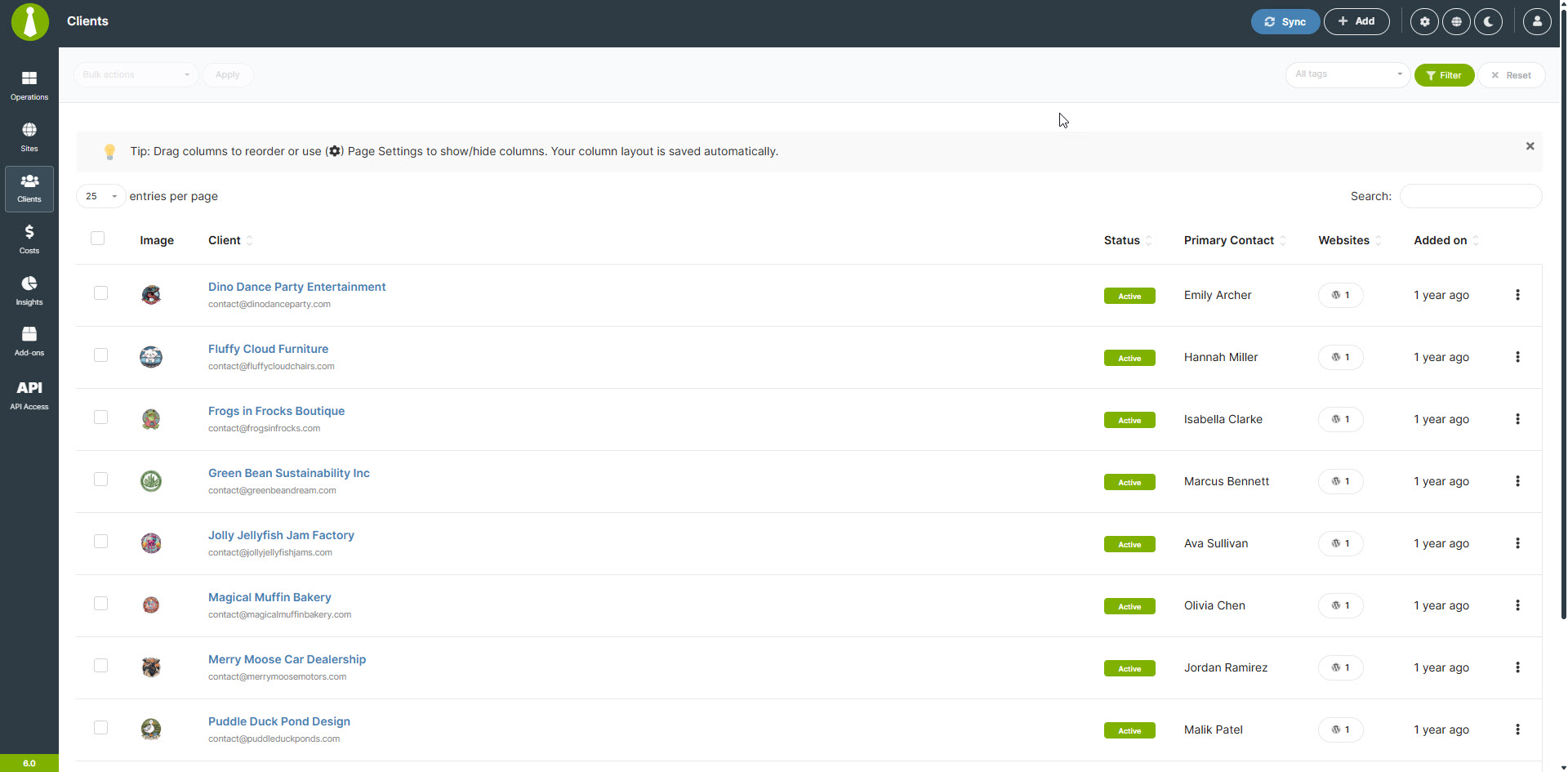
Установка
Примечание. MainWP не тестируется и не предназначен для установки на мультисайтовый движок.
У нас есть отчёты пользователей о том, что большинство функций работают правильно, но поддержка будет ограничена. Мы НЕ рекомендуем устанавливать плагин консоли MainWP на мультисайтовом движке.
- Мы НАСТОЯТЕЛНО рекомендуем устанавливать консоль MainWP на НОВЫЙ (чистый) WordPress.
Использование новой установки WordPress поможет уменьшить конфликты плагинов и прочие проблемы, возникающие при попытке запустить панель управления MainWP с активного сайта.
Большинство хостингов предоставляют возможность бесплатно создавать поддомены («pod.domain.ru»), рекомендуется создать таковой, если у вас нет специального выделенного домена для запуска панели мониторинга MainWP. Если не уверены, как настроить поддомен, обратитесь в службу поддержки своего хостинга.
Вы даже можете установить свою панель управления MainWP на сайт WordPress, расположенный на вашем локальном компьютере, используя WAMP или любую другую программу установки, которая позволяет запускать WordPress локально.
После того, как вы настроили отдельный веб-сайт WordPress, установите плагин MainWP Dashboard, следуя обычной процедуре установки, либо в автоматическом процессе путем поиска MainWP, либо путем загрузки плагина MainWP в каталог «/wp-content/plugins/».
После установки активируйте плагин в списке плагинов в админке WordPress.
Добавьте свой первый дочерний сайт на панель управления MainWP — Документация
Установите свои настройки MainWP — Документация
Часто задаваемые вопросы
-
Что отличает MainWP от других платформ управления WordPress, таких как ManageWP или InfiniteWP?
-
MainWP – это автономный плагин для управления WordPress с открытым исходным кодом, который уделяет приоритетное внимание конфиденциальности пользователей и их настройке.
В отличие от SaaS-платформ, таких как ManageWP, WPUmbrella или WPRemote, MainWP предоставляет вам полный контроль над вашими данными и допускает обширную настройку благодаря своей архитектуре с открытым исходным кодом.
-
Может ли MainWP осуществлять массовые обновления ядра WordPress, плагинов и тем?
-
Да, MainWP упрощает массовое обновление ядра WordPress, плагинов и тем для всех управляемых сайтов. Всего несколькими щелчками мыши вы можете убедиться, что все ваши сайты работают на последних версиях, что экономит драгоценное время и усилия.
-
Как MainWP помогает в управлении клиентами WordPress-агентствам и фрилансерам?
-
MainWP предлагает надежную систему управления клиентами, позволяющую упорядочивать сайты по клиентам, назначать метки и создавать настраиваемые отчёты для клиентов. Это упрощает рабочий процесс и помогает предоставлять клиентам лучший сервис, сохраняя всю информацию об их сайтах упорядоченной и легкодоступной.
-
Предлагает ли MainWP какие-либо функции для отслеживания затрат, связанных с управлением сайтами WordPress?
-
Да, в MainWP есть встроенный трекер затрат. Эта функция позволяет:
* записывать и классифицировать расходы для каждого сайта;
* устанавливать текущие расходы;
* создавать подробные отчёты о расходах;
* получать представление о распределении расходов;
* отслеживать полученные платежи и предстоящие продления. -
Какие функции безопасности предлагает MainWP для защиты сайтов на WordPress?
-
MainWP уделяет приоритетное внимание безопасности, предоставляя такие функции, как мониторинг безопасности в режиме реального времени, сканирование на наличие вредоносных программ и обнаружение уязвимостей. Плагин также интегрируется с популярными плагинами для обеспечения безопасности.
-
Можно ли использовать MainWP для управления сайтами WordPress, размещёнными на разных серверах или хостинг-провайдерах?
-
Да, MainWP предназначен для работы с сайтами WordPress, размещёнными на любом сервере или хостинг-провайдере.
-
Как MainWP делает резервные копии сайтов WordPress?
-
MainWP предлагает множество вариантов резервного копирования, включая встроенные решения для резервного копирования для популярных хостинг-провайдеров и интеграцию с некоторыми из наиболее часто устанавливаемых плагинов для резервного копирования.
-
Как произносится MainWP?
-
MainWP — это уникальное название, которое мы придумали для нашей компании, если вы не уверены, как оно произносится, вот самый простой способ запомнить:
Main + WP = MainWP
Думайте об этом как о слове «Main», за которым следуют буквы «WP» (произносится как «дабл ю пи»).
Но не волнуйтесь, если произнести его по-разному – мы отвечаем практически на все варианты запросов, в том числе WP Main и WPMain!
-
У меня есть идея для MainWP; как мне сообщить вам об этом?
-
Следуйте инструкциям, описанным в разделе запросов функций MainWP при публикации своей идеи в сообществе MainWP для голосования.
-
У меня есть ещё вопросы. У вас есть какая-либо другая информация?
-
Да, у нас есть краткий FAQ со многими другими вопросами и ответами здесь.
-
Where do I report security bugs found in this plugin?
-
Please report security bugs found in the source code of the MainWP plugin through the Patchstack Vulnerability Disclosure Program. The Patchstack team will assist you with verification, CVE assignment, and notify the developers of this plugin.
Отзывы


Участники и разработчики
«MainWP Dashboard: Self-hosted WordPress Management for Agencies» — проект с открытым исходным кодом. В развитие плагина внесли свой вклад следующие участники:
Участники
«MainWP Dashboard: Self-hosted WordPress Management for Agencies» переведён на 19 языков. Благодарим переводчиков за их работу.
Перевести «MainWP Dashboard: Self-hosted WordPress Management for Agencies» на ваш язык.
Заинтересованы в разработке?
Посмотрите код, проверьте SVN репозиторий, или подпишитесь на журнал разработки по RSS.
Журнал изменений
6.2.1 — 9-30-2026
- Fixed: Resolved an issue where enabling global uptime monitoring left monitors for previously added sites disabled.
- Fixed: Removing a website now also removes its associated monitors and monitoring data.
- Fixed: Improved database schema comparisons to correctly handle nullable defaults without misinterpreting markers inside quoted SQL values.
- Fixed: Database upgrades now ensure group records include the required identifier and primary key.
- Fixed: Resolved an issue affecting tag updates through REST API v2.
- Fixed: Update rows now leave the version field blank when version information is unavailable.
- Fixed: Resolved inconsistencies when processing update and synchronization responses.
- Updated: Improved upgrade status reporting for plugins, themes, and translations, including clearer handling when upgrades begin or cannot proceed.
- Updated: Strengthened authenticated and renewal request signatures with a longer, cryptographically random nonce.
- Updated: Missing primary monitors are now repaired automatically, restoring monitoring for affected sites.
- Updated: Clarified the notices on the “Edit Client” and “Edit User” screens that leaving fields blank preserves their existing values on child sites.
- Updated: Improved tag readability by validating background colors and automatically selecting contrasting black or white text.
6.2 — 9-9-2026
- Fixed: Improved database size notices on the Operations and Client Overview pages with appropriate spacing and context.
- Fixed: Sorting by URL in the Connection Status widget.
- Fixed: File input field sanitization issues specific to Windows hosts.
- Fixed: Prevented unnecessary loading overlays and processing errors when the overlay is unavailable.
- Added: New Database section to Server Information with database version, size, prefix, privilege status, and table health information.
- Added: System Monitor for WordPress cron health with scheduled checks, fallback execution, and manual triggering.
- Added: Command Palette trigger in the header for quicker navigation in supported WordPress setups.
- Added: Optional request signature verification for authenticated requests using structured signing details and request IDs.
- Added: Support for exact client field names and values, including empty values and «0», in searches and API requests.
- Added: Validation of supported groups, actions, and item formats for REST API batch requests.
- Added: Automatic cleanup of cost records when clients or tags are deleted through the REST API.
- Added: Re-introduced the User column in the Network Activity widget.
- Updated: Improved privacy-safe diagnostics for unexpected responses without recording sensitive response content or URLs.
- Updated: Improved validation and normalization of JSON input for GET and DELETE capability requests.
- Updated: Improved REST API error handling for invalid, ambiguous, oversized, malformed, or incorrectly typed request data with clear 400 responses.
- Updated: Expanded REST API batch operations, API key management, and cost tracking associations.
- Updated: Adjusted the Plugin Details modal height.
- Updated: Standardized site name URL formatting in Insights Events by removing HTTP prefixes and trailing slashes.
6.1.8 — 8-25-2026
- Fixed: Improved self-connection checks by using the standard AJAX endpoint and more reliable request and response validation.
- Added: Support for the Cloudways REST API v2 in «API Backups»», with secure access-token authentication and continued support for legacy API credentials.
- Added: Option to bypass cache during Uptime Monitoring checks, with global and per-monitor settings to help improve the accuracy of site availability checks.
- Added: Localized titles for Network Activity changes involving site registration, users, comments, URLs, homepage settings, date and time, updates, language, site title, and site icon.
- Updated: Improved activity log entries for system settings and database changes with clearer, more descriptive object titles.
- Updated: default Network Activity settings to exclude additional event types from logging.
6.1.7 — 8-18-2026
- Updated: Improved the connection status table layout in the «Connection Status» widget for a cleaner, more focused presentation.
- Updated: HTTP response options are now shown only in global settings, preventing them from appearing in individual monitor configurations.
6.1.6 — 8-5-2026
- Fixed: Corrected Site Health calculations and REST API responses so health scores accurately reflect each site’s status, including sites with missing, malformed, negative, or critical issue data.
- Fixed: Corrected multiple REST API v2 schemas and pagination settings for automatic updates, uptime monitoring, expected status codes, tag site counts, and client custom fields, including support for the deprecated
pre_pagealias. - Fixed: Improved REST API validation and response handling to reject malformed settings, prevent PHP 8 errors and unintended batch operations, validate custom option names, and exclude sensitive or internal data from responses.
- Fixed: Improved REST API validation so invalid monitoring values, unsupported enum formats, and unsupported batch update requests return appropriate errors.
- Fixed: Ensured uptime monitors correctly report a DOWN status when no HTTP status code is received.
- Fixed: Resolved an issue that could leave the site removal process stuck in the «Removing» state on some hosting environments.
- Updated: Redesigned the «Connection Status» widget with tabbed filtering, live connection totals, paginated site details, in-widget reconnection, and more accurate staging site status reporting.
- Updated: Improved uptime monitoring retry scheduling so retries occur only after a valid retry time has been set and the configured retry interval has elapsed.
- Updated: Improved REST API pagination compatibility and expanded schemas for monitoring settings, update flags, expected statuses, and site counts.
- Updated: Replaced the generic __() JavaScript translation function with a namespaced MainWP translation helper to prevent conflicts with other scripts.
- Dev: Added the mainwp_add_site_top_navigation and mainwp_add_site_tabs_content hooks to support custom navigation and tab content on the «Add Site» screen.
6.1.5 — 7-28-2026
- Fixed: Corrected misspelled «Required» indicators for the «Site URL,» «Admin Username,» «Security ID,» «Client Name,» and «Client Email» fields in the setup wizard.
- Added: Added an additional connection retry when the expected site data is not returned on the first attempt, improving connection reliability.
- Updated: Improved the loading performance of the «Network Activity» widget by limiting the overview to activity recorded within the last 24 hours.
- Updated: Improved the loading performance of the «Updates Overview» widget by optimizing update queries, separating summary totals from detailed action data, and loading site and update details only when needed.
6.1.4 — 7-21-2026
- Fixed: Corrected the display of site health indicators in the sites monitoring table so they now follow the configured site health setting.
- Fixed: Corrected the text color in the «Help» popup when using the default light theme.
- Added: Added a confirmation prompt when disabling «Installed Plugins Sync» in the «Advanced» settings to help prevent accidental changes.
- Added: Added Site Lockdown Security for MainWP to the available extensions catalog.
- Updated: Improved DNS resolution for connection and uptime monitoring checks by limiting lookups to relevant A, AAAA, and CNAME records.
6.1.3 — 7-7-2026
- Fixed: Improved core auto-update retry behavior by re-queuing failed updates when the last failure is older than 6 hours.
- Updated: Improved uptime monitoring scheduling so the latest check time is saved more reliably before checks begin.
- Updated: Server information displays to keep the “Last Run” value accurate for child site uptime monitoring.
- Updated: Import clients process so it does not require associated child sites.
6.1.2 — 6-23-2026
- Security: Restricted access to MainWP
bulkpostandbulkpagecustom post type functionality by requiring themanage_optionscapability. - Fixed: Improved Plesk API URL construction to properly handle slash combinations in request paths and prevent potential request errors.
- Fixed: Resolved an issue where the «Manage Sites» list did not immediately reflect changes to a site’s suspension status.
- Fixed: Resolved a support modal overlay issue on the Lighthouse Integration page.
- Added: Category management for custom post types now shows site associations through contextual tooltips/popups, making it easier to see which sites contain each category.
- Updated: Updated page navigation links that open in new tabs to include proper attributes, helping protect user sessions.
6.1.1 — 6-2-2026
- Fixed: Resolved a duplicate
LIMITclause in the log archive batch query to prevent query errors during log processing. - Updated: Improved directory permission handling for user and site directories to ensure more consistent access control across the Dashboard.
- Updated: Simplified REST API availability checks for v1 and v2 endpoints to streamline behavior and reduce internal validation complexity.
6.1 — 5-26-2026
- Important: Version 6.1 includes internal connection handling changes. Rolling back to a version earlier than 6.1 may temporarily disconnect child sites from your MainWP Dashboard. If this happens, reconnect the affected sites from the Manage Sites page using the Reconnect bulk action.
- Security: Strengthened protection for internal key files by replacing predictable file names with secure, non-guessable identifiers and tightening directory permissions for related storage locations.
- Security: Improved protection of stored extension license keys by encrypting them at rest and avoiding unnecessary plaintext caching.
- Security: Updated API credential fields to display masked placeholders instead of stored values, preventing sensitive keys from being exposed in page HTML.
- Security: Removed sensitive authentication fields from REST API site responses to prevent credentials from being exposed through API requests.
- Security: Improved REST API key storage by hashing new consumer secrets at rest while maintaining compatibility with existing keys.
- Security: Removed unused legacy connection and API key handling paths, with safer comparison handling for any existing legacy records.
- Fixed: Improved validation when restoring saved table layouts to ensure saved column structures match the current table, preventing broken or incorrect table displays after updates.
- Fixed: Resolved an issue with saving plugin and theme notes on Auto Update pages.
- Fixed: Resolved an issue with fetching child site favicons when connecting a site.
- Fixed: Resolved an issue where installed plugin and theme names were not displayed in the Object column in Network Activity.
- Fixed: Enhanced application stability by refining initialization conditions for admin notifications related to log database monitoring.
- Fixed: Improved group visibility filtering to ensure users without management permissions only see groups they are authorized to access.
- Fixed: Typos and inconsistencies in user login event log descriptions and action identifiers for improved clarity and consistency across Network Activity logs.
- Updated: Improved code quality and internal handling in several areas.
- Updated: Improved uptime column rendering in the sites list with intelligent caching for faster display of uptime information.
- Updated: Updated the PHPSecLib library to the latest version.
- Updated: Refreshed the light theme using the newer dark theme structure for improved consistency across the Dashboard UI.
- Updated: Tuned the light theme shell, navigation, top bar, shadows, and client icon rendering for a more polished interface.
- Updated: Improved the «Manage Updates» action for outdated themes in Site Hardening to open the relevant «Theme Updates» tab.
6.0.12 — 5-5-2026
- Fixed: Improved site management stability with enhanced handling of site data to prevent errors in edge cases.
- Fixed: An issue with logging auto-updates in the Network Activity logs.
- Updated: Improved performance when performing bulk syncing.
- Dev: Preserve response envelope for
_fieldsREST API v2 requests in sites controller.
6.0.11 — 4-28-2026
- Fixed: Improved performance when performing bulk updates.
- Fixed: The «Updates Overview» widget now includes only connected child sites in its overview counts.
- Added: A duplicate cost action to create a prefilled copy of an operational cost. (Feature request by Stéphane)
- Added: A WordPress tab path to access ignored core updates through the existing «View Ignored Updates» button.
- Added: Support for the
custom_fieldsparameter in thesitesREST API endpoint. - Added: «Copy Permalink» and «Copy ID» actions to the pages and posts table dropdown menus.
- Updated: Server Information report exports now always use English to make support requests easier to review.
- Updated: Cache invalidation is now limited to fewer scenarios to reduce unnecessary cache clearing.
- Updated: Changed the default value of the
mainwp_module_log_disable_cron_logfilter tofalseso cron logging remains enabled by default. - Updated: Kept abandoned check actions visible in empty states for easier access.
- Updated: Centralized screenshot URL generation and thumbnail metadata across pages for more consistent and maintainable preview behavior.
6.0.11-er.2 — 4-24-2026
- Fixed: Improved performance when performing bulk updates.
- Added: A WordPress tab path to access ignored core updates through the existing «View Ignored Updates» button.
- Added: Support for the
custom_fieldsparameter in thesitesREST API endpoint. - Updated: Kept abandoned check actions visible in empty states for easier access.
- Updated: Centralized screenshot URL generation and thumbnail metadata across pages for more consistent and maintainable preview behavior.
6.0.11-er.1 — 4-22-2026
- Fixed: The «Updates Overview» widget now includes only connected child sites in its overview counts.
- Added: A duplicate cost action to create a prefilled copy of an operational cost. ([Request by Stéphane])[https://voice.mainwp.com/p/cost-tracker-duplication]
- Added: «Copy Permalink» and «Copy ID» actions to the pages and posts table dropdown menus.
- Updated: Server Information report exports now always use English to make support requests easier to review.
- Updated: Cache invalidation is now limited to fewer scenarios to reduce unnecessary cache clearing.
- Updated: Changed the default value of the
mainwp_module_log_disable_cron_logfilter tofalseso cron logging remains enabled by default.
6.0.10 — 4-21-2026
- Fixed: Resolved an issue that could reduce concurrency during plugin and theme installation and update processes.
- Fixed: Improved site selection for continued updates to reduce missed or duplicate update runs.
- Fixed: Restricted monitor widget data to authorized sites only and improved monitor status query performance.
- Updated: Improved site loading performance by optimizing site queries and refining filtering, sorting, and cache handling.
6.0.9 — 4-14-2026
- Fixed: Improved uptime monitoring status tracking and retry behavior for failed health checks to provide more reliable monitoring results.
- Fixed: String concatenation in
mainwp.jsthat introduced an extra semicolon when rendering site links. - Fixed: Resolved an issue that could reduce sync concurrency during site synchronization.
- Added: Global search for filtering all system report tables.
- Added: A detected issues summary and report tables for each system report section.
- Updated: Improved diagnostics for REST API reachability and dashboard self-connect checks, including safer handling of unexpected response body output.
- Updated: Refreshed the «Server Information» page UX with cleaner issue summary rows and more consistent section spacing.
- Updated: Expanded Network Activity tracking to monitor core, plugin, and theme updates handled by WordPress auto-updates.
- Updated: Improved performance by better isolating data so settings and options are correctly scoped per child site.
- Updated: Click handler to sidebar site items to toggle accordion when clicking outside title/content.
- Updated: Adjusted dark theme CSS so sidebar accordion title/content use transparent background.
6.0.8 — 4-7-2026
- Fixed: Corrected a typo in the «Remove Site» button ID attribute that caused the button to malfunction.
- Fixed: Improved the stability of the site synchronization process to prevent issues with the Regression Testing feature.
- Fixed: Resolved an issue where the Network Activity feature continued logging events even when the feature was disabled.
- Fixed: An issue during site registration where URLs with and without the
wwwsubdomain were handled inconsistently. - Added: Added detailed sync monitoring with per-call timing and execution data to the Custom Event Monitor.
- Added: Added an option to set a custom Network Activity data retention period in child site databases.
- Added: Added size monitoring and cleanup actions for Network Activity-related database tables on child sites.
- Updated: Optimized the log archiving process with improved database operations to resolve performance issues related to the Network Activity feature.
- Updated: Redirect URL and enhanced feedback handling in the Cost Tracker module.
6.0.7 — 3-31-2026
- Fixed: Resolved an issue causing unresponsive text editor elements in the Pro Reports add-on.
- Fixed: Corrected an issue where an unwanted text string was displayed on the Media Library page.
- Updated: Reorganized system initialization to improve menu configuration timing and better align with WordPress action hooks.
6.0.6 — 3-24-2026
- Fixed: Corrected a typo in the «Add Site» step of the Quick Start Wizard.
- Fixed: Prevented a redundant confirmation modal from appearing when running updates immediately after removing a child site from the «Manage Sites» screen.
- Updated: Improved informational messaging on the Add-ons page for better clarity.
- Updated: Moved the search field in the «Install Add-ons» modal so it remains available across all tabs.
- Updated: Refined accordion element border radius styling for better visual consistency.
6.0.5 — 3-20-2026
- Security: Updated the
phpsecliblibrary to address a recently disclosed vulnerability. The issue does not affect MainWP in normal usage.
6.0.4 — 3-17-2026
- Fixed: Resolved a WordPress database error caused by a call to a legacy database table.
- Fixed: Display consistency for WordPress core updates.
- Fixed: Client assignment when updating sites via the REST API.
- Fixed: Adjusted logic for website preview image rendering to improve consistency in the interface.
- Added: Added an empty page placeholder to the «Application Passwords» page for a clearer experience when no items are available.
- Added «Execution Sync» log category with a NOTICE level (orange) and automatic start/end sync entries to surface runtime-based sync progress.
- Updated: Removed the unwanted border radius from accordion elements in «Manage Plugins» and «Manage Themes.»
- Updated: Removed the «Close» button and added a close (X) icon to the «Add Application Password» modal for a cleaner interface.
- Updated: Added a page reload after successfully creating an application password so the new entry appears immediately.
- Updated: Improved update visibility handling to display appropriate empty-state messages when no updates are available for WordPress core, plugins, themes, and translations.
- Updated: Enhanced tab navigation and activation logic for the updates interface.
- Updated: Enhanced plugin update filtering logic to more reliably handle ignored updates with improved support for both legacy and new formats of ignore indicators.
- Updated: Removed the
mainwp_delete_siteaction hook registration from the constructor of the MainWP database site actions class. - Updated: Email footer link label changed from «Extensions» to «Add-ons» and the developer documentation link.
6.0.3 — 3-10-2026
- Fixed: Resolved an issue where the «Update Tag» button remained disabled when only the tag color was changed.
- Fixed: Prevented a PHP warning caused by attempts to read a non-existent property.
- Fixed: Restored the broken hamburger menu button to ensure mobile navigation works correctly.
- Fixed: Corrected child site assignment during Cost Tracker imports.
- Fixed: Improved pagination handling when cached results are used to ensure accurate offsets and result display.
- Fixed: Removed caching from auto-update detection to provide accurate real-time results.
- Updated: Improved icon alignment in the mobile menu for a cleaner layout.
- Updated: Added border radius to accordion elements and refreshed background colors for better visual consistency.
- Updated: Slightly reduced padding for second-level navigation items to improve spacing.
- Updated: Renamed the «API Access» menu item label for improved clarity.
- Updated: Enhanced extension package handling and verification during updates for improved reliability.
- Updated: Increased auto-update logging frequency from 15 minutes to 5 minutes for more timely monitoring.
- Dev: Applied minor SQL syntax formatting adjustments for improved consistency and code standardization.
6.0.2 — 3-3-2026
- Fixed: Fixed duplicate event titles appearing in the logs overview.
- Fixed: Fixed REST API site data retrieval to correctly handle ability-based lookups, ensuring site information is properly returned in API responses.
- Fixed: Fixed Abilities API pagination handling to ensure consistent integer values across client and update lists.
- Fixed: Fixed an issue where the second-level navigation could cover a dropdown menu on some pages.
- Updated: Enhanced event filtering to include related event variants for more accurate results.
- Updated: Enhanced script loading by reorganizing the initialization sequence and explicitly defining resource dependencies for improved performance.
- Updated: Added extensive translator comments throughout the application to provide better context for localization efforts, clarifying placeholder meanings and string usage patterns.
- Updated: Improved translation domain consistency by adding explicit mainwp text domain parameters to translation functions.
- Updated: Enhanced string formatting by standardizing placeholder styles for improved translation handling.
- Updated: Refined WordPress filesystem integration for improved file handling reliability.
- Updated: Updated the informational message shown when the «Network Activity» table becomes too large for better accuracy.
- Updated: Improved Abilities API input validation for batch job operations.
- Updated: Enhanced Abilities API site status checking with uptime-based monitoring support.
- Updated: Standardized site naming format across all operations in the Abilities API.
- Dev: Added the mainwp_module_logs_get_log_records hook.
- Removed: Removed bundled moment.js and clipboard.js scripts and fell back to the versions included in WordPress core.
6.0.1 — 2-26-2026
- Fixed: Database update routines now check for and remove only schema elements that actually exist (columns and indexes), preventing errors during upgrades.
- Added: Plugin search now includes a dedicated MainWP Child plugin card.
- Updated: Improved update/install error handling to avoid noisy failures and reduce risk of incomplete updates.
- Updated: Lower dimmer z-index, raise top header z-index to prevent UI elements overlapping.
- Updated: Refine modal responsive rules to fix layering and sizing for the «Install Add-ons» modal.
- Dev: A new public hook handler to «Log_Manager» that exposes log record retrieval via the
mainwp_module_logs_get_log_recordsfilter.
6.0 — 2-24-2026
- Исправлено: улучшена обработка записей монитора путем заполнения отсутствующих идентификаторов монитора из соответствующего идентификатора сайта и предотвращения непреднамеренного обновления идентификатора сайта при получении частичных данных монитора.
- Исправлено: отображение навигационного меню для предотвращения конфликтов идентификаторов и дублирования ссылок на элементы.
- Исправлено: обработка одноразового ввода в формах настройки и публикации для повышения надежности отправки форм.
- Исправлено: проблема с установкой класса
активныйв пункте меню активная вкладка на страницах Управление плагинами и Управление темами. - Исправлено: устранена проблема, из-за которой средство выбора даты больше не открывалось в фильтрах сетевой активности после установки значения даты/времени.
- Исправлено: ошибка, из-за которой сортировка в обновлениях сайтов не сохранялась после перезагрузки страницы.
- Исправлено: ошибка, из-за которой при использовании сброса страницы страница операций дочернего сайта неправильно перенаправлялась на страницу управления сайтами.
- Исправлено: устранена проблема, из-за которой категории записей не отображались при массовом создании записей.
- Исправлено: проблема с удобством использования, из-за которой всплывающая подсказка «Включить мониторинг работоспособности сайта» могла отображать выпадающие варианты в «Мастере быстрой настройки».
- Исправлено: проблема с удобством использования, из-за которой модальное окно с подтверждением после создания нового пользователя не закрывалось автоматически.
- Исправлено: проблема, из-за которой страница могла оставаться пустой после закрытия модального окна с промо-акцией, поскольку она не перезагружалась должным образом.
- Исправлено: устранены различные ошибки в консоли браузера, вызванные дублированием ID элементов и связанными с этим проблемами.
- Исправлено: несколько опечаток в пользовательском интерфейсе плагина.
- Исправлено: проблема, из-за которой эндпойнт REST API «Получить метки» не возвращала никаких результатов.
- Исправлено: устранено несколько предупреждений PHP, связанных с неопределёнными переменными.
- Исправлено: генерация ссылок для администраторов, обеспечивающая постоянный и надёжный доступ к страницам админки WordPress.
- Исправлено: проблема с отображением выбора сайта после использования поискового фильтра.
- Исправлено: отсутствовала информация о пользователях в некоторых объектах и событиях в разделе «Изменения на сайтах».
- Исправлено: появление дубликатов записей некоторых объектов и событий в разделе «Изменения на сайтах».
- Исправлено: некорректное отображение информации о пользователе в таблице «Изменения на сайтах», где непреднамеренно отображались IP пользователей.
- Исправлено: некорректная информация о часовом поясе в письмах с уведомлениями от мониторинга работоспособности.
- Исправлено: ошибка в базе данных, возникавшая при закрытии журналов изменений на сайтах.
- Исправлено: при нажатии кнопки «Сбросить страницу» столбцы «Изменения на сайтах» не возвращались в исходное состояние.
- Исправлено: несколько незначительных визуальных недочётов, связанных с новой тёмной темой, для улучшения визуальной согласованности.
- Исправлено: устранено множество предупреждений и уведомлений PHP для обеспечения более стабильной работы.
- Исправлено: проблема с отображением глобальных настроек API cPanel в настройках отдельных сайтов.
- Исправлено: проблема с сохранением размера и положения виджетов на соответствующих страницах.
- Исправлено: выравнивание содержимого писем на панели управления теперь по центру для удобства чтения.
- Исправлено: устранена проблема, из-за которой кнопка «Отменить изменения» оставалась неактивной после выбора элементов для отмены.
- Исправлено: после обновления до версии 5.5 отменённые изменения в сайтах не отображались повторно в таблице изменений сайтов.
- Исправлено: проблема, из-за которой значок элемента «Аккордеон» не поворачивался при сворачивании и разворачивании.
- Исправлено: в нескольких местах вместо «Вы уверены?» было написано «Вы уверены.» в окнах подтверждения.
- Добавлено: управление политикой паролей для установки и соблюдения правил истечения срока действия паролей. (Запрос от Джулии)
- Добавлено: функция импорта затрат для упрощения учёта расходов.
- Добавлено: быстрая ссылка «Перейти в админ-панель WP» в выпадающем меню сайта.
- Добавлено: настройка хранения данных мониторинга с возможностью выбора срока хранения (30, 90, 180, 365 дней или бессрочно).
- Добавлено: поддержка пакетной очистки основных полей анкеты клиента для ускорения очистки и обслуживания.
- Добавлено: шаг подтверждения перед удалением установленных дополнений для предотвращения случайного удаления.
- Добавлено: кнопки действий для быстрого создания страниц и записей.
- Добавлено: встроенный процесс ввода и проверки лицензионного ключа на странице «Дополнения», включая опцию «Запомнить ключ» и специальное действие для проверки, упрощающее управление лицензиями.
- Добавлено: детальная настройка разрешений для доступа к REST API и паролей приложений для повышения безопасности и гибкости администрирования.
- Добавлено: интерфейс с учётом прав доступа для управления паролями приложений, включая действия для каждой строки и специальные потоки редактирования в зависимости от прав доступа пользователя.
- Добавлено: представлены новые эндпойнты REST API для управления пользователями, в том числе для просмотра, создания, редактирования и удаления пользователей, импорта пользователей в формате CSV, а также для обновления паролей администраторов на разных сайтах с отчётностью по результатам для каждого сайта.
- Добавлено: введено управление паролями приложений на странице «REST API», позволяющее пользователям просматривать, создавать и отзывать пароли приложений непосредственно с панели управления MainWP (зеркальное отображение WordPress «Пользователи» и «Редактировать пользователя» для упрощения доступа).
- Добавлено: зелёная подсветка значка «Включить» в разделе расширений для лучшего восприятия.
- Добавлено: всплывающие подсказки о состоянии синхронизации, в которых отображается время последней синхронизации каждого сайта.
- Добавлено: появился индикатор устаревших данных (красный значок) для сайтов, которые не синхронизировались более 24 часов.
- Добавлено: проверка совместимости плагинов с версиями PHP в процессах обновления и активации.
- Добавлено: быстрый переключатель тем, позволяющий пользователям переключаться между светлым и тёмным режимами прямо в интерфейсе.
- Добавлено: поддержка API Abilities.
- Добавлено: новые эндпойнты REST API v2 для мониторинга (запрос от Джеймса), настроек и клиентских полей.
- Добавлено: новая функция «История плагинов и тем», позволяющая просматривать историю действий по элементам и по дням.
- Добавлено: пункт меню «Импортировать сайты» на странице добавления сайтов для быстрого доступа.
- Добавлено: поддержка токена
[site.name]в шаблоне уведомления «Мониторинг работоспособности сайта» для динамической вставки названия сайта. - Добавлено: временное кэширование WordPress для часто выполняемых запросов к базе данных для повышения производительности.
- Добавлено: IP сайта в качестве доступного столбца на странице «Управление сайтами». (Запрос от Кена)
- Добавлено: комплексный уровень кэширования объектов для повышения общей производительности панели управления.
- Добавлено: интеллектуальная предзагрузка популярных путей навигации для сокращения времени загрузки страниц и повышения удобства использования.
- Добавлено: новые события отслеживания в функцию регистрации изменений в Non-MainWP для более комплексного мониторинга.
- Добавлено: новый столбец «Версия WordPress» по умолчанию в таблице «Управление сайтами».
- Добавлено: информация о часовом поясе дочернего сайта в объект
$website. - Добавлено: возможность удалять плагины и темы, которые в данный момент активны, с соблюдением рекомендуемого процесса деактивации перед удалением в фоновом режиме. (Запрос от Chrilles)
- Добавлено: новая тёмная тема по умолчанию.
- Добавлено: элемент загрузки на страницы с виджетами, который скрывает виджеты до полной загрузки всех данных и стопки сеток. (Запрос от Марио)
- Добавлено: описательные подписи для отключённых массовых операций на страницах «Управление плагинами и темами», объясняющие, почему они отключены.
- Добавлено: возможность автоматического архивирования журналов изменений сайтов и удаления архивных журналов.
- Добавлено: возможность выбрать, какие журналы изменений на сайтах отслеживать.
- Добавлено: элемент «Запрос в службу поддержки» в модальном окне «Служба поддержки».
- Добавлено: цветовое выделение данных в столбцах «Обновления» в таблице «Управление сайтами». (запрос от Orchid) и (Nazar)
- Updated: Site filter PHP version options — removed «PHP Ver < 7.0» and added filters for PHP 8.1, 8.2, 8.3, and 8.4. (Request by Philip)
- Updated: Reorganized site management forms with collapsible accordion sections.
- Обновление: улучшены заполнители для пустого состояния виджетов, добавлены более понятные сообщения.
- Обновление: улучшен процесс проверки подключения к сайту с помощью более понятных инструкций.
- Обновление: улучшены параметры настройки аутентификации с более понятными описаниями.
- Обновление: улучшена структура настроек резервного копирования.
- Обновление: улучшена терминология для отслеживания затрат (операционные расходы).
- Обновление: улучшена структура таблиц и организация столбцов.
- Обновление: оптимизировано управление дескрипторами cURL для сокращения количества ненужных повторных созданий дескрипторов и повышения эффективности использования ресурсов при выполнении нескольких запросов.
- Обновление: переработан заголовок «Выбрать сайты» с текстовыми ссылками и счётчиком выбора в реальном времени для более удобного пакетного редактирования.
- Обновление: улучшена инструкция по работе с пустыми состояниями с полезными рекомендациями, которые делают дальнейшие действия более очевидными.
- Обновление: доработаны элементы управления в заголовке «Выбор сайтов» для более удобного и последовательного выполнения задач.
- Обновление: элементы управления макетом виджета (сохранение, загрузка, удаление) перенесены со специальной панели действий в верхнюю часть страницы, чтобы упростить пользовательский интерфейс и освободить место.
- Обновление: обновили экран «Создание ключа REST API», добавив более понятные значки/метки разрешений, улучшив формулировки и изменив расположение переключателя совместимости.
- Обновление: улучшена общая визуальная составляющая пользовательского интерфейса за счёт более равномерного распределения пространства, более чёткой структуры страниц и реорганизации макетов на затронутых экранах.
- Обновление: улучшены кнопки действий и элементы управления массового выбора, теперь они корректно активируются или деактивируются в зависимости от текущего выбора.
- Обновление: несколько информационных уведомлений были перемещены и упрощены для улучшения видимости и уменьшения количества отвлекающих элементов.
- Updated: Improved uptime monitoring retry behavior with better handling and enhanced logging of retry attempts for easier troubleshooting.
- Updated: Reorganized navigation categories with new «Content Operations» group and improved menu structure.
- Updated: Interface terminology from «Overview» to «Operations» throughout.
- Updated: Changed update count label colors to green …