

Описание
NSOL Form Builder is a powerful, free WordPress form builder plugin that lets you create professional forms with an intuitive drag-and-drop interface. Build contact forms, surveys, registration forms, booking forms, and more with ease.
Key Features
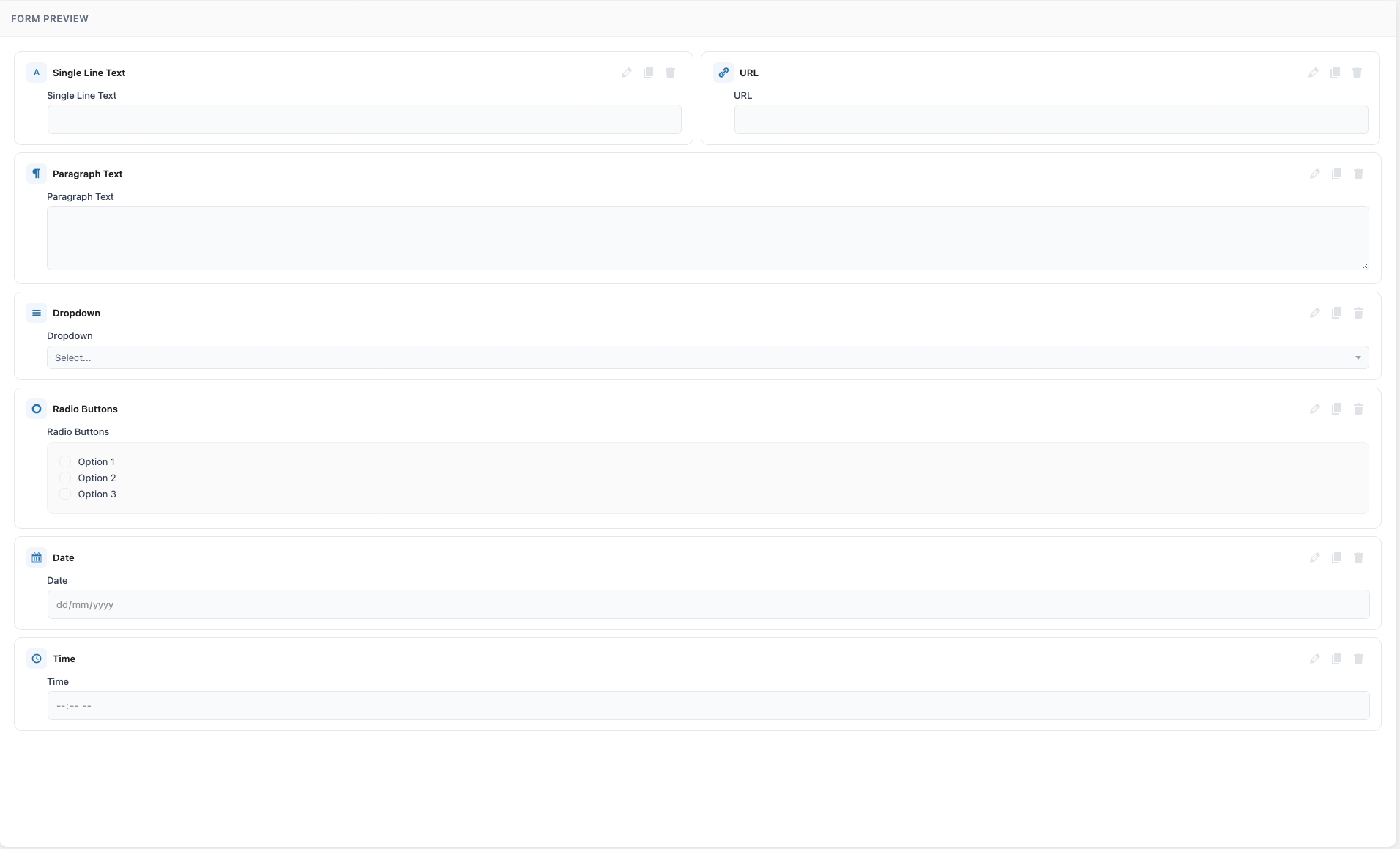
- Drag & Drop Builder — Intuitive visual form builder with live preview. Add, reorder, duplicate, and configure fields easily.
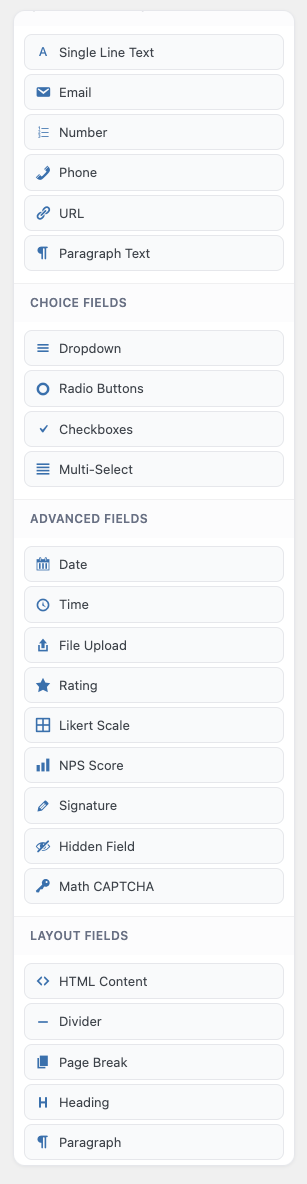
- 20+ Field Types — Text, Email, Number, Phone, URL, Textarea, Dropdown, Radio, Checkbox, Multi-Select, Date, Time, File Upload, Rating, Heading, Paragraph, HTML, Divider, Hidden, Math CAPTCHA, and Page Break.
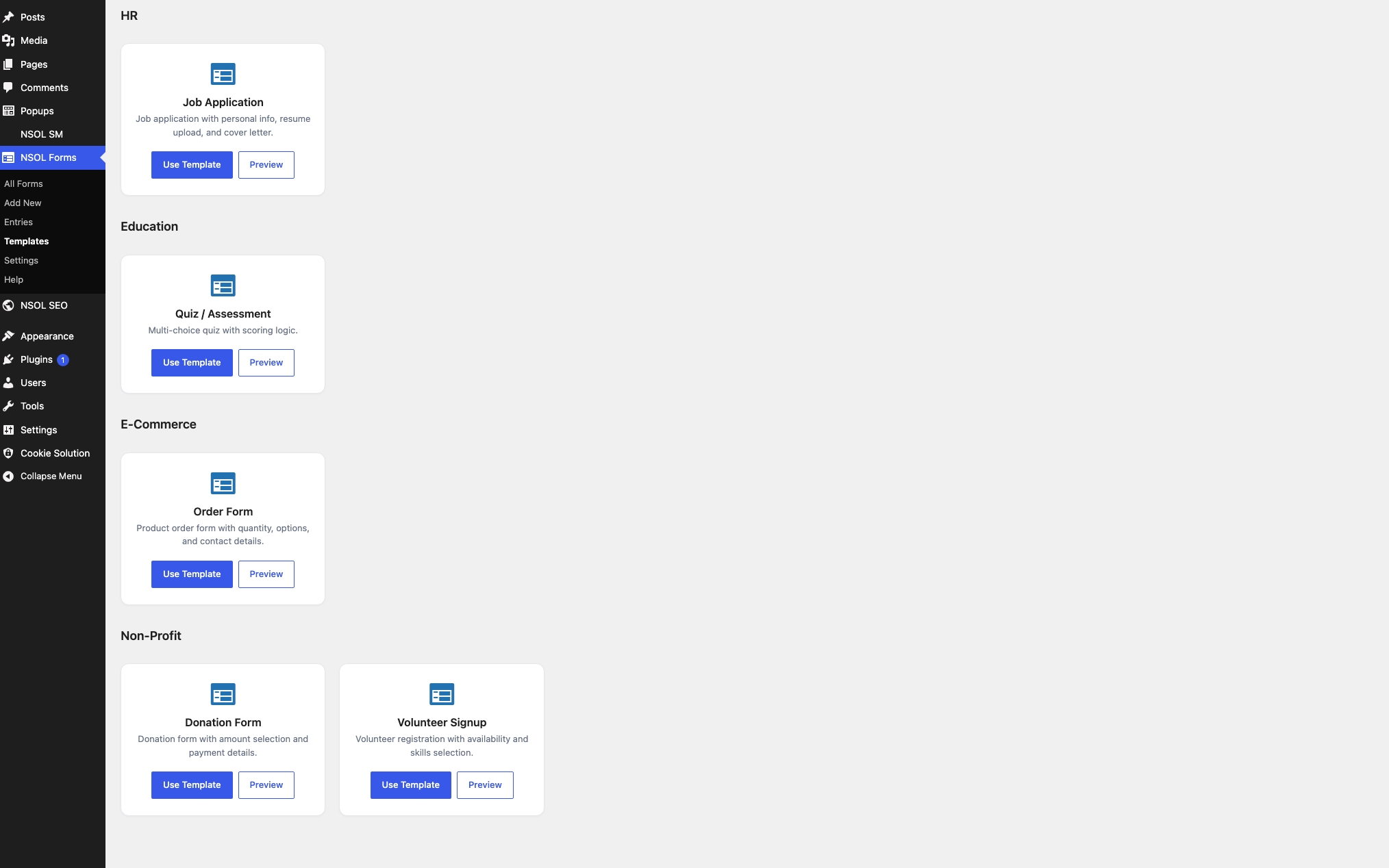
- 15+ Pre-built Templates — Contact Form, Newsletter, Registration, Booking, Survey, Quote Request, Job Application, Event RSVP, Feedback, Donation, Support Ticket, Order Form, Quiz, Volunteer Signup, and Waitlist.
- Conditional Logic — Show or hide fields based on user input to create dynamic forms.
- Multi-Step Forms — Create multi-page forms with progress bar and navigation buttons.
- Gutenberg Block — Native block support with live preview inside the Block Editor.
- Elementor Widget — Dedicated Elementor widget for seamless page building.
- Shortcode Support — Simple shortcode
[nsol_form id="123"]for any page or post. - Form Entries Management — Store all submissions in the database with search, filter, and bulk actions.
- CSV & JSON Export — Export form entries for analysis or record-keeping.
- Email Notifications — Admin notifications and user auto-responder emails with smart tags support.
- Spam Protection — Honeypot anti-spam and Math CAPTCHA fields built in.
- Form Scheduling — Set start and end dates for your forms.
- Entry Limits — Restrict the total number of submissions.
- Login Required — Restrict forms to logged-in users only.
- Form Import/Export — Export and import entire form configurations as JSON.
- Responsive Design — Mobile-friendly, modern form layouts.
- Developer Friendly — Hooks and filters for extension, clean code following WordPress standards.
- Translation Ready — Full internationalization support with POT file included.
Display Forms Anywhere
- Shortcode:
[nsol_form id="123"] - Gutenberg Block: Search for «NSOL Form» in the Block Editor.
- Elementor Widget: Search for «NSOL Form» in Elementor widgets.
- PHP Code:
<?php echo do_shortcode('[nsol_form id="123"]'); ?>
Smart Tags
Smart tags dynamically populate content in email notifications and subjects:
{form_title}— The form title{form_id}— The form ID{entry_id}— The submission entry ID{all_fields}— All form fields in an HTML table{site_name}— Your site name{site_url}— Your site URL{admin_email}— WordPress admin email{date}— Current date{time}— Current time{field_id}— Value of any specific field
Available Hooks
nsol_form_submission_success— Fires after a form is submitted successfully.nsol_form_before_render— Fires before a form is rendered.nsol_form_field_html— Filter the HTML output of a rendered field.nsol_form_email_headers— Filter email notification headers.
Скриншоты
Блоки
Этот плагин предоставляет 1 блок.
- Nsol Form Block
Установка
- Upload the
nsol-form-builderfolder to the/wp-content/plugins/directory. - Activate the plugin through the ‘Plugins’ menu in WordPress.
- Go to the NSOL Forms menu in your WordPress admin.
- Click Add New to create your first form.
- Drag fields from the left panel into the form preview area.
- Save your form and copy the shortcode to display it on your site.
Часто задаваемые вопросы
-
Can I use reCAPTCHA?
-
Yes, go to NSOL Forms > Settings and enter your reCAPTCHA site and secret keys. Then enable reCAPTCHA in each form’s settings.
-
How do I limit the number of entries?
-
Open your form in the builder, click Form Settings, go to the Restrictions tab, and set the entry limit.
-
How do I schedule a form?
-
In the Form Settings > Restrictions tab, set a start and end date/time for your form.
-
How do I export entries?
-
Go to NSOL Forms > Entries, select a form, and click the Export CSV or Export JSON button.
-
Can I use this with WooCommerce?
-
Yes, you can add forms to product pages using shortcodes, and use the contact/order form templates for lead generation.
-
Does it work with page builders?
-
Yes, NSOL Form Builder works with Elementor, Gutenberg, Classic Editor, and any page builder that supports shortcodes.
-
Is the plugin translation-ready?
-
Yes, the plugin is fully internationalized and includes a POT file for translation.
Отзывы
Нет отзывов об этом плагине.
Участники и разработчики
«NSOL Form Builder» — проект с открытым исходным кодом. В развитие плагина внесли свой вклад следующие участники:
Участники
Перевести «NSOL Form Builder» на ваш язык.
Заинтересованы в разработке?
Посмотрите код, проверьте SVN репозиторий, или подпишитесь на журнал разработки по RSS.
Журнал изменений
1.0.0
- Initial release.
- Drag & drop form builder with 20+ field types.
- 15+ pre-built form templates with one-click import.
- Conditional logic for dynamic forms.
- Multi-step forms with progress bar.
- Gutenberg block and Elementor widget.
- Form entries storage and management.
- CSV and JSON export.
- Email notifications with smart tags.
- Honeypot and Math CAPTCHA spam protection.
- Form scheduling and entry limits.
- Form import and export.
- Responsive, mobile-friendly design.
- WordPress coding standards compliant.
- Full internationalization.