
Описание
Thanks to language packs it’s easier than ever before to change the main language of your site.
However, in some cases a single locale is not enough. When WordPress can’t find a translation for the active locale, it falls back to the original English strings.
That’s a poor user experience for many non-English speakers.
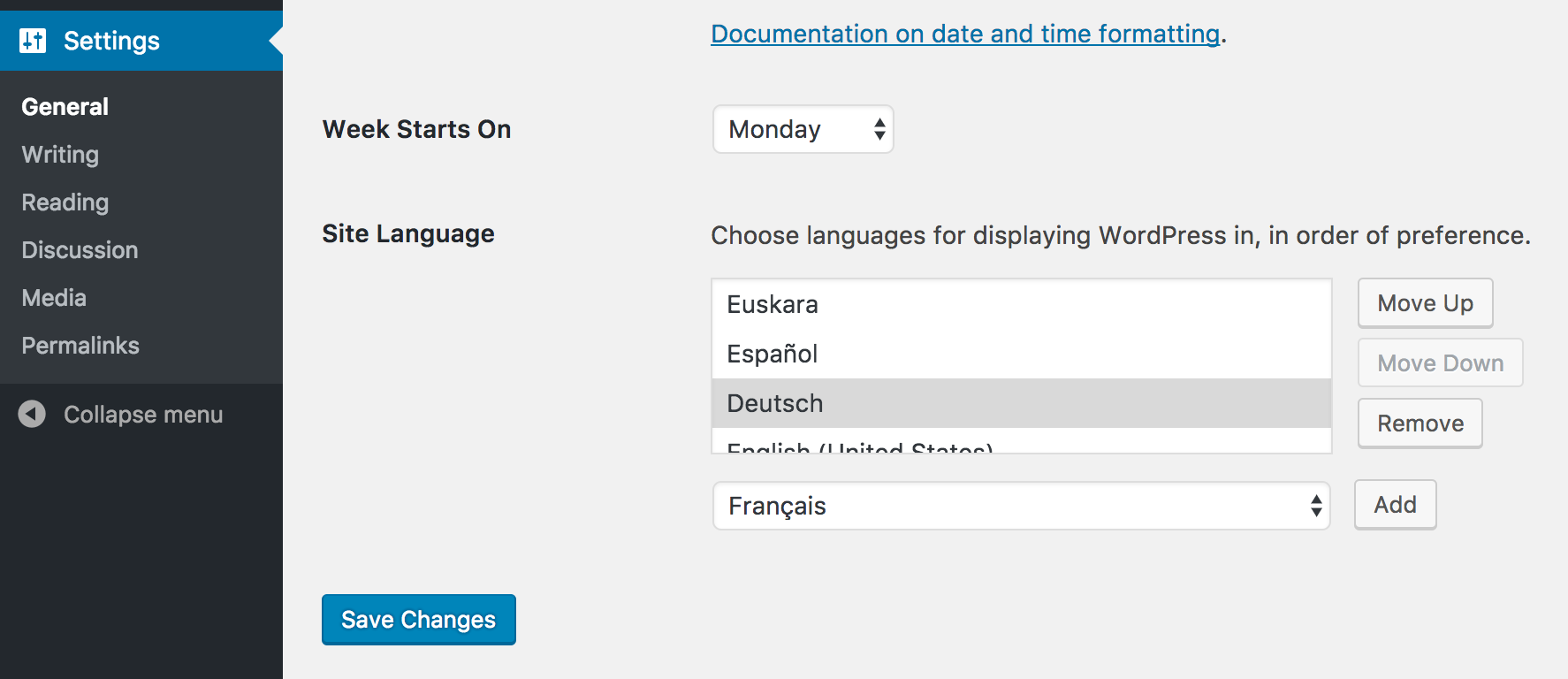
This feature project aims to change that by letting users choose multiple languages for displaying WordPress in.
That way you can set some sort of «fallback chain» where WordPress tries to load translations in your preferred order.
Пожалуйста, помогайте нам тестировать этот плагин и сообщайте нам, если вы думаете, что что-то не работает так, как должно.
Комбинации клавиш
Arrow Up: Move selected locale one position up.Arrow Down: Move selected locale one position down.Home: Select first locale in the list.End: Select last locale in the list.Backspace/Delete: remove the selected locale from the list.Alt+A: Add the current locale from the dropdown to the list.
Примечание: для корректной работы сочетаний клавиш необходимо, чтобы интерфейс выбора предпочтительных языков был в фокусе.
Объединение переводов
Ранее загружался только первый доступный перевод для данной локали и домена.
Однако, если переводы неполные, некоторые строки могут отображаться на английском языке.
Это также ухудшает пользовательский опыт.
Чтобы этого избежать, функция «Предпочитаемые языки» теперь автоматически объединяет все неполные переводы в списке.
фильтр preferred_languages_merge_translations можно использовать для отказа от этого поведения.
Он предоставляет три параметра:
$merge— Следует ли объединять переводы. По умолчанию —true.$domain— The text domain$current_locale— The current locale.
Примите участие
Активное развитие происходит в GitHub.
Если вы хотите принять участие, посетите список проблем и присоединитесь к #core-i18n в Slack. Если у вас ещё нет учетной записи Slack, вы можете подписаться на make.wordpress.org/chat/.
Скриншоты

Отзывы


Участники и разработчики
«Preferred Languages» — проект с открытым исходным кодом. В развитие плагина внесли свой вклад следующие участники:
Участники
«Preferred Languages» переведён на 34 языка. Благодарим переводчиков за их работу.
Перевести «Preferred Languages» на ваш язык.
Заинтересованы в разработке?
Посмотрите код, проверьте SVN репозиторий, или подпишитесь на журнал разработки по RSS.
Журнал изменений
Для просмотра журнала изменений, извольте перейти на репозиторий GitHub.