
Описание
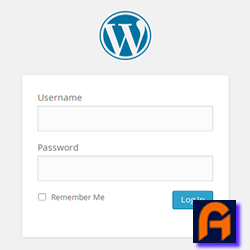
Easily replace the default WordPress login logo with your custom image. Simple to use—just install, upload your logo, and you’re done.
Скриншоты

Установка
- Upload
replace-wp-logo-easilyto the/wp-content/plugins/directory. - Activate the plugin through the ‘Plugins’ menu in WordPress.
- Navigate to Admin Dashboard Menu > Replace WP Logo Easily to upload your custom logo.
- Upload your logo image and save the changes.
- Visit your WordPress login page to see your new logo in action.
Часто задаваемые вопросы
-
How do I replace the WordPress login logo?
-
Simply activate the plugin and go to Admin Dashboard Menu > Replace WP Logo Easily to upload your custom logo. Once uploaded and saved, your new logo will appear on the WordPress login page.
-
What is the recommended logo size?
-
For the best results, use a logo with dimensions of 320 pixels wide by 120 pixels tall. This size ensures that your logo displays clearly and proportionately on the login page.
Отзывы
Нет отзывов об этом плагине.
Участники и разработчики
«Replace WP Logo Easily» — проект с открытым исходным кодом. В развитие плагина внесли свой вклад следующие участники:
Участники
Перевести «Replace WP Logo Easily» на ваш язык.
Заинтересованы в разработке?
Посмотрите код, проверьте SVN репозиторий, или подпишитесь на журнал разработки по RSS.
Журнал изменений
1.1.0 — Desember 22, 2024
- Script Check: Compatible With WordPress 6.7.1
1.0.2 — September 28, 2024
- Public Release: The plugin is now available to the public through the WordPress repository.
- Added Screenshots: Screenshots have been included to provide a visual representation of the plugin’s features and functionality.
- Script Optimization: Unnecessary or redundant scripts have been removed or optimized to improve the plugin’s performance.
1.0.1 — September 27, 2024
- Adjusted usage of
wp_enqueue_script,wp_enqueue_style,wp_add_inline_script, andwp_add_inline_styleto comply with WordPress standards. - Moved the media uploader functionality to an external JavaScript file (
js/rwle-custom.js) to maintain modularity. - Added an external CSS file (
css/login-custom.css) to customize the login page appearance. - Implemented
wp_nonce_fieldfor improved security on plugin settings. - Applied proper sanitization (
sanitize_text_fieldandwp_unslash) for handling user input.
1.0.0 — September 8, 2024
- Initial release and submission to WordPress repository