

Описание
Easily display WordPress Gutenberg Editor saved reusable blocks anywhere via widget.
Easy Setup
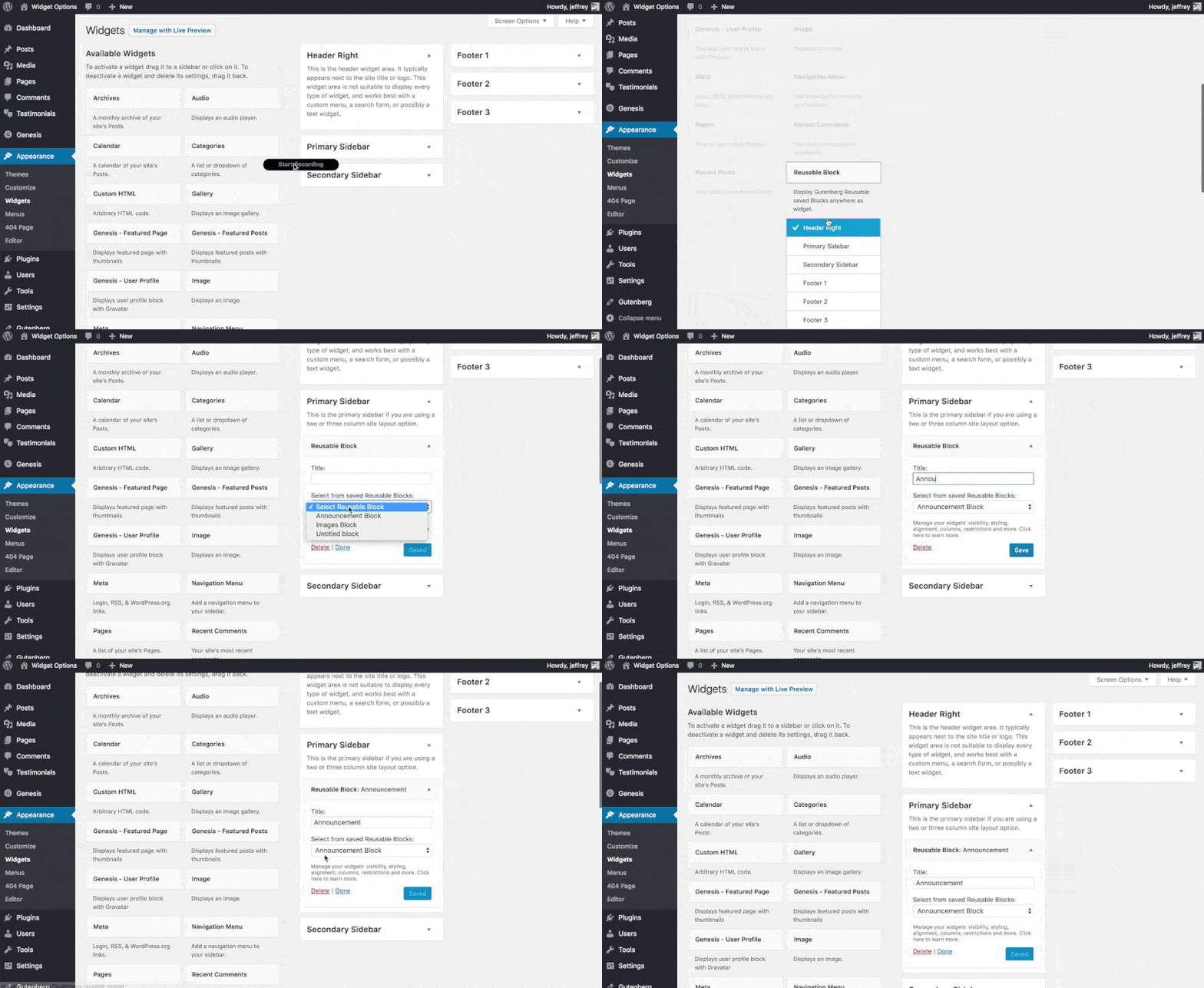
After plugin activation, Reusable Block widget will be available under Appearance > Widgets, just drag and drop to any desired widget area.
Extensible
If you want to upgrade your widgets usage. You can use Modal Pop-up & Sliding Widget Options to display your widgets as modal pop-ups, slide-ins and/or sliding widgets. Powered with triggers like exit-intent, on load and on scroll you can increase your user engagement easily.
Скриншоты
Установка
- Upload the full directory into your wp-content/plugins directory
- Activate the plugin at the plugin administration page
- Go to Appearance > Widgets then drag and drop «Reusable Block» to any widget area
Часто задаваемые вопросы
- Installation Instructions
-
- Upload the full directory into your wp-content/plugins directory
- Activate the plugin at the plugin administration page
- Go to Appearance > Widgets then drag and drop «Reusable Block» to any widget area
Отзывы


Участники и разработчики
«Reusable Gutenberg Blocks Widget» — проект с открытым исходным кодом. В развитие плагина внесли свой вклад следующие участники:
Участники
Перевести «Reusable Gutenberg Blocks Widget» на ваш язык.
Заинтересованы в разработке?
Посмотрите код, проверьте SVN репозиторий, или подпишитесь на журнал разработки по RSS.