

Описание
Tidy Contact Form is built on a simple promise: a contact form that just works.
- No page builder. No drag & drop. No bloat.
- Gutenberg block + shortcode.
- Loads CSS and JS only on pages that use the form.
- Under 50 KB total.
- Zero required external dependencies.
Core features
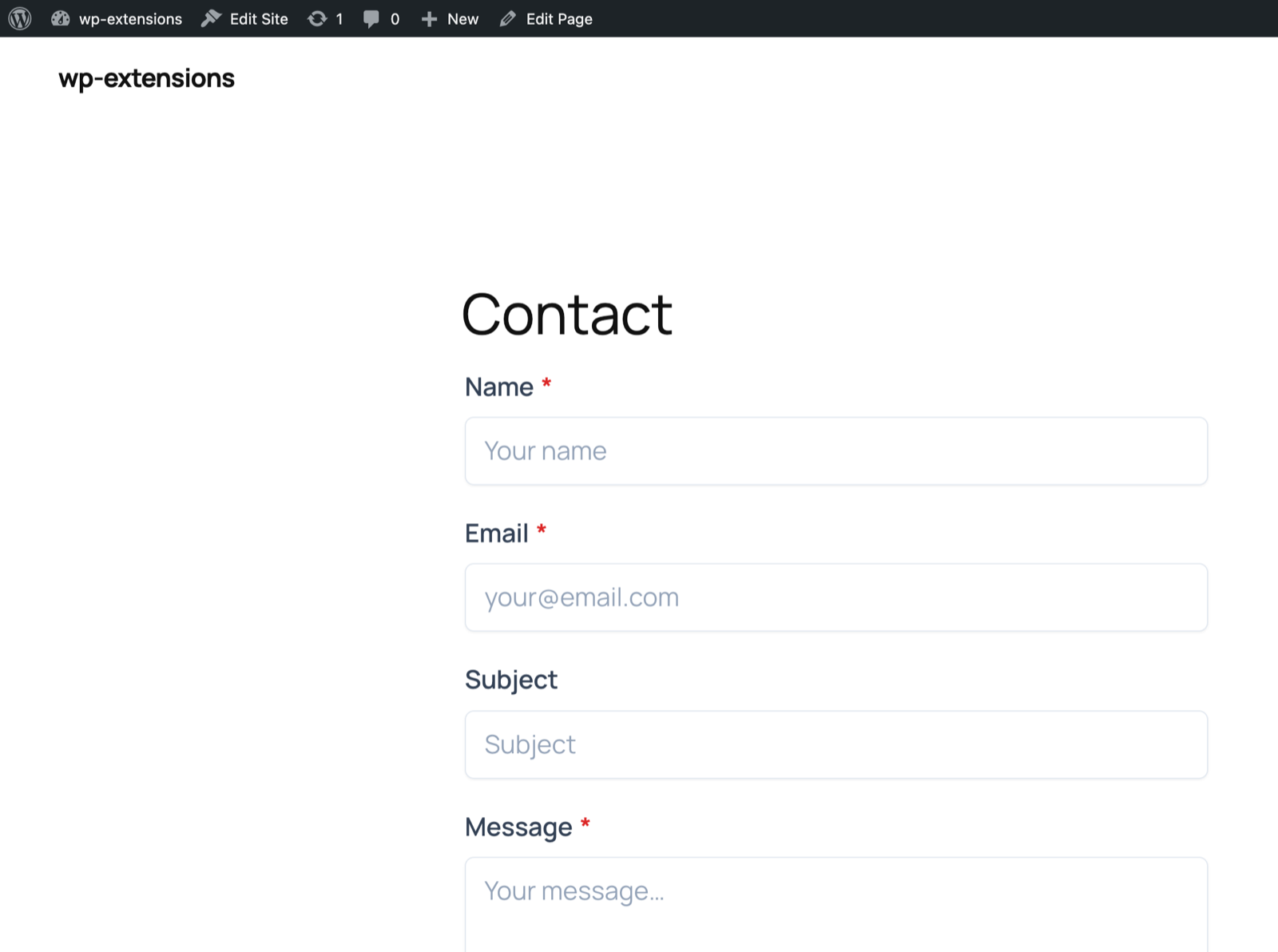
- Gutenberg block: search «Tidy Contact Form» in the block inserter, with template picker in the sidebar
- Shortcode:
[tidy_contact_form]with attributes (template, email_to, subject, rgpd, id) - Fields: Name, Email, Subject, Phone (optional), Message, RGPD consent checkbox
- Security: WordPress nonce + honeypot + time-check + IP rate limiting
- Anti-spam CAPTCHA: Google reCAPTCHA v3 (invisible) or Cloudflare Turnstile (privacy-friendly)
- Emails: Admin notification + optional auto-reply to sender
- SMTP: Built-in SMTP configuration for reliable delivery
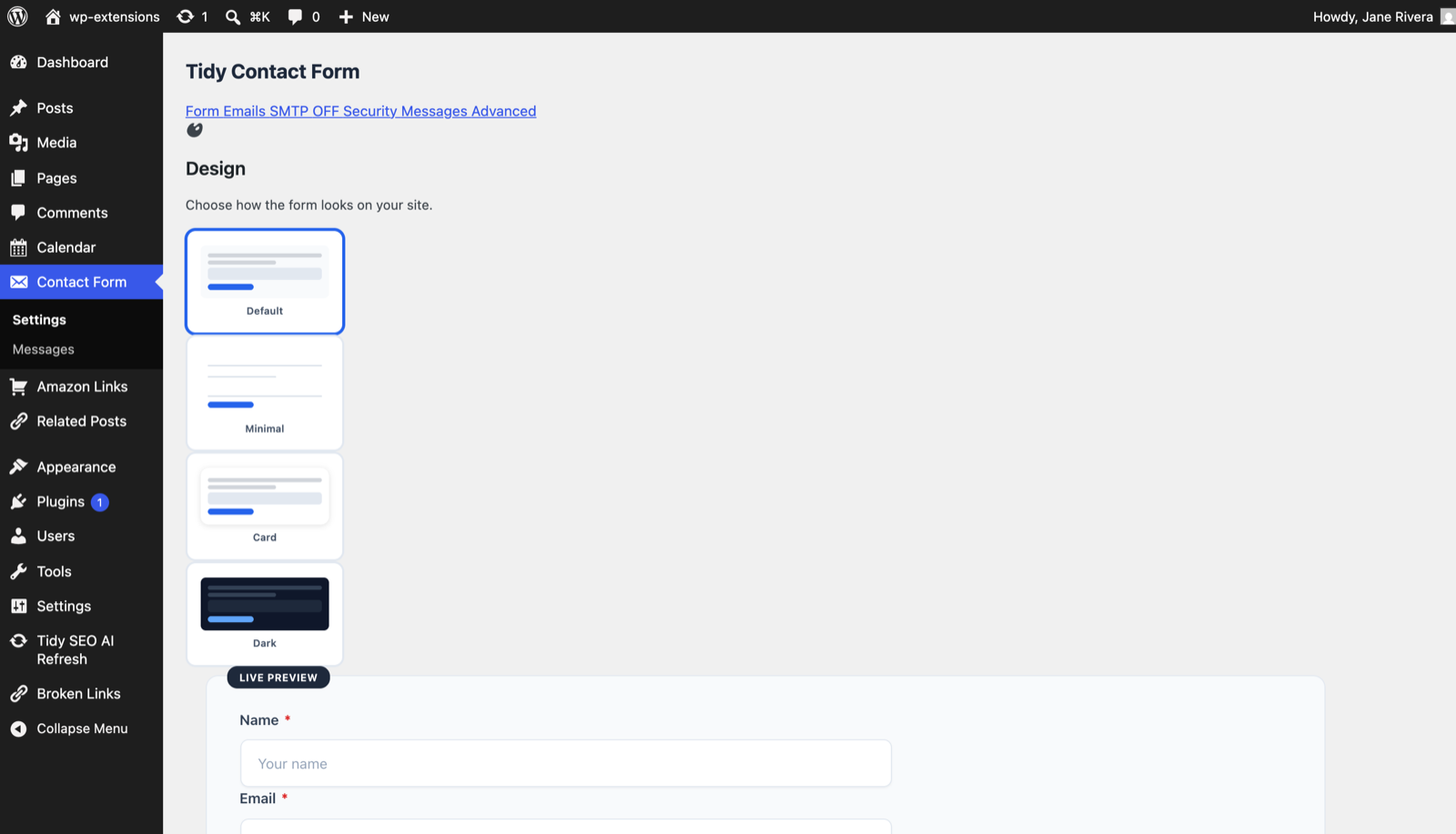
- 5 templates: Default, Minimal, Card, Inline (2-col), Dark
- Dark mode: Auto via CSS custom properties
- Works without JavaScript: Progressive enhancement with admin-post.php fallback
Message management
- Message storage: All submissions saved as a Custom Post Type
- Unread badge: Unread message count in the admin menu
- Dashboard widget: Recent messages and statistics at a glance
- CSV export: One-click download from the messages list
- Auto-purge: Delete messages older than X days
Integrations
- Webhooks: Generic JSON (Zapier, Make, n8n), Slack, Discord
- Mailing lists: MailerLite, Brevo, ConvertKit, SendGrid
- Import/Export: Transfer settings between sites as JSON
What we deliberately left out
No drag-and-drop builder. No conditional logic engine. No CRM. No upsells. No tracking pixels.
More from Tidy Plugins
If you like this plugin, take a look at the rest of the Tidy suite:
- Tidy Table of Contents — automatic, accessible table of contents
- Tidy Draft Share — share drafts via secure, expiring preview links
- Tidy Author Box — author bio box with avatar and social links
- Tidy Broken Link Scan — find broken links and images, no external service
External services
This plugin can connect to several third-party services. All of them are strictly opt-in: no external request is made unless the corresponding option is enabled and credentials/URLs are configured in the plugin settings.
Google reCAPTCHA v3 (anti-spam, optional)
* Host: www.google.com/recaptcha/api/siteverify (server side) and www.google.com/recaptcha/api.js (loaded in the browser).
* What is sent: the user’s reCAPTCHA token, the site secret key, and the visitor’s IP address (Google may also collect cookies and browsing data — see Google’s policy).
* When: each time a visitor submits the form, only if «Google reCAPTCHA v3» is selected and a secret key is configured.
* Privacy: https://policies.google.com/privacy — Terms: https://policies.google.com/terms
Cloudflare Turnstile (privacy-friendly CAPTCHA, optional)
* Host: challenges.cloudflare.com/turnstile/v0/siteverify (server side) and challenges.cloudflare.com/turnstile/v0/api.js (loaded in the browser).
* What is sent: the Turnstile response token and the site secret key.
* When: each time a visitor submits the form, only if «Cloudflare Turnstile» is selected and a secret key is configured.
* Privacy: https://www.cloudflare.com/privacypolicy/ — Terms: https://www.cloudflare.com/website-terms/
Webhooks (Slack, Discord, generic JSON for Zapier / Make / n8n, optional)
* Host: any URL you configure in the Integrations tab (for example hooks.slack.com, discord.com/api/webhooks, your own endpoint).
* What is sent: a JSON payload with the submitted form fields (name, email, subject, message, site URL, timestamp).
* When: each time a visitor submits the form, only if at least one webhook URL is filled in.
* Privacy/Terms: Slack — https://slack.com/privacy and https://slack.com/terms-of-service ; Discord — https://discord.com/privacy and https://discord.com/terms ; for generic endpoints, see the policy of the service you point to.
Mailing-list providers (MailerLite, Brevo, ConvertKit, SendGrid, optional)
* Hosts: connect.mailerlite.com, api.brevo.com, api.convertkit.com, api.sendgrid.com.
* What is sent: the visitor’s email address and first name, plus your API key and the configured list/group identifier.
* When: each time a visitor submits the form, only if one of these providers is selected, an API key is configured, and the visitor ticked the corresponding opt-in checkbox.
* Privacy/Terms: MailerLite — https://www.mailerlite.com/privacy-policy and https://www.mailerlite.com/legal/terms-of-service ; Brevo — https://www.brevo.com/legal/privacypolicy/ and https://www.brevo.com/legal/termsofuse/ ; ConvertKit — https://convertkit.com/privacy and https://convertkit.com/terms ; SendGrid — https://www.twilio.com/en-us/legal/privacy and https://www.twilio.com/en-us/legal/tos
Скриншоты
Блоки
Этот плагин предоставляет 1 блок.
- Tidy Contact Form Display a simple, fast and secure contact form.
Установка
- Upload the
tidy-contact-formfolder to/wp-content/plugins/. - Activate in Plugins > Installed Plugins.
- Go to Contact Form > Settings to configure.
- Add the form to any page or post:
- Gutenberg: Search «Tidy Contact Form» in the block inserter
- Shortcode: Add
[tidy_contact_form]to your content
Часто задаваемые вопросы
-
How do I add the form to a page?
-
In the Gutenberg editor, click the block inserter (+) and search for «Tidy Contact Form». You can also use the shortcode
[tidy_contact_form]in any page, post, or widget. -
How do I change the recipient email?
-
Go to Contact Form > Settings > Emails and update the «Send to» field.
-
Can I change the form template?
-
Yes. Go to Contact Form > Settings > Form > Design to set the default template. You can also override it per form: use the block sidebar setting or the shortcode attribute
[tidy_contact_form template="card"]. -
Can I use the form multiple times on the same page?
-
Yes – use the
idattribute:[tidy_contact_form id="form-1"]and[tidy_contact_form id="form-2"]. -
Is GDPR / RGPD compliance built in?
-
The plugin includes an optional consent checkbox with a configurable privacy policy link. You are responsible for your site’s full compliance.
-
Does it work without JavaScript?
-
Yes. The form submits via
admin-post.phpas a standard HTML POST when JS is unavailable. -
How does rate limiting work?
-
Each IP address is limited to a configurable number of submissions per period (default: 3 per hour). Tracked with WordPress transients – no custom database tables.
-
Where are my messages stored?
-
All submissions are stored as a Custom Post Type in your WordPress database. View them under Contact Form > Messages. You can export them as CSV.
-
Can I send submissions to Slack or Discord?
-
Yes. Go to Contact Form > Settings > Advanced > Webhooks and paste your Slack or Discord incoming webhook URL.
-
Can I subscribe form submitters to my mailing list?
-
Yes. Go to Contact Form > Settings > Advanced > Mailing list and configure your provider (MailerLite, Brevo, ConvertKit, or SendGrid).
Отзывы
Нет отзывов об этом плагине.
Участники и разработчики
«Tidy Contact Form – Simple Form with Anti-Spam» — проект с открытым исходным кодом. В развитие плагина внесли свой вклад следующие участники:
Участники
«Tidy Contact Form – Simple Form with Anti-Spam» переведён на 1 язык. Благодарим переводчиков за их работу.
Перевести «Tidy Contact Form – Simple Form with Anti-Spam» на ваш язык.
Заинтересованы в разработке?
Посмотрите код, проверьте SVN репозиторий, или подпишитесь на журнал разработки по RSS.
Журнал изменений
2.0.6
- Hardened output escaping of extension-provided custom-field markup and wrapper attributes (
wp_kses()/esc_attr()), removing allphpcs:ignoreescape suppressions. - The Gutenberg block now renders through the escaped
TDCF_Form::output()path instead of echoing shortcode output. - SMTP password is stored without
sanitize_text_field()so special characters are preserved.
2.0.5
- Fixed a fatal error on the Contact Form admin screen caused by an undefined constant when loading script translations.
- Replaced PHP short echo tags for WordPress.org coding standards compliance.
2.0.4
- Custom fields are no longer capped at 5 — the form supports the full set (up to 50) for everyone.
2.0.3
- WordPress.org coding-standards hardening: translators comments for all i18n placeholders (Plugin Check compliance).
2.0.2
- Hardened admin output escaping: settings and dashboard output now run through
wp_kses()/esc_attr()/(int)casts, andTDCF_Formgains anoutput()method for direct escaped rendering (WordPress.org coding-standards compliance).
2.0.1
- Added the required «External services» section to readme.txt documenting Google reCAPTCHA, Cloudflare Turnstile, webhook destinations and mailing-list providers (WordPress.org guideline 6 compliance).
- Removed the
load_plugin_textdomain()call; translations are auto-loaded by WordPress.org since WP 4.6.
2.0.0
- Initial release with all features.