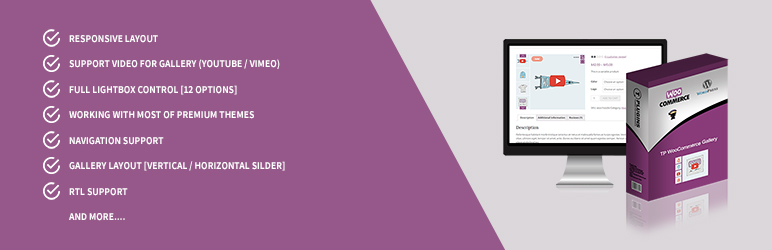

Описание
Transform your WooCommerce product pages with a stunning, fully responsive gallery. Add thumbnail sliders, choose from 3 zoom types, and enjoy many more powerful features.
🚀 Upgrade to TP Gallery PRO — The All-in-One WooCommerce Gallery Solution
One plugin to replace them all. TP Gallery PRO combines product galleries, shop page galleries, variation swatches, product sliders, category sliders, and more — all in a single, optimized plugin.
🔗 Learn More About TP Gallery PRO | 🎬 View Live Demo
🖼️ Product Page Gallery
Replace the default WooCommerce gallery with a professional, feature-rich alternative:
* 5 Gallery Layouts — Thumbnails bottom, left, right, grid mosaic, or slider only
* 3 Zoom Types — Inner zoom, lens (magnifying glass), or window zoom
* Video Support — Embed YouTube & Vimeo videos directly in your gallery
* Full-Screen Lightbox — Beautiful lightbox with smooth transitions
🛒 Loop Gallery (Shop & Category Pages)
Make your shop pages dynamic and engaging:
* Flipper Mode — Swap images on hover for an interactive effect
* Slider Mode — Mini gallery with navigation arrows on each product
* Customizable Arrows — Circle, square, rounded, or minimal styles
* Works on shop, category, and all archive pages
🎨 Visual Variation Swatches
Replace boring dropdown selects with stunning visual options:
* Color Swatches — Visual color selection
* Image Swatches — Mini thumbnails for each option
* Label Swatches — Styled text buttons
* Customizable shapes (circle, square, rounded) and sizes (24px–60px)
🎯 Per-Variation Galleries
Display unique image sets for each product variation:
* Automatic gallery switching when selecting a variation
* Works with all 5 gallery layouts
* Perfect for products with different colors or styles
📦 Product Sliders
Create beautiful product collections anywhere on your site:
* 5 design presets with full color customization
* Use shortcodes to display product carousels anywhere
* Fully configurable: slides per view, autoplay, navigation, and more
🏷️ Category Sliders
Showcase product categories with beautiful sliders:
* Elegant circle layout, dynamic grid, or interactive carousel
* Simply use a shortcode to add category sliders anywhere
* Fully customizable appearance
🔄 WooCommerce Sliders (Cross-Sells & Upsells)
Transform your cross-sells, upsells, and related products into stunning Swiper sliders:
* Configurable slides per view and autoplay
* Navigation arrows and pagination dots
* Infinite loop support
🏢 Brand Sliders
Build beautiful brand carousels with 7 unique styles:
* Auto-scroll, smooth ticker, 3D coverflow, and more
* Customize height, speed, and exclude specific brands
⚡ Optimized Performance
Built for speed and compatibility:
* Conditional Loading — Scripts load only on relevant pages
* HPOS Compatible — Full High-Performance Order Storage support
* FSE Ready — Works perfectly with Full Site Editing / Block themes
* 100% RTL Support — Perfect for Hebrew, Arabic, and other RTL languages
👉 Get TP Gallery PRO Now — One Plugin, Endless Possibilities
Free Plugin Features
- Responsive layout
- Navigation support
- Slider autoplay options
- Gallery layout (horizontal slider)
- Customizable number of thumbnails to display
- Lightbox on/off toggle for thumbnail images
- Image on-hover zoom
- Customizable arrow/icon colors and backgrounds
- 3 transition effects for lightbox images
- 100% mobile friendly
- Adaptive height for single-slide horizontal carousels
- Compatible with most premium themes
Pro Version Features
- Display variation images per product variation
- Responsive layout
- Navigation support
- Slider autoplay options
- Gallery layout (vertical/horizontal slider)
- Lightbox on/off toggle for thumbnail images
- Center mode support
- Show/hide dots navigation
- Customizable video button background
- Customizable icon backgrounds
- Customizable slider arrows (color/background)
- Infinite loop
- Mouse dragging option
- RTL support
- Video gallery support (YouTube/Vimeo)
- Thumbnails show/hide option
- Full lightbox control (30+ transition options)
- WooCommerce default zoom support (4 options)
- Touch and swipe support for thumbnails
- Selectable main image size
- Selectable zoom image size
- Smooth image loading
- Show arrows on mouse hover
- Compatible with most premium themes
👍 Check out our other plugins
Скриншоты
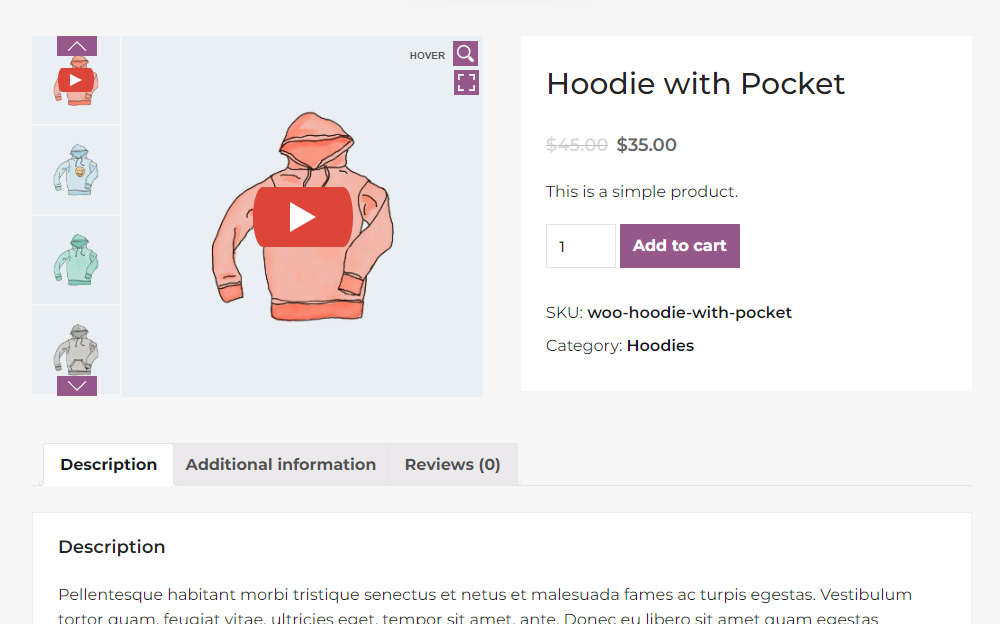
Vertical mode with video (1/9) 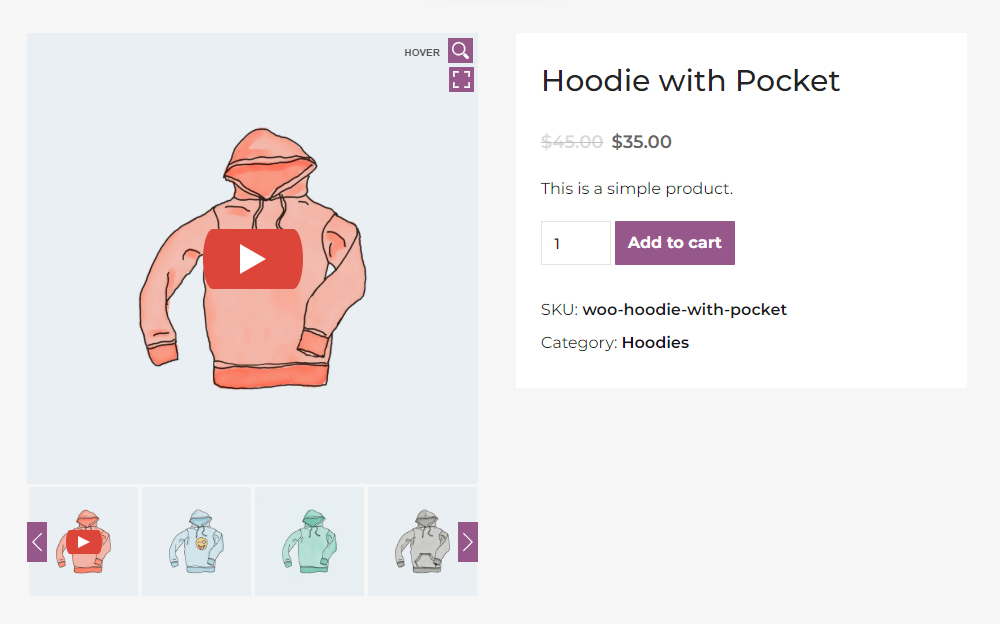
Horizontal mode with video (2/9) 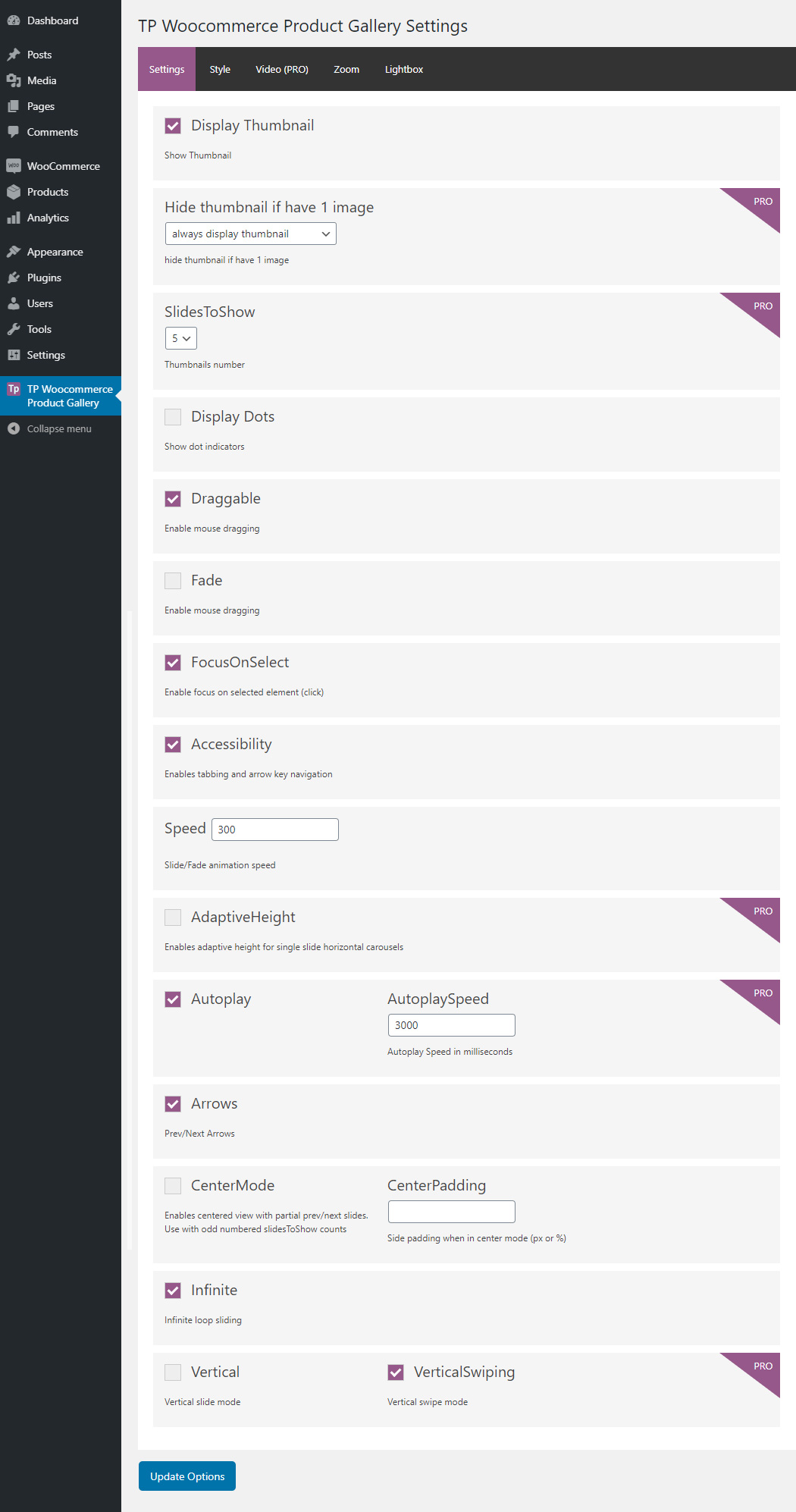
Settings page (3/9) 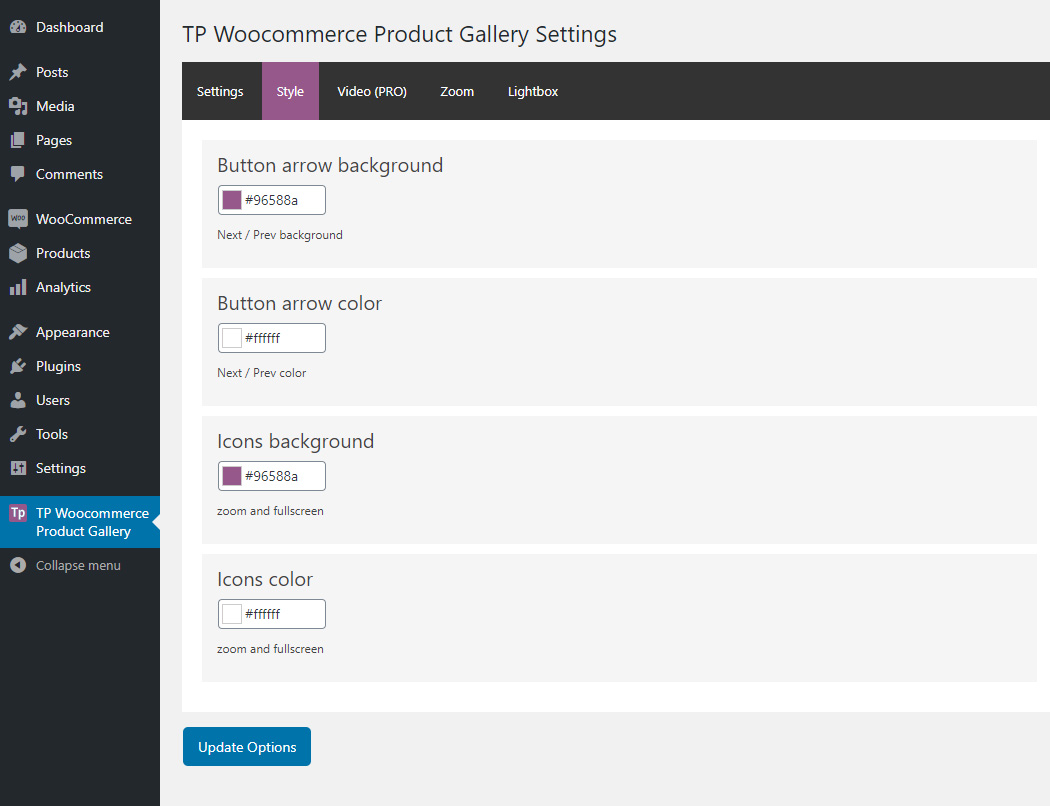
Settings page (4/9) 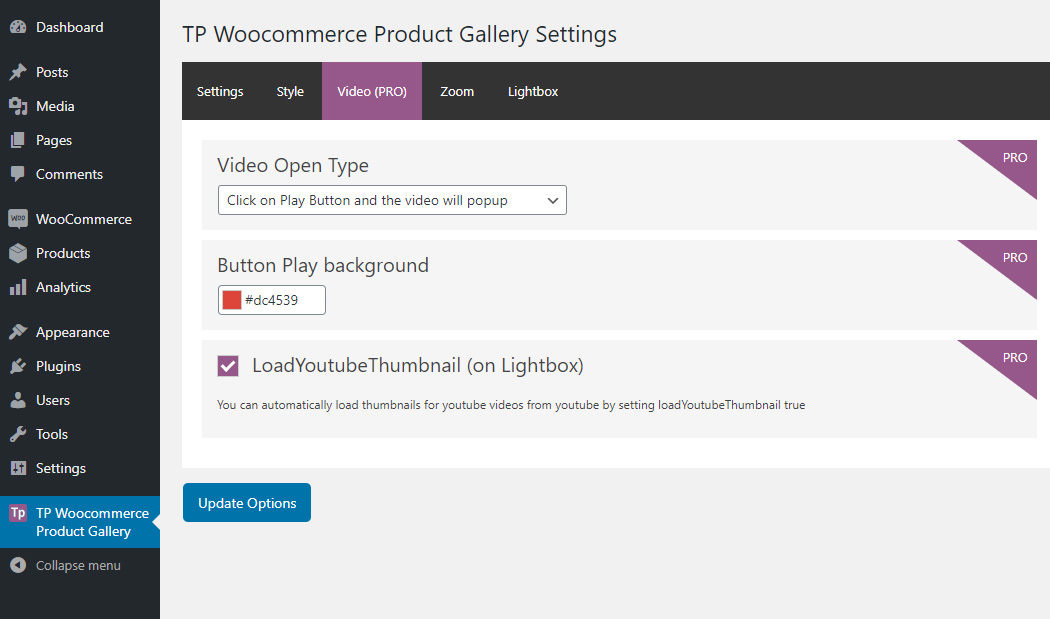
Settings page (5/9) 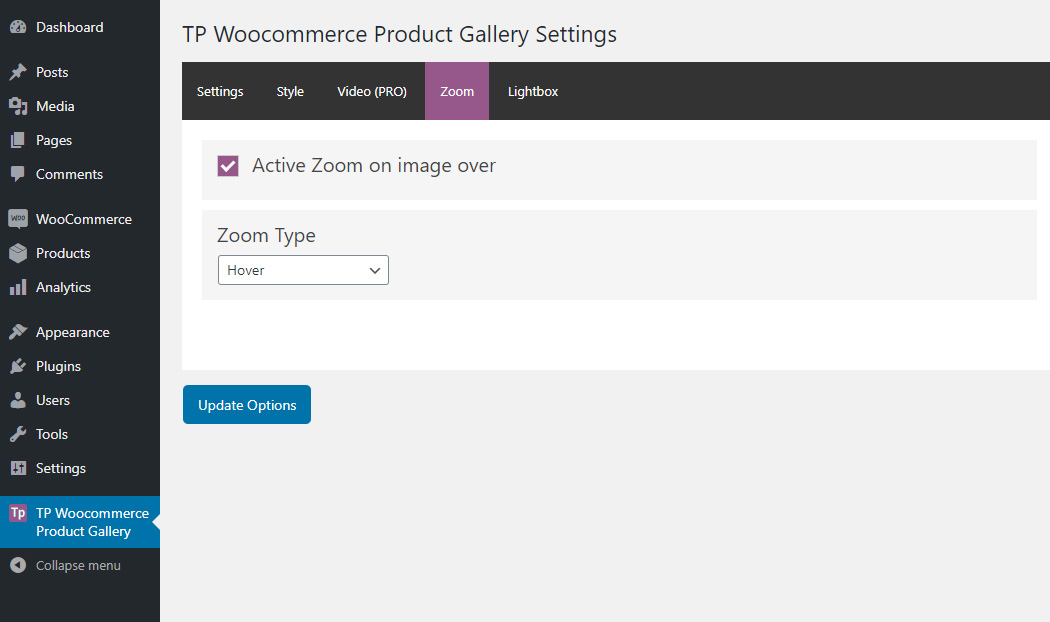
Settings page (6/9) 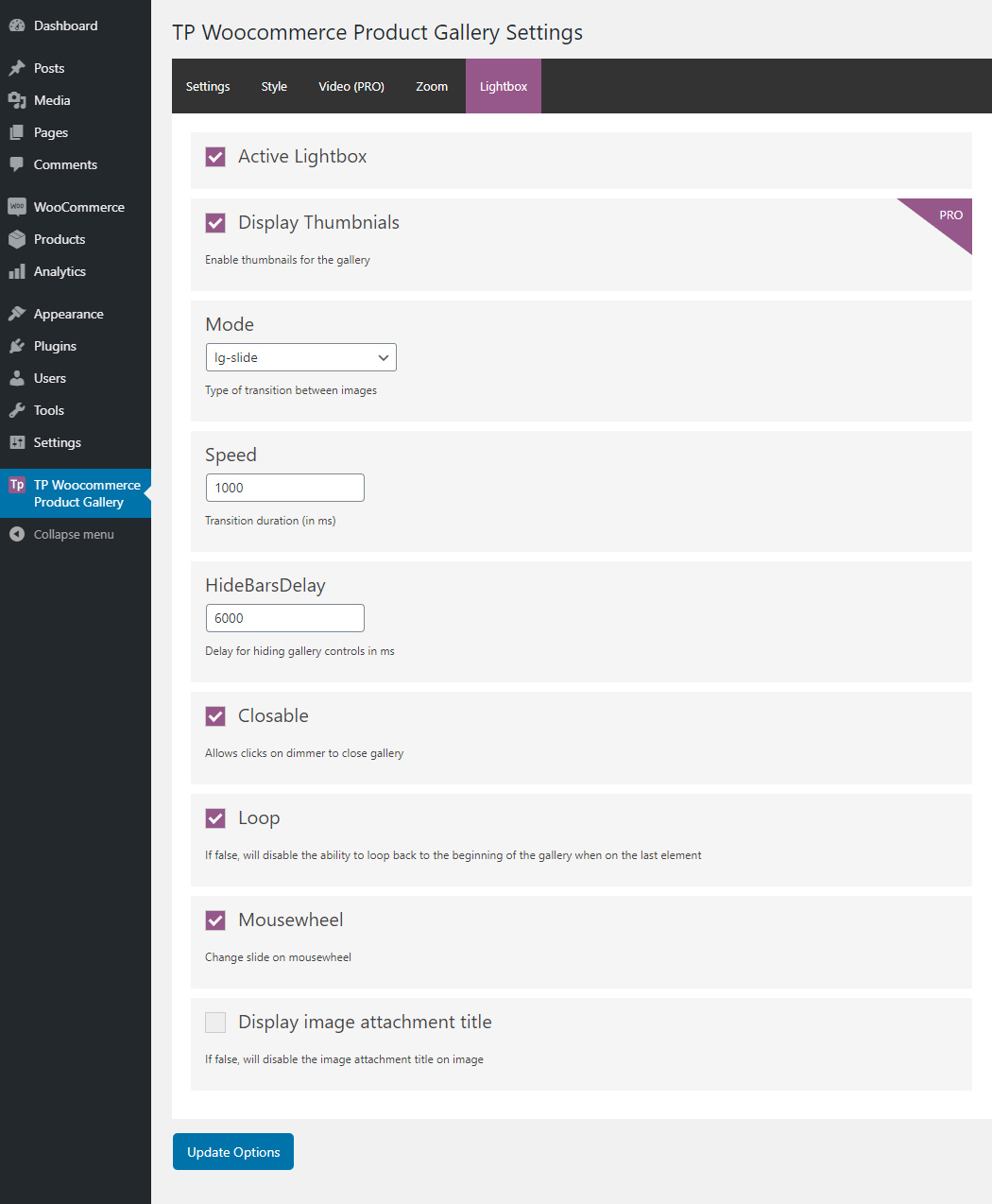
Settings page (7/9) 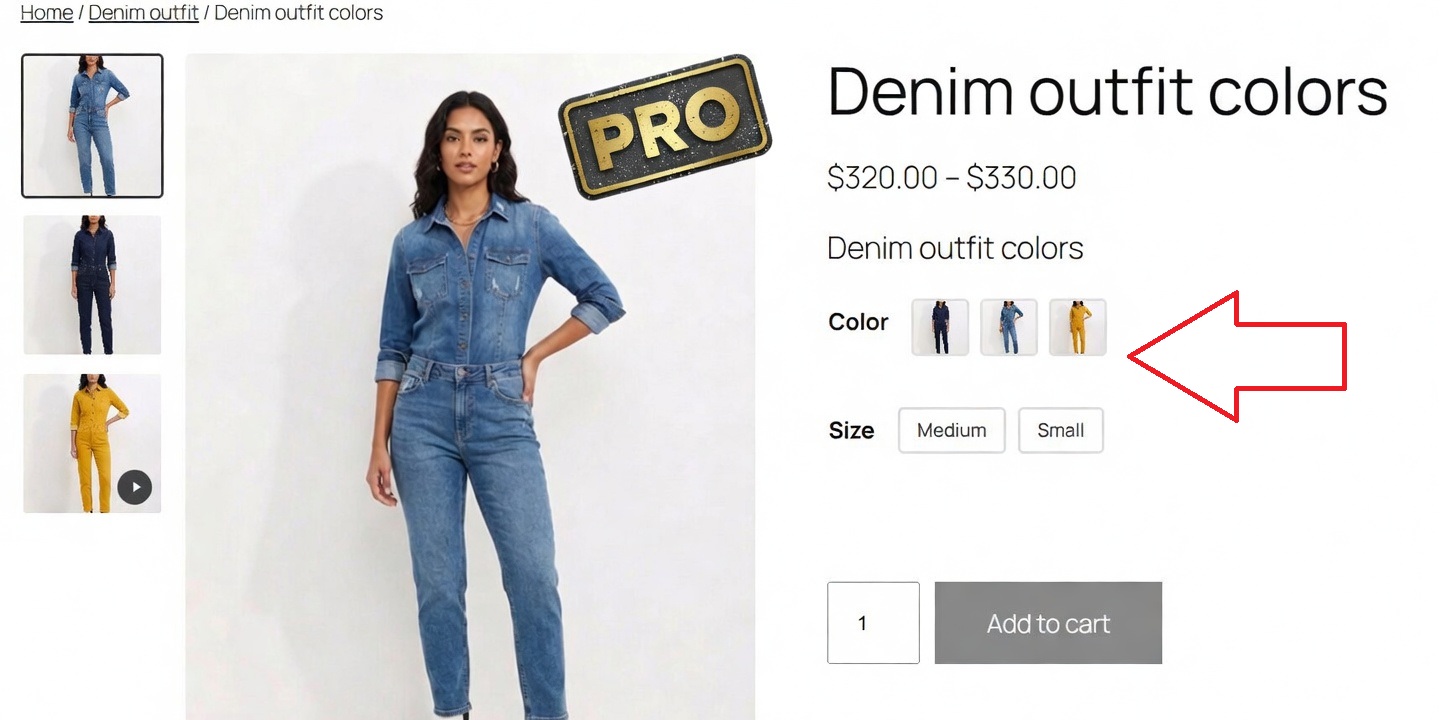
Variation images (8/9) 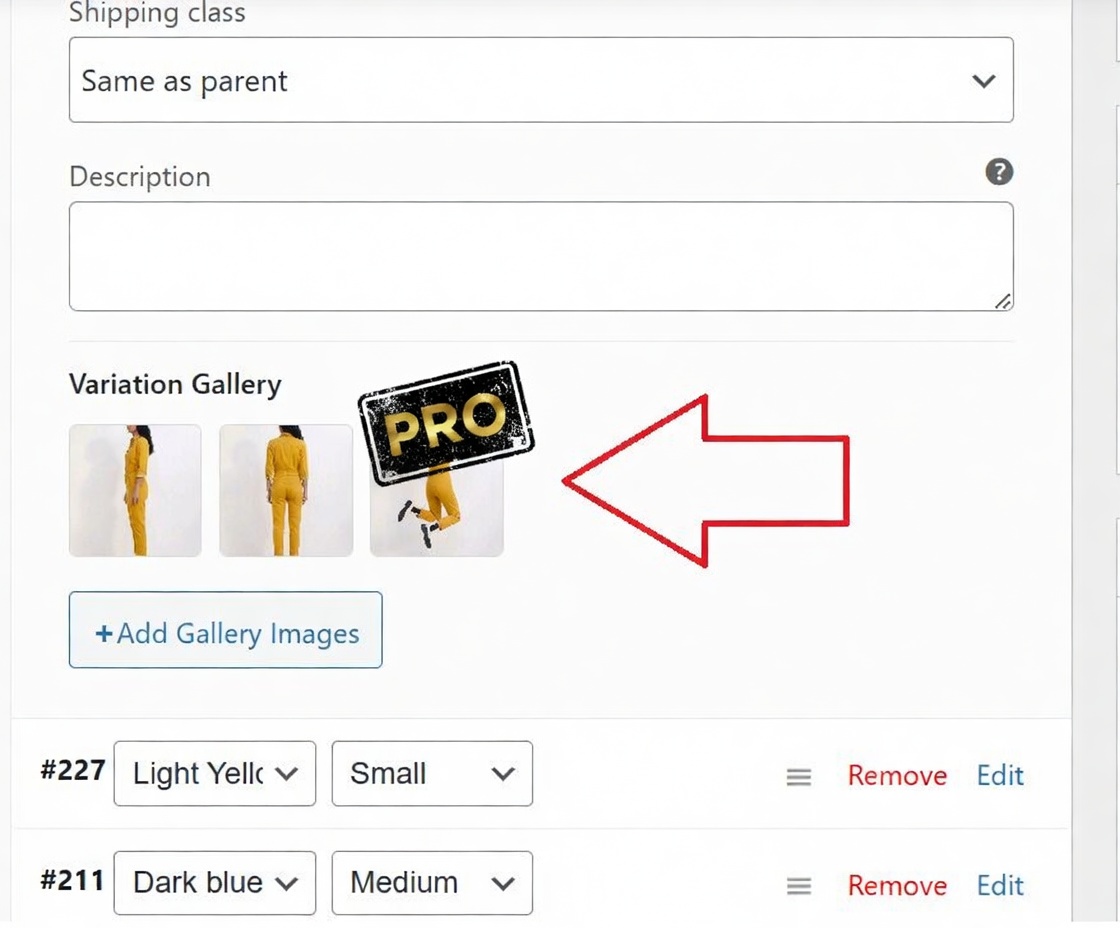
Variation gallery (9/9)
Установка
- Unzip the downloaded zip file.
- Upload the plugin folder to the
wp-content/plugins/directory of your WordPress site. - Activate TP WooCommerce Product Gallery through the ‘Plugins’ menu in WordPress.
TP WooCommerce Product Gallery will add a new menu item called «TP WooCommerce Product Gallery» in your WordPress admin. From there, you can configure all the plugin settings.
Часто задаваемые вопросы
-
Do I need WooCommerce installed on my site?
-
Yes, this plugin is designed to work with WooCommerce, so you need an active WooCommerce store.
-
What about mobile devices?
-
TP WooCommerce Product Gallery is 100% responsive and tested on all devices and screen resolutions.
-
I need a feature that you don’t have
-
Check out TP Gallery PRO — it includes advanced features like loop galleries, visual swatches, per-variation galleries, product sliders, and much more. Or contact us with your feature request.
-
Can I customize the gallery?
-
Yes! Go to the plugin settings to change colors, backgrounds, icons, and more. For extensive customization options, consider upgrading to TP Gallery PRO.
Отзывы


Участники и разработчики
«TP WooCommerce Product Gallery» — проект с открытым исходным кодом. В развитие плагина внесли свой вклад следующие участники:
Участники

«TP WooCommerce Product Gallery» переведён на 1 язык. Благодарим переводчиков за их работу.
Перевести «TP WooCommerce Product Gallery» на ваш язык.
Заинтересованы в разработке?
Посмотрите код, проверьте SVN репозиторий, или подпишитесь на журнал разработки по RSS.
Журнал изменений
2.0.2 — Major Security Update
- Update — WordPress 6.9.4 compatibility
- Update — WooCommerce latest compatibility
2.0.1 — Major Security Update
- Update — WordPress 6.9 compatibility
- Update — WooCommerce latest compatibility
2.0.0 — Major Security Update
- Security — Complete fix for DOM-based XSS vulnerability by replacing lightGallery library
- New — Built custom secure lightbox to replace vulnerable lightGallery library
- Security — Eliminated all DOM-based XSS risks with new secure implementation
- Removed — lightGallery library and all related security vulnerabilities
- Removed — Mode and mousewheel settings (no longer needed with new lightbox)
- Fixed — Lightbox now opens only on fullscreen button click (not thumbnails)
- Improved — Faster loading and smaller file size without heavy lightGallery library
- Update — WordPress 6.8 compatibility
- Update — WooCommerce latest compatibility
1.1.9 — Security Update
- Security — Fixed DOM-based XSS vulnerability in lightGallery library
- Security — Added proper input sanitization and output escaping throughout the plugin
- Update — WordPress 6.8.2 compatibility
- Update — WooCommerce 10.1.2 compatibility
1.1.8 — Update
- Update — WordPress 6.8.2 compatibility
- Update — WooCommerce 10.1.2 compatibility
1.1.7 — Update
- Update — WordPress 6.8.1 compatibility
- Update — WooCommerce 9.8.3 compatibility
1.1.6 — Update
- Update — WordPress 6.7.1 compatibility
- Update — WooCommerce 9.5.2 compatibility
1.1.5 — Update
- Update — WordPress 6.5.2 compatibility
- Update — WooCommerce 8.7.0 compatibility
- Update — Compatibility High Performance Order Storage
1.1.4 — Update
- Update — WordPress 6.4.2 compatibility
- Update — WooCommerce 8.4.0 compatibility
1.1.3 — Update
- Update — WordPress 6.3.2 compatibility
- Update — WooCommerce 8.2.1 compatibility
- jQuery document ready fix
1.1.2 — Update
- Update — WordPress 6.2 compatibility
- Update — WooCommerce 7.5.1 compatibility
1.1.1 — Update
- Update — WordPress 6.0.0 compatibility
1.1.0 — Update
- Update — WordPress 5.9.1 compatibility
- Update — WooCommerce 6.3.1 compatibility
1.0.9 — Update
- Update — WordPress 5.8.2 compatibility
- Update — WooCommerce 6.0.0 compatibility
1.0.8 — Update — Woostify theme compatibility
1.0.7 — Update — WordPress 5.8 compatibility
1.0.6 — Fixed: id was called incorrectly, get_gallery_attachment_ids
1.0.5 — Fixed: Attachment image first
1.0.4 — Fixed: CSS bugs
1.0.3 — Fixed: CSS bugs on mobile
1.0.2 — Fixed: CSS bugs on mobile
1.0.1 — Added Adaptive Height feature (enables adaptive height for single-slide horizontal carousels)
1.0.0 — Released on 10 April 2020
- Initial release