
Описание
Admin Dark Mode adds Light, Dark, and System theme options to the WordPress admin dashboard.
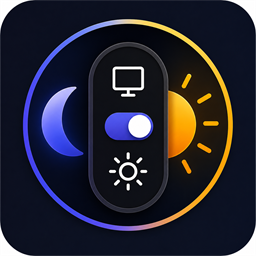
The plugin provides a floating switcher that lets each logged-in user choose their preferred admin color mode. The System option follows the operating system’s color-scheme preference.
Key Features:
- 3-Way Theme Switcher: Choose between System, Light, and Dark modes.
- System (Auto) Mode: Automatically syncs with your Operating System theme in real-time.
- Draggable Widget: The floating widget can be dragged to any position on the screen, and the position is saved automatically.
- Per-User Preference: Each logged-in WordPress user can save their own individual color mode preference.
- Unobtrusive: The draggable widget can be moved so it doesn’t block other interface elements like the Gutenberg Block Editor or Elementor panels.
Скриншоты


Установка
- Upload the plugin package to your
/wp-content/plugins/directory. - Go to the «Plugins» menu in WordPress and activate the plugin.
- You will see a floating widget at the bottom right of your screen.
- Drag it to your preferred position and click the icons to switch themes.
Часто задаваемые вопросы
-
By default, a floating widget will appear at the bottom-right corner of your screen. You can click the drag handle on the left of the widget to move it.
-
Does it sync with my computer’s theme?
-
Yes! By default, the widget is set to «System» (the Desktop icon). This means if your Windows/Mac is in Dark Mode, WordPress will automatically switch to Dark Mode. If you change your OS theme, WordPress updates in real-time without needing a page reload.
Отзывы
Нет отзывов об этом плагине.
Участники и разработчики
«Vijay Dark Admin Mode» — проект с открытым исходным кодом. В развитие плагина внесли свой вклад следующие участники:
Участники
Перевести «Vijay Dark Admin Mode» на ваш язык.
Заинтересованы в разработке?
Посмотрите код, проверьте SVN репозиторий, или подпишитесь на журнал разработки по RSS.
Журнал изменений
1.1.0
- Complete UI Overhaul: Replaced standard top-bar switch with an interactive, animated, floating widget.
- Added 3-Way Mode (System Auto, Light, Dark).
- Added real-time OS Theme syncing.
- Added Drag & Drop functionality to move the widget anywhere on the screen.
- Fixed WordPress Plugin Check (PCP) errors and optimized code.
1.0
- Initial Release.