Описание
Demos | Documentation | Premium Version
WP Blog Post Layouts — это универсальный плагин, специально разработанный для создания макетов блогов WordPress без необходимости знания кодирования. Он поставляется с несколькими типами архивных макетов: Masonry, Grid и List, каждый из которых имеет 3 различных варианта. Это дает Вам полный контроль над стилем записей в блоге. Он полностью совместим как с Gutenberg, так и с Elementor. С помощью этого плагина Вы можете переставлять посты WordPress, настраивать цвета, типографику, устанавливать длину контента и так далее. Кроме того, он предлагает опцию категорий, которая позволяет Вам отображать посты из определенных категорий на Вашем сайте.
Features and Options
- Compatible with Gutenberg Editor and Elementor PageBuilder.
- Archive your default posts.
- Multiple archive layout types ( Grid, List, and Masonry ).
- Each layout with 3 different variations
— Grid( 3 variations )
— List( 3 variations )
— Masonry( 3 variations ) - Multiple Archive Columns ( upto 5 columns )
- Category Select option — display posts from specific category.
- OrderBy and Order Options — display your posts in descending, ascending manner w.r.t to post date and title.
- Post Count Option — number of posts to display
- Set content length option.
- Show/Hide option for meta.
- Show/Hide post margin option.
- Color options.
— Font Color
— Button Background Color
— Border Color
— Link Hover Color - Enable/Disable custom typography option.
- Flexible Typography option available for Block title, Post title, Content, Meta, Button
- Available settings tabs
— Basic Settings
— Query Settings
— Layout Settings
— Typography Settings
What’s Next
Checkout out our other projects for WordPress
Mystery Themes — has 30+ beautiful and elegant responsive WordPress Themes.
WPAllresources — A complete WordPress resources with Collection of WordPress Themes by Well Renowned Authors.
Contribute
You can contribute to the source code in our GitHub page.
Скриншоты
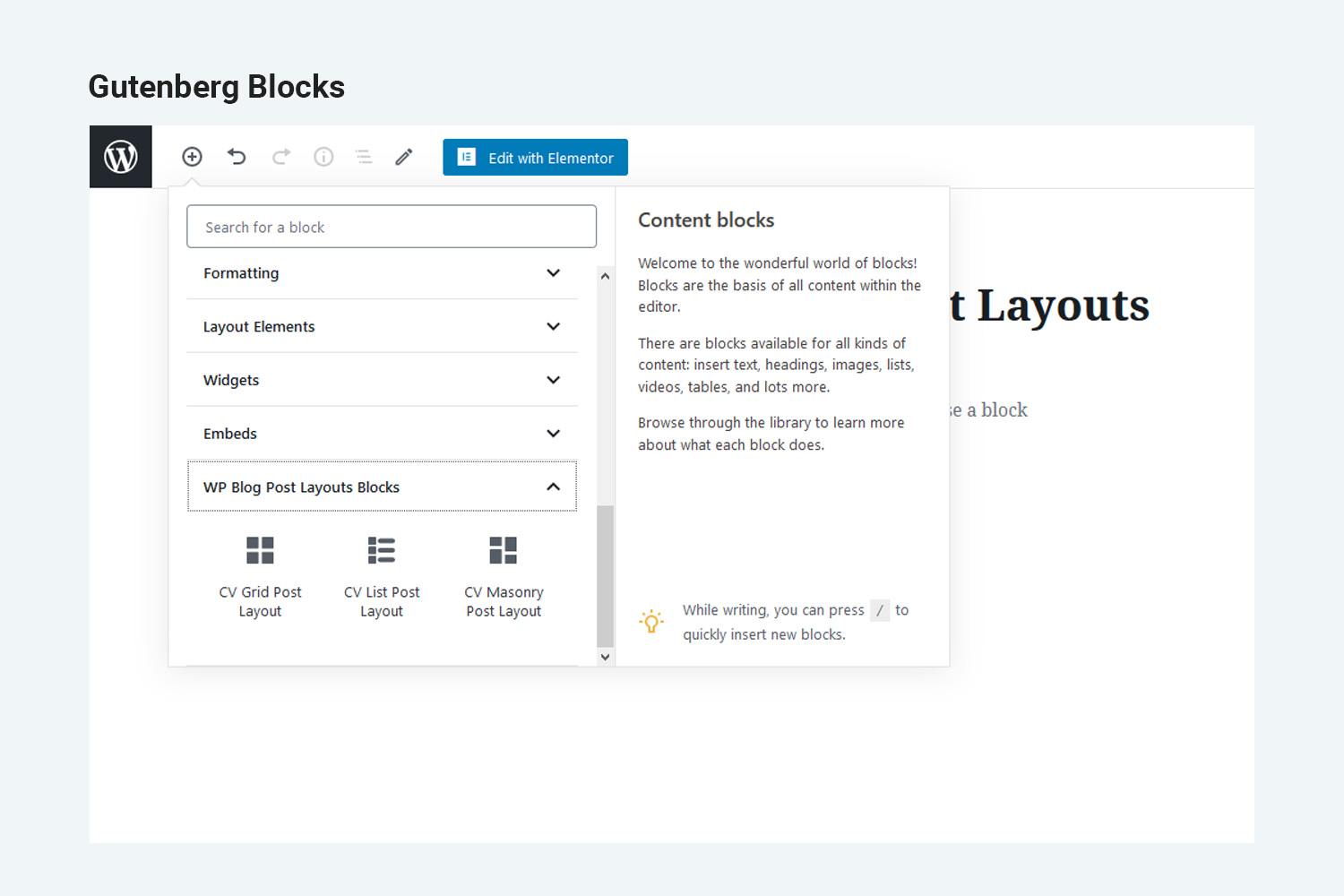
Макеты блоков Gutenberg. 
Elementor element Layouts. 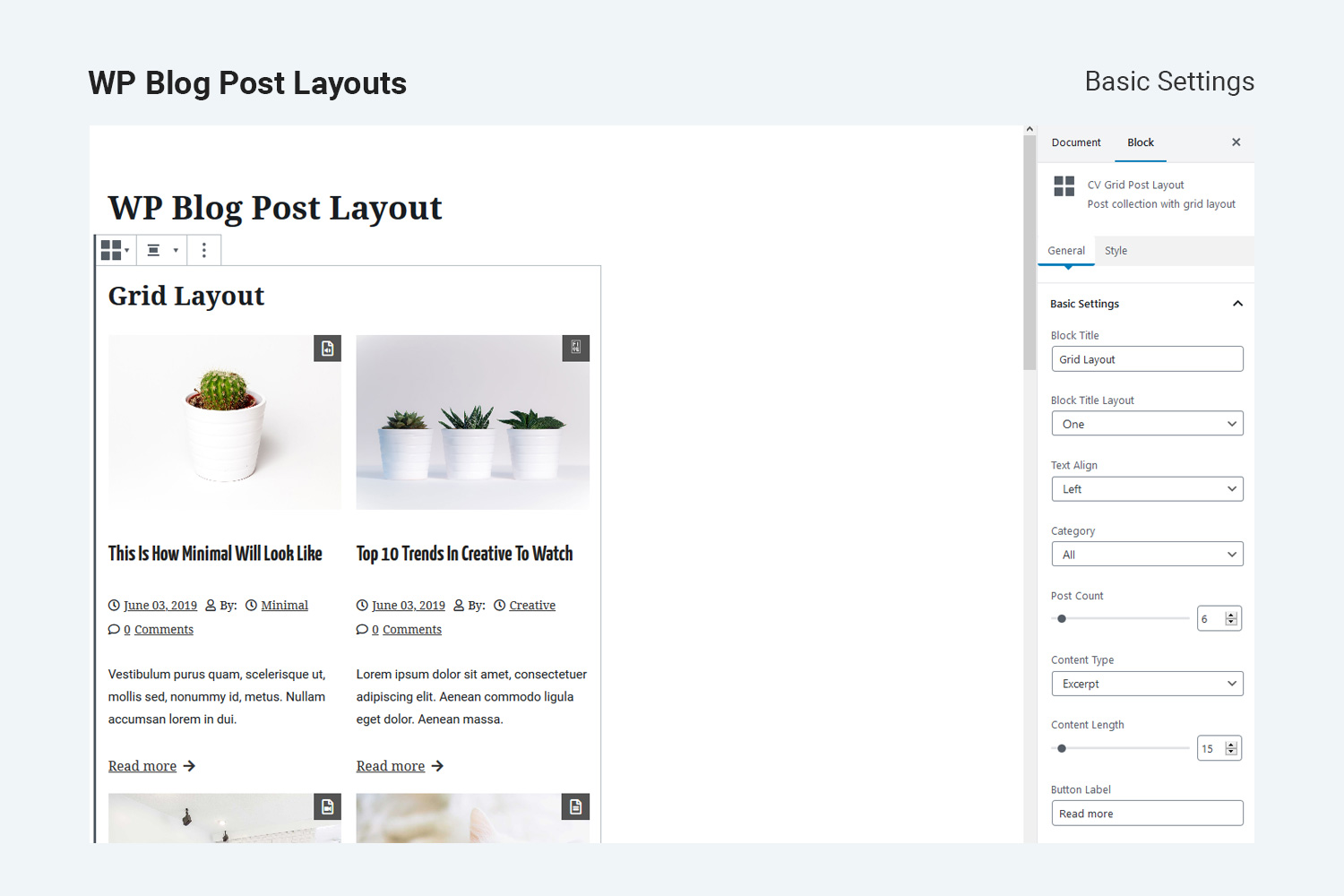
Block post layout with basic settings. 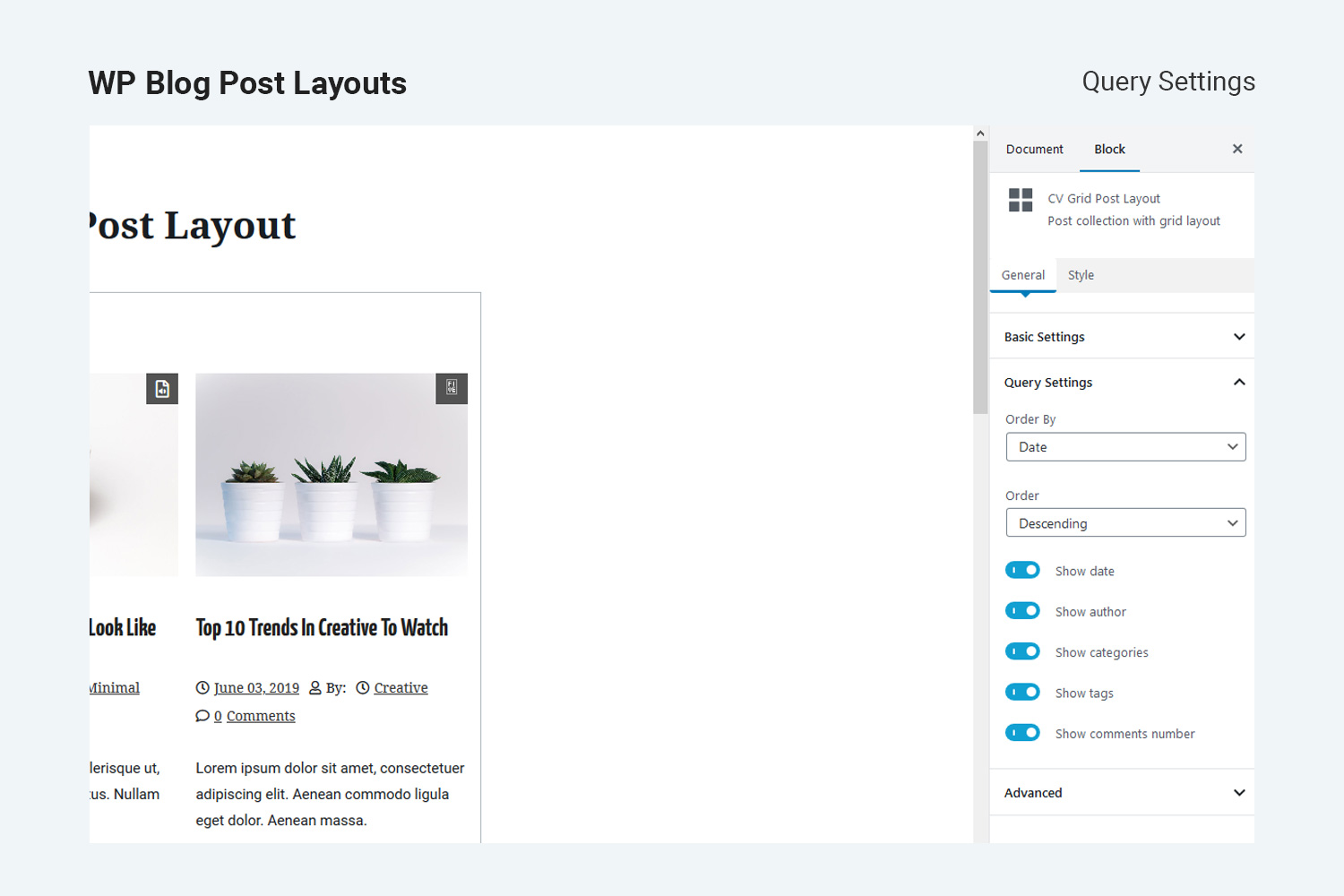
Block post layout with query settings. 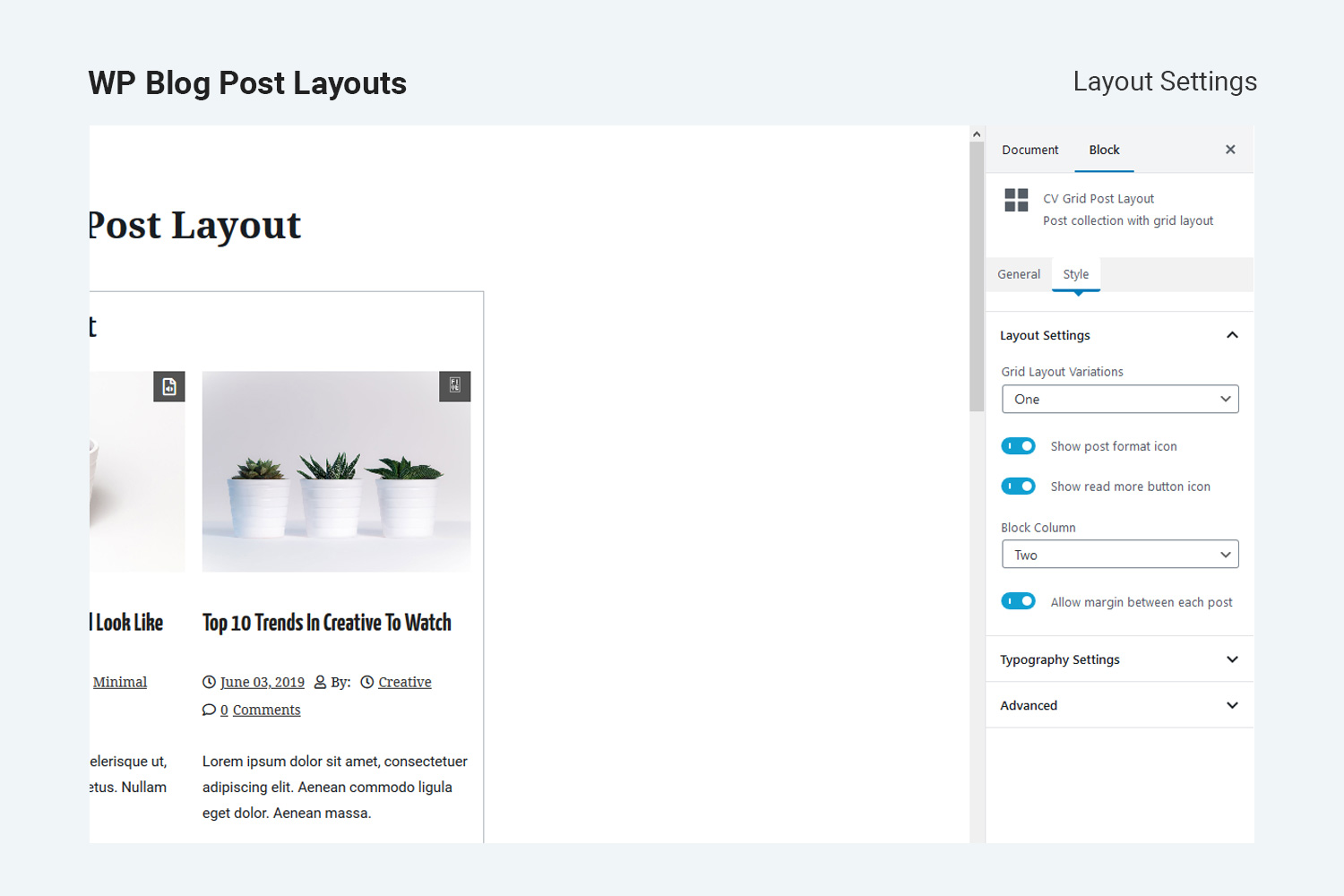
Block post layout with layout settings. 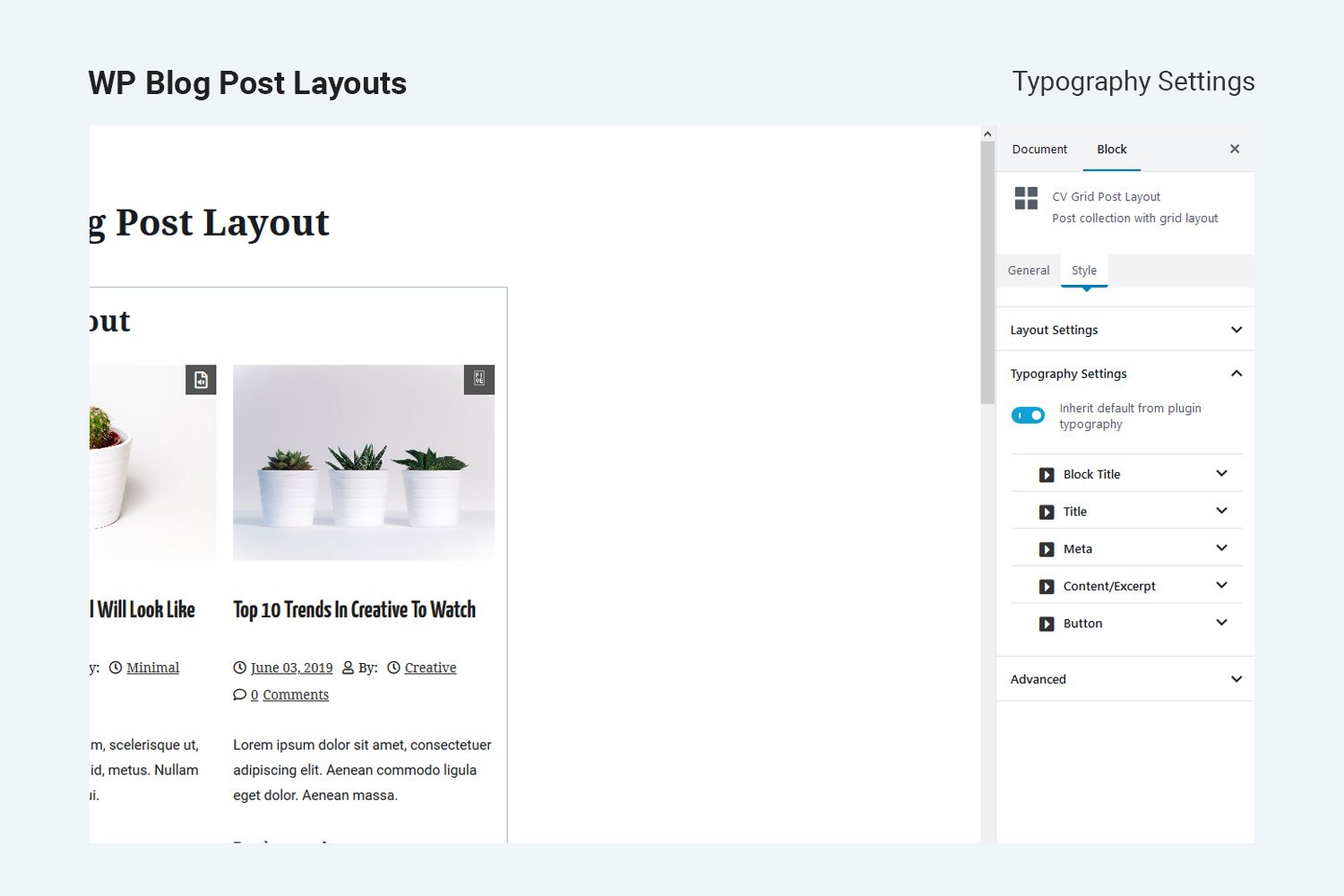
Block post layout with typography settings. 
Frontpage grid layout one. 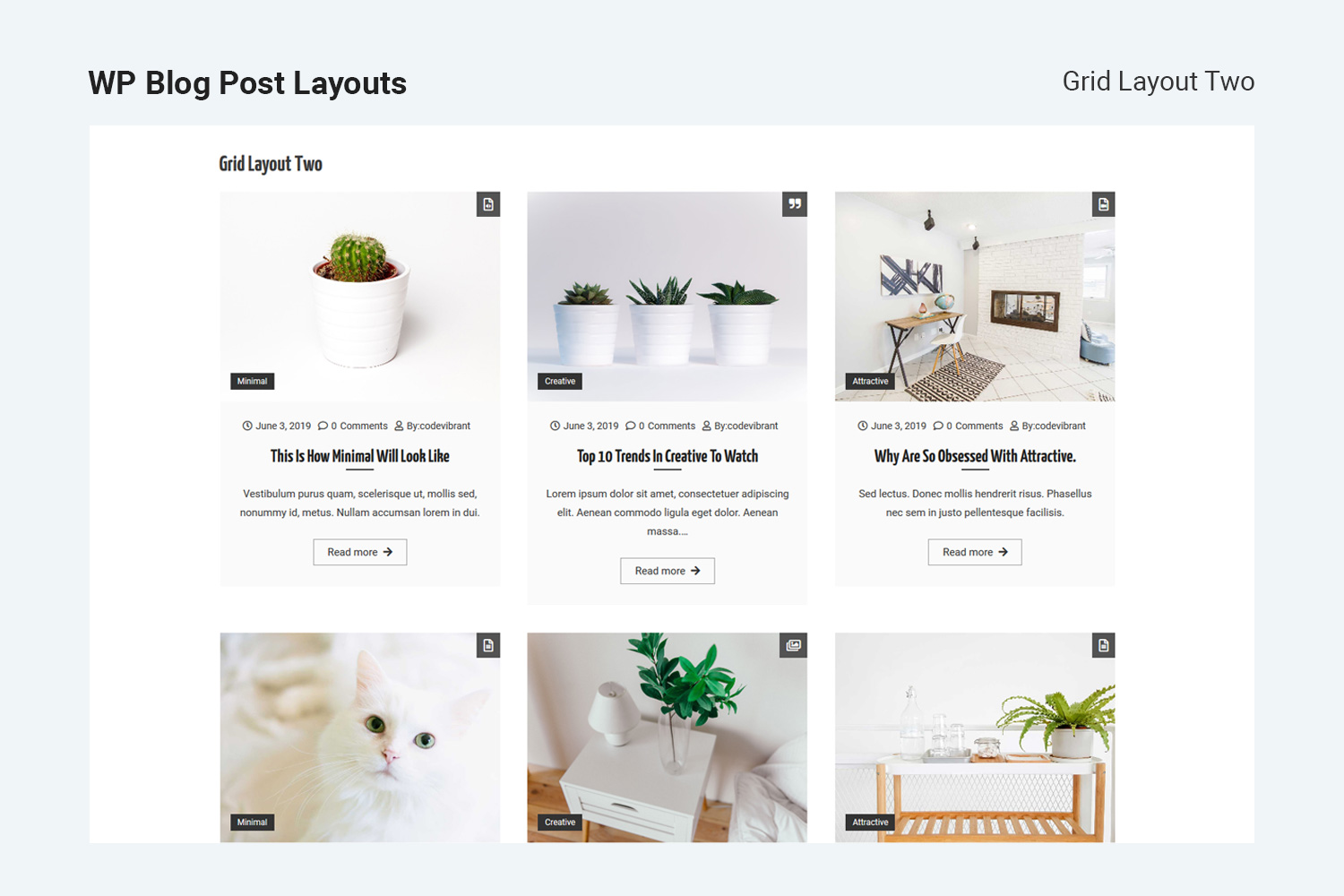
Frontpage grid layout two. 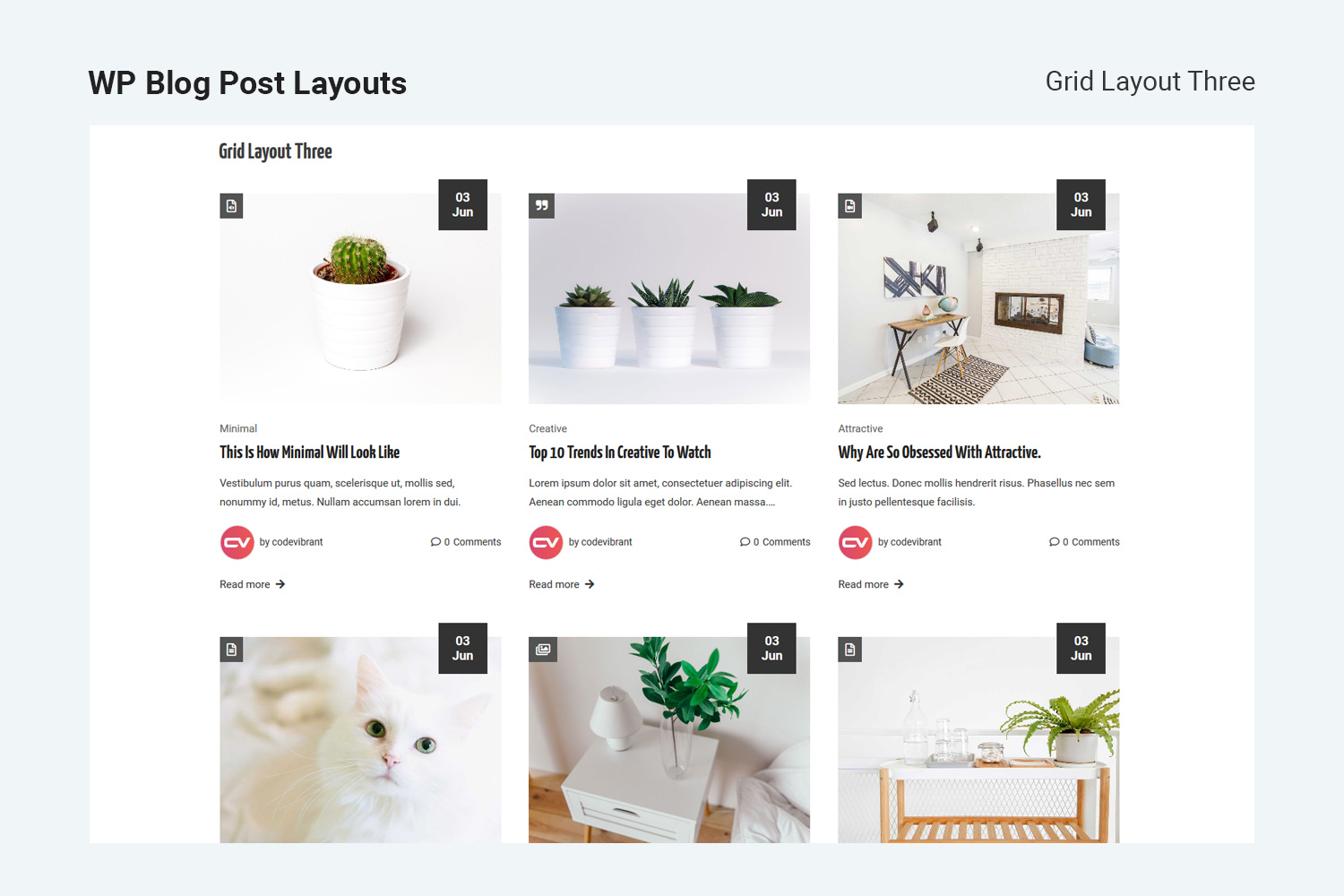
Frontpage grid layout three. 
Frontpage list layout one. 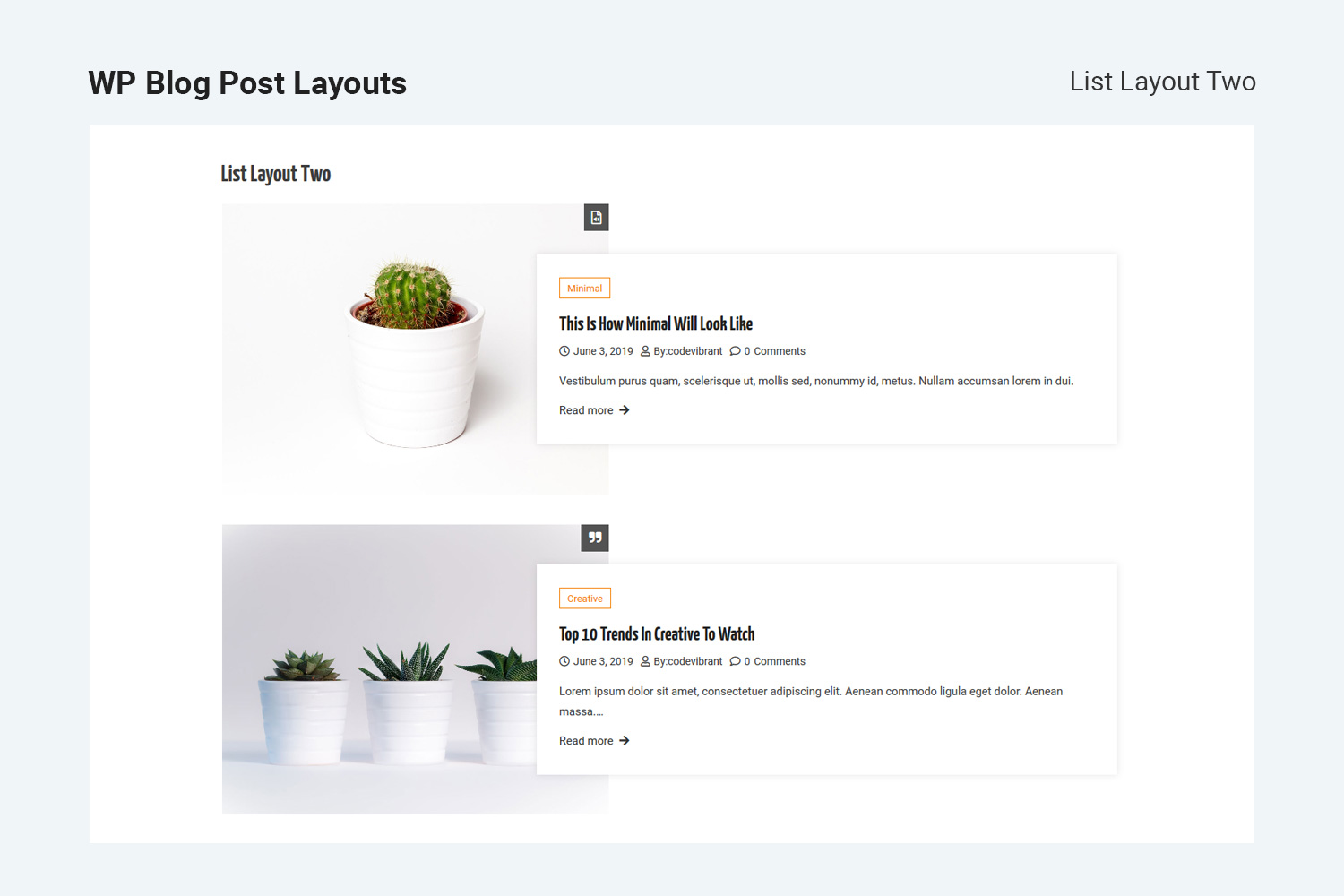
Frontpage list layout two. 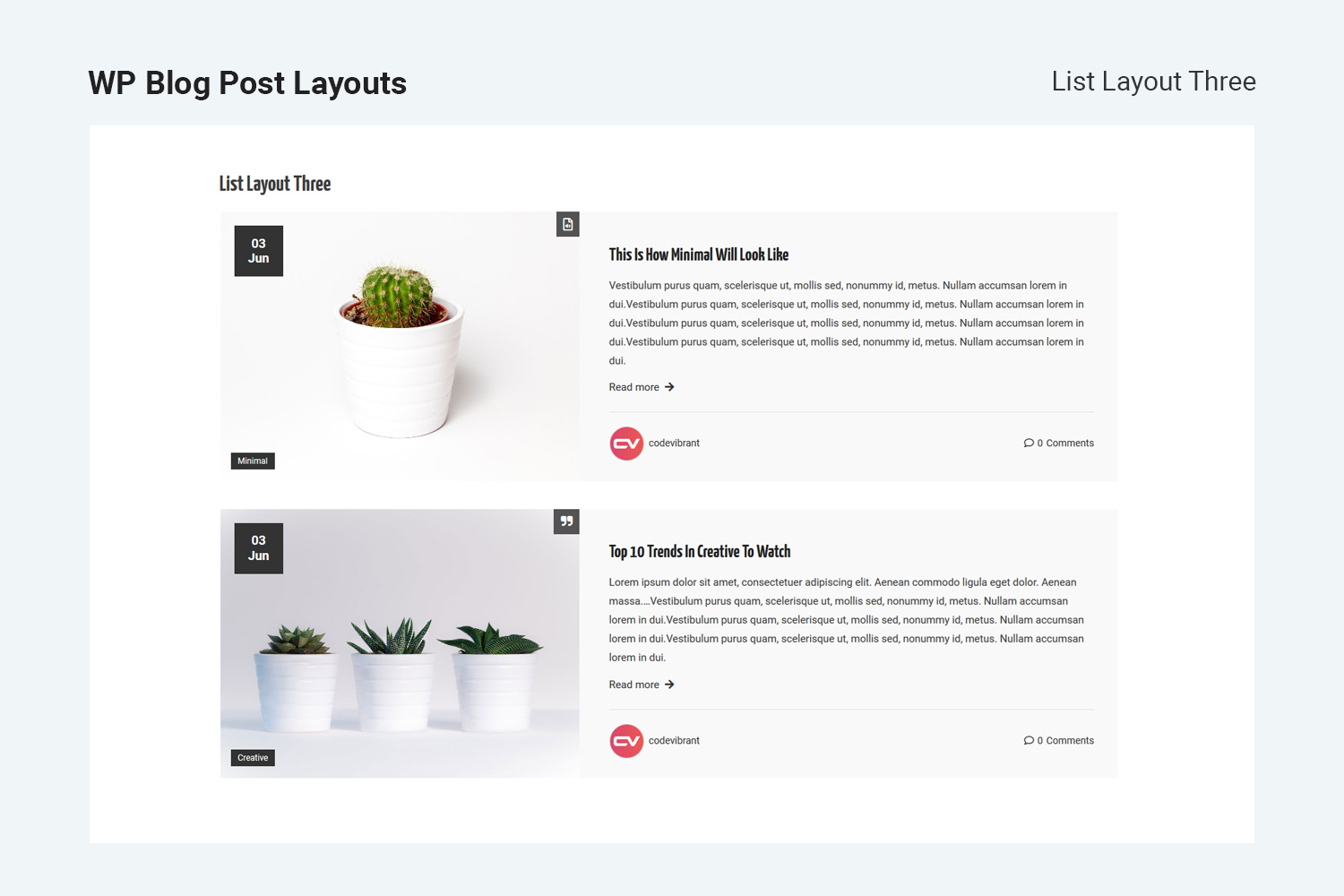
Frontpage list layout three.
Блоки
Этот плагин предоставляет 3 блока.
- CV Grid Post Layout
- CV List Post Layout
- CV Masonry Post Layout
Установка
-
Login to your WordPress Admin Area
- Go to Plugins > Add New
- Type WP Blog Post Layouts into the Search and hit Enter.
- Find this plugin Click Install now
- Activate The Plugin
- Use the WP Blog Post Layouts block on your next page or post.
Manual Installation:
- Download the plugin from WordPress.org repository
- On your WordPress admin dashboard, go to Plugins > Add New > Upload Plugin
- Upload the downloaded plugin file (wp-blog-post-layouts.zip) and click Install Now
- Activate WP Blog Post Layouts from your Plugins page.
- Use the WP Blog Post Layouts block on your next page or post.
Часто задаваемые вопросы
-
Can I use WP Blog Post Layouts with any WordPress theme?
-
Yes, It can be used with any WordPress theme.
-
Do I need coding skills to use WP Blog Post Layouts?
-
Our settings panels are well coded with the proper user interface so, you just need to drag, drop, and click.
-
Is WP Blog Post Layouts Compatible with Gutenberg Editor?
-
Yes, WP Blog Post Layouts is fully compatible with the Gutenberg editor. In fact, this plugin is compatible latest WordPress version along with major plugins and themes available in WordPress.
-
Can I manage my content length on the blog page?
-
Yes, this plugin lets you control content length on blog posts and pages.
-
Can I use Blog Post layout with Elementor Page Editor?
-
Absolutely, WP Blog Post Layouts is fully integrated with Elementor Page Editor. You can use this plugin with elementor to design your website without any problem.
-
Do WP Blog Post Layouts have any typography options?
-
Yes, this plugin comes with a flexible and customizable typography option
Отзывы


Участники и разработчики
«WP Blog Post Layouts» — проект с открытым исходным кодом. В развитие плагина внесли свой вклад следующие участники:
Участники
«WP Blog Post Layouts» переведён на 1 язык. Благодарим переводчиков за их работу.
Перевести «WP Blog Post Layouts» на ваш язык.
Заинтересованы в разработке?
Посмотрите код, проверьте SVN репозиторий, или подпишитесь на журнал разработки по RSS.
Журнал изменений
1.1.4 — June 20, 2024
Fixed — Issue in elementor file path.
Fixed — Fixed Escaping in required strings.
1.1.3 — December 15, 2023
Fixed — bugs of font style in typography.
Fixed — fontawesome icon in elementor widgets.
1.1.2 — November 10, 2022
Fixed — bugs of colorpalette in block js.
1.1.1 — March 24, 2022
Fixed — depreciate function _register_controls.
1.1.0 — December 06, 2021
- Fixed — bugs at typography option.
1.0.9 — August 02, 2021
- Fixed — warning about wp-editor at widget page(WordPress 5.8).
- Fixed — replace deprecated filter (WordPress 5.8) with new filter.
1.0.8 — July 06, 2021
- Fixed — Comments & Tags frontend issue fixed in Gutenberg tags.
- Fixed — Masonary layout issue fixed.
1.0.7 — Feb 16, 2021
- Changed — some default values changed.
- Updated — some react package updated.
1.0.6 — Nov 30, 2020
- Added — imagesloaded library enqueued in frontend part.
- Fixed — masonry block images loading issue fixed.
- Modified — google fonts json file added for typography fonts option.
1.0.5 — October 22, 2020
- Changed — common attributes minimized to single function.
- Fixes — some code fixes
- Added — elementor block preview js added
- Modified — layout option modified to radio image field
1.0.4 — August 18, 2020
- Fixed — taxonomy list issue on editor block preview.
- Added — block icon color
1.0.3 — July 14, 2020
- Fixed — elementor posttype undeclared variable issue fixed.
- Added — missing deactivation variable added.
1.0.2 — June 25, 2020
- Fixed — limited category select issue in Gutenberg editor.
- Added — added «post-counts» in category select «label» field in Gutenberg editor and elementor element option.
- Changes — premium features listing added.
- Fixed — false text-domain fixes
1.0.1 — May 08, 2020
- Added short description to the plugin.
- Review link added in the admin page.
- Plugin review admin notice added.
- Preview images added in Gutenberg blocks
- Upsell button added in the admin page
1.0.0 — April 22, 2020
- Initial Release.