

Описание
Track AI Search Engine Traffic in WordPress
Zyflora Analytics helps you understand where your traffic comes from — including the growing wave of AI search engines like ChatGPT, Claude, Perplexity, and Gemini.
See how much traffic comes from:
* AI search engines (ChatGPT, Claude, Perplexity, etc.)
* Traditional search engines (Google, Bing, DuckDuckGo, etc.)
* Social media platforms (Facebook, Twitter, LinkedIn, etc.)
⚡ Fast & Privacy-Friendly
- Performance — Uses WordPress shutdown hook to track after page is sent
- Works with caching — Compatible with WP Rocket, W3 Total Cache, Cloudflare, etc.
- Small footprint — Lightweight plugin
- No external services — All data stays on your server
- GDPR compliant — No personal data collected
🤖 AI Search Tracking
Track traffic from:
* ChatGPT — OpenAI’s search
* Claude — Anthropic’s AI assistant
* Perplexity AI — Answer engine
* Gemini — Google’s AI
* You.com — AI search
* Phind — Developer search
* Bing AI — Microsoft Copilot
* Grok — X’s AI
🔒 Privacy First
- All data stays on your server — No external services
- No cookies — No tracking pixels
- No user tracking — Just page views
- GDPR compliant — Privacy by default
🎯 Features
Stats
* Track AI search engine traffic
* Top performing posts
* Views column in posts/pages
* AI vs Traditional comparison
Скриншоты
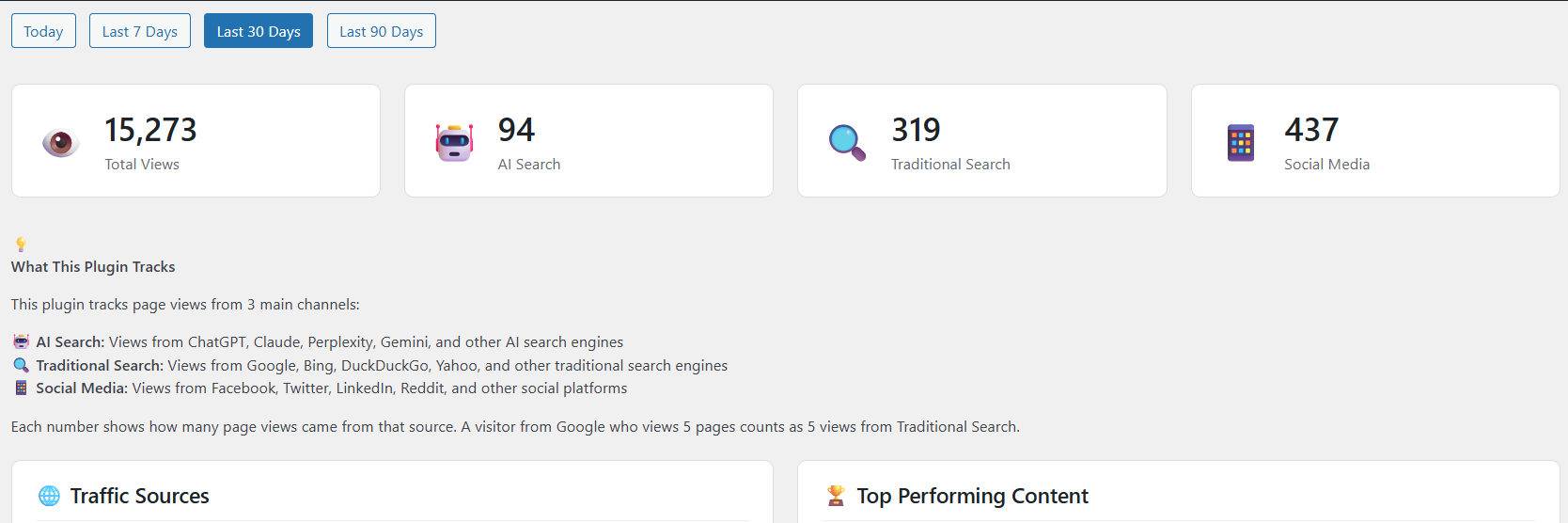
Main dashboard showing AI vs Traditional search traffic 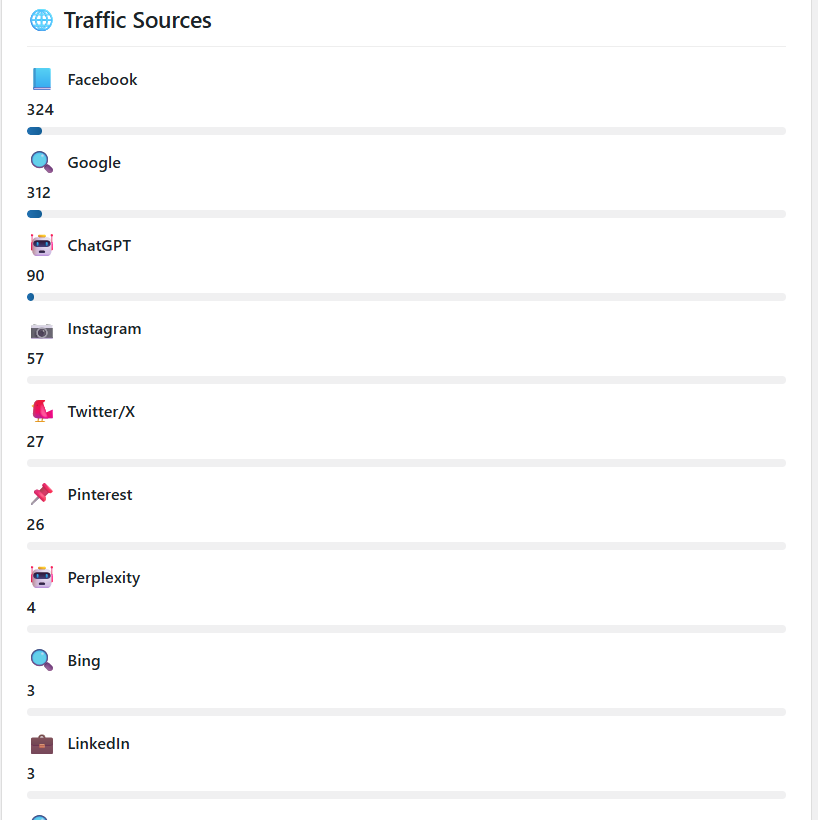
Traffic source breakdown with all AI search engines 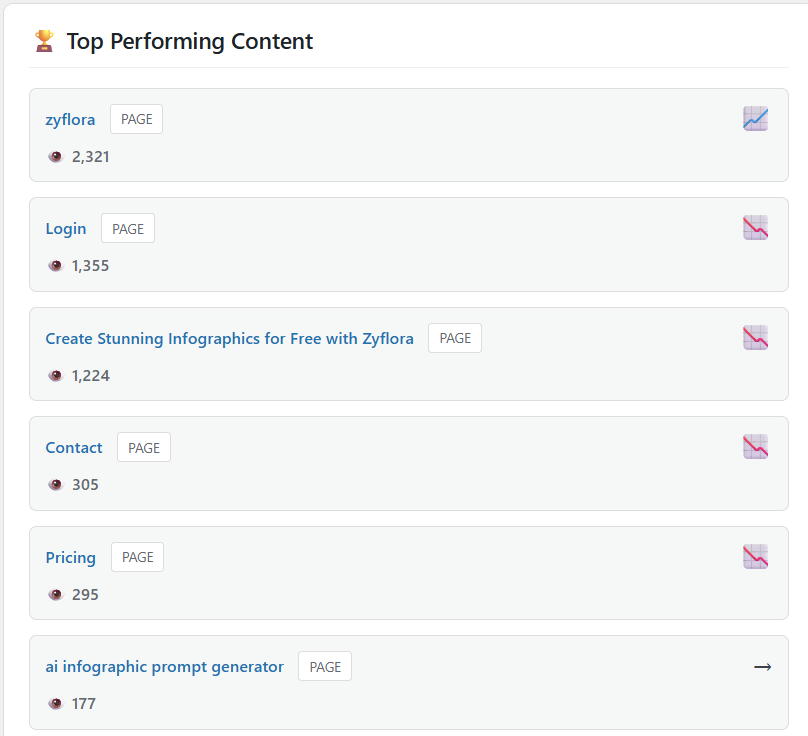
Top performing content 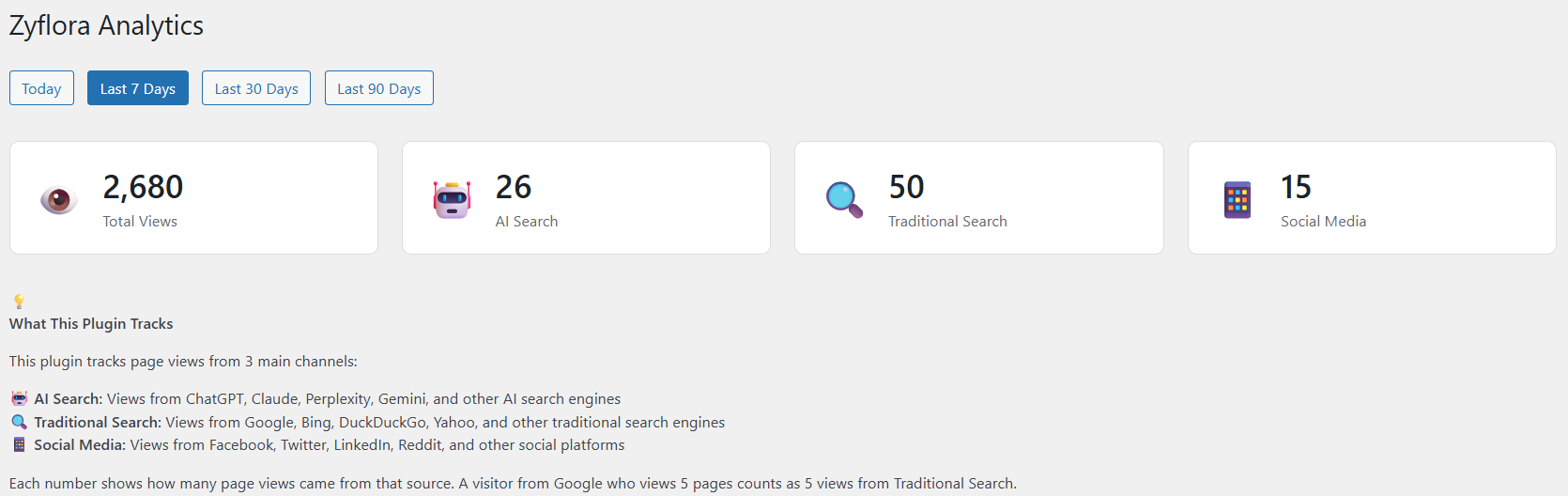
Views column in WordPress posts list 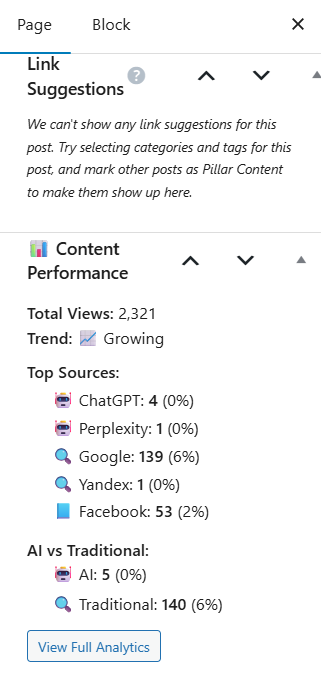
Per-post analytics in the edit screen 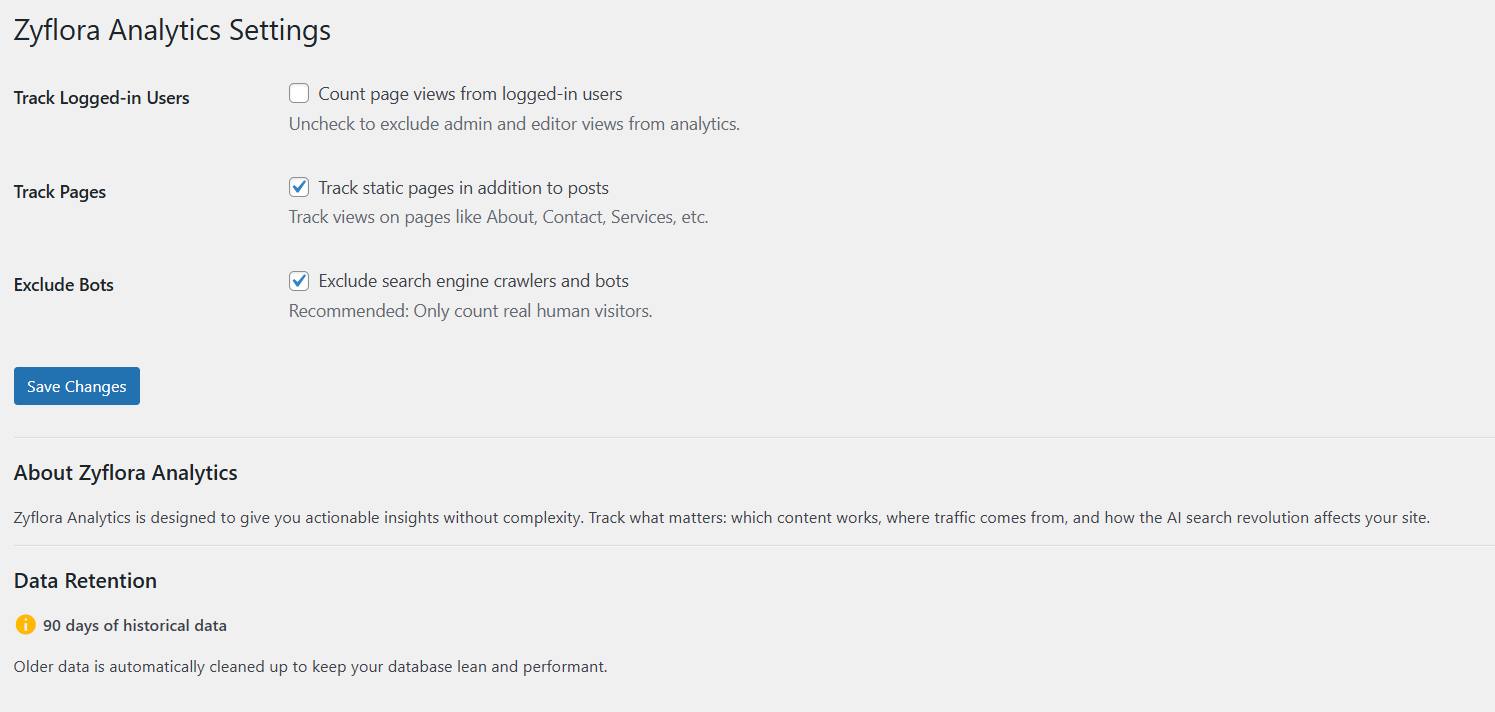
Settings page
Установка
- Install and activate the plugin
- That’s it! Analytics starts tracking automatically
- View your dashboard at Analytics in WordPress admin
Optional Settings:
* Go to Analytics Settings
* Choose whether to track logged-in users
* Enable/disable page tracking
* Configure bot exclusion
Часто задаваемые вопросы
-
Is this GDPR compliant?
-
Yes. All data stays on your WordPress server. No cookies, no external tracking, no personal data collected. Just page view counts.
-
How do you detect AI search engines?
-
We analyze the HTTP referer (where visitors came from) to identify traffic sources. When someone clicks a link in ChatGPT, Claude, Perplexity, etc., the referer tells us which AI engine sent them.
-
Will my data be lost if I deactivate?
-
No. All analytics data is stored in your WordPress database and stays there even if you deactivate the plugin.
-
Can I exclude my own views?
-
Yes. By default, logged-in users aren’t tracked. You can change this in Analytics Settings.
-
Does this track bots/crawlers?
-
By default, no. It automatically exclude search engine bots and crawlers so your stats show real human visitors only.
Отзывы
Нет отзывов об этом плагине.
Участники и разработчики
«Zyflora Analytics» — проект с открытым исходным кодом. В развитие плагина внесли свой вклад следующие участники:
Участники
Перевести «Zyflora Analytics» на ваш язык.
Заинтересованы в разработке?
Посмотрите код, проверьте SVN репозиторий, или подпишитесь на журнал разработки по RSS.
Журнал изменений
1.0.0
- Initial public release
- AI search engine tracking (ChatGPT, Claude, Perplexity, Gemini, etc.)
- Traditional search tracking (Google, Bing, DuckDuckGo, etc.)
- Social media source tracking (Facebook, Twitter, LinkedIn, etc.)
- UTM parameter support for accurate social media tracking
- Traffic source breakdown
- AI vs Traditional comparison
- Top performing posts
- Trend detection
- Views column in admin
- Post meta box with detailed stats
- Settings page
- Zero performance impact (uses shutdown hook)
- Privacy-first approach (no external services)
- GDPR compliant